
Are you eager to create your own website but worried about the complexity? Don’t be.
Building a website using WordPress themes is not only simple but also incredibly effective. Imagine having a professional-looking website without writing a single line of code. With WordPress themes, you can achieve just that. Whether you’re launching a blog, setting up an online store, or showcasing your portfolio, there’s a theme tailored for you.
In this guide, we’ll walk you through the process step-by-step, ensuring you have a seamless experience. Ready to transform your vision into reality? Let’s dive in and discover how you can harness the power of WordPress themes to build your dream website effortlessly.
Choosing The Right Theme
Identify your website’s purpose before picking a theme. Is it for a blog or a shop? Knowing this helps in finding the perfect theme. A blog might need a simple design. A shop needs something more interactive.
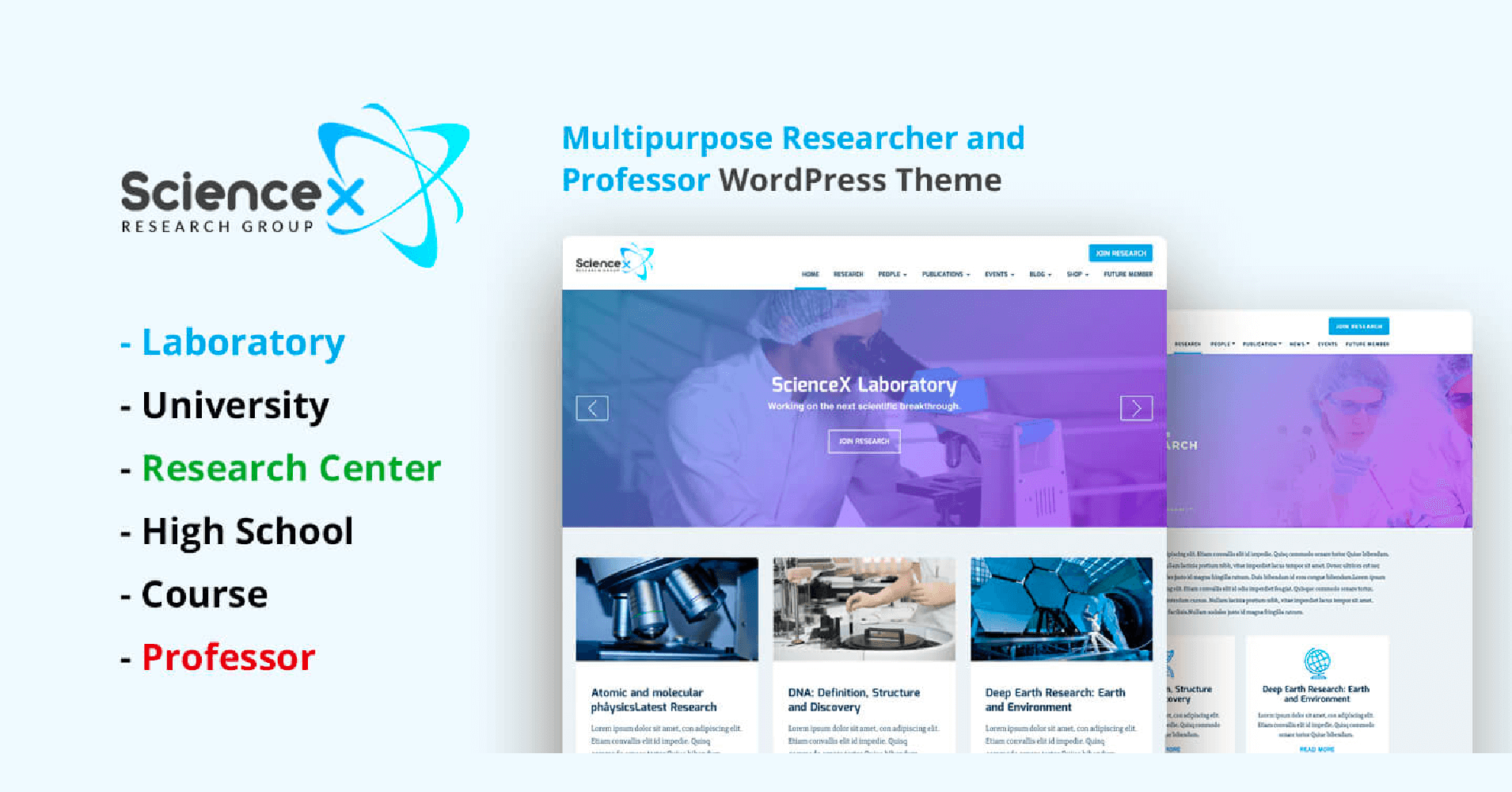
Explore popular WordPress themes to find one that fits. Themes like Astra or OceanWP are well-known. They offer many features and styles. Each theme has unique designs and functions.
Evaluate theme features and compatibility carefully. Check if the theme works with needed plugins. Ensure it is mobile-friendly and fast. Look for themes that are easy to customize. Compatibility matters for a smooth website experience.

Credit: themeforest.net
Installing A WordPress Theme
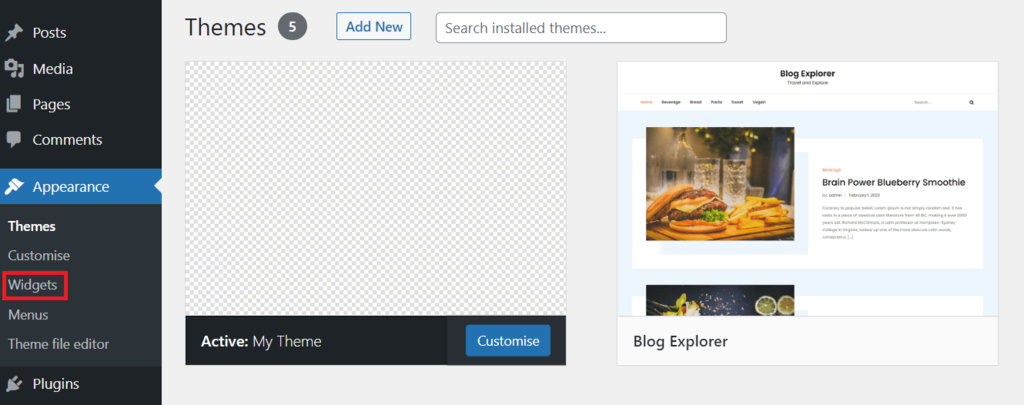
First, log into your WordPress account. Use your username and password. The dashboard is the main screen. You will see many options here. Look for the appearance tab. Click it to explore themes.
Choose a theme you like. Download the theme file. Go back to the appearance tab. Click on themes. Find the upload theme button. Select your downloaded file and click install. Wait for the upload to finish.
Once installed, look for the activate button. Click it to make the theme live. Your website will change to the new look. Check your site to see the changes. Enjoy your new theme!
Customizing Your Theme
The WordPress Customizer helps change your website’s look. You can adjust colors, fonts, and more. It’s easy to use. Just click and change. You will see changes live on your screen. This tool is great for beginners. It makes your website unique.
Layout is how things are placed on your website. You can change where text, pictures, and menus go. Use simple settings to move things around. Choose a layout that fits your style. Try different designs. Find the one you like best.
Widgets and plugins add new features to your site. Widgets can show your latest posts or a calendar. Plugins can do many things like improve speed. You can find them in the WordPress library. Many are free. They make your site better and more fun.
Enhancing Functionality
Plugins add extra features to your website. They are like tools. Some plugins help with security. Others help with speed. You can also find plugins for backups. Choose plugins from the WordPress library. It is safe there. Use only a few plugins. Too many can slow your site.
SEO helps people find your site. Use keywords in your text. Keywords are important words. They help search engines. Make sure your site is mobile-friendly. Use an SEO plugin. It can guide you. Many people use the Yoast SEO plugin. It is easy to use.
Fast sites keep visitors happy. Use smaller images. They load faster. Try a caching plugin. It saves time. Check your hosting. It should be reliable. Fast hosting helps your site speed. Keep your site updated. Updates can fix problems.
Content Creation And Management
Creating Pages and Posts is simple with WordPress. First, click on ‘Pages’ or ‘Posts’ in the dashboard. Then, press ‘Add New’. Write your text in the editor. Use the toolbar to format your text. Add headings, lists, or links. Save your work often. When ready, publish your content. Readers will see it live on your site.
Incorporating Media Elements makes your site lively. Pictures, videos, and audio help. To add them, click ‘Add Media’ in the editor. Choose files from your computer. Drag and drop or select from the library. Media can be resized and aligned. Use captions for descriptions. This helps with understanding and SEO.
Structuring Menus and Navigation guides visitors. Go to ‘Appearance’ and select ‘Menus’. Add pages, posts, or links to the menu. Rearrange items by dragging. Create submenus for sections. Save changes to update the site. Easy navigation keeps users happy. They find information quickly.
Credit: wpmanageninja.com
Testing And Launching
Check the website on different devices. A good site looks good on phones and computers. Ensure images and text fit well on small screens. Buttons should be easy to tap. If something looks off, adjust the settings. Use online tools to help with this. They show how your site looks on various devices.
Ask friends to use your website. See if they find it easy. Watch their actions. Make notes of any problems. Navigation should be simple. Information should be clear. If they get confused, make changes. This makes your site better.
Everything looks good now. It’s time to publish. Go to your WordPress dashboard. Click the button to make your site live. Check your website one more time. Ensure all links work. Celebrate! Your website is ready for the world.
Maintaining Your Website
Building a website with WordPress themes is straightforward and efficient. Choose a theme, customize it to fit your brand, and add your content. Regular updates keep it secure and running smoothly.
Updating Themes And Plugins
Always keep your themes and plugins updated. This ensures your site runs smoothly. Updates fix bugs and add new features. They also improve security. Set a reminder to check for updates weekly. It only takes a few minutes. Your site will thank you!
Monitoring Performance
Check your website’s performance regularly. Use tools to see how fast it loads. A fast site keeps visitors happy. Slow sites can lose visitors. Look at your site on different devices. Make sure it looks good everywhere. Fix any issues quickly.
Backing Up Your Site
Always have a backup of your site. Things can go wrong. A backup saves your work. Many plugins can help with backups. Set them to run automatically. Keep backups in a safe place. You never know when you might need them.
Credit: www.hostinger.com
Frequently Asked Questions
How To Choose The Best WordPress Theme?
Choosing the right WordPress theme involves considering your website’s purpose and audience. Look for themes that are responsive, customizable, and compatible with popular plugins. Read user reviews and check for regular updates to ensure security and functionality. Always preview themes to see how they fit your site’s vision.
Are Free WordPress Themes Reliable?
Free WordPress themes can be reliable if sourced from reputable developers. They often offer essential features but may lack advanced customization options. Check for user reviews, updates, and support availability. Ensure the theme is responsive and compatible with essential plugins.
Always test the theme before using it on a live site.
Can WordPress Themes Be Customized Easily?
Most WordPress themes offer customization options through the built-in customizer or theme settings. You can change colors, fonts, and layouts without coding. For advanced changes, you may need CSS knowledge. Use child themes for significant modifications to avoid losing changes during theme updates.
Do WordPress Themes Affect Site Speed?
Yes, WordPress themes can impact site speed. Lightweight themes with optimized code load faster. Avoid themes with excessive features you don’t need. Check theme demos for performance and read user reviews. Use caching plugins and optimize images to enhance speed further.
A fast theme improves user experience and SEO.
Conclusion
Building a website with WordPress themes is easy. Start with choosing a theme that fits your needs. Customize it to match your brand. Add content that engages your audience. Use plugins to enhance functionality. Keep the design simple and user-friendly.
Test your website before launching it. Make sure everything works smoothly. Regular updates keep your site fresh and secure. Explore WordPress resources for more tips. Enjoy your new website journey!


