
Are you ready to take your WordPress site to the next level? Building a premium WordPress theme can be your game-changer.
Imagine having complete control over your website’s aesthetics and functionality while standing out from the crowd. You might think it’s a daunting task, but it’s more achievable than you think. In this guide, you’ll uncover the secrets to creating a theme that not only captures attention but also enhances user experience.
Whether you’re a seasoned developer or just starting out, this step-by-step approach will empower you with the skills and knowledge needed to craft a theme that truly reflects your vision. Let’s dive in and discover how you can transform your WordPress site into something extraordinary.
Choosing The Right Framework
Many developers use WordPress frameworks. They offer a base to start with. Genesis is one option. It is fast and secure. Bootstrap is another choice. It is popular for its responsive design. Underscores is great too. It is simple and lightweight. Pick a framework that fits your needs.
Frameworks save time. They offer pre-written code. This makes building easier. You get customizable features. These frameworks are well-tested. This means fewer bugs. They also help with responsive designs. Your site looks good on all devices. Using a framework can lead to better performance. It improves site speed. Visitors like faster websites.
Setting Up Development Environment
Building a premium WordPress theme needs special tools. Start with a good code editor. Options like VS Code and Atom are great. A version control system like Git is also crucial. It helps keep track of changes. Install Node.js for JavaScript tools. CSS preprocessors like Sass make styling easier. Use WordPress CLI for simple commands. All these tools streamline the development process.
A local server lets you test themes on your computer. Install software like XAMPP or MAMP. These create a server environment. Set up a database for WordPress. Make sure it connects properly. Check PHP settings, they affect performance. Test your theme regularly. Local server setup ensures smooth development.
Designing The Theme Layout
Crafting a premium WordPress theme layout involves focusing on user-friendly design and responsiveness. Prioritize intuitive navigation and clear content areas. Use customizable elements to enhance visual appeal and functionality, ensuring a cohesive look across devices.
Wireframing And Prototyping
Start with a basic sketch of your theme. This is called a wireframe. It helps you plan where things go. Use simple lines and boxes. Keep it neat and clear. This makes it easy to change things later. Next, build a prototype. It’s like a model of your theme. Use tools like Figma or Sketch. These tools let you test your ideas. Move things around. Try new looks. Make sure everything fits well. This way, you can see how your theme will look. It’s important to test on different screens. Like phones and computers. This ensures your theme looks great everywhere.
Design Trends And Best Practices
Stay updated with the latest design trends. Trends change often. Check out popular theme websites. Learn what people like. Use simple colors and clean fonts. These make your theme easy to read. Always focus on user-friendly designs. Users should find everything quickly. Use clear buttons and menus. Make sure images load fast. This keeps visitors happy. Remember to keep your design responsive. It should adjust to different screen sizes. Following best practices makes your theme more attractive. People like themes that are easy to use and nice to look at.

Credit: weeklyhow.com
Creating Custom Templates
Start with basic HTML tags. These tags help structure content. Use CSS for styling. Colors, fonts, and layouts come from CSS. Make sure your site looks good. Test on different devices. Use a mobile-friendly design. This ensures everyone can see your page.
PHP makes pages smart. It can change content based on user actions. Display different text or images. Use PHP to connect to a database. This allows you to show data easily. With PHP, make your site interactive. Users will enjoy visiting more.
Integrating Theme Options Panel
The theme options panel is a key part of a premium WordPress theme. It allows users to customize their site easily. Important features should be included in this panel. These features help users make their site unique. Themes should offer choices for colors and fonts. These are basic customization features. Users like themes that are easy to change. Every theme should offer this option.
Adding more customization features can improve user experience. It can make a theme more appealing. Offering layout options is a good choice. Users can change the look of their site with different layouts. Widgets and menus can also be customizable. These give users more control over their site. Each feature should be simple to use. Easy features make users happy.
A user-friendly design is crucial for theme success. It helps users navigate the theme easily. Buttons should be easy to find and use. Labels must be clear and simple. A well-designed interface attracts users. The design should be clean and neat. Users prefer simple designs that are easy to understand. Icons can help guide users. They make navigation straightforward.
Feedback is important in interface design. Users need to know that their changes are saved. Confirmation messages can help with this. They reassure users their work is safe. A good interface design builds trust. Users will come back to themes that are easy to use. Positive experiences encourage users to choose your theme.
Enhancing With Plugins
Plugins make a theme more powerful. They add new features. SEO plugins help websites rank better. Security plugins keep the site safe. Performance plugins make it load fast. Page builder plugins help design pages easily. Each plugin plays an important role. Choose them wisely.
Custom plugins meet specific needs. They offer unique features. Developing a custom plugin is exciting. It’s like building a special tool. This tool fits your site perfectly. Hiring a developer can be helpful. They know how to create these plugins. Make sure the plugin works well. Test it before using it on the main site.
Optimizing For Performance
Fast websites are the key to better user experience. Every second counts. Reduce image sizes for quicker loads. Use a content delivery network (CDN) for faster global access. Minimize CSS and JavaScript files. Enable browser caching to save load time.
Good SEO helps your site rank higher. Use clean code for better search results. Keywords in titles and headers are important. Meta descriptions should be clear. Internal linking helps users and search engines. Mobile-friendly design is crucial. Fast websites rank better. Avoid duplicate content. Make sure your site is secure.

Credit: m.youtube.com
Ensuring Responsiveness
Start with designing for mobile devices. It is important to focus on smaller screens first. This helps in creating a theme that works well on all screens. Use flexible layouts and responsive images. This ensures your theme adjusts to different device sizes.
Keep menus simple for easy navigation. Make sure text is readable. Buttons should be easy to tap. A mobile-first approach ensures a better user experience for everyone.
Check your theme on different devices. Use smartphones, tablets, and desktops. Testing helps find any problems. Fixing these makes your theme better. Use online tools for testing. These tools show how your theme looks on various devices.
Ask others to test your theme too. They might find issues you missed. Testing is key to making a reliable WordPress theme.
Security And Maintenance
Protecting your WordPress theme involves regular updates and strong passwords. Keep plugins and themes updated to avoid vulnerabilities. Regular backups ensure data safety, while secure coding practices prevent breaches.
Implementing Security Measures
Adding strong security is very important. Use strong passwords for safety. Install security plugins to keep the site safe. Always backup your data. Backups help if things go wrong. Limit login attempts to stop hackers. Keep themes and plugins updated. This prevents security issues.
Regular Updates And Support
Updating your WordPress theme is vital. It keeps the site secure. New updates fix bugs and add features. Check for theme updates often. Updating plugins is important too. It ensures smooth running. Always have a support system in place. Support helps solve problems quickly. Choose themes with good support options.
Launching And Marketing The Theme
Launching a premium WordPress theme requires careful planning and strategy. Effective marketing involves showcasing unique features and benefits to attract potential users. Targeted promotion through social media and collaborations can boost visibility and interest.
Choosing Distribution Channels
Selecting the right channels is crucial for theme success. Popular platforms include ThemeForest and WordPress.org. These offer vast audiences for your theme. ThemeForest is known for premium themes. WordPress.org caters to free themes. Consider selling directly from your website. This allows full control over pricing and updates. Social media platforms can also be useful. Engage with potential users and showcase features. Partner with influential bloggers to reach more people.
Effective Promotion Strategies
Promotion helps in building awareness and demand. Use social media to share news and updates. Create engaging posts and visuals. Email marketing can reach interested users directly. Offer special discounts to attract buyers. Collaborate with other developers to expand reach. Craft tutorials to show theme benefits. User testimonials add trust and credibility. Advertise on popular websites visited by your audience. Monitor feedback to refine your strategies continuously.
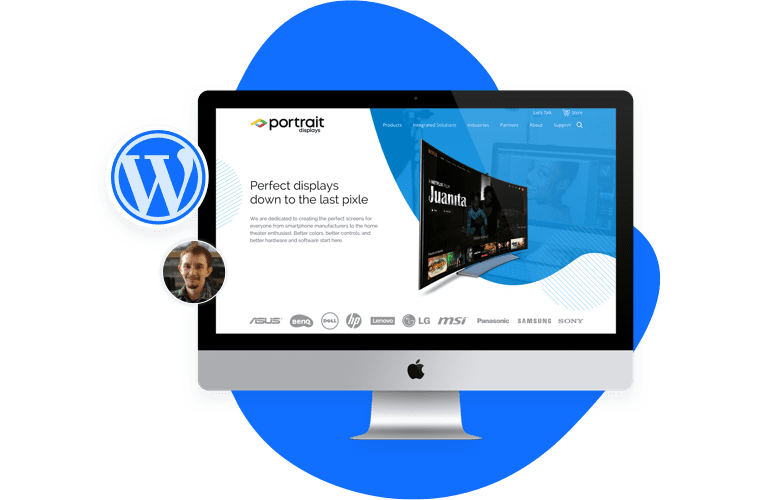
Credit: www.sayenkodesign.com
Frequently Asked Questions
What Tools Are Needed To Build A Premium WordPress Theme?
To build a premium WordPress theme, you’ll need a code editor, WordPress development environment, and design software. Popular choices include Visual Studio Code, Local by Flywheel, and Adobe XD. These tools help streamline development, design, and testing processes, ensuring a high-quality theme.
How Long Does It Take To Build A WordPress Theme?
The time to build a WordPress theme depends on complexity and experience. On average, it can take anywhere from a few weeks to several months. Planning, design, development, and testing phases all contribute to the overall timeline.
What Are The Key Features Of A Premium Theme?
A premium theme should be responsive, customizable, and SEO-friendly. It should offer clean code, fast loading times, and compatibility with popular plugins. Additionally, it should provide excellent support and regular updates to ensure security and functionality.
How To Ensure My Theme Is Seo-friendly?
To ensure SEO-friendliness, optimize your theme’s code, use semantic HTML, and implement schema markup. Ensure fast loading times, mobile responsiveness, and clean URLs. Provide options for meta tags and integrate with popular SEO plugins for enhanced functionality.
Conclusion
Building a premium WordPress theme takes effort and creativity. Start with a clear plan. Focus on design and functionality. Test your theme thoroughly for bugs. Keep your code clean and organized. Regular updates are essential for success. Listen to user feedback and improve your theme.
Offer reliable customer support to build trust. Stay updated with WordPress trends and technologies. Always aim for quality over quantity. Your hard work will pay off in user satisfaction. With these steps, you can create a theme that stands out.
Happy building!


