
Are you eager to create a unique WordPress theme but unsure where to start? Building a WordPress theme from scratch in 2017 might seem daunting, but it’s an exciting opportunity to bring your creative vision to life and gain complete control over your website’s design.
Imagine having a theme that’s tailor-made to fit your needs, with no unnecessary features slowing you down. In this guide, you’ll discover the essential steps to design and develop your very own WordPress theme. Whether you’re a seasoned developer or just starting out, you’ll find practical tips and insights to make the process smooth and rewarding.
Ready to dive in and unleash your creativity? Let’s get started!
Getting Started With WordPress Theme Development
WordPress themes control how your site looks. They are made up of files, like PHP, CSS, and JavaScript. Each file has a job. The PHP files handle the structure. CSS styles the look. JavaScript adds fun features.
The main file is index.php. This is the heart of your theme. Another key file is style.css. It tells WordPress about your theme. Template files decide how different parts of your site look. All these files work together.
A simple theme can have just a few files. But more files give more options. Understanding these files is the first step in making your own theme.
Credit: www.wpzoom.com
Essential Tools And Software
Code editors are important for writing clean code. Popular choices include Sublime Text and Visual Studio Code. These tools help you spot errors easily. They also come with plugins. Plugins add extra features to the editor.
A local development environment lets you test your theme. Use tools like XAMPP or Local by Flywheel. They help create a server on your computer. This way, you can see how your theme works before going live.
Version control is vital to track changes. Git is a popular tool for this. It helps you save your work at different stages. You can also go back to an old version if needed. This keeps your project safe.
Setting Up Your Development Environment
First, you need a local server. XAMPP or MAMP are good choices. These tools help run WordPress on your computer. Download and install one of them. After installation, open it. Start the Apache and MySQL services. Now, download WordPress from the official site. Extract the files into the server’s htdocs folder. Open your browser and type localhost/your-folder-name. The WordPress setup page will appear. Follow the steps to finish the setup.
A database is needed for WordPress. Go to localhost/phpmyadmin in your browser. Click on “Databases” at the top. Enter a name and click “Create”. Now, go back to the WordPress setup page. Enter the database name you just created. The username is root and the password is empty. Click “Submit” and then “Run the installation”. WordPress will now connect to the database. Your local site is ready.
Credit: www.wpzoom.com
Understanding WordPress Theme Structure
The theme directory is like a folder. Inside, each theme has its own directory. This keeps things neat. You will find files like style.css and index.php. These files are important. They help your theme work. Folders like images and js are common. They hold pictures and scripts. Keeping everything in order is key.
WordPress themes need core files to work. These files include functions.php, header.php, and footer.php. Each file has a job. For example, functions.php is the brain. It adds features to your theme. header.php and footer.php add structure. These files make your theme look good. Without them, your theme won’t work well.
Creating The Basic Theme Files
Every theme needs style.css. This file sets the look. It defines colors, fonts, and layout. It helps browsers know what to show. Without it, your theme is plain. It is the heart of theme design. Place it in the theme folder. Add details like theme name, author, and version. This file is crucial for WordPress. It tells WordPress your theme exists. Keep it neat and organized. Use comments to explain sections. This helps others understand your code.
The index.php file is essential. It controls the main layout. It displays posts and pages. Think of it as the skeleton. It holds everything together. Without it, your site cannot work. It is the default template. If no other template fits, WordPress uses index.php. Start simple. Add headers, footers, and sidebars. You can expand later. Keep the code clean and simple. Test it to ensure it works.
functions.php adds special features to your theme. It is like a toolbox. With it, you can add menus, widgets, and scripts. This file makes your theme unique. It is powerful and versatile. Every theme should have one. It can change how WordPress behaves. Use it to enqueue styles and scripts. Add custom functions and filters. Make your theme smart and responsive. Always check for errors. A single mistake can break your site.
Designing The Theme Layout
The header is at the top of your page. It shows your site’s name. The footer is at the bottom. It has important links. Both need to be simple. They should be easy to read. Use clear fonts. Choose colors that match. Visitors should find what they need quickly.
A sidebar is a narrow space on the side. It holds extra information. Widgets are small tools. They sit in the sidebar. They show things like recent posts. Or maybe a search bar. Keep them neat. Too many widgets can confuse users. Pick the most important ones. Make sure each widget helps the user.
Incorporating Responsive Design
CSS Media Queries help make your website look good on all devices. They check the device size. Then, they apply different styles. This means a website can change how it looks. Big screen or small screen, it looks great. Each device gets a unique style. This is important for user experience. Visitors will stay longer if your site is easy to read.
Start designing for mobile devices first. This is the Mobile-First Approach. Most people use phones to browse. So, make sure your website works well on them. Focus on simple layout and easy navigation. Add more features for bigger screens later. This way, your site is fast and user-friendly.
Adding Dynamic Content With Template Tags
The loop is a powerful tool in WordPress. It helps show posts on your site. Think of it as a magic wand. It grabs posts and displays them. The loop uses PHP code. This code checks if there are posts. If yes, it shows them one by one. It keeps going until there are no more. Each post can have a title, date, and content. All dynamic and all automatic.
Custom page templates make your site look unique. They let you change the design of a page. You can add special features too. This makes each page feel different. Use PHP to create these templates. Save them with a special name. Then, choose them when making a page in WordPress. Easy and fun!
Integrating Theme Options
Integrating theme options allows customization without coding. Building a WordPress theme from scratch includes adding simple settings for colors and layouts. These options enhance user experience by offering flexibility and personalization.
Theme Customizer Api
The Theme Customizer API helps in making themes flexible. It allows users to change theme settings. Users can see changes live. This makes theme editing easy. You can add a logo, change colors, or adjust layouts. Customizer gives users control. It improves user experience. Make sure to use it in your themes.
Custom Settings And Controls
Custom Settings let users tweak theme options. You can add new sections or fields. These settings make themes unique. Controls are user-friendly. They help users change theme parts. Use sliders, text boxes, or dropdowns. These tools enhance customization. Your theme will become more engaging.
Credit: www.wpdownloadmanager.com
Testing And Debugging
Testing and debugging ensure your WordPress theme functions correctly and smoothly. Catch errors early to maintain a seamless user experience. Regular checks help spot issues before they impact your site.
Browser Testing
Testing in different browsers is important. Each browser shows things differently. Use Chrome, Firefox, and Safari for testing. Check your WordPress theme in each browser. Look for broken layouts. Make sure the design looks the same everywhere. Test on mobile and desktop. This helps find hidden problems.
Debugging WordPress Errors
WordPress errors can be tricky. Turn on debug mode to find errors. Use WP_DEBUG in the wp-config.php file. This shows error messages. Read the error messages carefully. They tell you what is wrong. Fix one error at a time. Use logs to track problems. Logs show what happens in your theme. They help you fix errors faster.
Optimizing For Performance
Minifying makes files smaller. It removes spaces and comments. CSS and JavaScript files load faster when they are small. This helps your website. Users will like a fast site. You can use tools to minify. Online tools are easy. Just upload your file. Download the small file. Use this on your site.
Caching stores data for later. It helps your site load fast. Users get pages quickly. This saves time. You can use plugins. WordPress has many. Install one to help. Cached pages load fast. Users see them quickly. They are happy. Fast sites are good. Search engines like them too. Better for everyone.
Deploying Your Theme
First, make sure all theme files are ready. Check every file for errors. Save them in a single folder. Next, connect to the server using an FTP client like FileZilla. Enter your server details. Locate the wp-content/themes directory on the server. Drag your theme folder into this directory. Wait for the upload to finish. Your theme is now on the server.
Go to the WordPress Theme Review page. Click on “Submit a Theme.” Log in to your WordPress account. Fill out the form with your theme details. Upload your theme as a ZIP file. Follow all instructions carefully. Submit your theme for review. Wait for approval. Once approved, users can download your theme from the directory.
Frequently Asked Questions
What Is The First Step To Build A WordPress Theme?
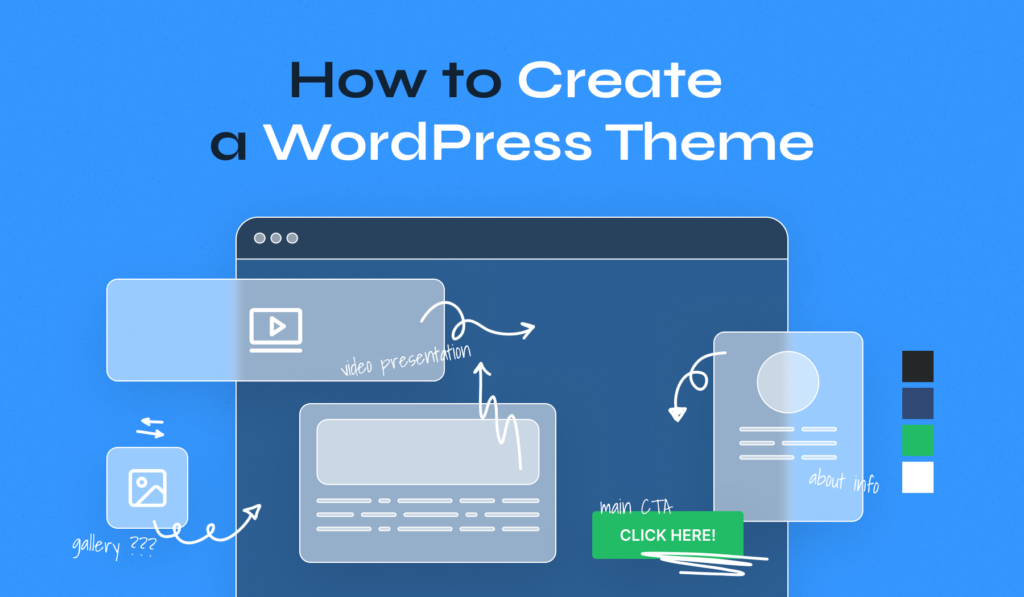
The first step is to define your theme’s purpose and design. Create a wireframe or sketch of your layout. This helps in visualizing the structure and features you want in your theme. Understanding your audience and their needs is crucial for an effective theme design.
Do I Need Coding Skills To Create A WordPress Theme?
Yes, basic knowledge of HTML, CSS, and PHP is essential. These languages help you customize design and functionality. Familiarity with WordPress functions and hooks is also beneficial. Even if you’re a beginner, there are numerous tutorials available to guide you through the process.
How Can I Test My WordPress Theme?
You can test your theme using WordPress’s built-in theme preview feature. Additionally, utilize tools like Theme Check to ensure compliance with WordPress standards. Cross-browser testing is also important to ensure compatibility. Testing ensures your theme functions correctly and is user-friendly.
What Tools Are Helpful In Theme Development?
Tools like Sublime Text or Visual Studio Code are great for coding. Use Photoshop or Sketch for design and layout planning. GitHub helps in version control during development. These tools streamline your workflow and aid in efficient theme creation.
Conclusion
Creating a WordPress theme from scratch is rewarding. You’ve learned the basics. Customizing themes gives your site a unique look. Practice these skills regularly. Your efforts will improve with time. Explore different design ideas. Test your theme thoroughly. Ensure it’s responsive and user-friendly.
Keep updating your knowledge with new trends. Remember, patience is key. Building themes boosts your web development skills. It also enhances your online presence. Share your creations with others. This can lead to new opportunities. Enjoy the process and keep learning.
Your WordPress journey has just begun.


