
Imagine creating a stunning WordPress theme from scratch, tailored exactly to your needs and style. Sounds exciting, right?
Whether you’re a budding developer or someone looking to spice up your website, learning how to build a WordPress theme can open up a world of possibilities. You might be wondering where to start, and that’s where Treehouse comes in.
It’s not just a platform; it’s your gateway to mastering the art of WordPress theme development. Why waste time sifting through countless tutorials when you can have a structured, comprehensive course at your fingertips? The Treehouse WordPress Theme Course offers you step-by-step guidance, making the complex seem simple and the technical feel accessible. This isn’t just about learning; it’s about transforming your skills and unleashing your creativity. Stick around, and you’ll discover how this course can empower you, turning your ideas into functional, beautiful WordPress themes. Ready to dive in and see what you can create? Let’s explore how you can start building your custom WordPress themes today.
Course Overview
The Treehouse course teaches how to build a WordPress theme. Students learn about theme structure and design. The course includes lessons on HTML, CSS, and PHP. Students also explore WordPress functions and templates. These skills help create custom themes. The course is interactive and fun. Projects help reinforce learning. Students work on real-world examples. This helps them understand better.
By the end, students can build their own themes. They also understand how WordPress themes work. It’s a great course for beginners. Even those with no prior coding skills can join. The course is easy to follow. Step-by-step guidance is provided. Students can learn at their own pace.
Setting Up The Environment
Building a WordPress theme needs specific tools. First, install a code editor. Popular choices are Visual Studio Code or Sublime Text. Next, download and install Node.js. It helps with theme development. You also need Git for version control. This keeps track of changes. Lastly, get a browser like Google Chrome or Firefox. They help test your theme.
Start by installing XAMPP or WAMP. These programs create a local server. After installation, download WordPress from its official site. Extract the files. Move them to the server’s folder. Open a browser and go to localhost. Follow the setup steps. Create a database name. Choose a username and password. Now, WordPress runs locally. You can start building your theme.
Basics Of WordPress Themes
A WordPress theme needs certain files. These files are important. They help make the theme work. The style.css file is one of them. It defines the look of your site. The index.php file is another key file. It is the main file. Without it, the theme won’t work.
Each file has a job. The header.php file includes the top part of your site. The footer.php file is for the bottom part. The functions.php file adds extra features. It’s like a toolbox. You can add more functions to your theme with it.

Credit: wp.zacgordon.com
Creating A Custom Theme
Start with a simple layout plan. Draw your ideas on paper. Think about where you want the menu and content. Plan the sidebar and widget areas. This helps in arranging your theme. Colors and fonts should match your site’s style. Choose simple designs. Keep it clean and easy to read.
The header is at the top. It has your site name and logo. Add a menu for easy navigation. Make sure it looks good on all devices. The footer is at the bottom. It includes contact info and links. Use simple colors and fonts here too. Keep it neat and tidy. This makes your site look professional.
Integrating Dynamic Content
The Loop is a powerful tool in WordPress. It displays posts on your site. Each post is shown in a neat order. Dynamic content makes websites interesting. It changes based on user actions. The Loop helps in showing fresh content. It can repeat posts as needed. Users see updated stories every time. Easy to set up. Follow simple steps. You can add styles for each post. Make your site look great. Use the Loop to engage visitors.
Custom Post Types give flexibility to your site. They help in organizing content. Custom types can be anything. Like books, movies, or recipes. They are easy to create. Use WordPress functions. Define them in code. Users get a unique experience. Posts don’t have to be just text. Add images, videos, or links. Custom Post Types help in categorizing. Your site becomes more useful. A rich experience for all visitors.

Credit: treehouseworld.com
Styling With Css
Discover the art of styling with CSS in the ‘How to Build a WordPress Theme’ course on Treehouse. Learn to enhance design and layout, creating visually appealing websites. This course guides you through practical steps for integrating CSS into WordPress themes.
Adding Stylesheets
CSS makes your website look nice. It helps you choose colors, fonts, and layouts. Stylesheets are like clothes for your site. They make it look pretty. You can use many stylesheets. This lets you change styles easily. One sheet can control many pages. This saves time and effort. Always keep your CSS clean and simple. It helps your site load fast. Fast sites are good for users. They are happy when pages load quickly.
Responsive Design Techniques
Responsive design keeps your site looking good on all devices. Phones, tablets, and computers all show your site nicely. Use media queries to change styles. This makes sure your site fits any screen size. Change font size for small screens. Adjust images to fit. Make buttons easy to tap. This helps users on mobile devices. Test your site often. Make sure it looks good everywhere. Users like sites that work well on all devices.
Enhancing With Javascript
jQuery makes web pages interactive. It’s like magic for web developers. Adding jQuery is simple. Download the library, then link it in your HTML file. Place scripts at the bottom of the page. This helps faster loading. Write functions to do cool things. Make buttons change color, or images move. It’s fun to learn. jQuery has many features. Use it to build better websites.
Interactive elements make websites exciting. Use JavaScript for this. Add buttons that respond to clicks. Make images scroll or bounce. Sounds fun, right? JavaScript can change how websites look. It adds new features. People love interactive pages. They are more engaging. Make sure your elements work well. Test them often. Always keep learning. You will get better.
Testing And Debugging
Learn to build a WordPress theme with Treehouse’s course by focusing on testing and debugging. This course ensures your theme is free of errors and works smoothly. Gain skills to identify problems and fix them effectively.
Tools For Testing
Testing tools help find problems in your WordPress theme. Debugging tools like Xdebug and WP_DEBUG are very helpful. Use Theme Check to see if your theme follows WordPress rules. Browser Developer Tools help check CSS and JavaScript issues. They are simple and useful. Try Log Deprecated Notices to find old functions. These tools make testing easier.
Common Issues And Solutions
Common issues in themes often include broken layouts and slow load times. Check your CSS for layout problems. Fix slow loading by optimizing images. Use a tool like GTmetrix for speed checks. Sometimes, plugins can cause conflicts. Deactivate them one by one to find the problem. Always keep your WordPress updated. This helps avoid many issues.
Deploying Your Theme
Ensure your theme is ready. Check all links and images. Test on different devices and browsers. Fix any errors.
Create a backup. Save your files and settings. Use a reliable backup plugin. This keeps your data safe.
Optimize for speed. Compress images and scripts. Use caching for faster loads. Speed helps users stay longer.
Choose a hosting provider. Select one with good support and uptime. Upload your theme files. Use FTP or a dashboard. Ensure files are in the right place.
Test your site. Check each page. Make sure functions work. Fix any broken links. Your site should be error-free.
Monitor regularly. Watch for issues or downtime. Update your theme often. This keeps everything running smoothly.
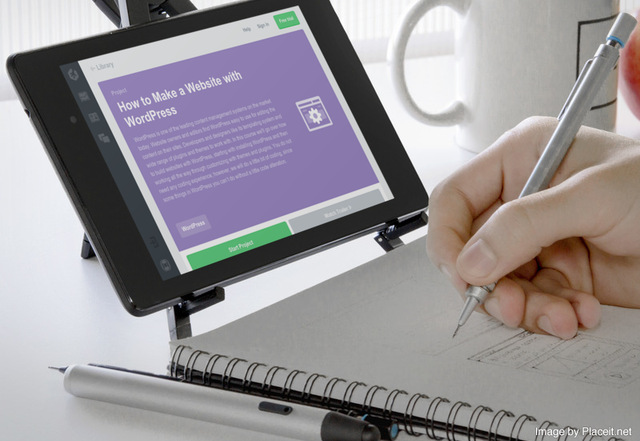
Credit: wptavern.com
Frequently Asked Questions
How Do I Start Building A WordPress Theme?
Begin by understanding HTML, CSS, and PHP basics. Familiarize yourself with WordPress Codex and theme structure. Treehouse offers structured courses that guide you through each step. Start with a simple layout, then gradually incorporate advanced features. Practice regularly to hone your skills.
What Tools Are Needed For WordPress Theme Development?
You need a code editor like Visual Studio Code, a local server such as XAMPP or MAMP, and WordPress itself. Treehouse courses provide insights on using these tools effectively. Utilize browser developer tools to debug and test your theme during development.
How Long Does It Take To Learn Theme Development?
The time varies based on prior knowledge and dedication. Treehouse courses offer flexible learning paths, allowing you to progress at your own pace. Typically, a few months of consistent learning and practice can lead to proficiency. Regular practice accelerates the learning process.
Can I Customize Themes Without Coding?
Yes, many WordPress themes offer customization options via the WordPress Customizer. Treehouse courses teach how to leverage these settings effectively. For deeper customization, understanding basic HTML and CSS helps. Plugins also offer additional customization capabilities without extensive coding.
Conclusion
Building a WordPress theme on Treehouse enriches your skills. It’s a structured, step-by-step learning journey. You gain confidence through practical exercises. Each module boosts your understanding. Coding becomes less daunting, more fun. You explore design concepts and functionalities. Real-world projects prepare you well.
The community support is invaluable. You connect with fellow learners. Questions find answers quickly. It’s an excellent starting point for beginners. Your creative ideas come to life. Start building your WordPress theme today. Dive in, learn, create, and grow. Your future in web development awaits.


