
Are you ready to create a website that stands out but don’t know where to start? Using a WordPress theme can be your secret weapon.
Imagine effortlessly designing a professional-looking site without writing a single line of code. Sounds amazing, right? In this guide, you’ll discover the step-by-step process to build a stunning website using a WordPress theme. Whether you’re launching a blog, a business site, or an online portfolio, this article will empower you to bring your vision to life.
Stick around, and you’ll find out how easy it can be to transform your ideas into a digital reality. Let’s dive in and unlock the secrets to your perfect website!
Choosing The Right Theme
Free themes are cost-effective. They are good for beginners. Premium themes offer more features. They often have better support. Choosing depends on your needs. Simple sites can use free themes. Complex sites may need premium options.
Look for customizable layouts. These allow easy changes. Good themes have SEO tools. These help in search rankings. Update support is important too. Regular updates fix issues. They also add new features.
Responsive design means the site looks good on all devices. Phones, tablets, and computers. It ensures a smooth user experience. A site that works well everywhere. This keeps visitors happy. It’s essential for modern websites.

Credit: themeforest.net
Installing WordPress
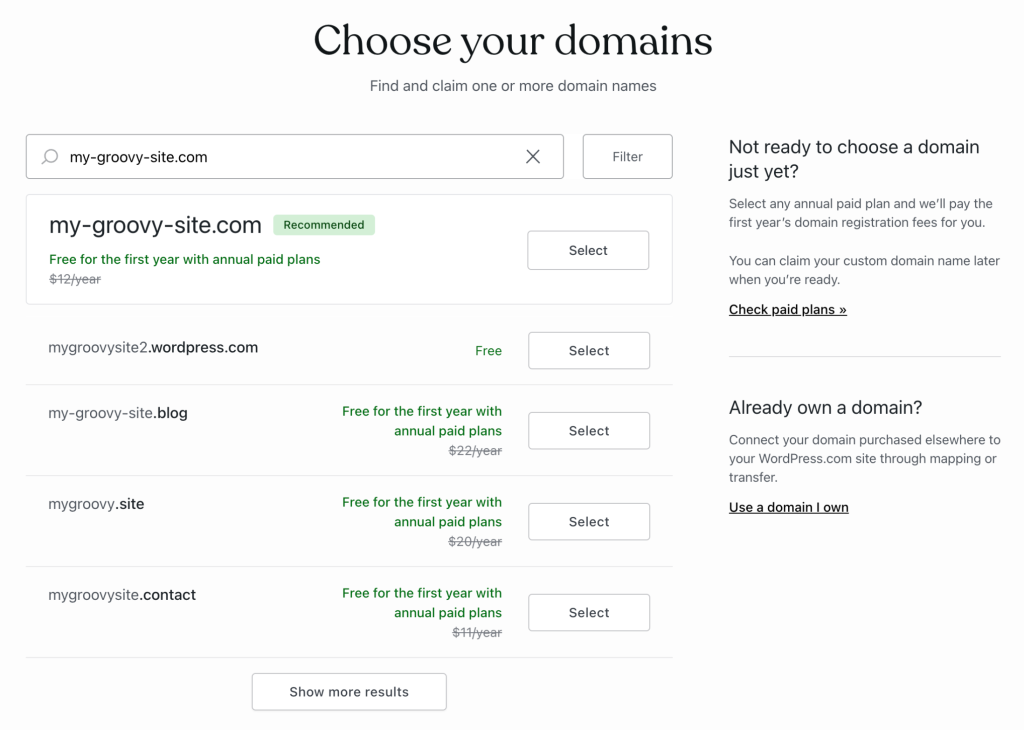
Choose a reliable host for your website. Popular choices include Bluehost, SiteGround, and HostGator. They offer easy setup and good support. Make sure to check the pricing and features before deciding. Look for one-click WordPress installation. This makes the process fast and simple.
Use your host’s control panel to find the WordPress installer. Click to start the installation. Follow the instructions carefully. You will need a username and password. Keep them safe. They will help you access your site later. Installation takes a few minutes.
Log into the WordPress dashboard. Go to Settings. Change the site title and tagline. Set the time zone and language. Choose how comments will work. Don’t forget to save changes. These settings help make your site unique.
Installing And Activating A Theme
Open your WordPress dashboard. Find the Appearance menu on the left side. Click on Themes. Here, you see many themes. Explore the Theme Directory. It’s full of free themes. Choose one that you like.
Download a theme file to your computer. In the Themes section, click Upload Theme. A new page will appear. Click on Choose File. Select the theme file from your computer. Click Install Now. WordPress will upload the theme for you.
After installation, find your theme in the list. Hover over it. Click Activate. Your site will now use this theme. You can see it live. Visit your website to check.
Credit: wordpress.com
Customizing Your Theme
The WordPress Customizer is a simple tool. It helps you change your theme. Start by clicking “Customize” under the “Appearance” tab. A new screen will open. You can see changes in real time. Adjust colors and fonts. Change the layout and add widgets. All changes are easy to undo if needed.
Themes come with settings. These settings allow for more changes. Access them under “Theme Options” or “Settings.” Adjust the header, footer, and sidebar. Some themes offer custom menus. Play around with these settings. Make your site unique and personal.
Custom CSS lets you add your own style. Find it under “Additional CSS” in the Customizer. Write simple code to change looks. It can change text color or size. You can also hide elements. CSS gives more control over design. It is fun to experiment with styles.
Adding Essential Plugins
Integrating essential plugins transforms a basic WordPress theme into a fully functional website. These plugins enhance features like SEO, security, and user experience. Make your site more efficient and appealing by choosing plugins that suit your needs.
Seo Plugins
SEO plugins help your site get found online. Yoast SEO is a popular choice. It makes your posts easy to read. All in One SEO Pack is another good option. It helps with keywords. Both plugins improve your site’s search ranking.
Security Plugins
Keep your site safe with security plugins. Wordfence Security blocks bad traffic. It scans for malware. iThemes Security also protects against hackers. It fixes weak passwords. These plugins shield your website from threats.
Performance Optimization Plugins
Fast websites make visitors happy. WP Super Cache speeds up your site. It stores web pages in cache. Smush compresses images to load faster. These plugins enhance your site’s performance.
Credit: neilpatel.com
Creating Pages And Posts
Pages and posts are different parts of a website. Pages are for static content. They don’t change often. About Us and Contact are examples. Posts are for blog entries. They appear in order by date. Posts have a timeline, but pages do not.
The Block Editor helps make content. It uses blocks for text, images, and more. Each block can be moved around. This makes editing easy. Blocks let you design your page. You can add or delete them as needed.
Categories and tags organize content. Categories are like folders. Each post fits into a category. Tags are more specific. They describe details of the post. Both help readers find content. Use them to keep your site neat.
Optimizing For Search Engines
Creating a website with a WordPress theme simplifies design and customization. Choose a theme that suits your needs. Install it and customize using built-in tools. Optimize content with keywords for better search engine rankings.
On-page Seo Techniques
Use keywords in your titles and headings. This helps search engines find your page. Add alt text to images. It explains the image to search engines. Keep paragraphs short and focused on one topic. Use internal links to guide users to more content.
Using Seo Plugins
SEO plugins help your site rank better. They offer tools to improve your content. Popular ones include Yoast and All in One SEO. These plugins give suggestions for better SEO. They can check readability, keyword use, and more.
Improving Site Speed
Fast sites keep users happy. Slow sites lose visitors. Compress images to make them smaller. Use a content delivery network (CDN) to speed up loading times. Minimize JavaScript and CSS files. This helps pages load quickly.
Launching Your Website
Building a website with a WordPress theme is simple and effective. Choose a theme, customize it, and add content. Launch a professional site without needing coding skills.
Testing Across Devices
Check your website on phones and computers. Make sure it looks good everywhere. Responsive design is key. Test for speed too. Fast websites keep visitors happy. Use tools to test these features. Correct any problems you find. This will ensure a smooth launch.
Backing Up Your Site
Backup your website regularly. Use plugins for easy backups. Save copies in different places. This protects your data. Backups help if something goes wrong. Restore from backups to fix issues quickly. Regular backups are important for site safety.
Publishing Your Site
Make sure everything is ready. Check all pages and links. Fix any errors you find. Publish your site when you are ready. Share your site with friends. Tell people about it on social media. Invite visitors to explore your site.
Maintaining Your Website
Keep your website fresh by making regular updates. Update the WordPress core and plugins. These updates fix bugs and add new features. They also keep your site safe. Always check for new updates weekly. Regular updates keep your site healthy and secure.
Check how your site works using performance tools. Fast websites make visitors happy. Use tools like Google PageSpeed Insights. They help find issues slowing down your site. Fix these issues to improve speed. A fast site keeps users coming back.
Keep your website safe from hackers. Use strong passwords and change them often. Install a security plugin like Wordfence. This plugin protects against attacks. Backup your site regularly. Backups help restore your site if needed. A secure site builds trust with visitors.
Frequently Asked Questions
What Is A WordPress Theme?
A WordPress theme is a collection of files that dictate the design and functionality of your site. It includes templates and stylesheets to define the visual appearance. Themes can be customized to enhance the user experience and align with your brand identity.
They are essential for building a professional-looking website.
How Do I Choose A WordPress Theme?
Choose a WordPress theme based on your website’s purpose and audience. Consider design, features, and responsiveness. Look for themes with good reviews and regular updates. Ensure compatibility with essential plugins. Test the theme’s demo to see if it fits your vision.
A well-chosen theme enhances user experience and site functionality.
Can I Customize A WordPress Theme?
Yes, you can customize a WordPress theme to suit your needs. Use the WordPress Customizer for basic changes like colors and fonts. For advanced customization, consider using a child theme. This allows you to modify the theme without losing changes after updates.
Customization helps align the theme with your brand.
How Do I Install A WordPress Theme?
To install a WordPress theme, log in to your WordPress dashboard. Navigate to Appearance > Themes > Add New. Search for a theme or upload a ZIP file of the theme. Click ‘Install’ and then ‘Activate’ to apply it. Installation is quick, allowing you to start customizing your site immediately.
Conclusion
Building a website with a WordPress theme is simple. Follow each step closely. Choose a theme that matches your vision. Customize it to fit your needs. Add your content. Use plugins to enhance features. Test your site before launching. Ensure it’s user-friendly and responsive.
Keep content clear and engaging. Regular updates maintain your site’s performance. With patience, your website will shine. It’s accessible and ready for visitors. Now, enjoy sharing your work with the world. Celebrate your creation and connect with your audience.


