
Are you ready to take your website design skills to the next level? Building a responsive WordPress theme might sound challenging, but imagine the satisfaction of seeing your unique design come to life on any device.
Whether you’re a seasoned developer or just starting out, this guide is tailored for you. By the end of this article, you’ll have a clear roadmap to creating a theme that not only looks amazing but also functions seamlessly across desktops, tablets, and smartphones.
Dive in to discover step-by-step instructions, expert tips, and the tools you’ll need to make your WordPress theme stand out in the digital crowd. Ready to transform your web development skills and impress your visitors with a stunning, responsive design? Let’s get started!
Credit: www.isitwp.com
Understanding Responsive Design
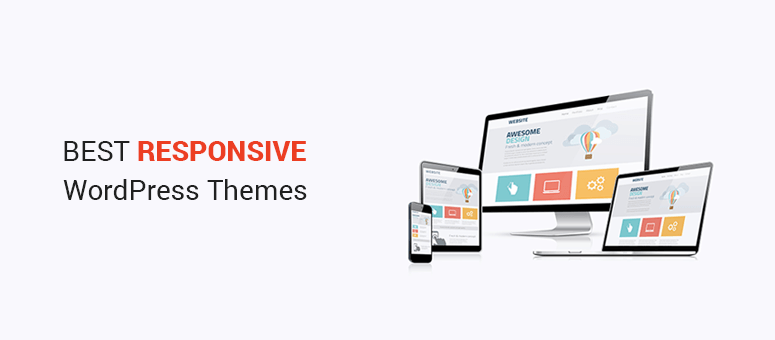
Responsive design makes websites look good on all devices. Flexible layouts are important. They adjust to different screen sizes. Another key is fluid grids. They resize elements in relation to screen dimensions. Media queries help in applying styles based on device capabilities. Use responsive images that change size with the screen. This ensures faster load times.
Many people use phones to browse the web. Websites must be mobile-friendly. This helps in reaching more users. Search engines rank mobile-friendly sites higher. Users expect fast loading pages. Slow sites lose visitors. A good mobile site boosts user experience. Happy users stay longer. They explore more pages. This can increase your site’s success.
Setting Up Your Development Environment
Picking the right tools is very important. Start with a good code editor. Popular choices are Visual Studio Code or Sublime Text. They are easy to use. Next, get browser developer tools. Chrome and Firefox have great ones. They help check your work. Also, use Git for version control. It keeps track of changes. These tools will make your work easier.
Install WordPress on your computer. This is called a local environment. First, you need XAMPP or MAMP. They create a server on your computer. Download WordPress files from the official site. Put them in the server folder. Open your browser and go to localhost. You will see the WordPress setup page. Follow the steps to finish the setup. Now, WordPress is ready for you to build themes.
Creating A Custom Theme
Building a custom theme starts with organizing files. A WordPress theme needs several files. Key files include style.css and index.php. The style.css file holds all the style rules. It also includes theme details. The index.php file is the main template. It displays content on the website. Other important files are functions.php, header.php, and footer.php. These files structure the website. They ensure all elements appear correctly.
Templates are essential for displaying different pages. Use page.php to show pages. For blog posts, use single.php. The archive.php template shows lists of posts. Each template serves a unique purpose. They help organize and display content well. Set up each file carefully. This ensures the site is responsive and easy to navigate.
Credit: blog.openreplay.com
Implementing Responsive Css
Media queries adjust the layout. They make websites look good on all devices. Use them to change styles. Change styles based on screen size. For small screens, use simple designs. For large screens, add more details. This keeps your site user-friendly. It helps users on phones and tablets. Responsive design is key. It makes websites accessible. Accessible to everyone.
Flexible grids help design. They adapt to different screens. This is useful for different devices. Use percentages instead of fixed units. This makes elements resize smoothly. They adjust with screen changes. It provides a better user experience. Users enjoy visiting your site. They find it easy to read and navigate.
Integrating Responsive Javascript
Mobile devices need special care. Touch events are different from clicks. Use JavaScript to detect these events. This makes your site easy to use. Swipe features can be added for a better experience. Users enjoy smooth scrolling. Ensure buttons are big enough to tap. Avoid tiny text or links.
Fast sites make users happy. Minify JavaScript to improve load times. Use tools like UglifyJS. This cuts down file size. Asynchronous loading helps too. Scripts load without blocking the page. Lazy loading images is smart. It saves data and speeds up browsing. Combine files if possible. Fewer requests mean faster loads.
Testing Your Theme On Different Devices
Ensuring your WordPress theme adapts well to various devices is crucial for a responsive design. Test your theme on smartphones, tablets, and desktops to identify and fix any display issues. This practice ensures a seamless user experience across all platforms, enhancing site performance and accessibility.
Tools For Responsive Testing
Testing your theme on various devices is crucial. Use tools like Google Chrome’s DevTools to check responsiveness. It lets you see how your site looks on different screen sizes. BrowserStack offers real device testing. You can see your theme on many devices. Responsinator is another tool. It shows your theme on multiple devices quickly.
Debugging Common Issues
Sometimes, themes don’t look right on all devices. Check for breakpoints in your CSS. Make sure they are correct. Test your media queries. Ensure they apply to the right screen sizes. Images might look too big or small. Use responsive images to fix this. Check if text is readable. Make sure font sizes are not too small. Fix any overlapping elements. They can make the site hard to use.
Optimizing For Performance
Faster loading times make users happy. Smaller CSS and JavaScript files help. Use tools to compress these files. This cuts down on size. Remove extra spaces and lines. They take up space. Use only the code you need. Unused code slows down sites. Check for extra libraries. Remove the ones not needed.
Images can slow down sites. They need special care. Use image compression tools. These make files smaller. Choose the right format. JPEG and PNG are popular. Each has a purpose. Quality should stay high. Size should be small. Lazy loading can help. Images load only when needed. This saves bandwidth and time.
Deploying Your Responsive Theme
Creating a responsive WordPress theme involves coding skills and understanding mobile-friendly design. Carefully test your theme across various devices to ensure compatibility. After thorough testing, deploy the theme to enhance user experience on all screen sizes.
Preparing Your Theme For Launch
Ensure all files are organized and ready. Double-check for any broken links. Test the theme on different devices. Use a responsive design tool to verify everything. Clear cache before final checks. Preview every page. Spot any errors early.
Review compatibility with plugins. Update outdated ones. Make sure your theme works with the latest WordPress version. Perform a security check. Secure your code from vulnerabilities.
Best Practices For Deployment
Back up your site first. Avoid losing data. Choose a reliable hosting provider. They should support WordPress well. Deploy during low traffic hours. Minimize disruptions. Use a staging site for testing. Never deploy directly to the live site.
Monitor the site post-launch. Check for issues. Fix them fast. Gather feedback from users. Improve your theme based on their input. Stay updated with new trends. Keep your theme fresh.
Credit: themeforest.net
Frequently Asked Questions
How To Make A WordPress Theme Responsive?
Use responsive design techniques like CSS media queries. Implement flexible grids and fluid images. Test on various devices for consistency. Optimize loading times and ensure compatibility with all browsers. Consider using a responsive WordPress theme framework for ease.
How Do I Know If My WordPress Theme Is Responsive?
Check your theme by resizing your browser window. Use online tools like Google’s Mobile-Friendly Test. Verify responsive design in theme documentation or settings. Test on multiple devices. Ensure content adjusts to various screen sizes.
Is WordPress Fully Responsive?
WordPress themes are often responsive, adapting to various screen sizes. Responsiveness depends on the theme’s design. Choosing a responsive theme ensures optimal display on all devices. Always verify the theme’s responsiveness before using it for your site.
How To Make A WordPress Menu Responsive?
Use a responsive theme or plugin to make your WordPress menu adaptable. Customize using CSS media queries for optimal display. Test on various devices to ensure functionality. Implement mobile-friendly navigation features like dropdowns or toggle buttons for ease of use.
Conclusion
Creating a responsive WordPress theme boosts user experience and site performance. Start by choosing a solid framework and ensure mobile compatibility. Keep your design clean and adaptable to various screen sizes. Test your theme on different devices to spot any issues early.
Optimize images and scripts for faster loading times. Use CSS media queries to adjust layouts seamlessly. Stay updated with WordPress best practices for optimal results. With these steps, your site will attract more visitors and enhance engagement. Building a responsive theme is achievable with patience and practice.
Keep refining your skills for future projects.


