
Are you ready to give your WordPress site a fresh look without spending a dime? Finding the perfect theme can feel like searching for a needle in a haystack, especially with so many options out there.
But don’t worry, you’re not alone in this quest. You can transform your website’s appearance and functionality with just a few clicks, and it all starts with choosing the right free theme. In this guide, you’ll discover the secrets to effortlessly browsing and selecting the best free WordPress themes that not only captivate your audience but also align perfectly with your brand.
Keep reading to unlock tips and strategies that will make your site stand out from the crowd.

Credit: www.instagram.com
Exploring The WordPress Theme Directory
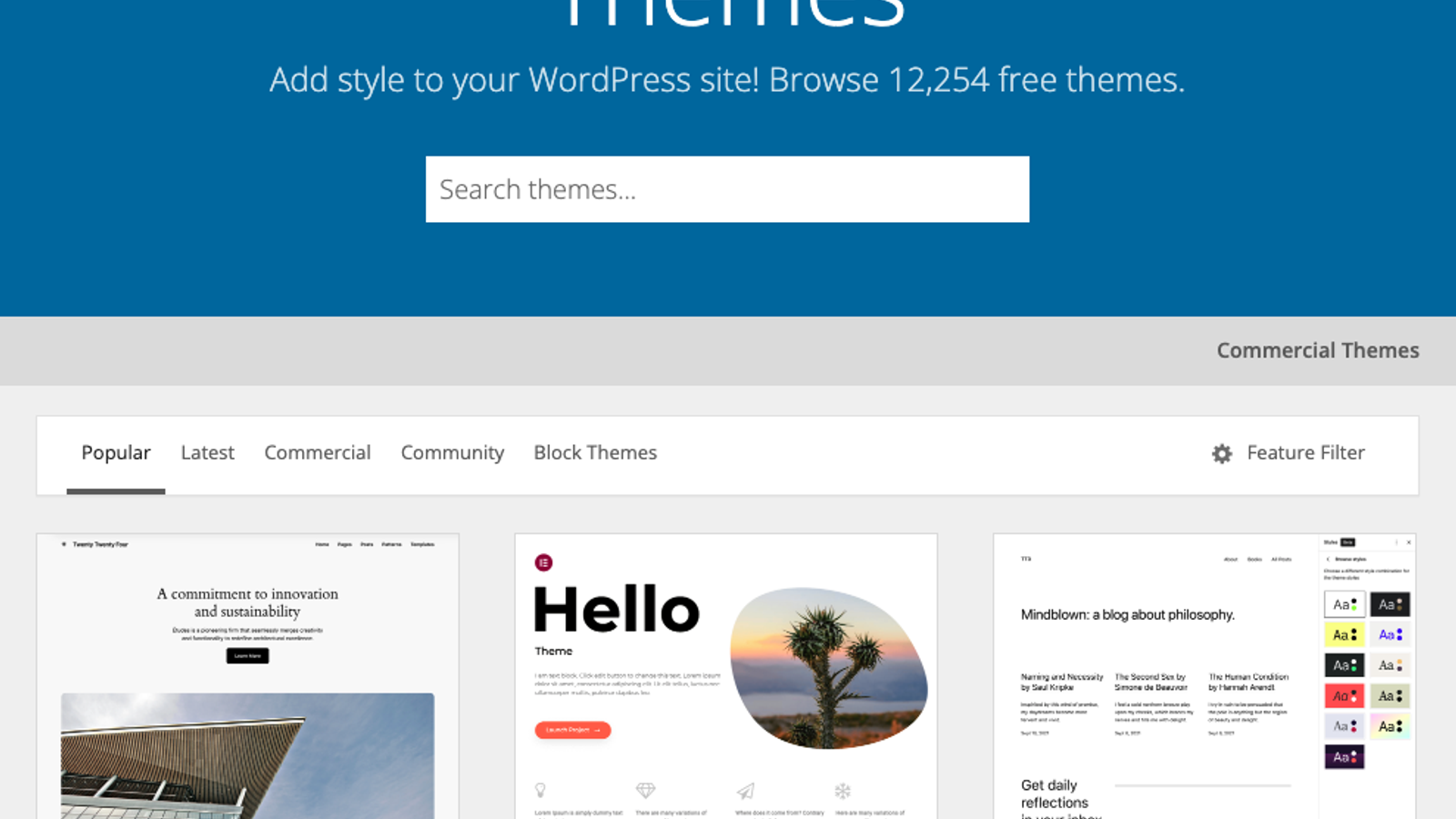
The WordPress theme directory is easy to use. It shows many themes in one place. You can see previews of each theme. This helps you choose the best one. Clicking on a theme gives more details. This includes ratings and user reviews. All themes are free to download and use. The interface is simple for everyone. Even beginners find it user-friendly. Always ensure you check the theme’s update history. This ensures the theme is well maintained.
Themes are grouped into different categories. This helps in finding specific styles. Categories include business, blog, and portfolio. You can pick themes by color and layout too. Filters make finding the right theme fast. Use search tools to narrow down choices. Remember, categories organize themes for easy browsing. Always select themes that suit your needs. This ensures your site looks great.
Using The WordPress Admin Panel
Explore free WordPress themes easily from the admin panel. Navigate to the “Appearance” section, then click on “Themes”. Browse diverse options, previewing each to find the perfect match for your site.
Accessing The Themes Section
First, log in to your WordPress admin panel. Look for Appearance on the left menu. Click on it. You will see the Themes section. This is where you find all your themes. You can browse many free options here. Each theme has a preview button. Use it to see how your site might look. Choose a theme that fits your style.
Installing Themes Directly
Select the theme you like. Click on the Install button. Wait for a moment. The theme installs automatically. After installation, click Activate to use the theme. Your site will change right away. You can always switch themes later. Try different themes to find the best one for you. Enjoy exploring!
Third-party Websites For Free Themes
Many websites offer free WordPress themes. ThemeForest and TemplateMonster are among the most popular. They provide a wide range of themes for different uses. WordPress.org itself has a vast collection. Always check if a theme is updated often. This ensures it works well with the latest WordPress version.
Evaluating Theme Credibility is important. Look for user reviews and ratings. These offer insights into the theme’s quality and support. A good theme should be fast and responsive. A website’s speed affects user experience and SEO. Make sure the theme is secure and follows coding standards. This helps keep your site safe from hackers.
Assessing Theme Quality
User reviews can help find good themes. Read reviews to learn what others say. Happy users mean a good theme. Check for common issues. If many users complain, it might be a bad theme. Reviews show what works well and what does not. Detailed reviews are very helpful. They give more information about the theme. Users often share tips. These tips can be useful. Look for reviews with many details.
Theme ratings show how good a theme is. Higher ratings mean users like the theme. Look for themes with four or five stars. Low ratings may show problems. Check the number of ratings too. Many ratings mean more people use the theme. Few ratings can be risky. Always compare ratings with reviews. Ratings help you choose the best theme.
Previewing Themes Before Installation
Explore free WordPress themes by browsing the WordPress theme directory. Preview themes before installation to ensure they fit your website’s style and functionality. Make informed choices by checking out design, layout, and features.
Using Live Preview Features
Live preview is a great tool. It helps you see theme changes. You can view how your site looks before installing. This feature saves time and effort. You won’t need to install and uninstall many themes. Live previews show theme colors, fonts, and layout. It gives a clear picture of the theme design. This helps in choosing the perfect theme for your site.
Testing Theme Responsiveness
Responsive themes are important. They make sure your site looks good on all devices. Test theme responsiveness using different screens. Check it on a phone, tablet, and computer. A responsive theme adjusts to screen size. This ensures visitors have a pleasant experience. Responsive design helps with better user engagement. It’s key for keeping visitors on your site.

Credit: mhthemes.com
Customizing Free Themes
Changing your theme is easy. Colors can be changed in seconds. Fonts make your text look great. Backgrounds can be switched. You can use images or colors. Menus help people find stuff. Make them simple. Widgets add cool features. Try adding a calendar.
WordPress Customizer is your friend. It lets you change your site. Live previews help see changes instantly. Try changing your site title. You can add a logo. Change homepage settings easily. Make your site yours.
Tips For Selecting The Right Theme
Your theme should match your website’s purpose. Business sites need professional looks. Personal blogs may choose fun designs. Theme must fit your brand. A mismatch can confuse visitors. Think about colors and layout. They should reflect your goals. Choose wisely for long-term success.
The theme should grow with your website. Flexible themes adapt as you add features. This saves time and money later. Avoid themes with limited options. Check for updates from the developer. A good theme receives regular updates. This ensures security and functionality. Plan for future needs before choosing.
Credit: www.activecampaign.com
Frequently Asked Questions
What Are Free WordPress Themes?
Free WordPress themes are design templates available at no cost. They allow users to customize the appearance of their WordPress sites. These themes can be found in the WordPress Theme Directory and are ideal for beginners and small businesses. They provide a cost-effective solution for creating a professional-looking website.
How To Find Free WordPress Themes?
You can find free WordPress themes in the WordPress Theme Directory. Access it from your WordPress dashboard under “Appearance” > “Themes. ” Browse through thousands of themes by features, layout, or popularity. You can also use filters to narrow down your search and find the perfect theme for your site.
Are Free WordPress Themes Safe To Use?
Yes, free WordPress themes from the official directory are safe. They undergo a review process to ensure they meet WordPress standards. However, avoid downloading themes from untrusted sources, as they might contain malicious code. Always update themes to the latest version for enhanced security and performance.
Can I Customize A Free WordPress Theme?
Yes, you can customize a free WordPress theme using the WordPress Customizer. Access it through your dashboard under “Appearance” > “Customize. ” You can change colors, fonts, and layouts without coding knowledge. Some themes offer limited customization options, while others provide more flexibility to tailor your website’s design.
Conclusion
Exploring free WordPress themes can be fun and rewarding. Many options exist online, offering various styles and functions. Choosing the right theme can enhance your website’s look. It can also improve user experience. Always check the theme’s reviews and support options.
This ensures a reliable choice. Experiment with different themes to find the best fit. Your site’s design reflects your brand. Make sure it aligns with your goals. Keep it simple and user-friendly. A great theme attracts visitors. It keeps them engaged.
Happy browsing! Your perfect theme awaits.


