
Have you ever wondered how to bring the sleek design of a WordPress theme to your Blogger site? You’re not alone.
Many bloggers like you are looking to give their websites a fresh, professional look without switching platforms. The good news is, it’s entirely possible! By incorporating a WordPress theme into your Blogger site, you can enjoy the best of both worlds: the simplicity of Blogger and the stunning aesthetics of WordPress.
Imagine captivating your readers with a visually appealing site that stands out from the crowd. Intrigued? Stick around, as this guide will walk you through the process step-by-step, making it easy for you to transform your blog into a design masterpiece.
Choosing The Right WordPress Theme
Picking the right theme can be easy. First, check the design. It should fit your blog’s style. Next, think about speed. A fast theme makes users happy. Also, look for a responsive design. It should work on phones and tablets. Themes with SEO-friendly code help your blog rank better. Lastly, check for easy customization. You might want to tweak colors or fonts.
Many people like the Astra theme. It is fast and easy to use. Another good choice is OceanWP. It offers many features. The GeneratePress theme is also popular. It is known for its speed. Neve is great for beginners. It has simple setup options. Hestia offers a modern look. It is ideal for business websites.

Credit: www.interserver.net
Exporting The WordPress Theme
Transform your Blogger site by adding a WordPress theme. Start by exporting the WordPress theme files to your computer. Then, upload these files to your Blogger account using the theme editor.
Using Theme Export Tools
Theme export tools help save time. Many themes have built-in export features. WordPress has plugins for this. Use them to export theme settings. Start by installing the export tool. Follow the plugin instructions. It will guide you step by step. Exporting is usually quick. Make sure to check the settings. This ensures everything is correct. Save the exported file safely. You will need it later.
Manual Export Methods
Manual methods need more steps. First, go to the theme folder. Locate all important files. Copy them to your computer. Check for CSS and JavaScript files. These control the look of the theme. Save images separately. Documentation may be helpful. It gives guidance on file details. Keep a backup of your work. This is important if something goes wrong. You can always start again.
Converting WordPress Theme To Blogger
Several tools help in converting themes. HTML editors are essential. They let you edit code easily. CSS editors also play a vital role. They help style your blog. Online XML converters are helpful too. They change WordPress themes to Blogger format. Some people use theme converters. These tools automate the process. They save time and effort. Always back up your site. This keeps your data safe.
Begin by choosing your WordPress theme. Download it to your computer. Open the theme files in an HTML editor. Look for styles and scripts. Copy them carefully. Paste them into a new Blogger template. Use an XML converter. This changes the files to Blogger format. Check the preview. Make sure everything looks right. Adjust any errors or issues. Save the changes when done. Always test your blog. Ensure it works well.
Customizing The Converted Theme
Adjusting layout and design is important for a unique blog look. Begin with the layout. Choose a simple or complex style. Try different colors and fonts. Make sure they fit your theme. Use the design tools in Blogger. They help you change the header, footer, and sidebar. Always preview changes. This ensures everything looks good.
Incorporating Blogger Widgets adds extra features to your blog. Widgets can display recent posts, labels, or an archive. They are easy to add. Go to the Blogger layout section. Drag and drop the widgets you like. Place them on the sidebar or footer. Widgets make your blog more interactive. They help readers find content easily.
Testing The New Theme
Themes can look different in each browser. Ensure your theme works well in Chrome, Firefox, and Safari. Test on your computer and your phone. Click buttons and links to see if they work. Check that everything is in the right place. If something looks odd, it might need fixing. Some tools can help you test this.
Many people use phones for browsing. The theme should fit small screens. Check if text and images adjust. Buttons should be easy to click. Make sure the menu is simple to use. If parts are hard to see, adjust them. A good theme should work on any device.
Credit: themeforest.net
Troubleshooting Common Issues
Integrating a WordPress theme into Blogger can face challenges, like compatibility and customization difficulties. Ensure theme files are correctly uploaded and adjust settings for seamless appearance. Careful attention to CSS and HTML code helps maintain the desired look and functionality.
Resolving Layout Problems
Sometimes, themes may not look right. Elements might shift or overlap. This can be annoying. To fix layout problems, check your theme settings. Make sure the width and height are set correctly. Adjust margins if needed. Preview the changes often. This helps spot issues early. Always save your work.
Fixing Broken Links And Images
Broken links are frustrating. They make your blog look bad. Always check links after adding a theme. Use tools to find broken links. Fix them quickly to keep readers happy. Images might not load sometimes. Check the image paths. Ensure they are correct. Use the right file formats like JPEG or PNG. These steps help keep your blog neat and tidy.
Optimizing For Seo
Blogger has tools for SEO. These tools help your blog rank higher. Use meta tags to describe your blog. Meta tags are like small notes. They tell search engines what your blog is about. Add keywords in your meta tags. Keywords are important words that people search for. Also, use alt text for images. Alt text helps search engines understand images. Make sure your blog’s title is clear. A clear title attracts readers. A title should be short but meaningful.
Theme speed is important. A fast theme keeps readers happy. Slow themes make people leave. Use a simple theme for better speed. Simple themes load faster. Avoid heavy images and videos. They slow down your blog. Compress images to make them lighter. Use tools to compress them. Check your theme’s speed often. Speed checks show how fast your blog is. Fix anything that slows it down.
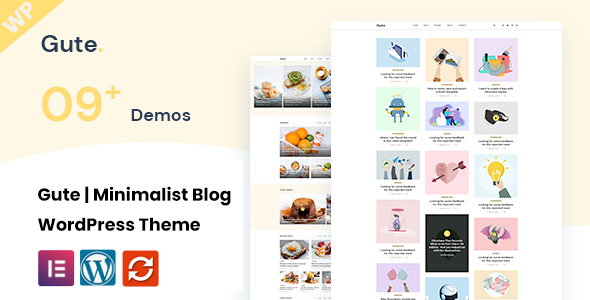
Credit: themeforest.net
Frequently Asked Questions
Can You Use WordPress Themes On Blogger?
No, WordPress themes aren’t directly compatible with Blogger. Blogger uses a different template structure. However, you can create a similar look by customizing Blogger templates. Use HTML and CSS to mimic the design elements of your desired WordPress theme.
How To Customize Blogger Templates?
To customize Blogger templates, go to the Blogger dashboard. Click on ‘Theme’, then ‘Customize’. You can adjust layout, fonts, and colors. For advanced customization, edit HTML directly. Use CSS to tweak design elements, ensuring your blog reflects your preferred style.
Are WordPress And Blogger The Same?
No, WordPress and Blogger are different platforms. WordPress offers more flexibility, with numerous plugins and themes. Blogger is simpler and easier for beginners. It provides basic blogging features without extensive customization options. Choose based on your technical expertise and design needs.
Why Migrate From WordPress To Blogger?
Migrating from WordPress to Blogger may be due to simplicity or cost. Blogger is free, with basic features for casual blogging. It requires less maintenance than WordPress. If you prioritize ease over advanced functionality, Blogger might be a suitable choice.
Conclusion
Adding a WordPress theme to Blogger can boost your blog’s appeal. Simple steps make your site look fresh and modern. Start by choosing a theme that matches your content. Follow the guide to upload and set up the theme easily.
Customizing your blog will attract more visitors and keep them engaged. Regular updates ensure your blog stays relevant and stylish. These small changes make a big difference. Explore themes, tweak settings, and enjoy a vibrant blog. Happy blogging!


