
Ever feel like your WordPress blog needs a little pizzazz? You’re not alone.
Choosing the right theme can transform your site from drab to fab in just a few clicks. Whether you want your blog to look sleek and professional or fun and quirky, adding a theme is your first step. But with countless options out there, how do you make the right choice without feeling overwhelmed?
In this guide, we’ll make the process easy for you. Imagine your blog capturing attention instantly and keeping visitors engaged longer. Ready to find out how? Let’s dive in and unlock the potential of your blog by learning how to add and customize themes effortlessly.
Choosing A Suitable Theme
Start by identifying your blog’s purpose. This is very important. A cooking blog needs different themes than a tech blog. Themes should match your content. They should also fit the mood of your blog. A bright theme works well for fun topics. A darker theme suits serious topics.
Consider user experience too. Themes should be easy to navigate. Visitors should find what they need quickly. Check if the theme works on phones. Many people use phones to read blogs. Make sure the theme loads fast. Slow themes can make people leave your blog. Choose wisely.
Exploring Theme Sources
Free themes are easy to find online. They save money for beginners. But, they might have fewer features. Many people use them, so your blog might look the same. Premium themes cost money. They offer more unique designs and extra features. You get better support from developers. These themes can make your blog stand out.
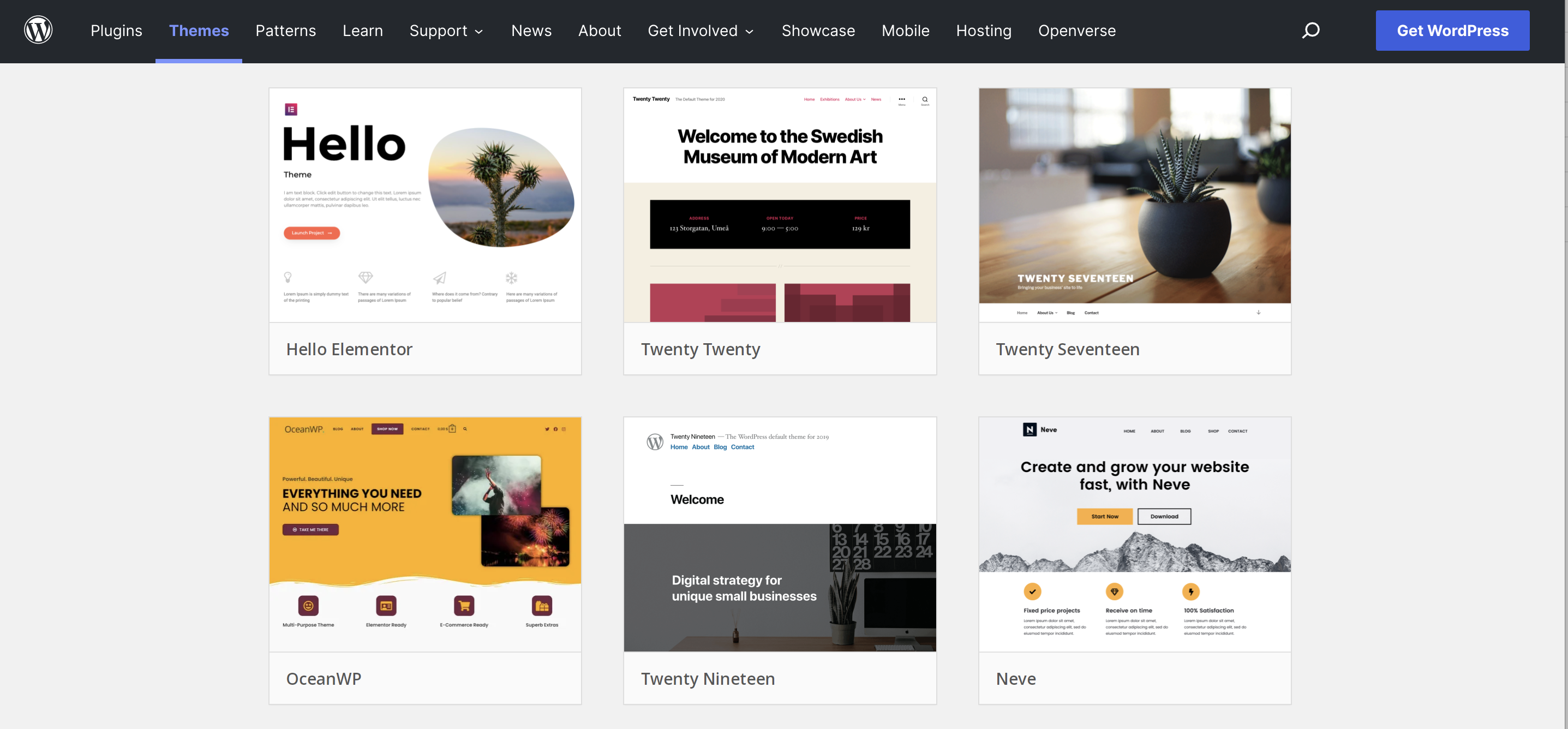
Many websites offer themes. Some are more reliable. WordPress.org has a big list of free themes. They are safe and tested. ThemeForest sells premium themes. They have many choices. Elegant Themes is famous for Divi. It’s a popular premium theme. Check reviews before buying. Good reviews mean happy users.
Installing A Theme Via WordPress Dashboard
Start by logging into your WordPress dashboard. Look for the Appearance tab on the left-hand menu. Click on it. Then, select Themes. This will open the themes section where you can see all your themes.
Use the search box at the top. Type the name of the theme you want. You can also browse through different categories. Popular, latest, and favorites are available. Find a theme you like.
Click on the theme you want. Then, click the Install button. Wait a few seconds. Once installed, an Activate button will appear. Click it to make the theme live on your site.
Uploading A Theme Manually
First, go to a trusted theme website. Pick your favorite theme. Click the download button. Make sure it is a .zip file. Save it on your computer. Remember the folder where you saved it.
Open your WordPress dashboard. Find the Appearance tab on the left. Click on Themes. Look for the Add New button at the top. Click it. Then, choose Upload Theme. Click Choose File. Find your downloaded theme file. Select it and click Install Now.
After installation, you see a success message. Now, click Activate. Your new theme is live. Check your blog to see the changes. Enjoy your new look!
Customizing Your Theme
The WordPress Customizer is a powerful tool. It lets you change your theme easily. Preview changes before saving them. This tool helps you see how your blog will look. Adjust settings with a few clicks. You can tweak colors, fonts, and layouts. This makes your blog unique. It’s fun and simple to use.
Colors and fonts are important. They give your blog its style. Choose colors that match your theme. Use easy-to-read fonts. This helps visitors enjoy your content. You can change these in the Customizer. Explore different combinations. Make your blog stand out.
Widgets and menus help organize your blog. Widgets add extra features. Like a search bar or calendar. Menus help people find pages. Add them using the Customizer. Drag and drop to arrange them. Make your blog easy to navigate. Simple for everyone to use.

Credit: www.interserver.net
Testing Theme Compatibility
A good theme works well on all devices. Try opening your blog on a phone. Does it look good? Check on a tablet too. Responsive design makes sure your site is easy to use. All buttons should work. Text should be easy to read. No need to zoom in. If the theme is responsive, it will change size. It will fit the screen.
Different people use different browsers. Some use Chrome, others use Firefox or Safari. Your theme should look the same in each one. Open your blog in different browsers. Make sure it looks nice. All parts should work. Links should open well. Pictures should load fast. This way, everyone can enjoy your blog.
Maintaining And Updating Themes
Adding themes to your WordPress blog enhances its look and feel. Access the WordPress dashboard, then select “Themes” under “Appearance. ” Choose a theme, click “Install,” and activate it to apply. Regular updates ensure your blog remains secure and visually appealing.
Regular Theme Updates
Updating your WordPress theme is very important. It keeps your site safe. New updates fix bugs and add new features. Always check for theme updates. WordPress will notify you in the dashboard. Click “Update” to install the new version. This process is fast and easy. Stay updated to avoid any security risks.
Backing Up Your Customizations
Before updates, back up your theme. Save your custom changes. Use a plugin to back up your site. This keeps your custom work safe. If something goes wrong, you can restore it. Always keep a copy of your custom CSS and PHP files. This way, you can add them back easily. Backing up is a smart and safe habit.
Credit: themeforest.net
Credit: jetpack.com
Frequently Asked Questions
How Do I Change My WordPress Theme?
To change your WordPress theme, go to your WordPress dashboard. Click on “Appearance” and then “Themes. ” Browse the available themes, and click “Activate” on the one you like. You can also upload a new theme by clicking “Add New” and then “Upload Theme” if you have a theme file.
Can I Customize WordPress Themes?
Yes, you can customize WordPress themes. After activating a theme, go to “Appearance” and then “Customize” in your dashboard. Here, you can change colors, fonts, and layouts. The customization options depend on the theme. Some themes offer more flexibility and features than others.
Are Free WordPress Themes Safe To Use?
Free WordPress themes can be safe if downloaded from reputable sources. Check the WordPress theme directory or trusted developers. Ensure themes are regularly updated and have good reviews. Avoid downloading from unknown sites to prevent security risks and compatibility issues.
What Is The Best Place To Find WordPress Themes?
The best place to find WordPress themes is the official WordPress theme directory. It offers a wide range of free and premium themes. Other reputable marketplaces include ThemeForest and Elegant Themes. Always choose themes from trusted developers to ensure quality and security.
Conclusion
Adding themes to your WordPress blog is simple and fun. Explore different designs to find the perfect fit. Install and activate your chosen theme with a few clicks. Customize it to match your style. Change colors, fonts, and layouts easily.
Your blog will look fresh and professional. Keep experimenting to discover unique features. Regular updates ensure your theme stays current. Enjoy the creative process. Your blog reflects your personality and vision. Dive into WordPress themes today. Transform your blog into a vibrant online space.
Happy blogging!


