
Are you ready to transform your WordPress page and make it truly unique? Adding a theme to your WordPress page is one of the simplest yet most impactful ways to enhance your website’s appearance and functionality.
Whether you want a sleek, modern look or a vibrant, artistic design, choosing the right theme can help you achieve your vision effortlessly. Imagine the satisfaction of seeing your website reflect your personal style or brand identity. You don’t need to be a tech wizard to make this happen! With just a few clicks, you can completely revamp your site’s appearance.
Dive into this guide to discover how you can effortlessly add a theme to your WordPress page, making your site stand out from the crowd.
Credit: help.elements.envato.com
Choosing The Right Theme
Pick a theme that matches your site’s purpose. A business site needs a professional look. A blog might need a simple design. Think about what your users want to see. Choose a theme that helps them find it.
Look for features that you need. Some themes offer custom colors and fonts. Others give you gallery options. Check if the theme supports plugins you plan to use. Make sure it has SEO features. This helps your site rank better.
A responsive design is a must. It makes your site look good on all devices. More people use phones and tablets today. A responsive site keeps them happy. It also helps you rank higher on search engines.
Installing A Theme From WordPress Directory
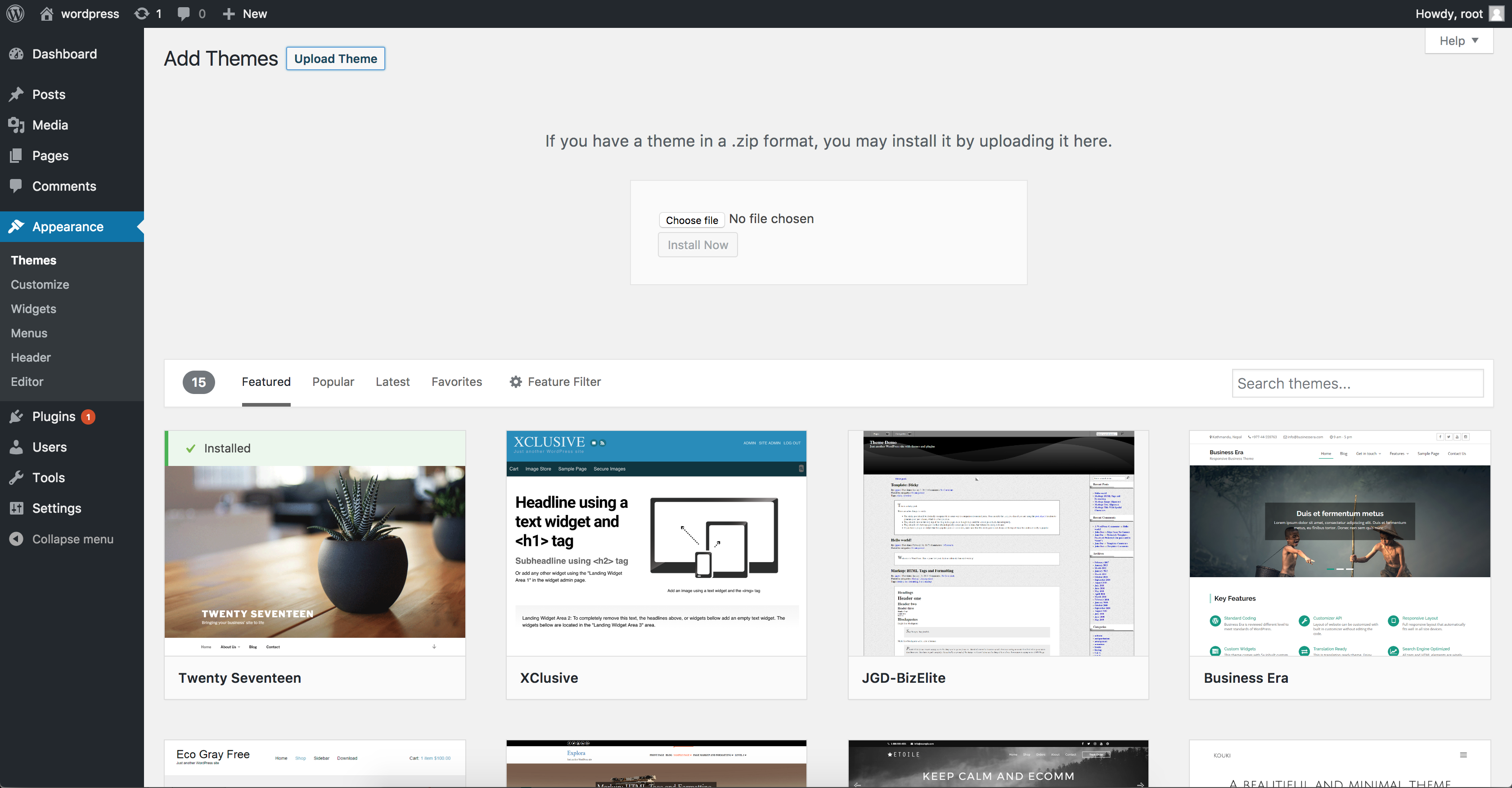
Start by logging into your WordPress dashboard. Find the Appearance section. Click on Themes. You will see a button labeled Add New. Click it to access the Theme Directory.
Once inside the directory, you will see a search bar. Type the name of the theme you want. You can also search by keywords. This makes finding themes easier.
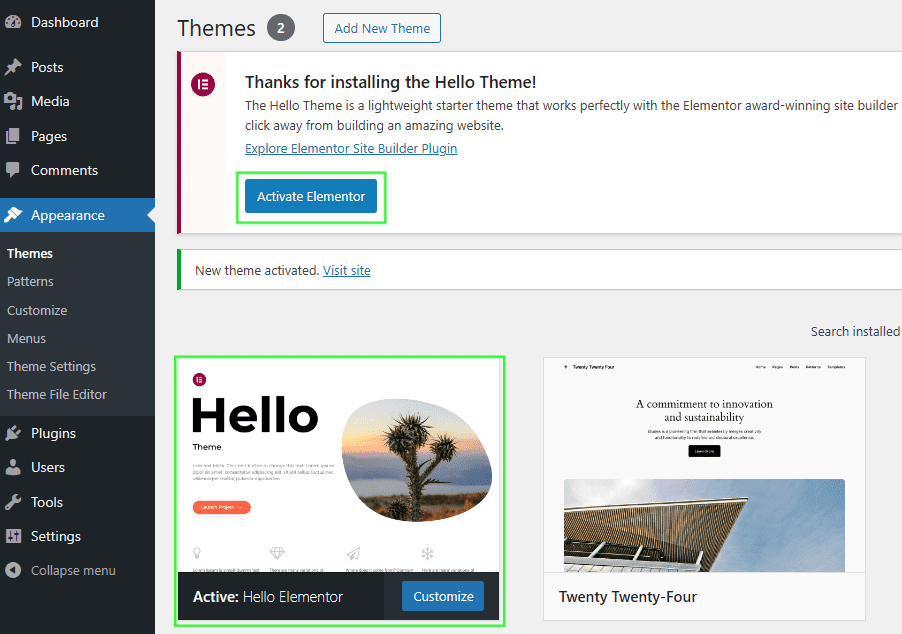
Found a theme you like? Click on the Preview button. This lets you see how your site will look. If you are happy, click Activate. Your new theme is live!
Uploading A Theme From A Zip File
First, find a theme you like. Make sure it fits your needs. Click the download button. Save the theme as a zip file on your computer. Keep it in a place you can find easily. You will need it soon.
Go to your WordPress dashboard. Look for “Appearance” in the menu. Click on “Themes.” Then, click “Add New.” You will see an “Upload Theme” button. Click it. Choose the zip file you downloaded. Click “Install Now.” Wait for the upload to finish.
Once uploaded, you will see a success message. Look for the “Activate” button. Click it to use the new theme. Your site will now have a fresh look. Check your site to see the changes. Make sure everything works well.
Customizing The Theme
The WordPress Customizer is a great tool. It helps you change your site easily. You can see changes in real-time. Start by going to your dashboard. Find the Customize option under Appearance. Here, you can adjust many settings. Try changing the site title or tagline. It’s simple and fun. You will see the changes live as you make them.
Customizing layout and colors can make your site unique. Choose a layout that fits your style. Pick colors that match your brand. You can find these options in the Customizer. Play around and see what looks best. Remember, colors can affect mood. Choose wisely for the best effect.
Widgets and menus add functionality to your site. Widgets can show recent posts or a calendar. Menus help users navigate your site. Find the Widgets section in the Customizer. Add or remove as needed. For menus, go to the Menu section. Create a menu and add items like Home or About. This helps users find what they need easily.
Testing The Theme
A responsive theme works on all devices. Use different devices like phones and tablets. See if the page looks good. Try changing the screen size. Make sure text and images fit well. This is important for a good user experience.
Browsers show pages differently. Check the theme on Chrome, Firefox, and Safari. Make sure everything looks the same. Some features might not work on all browsers. Fix any issues you find. Users use different browsers every day.
Page speed affects user happiness. Slow pages make users leave. Use tools to check speed. Look at how fast images and scripts load. Optimize them if needed. Fast pages keep users on your site. Speed is important for SEO too.
Credit: www.namecheap.com
Maintaining And Updating The Theme
Adding a theme to a WordPress page enhances its appearance and functionality. Regular updates ensure security and compatibility. Keep your site fresh by maintaining the latest theme version.
Regular Theme Updates
Themes often get new updates. These updates fix bugs. They also improve security. Always check for theme updates. Use the WordPress dashboard. Updating keeps your site safe and fast. It also adds new features. Don’t ignore update alerts. They are important for your site.
Monitoring For Bugs Or Issues
After updating, check your site. Look for any bugs or issues. Some updates might break things. Use a test site first. Fix any problems you find. This keeps your site running well. Monitor your site often. A smooth site is a happy site.
Backing Up Before Updates
Back up your site before updates. This is very important. Backups save your data. Use plugins for easy backups. If something goes wrong, you can restore. Restoring saves time and stress. Never skip a backup. It’s a safety net for your site.

Credit: wpmarmite.com
Frequently Asked Questions
How To Install A Theme In WordPress?
To install a theme, log into your WordPress dashboard. Navigate to “Appearance” and then “Themes. ” Click on “Add New. ” You can search for a theme or upload a theme file. Once selected, click “Install” and then “Activate” to apply the theme to your site.
Can I Change My WordPress Theme Later?
Yes, you can change your WordPress theme anytime. Go to “Appearance” and then “Themes” in your dashboard. Choose a new theme by clicking “Add New” and then “Install. ” Activate the new theme to apply changes. Always backup your site before switching themes to prevent data loss.
What Is The Best WordPress Theme For Beginners?
The best WordPress theme for beginners is often a versatile, easy-to-use option. Popular choices include Astra, OceanWP, and Neve. These themes offer customization options and are compatible with most plugins. They are user-friendly and provide excellent support, making them ideal for beginners to get started.
Are WordPress Themes Free Or Paid?
WordPress themes can be both free and paid. Free themes are available in the WordPress theme repository. Paid themes often offer more features, customization, and support. They can be purchased from theme developers or marketplaces like ThemeForest. Your choice depends on your website’s needs and budget.
Conclusion
Adding a theme to your WordPress page is simple. Follow clear steps to transform your site’s look. Choose themes that match your style and purpose. Explore options within your WordPress dashboard. Preview themes before activating them. Customize the theme to fit your brand.
Use widgets and menus for better navigation. Keep your design clean and user-friendly. Regular updates ensure security and performance. A well-chosen theme enhances your site’s appeal. Engage visitors with attractive design. Make sure your content stands out. A good theme boosts your online presence.
Enjoy the creative process.


