
Are you feeling stuck with the plain look of your WordPress blog? Do you want to give it a fresh and appealing design but don’t know where to start?
You’re not alone. Many bloggers like you are eager to enhance their site’s appearance, making it more engaging for their audience. The good news is, adding a theme to your WordPress blog is easier than you think. Imagine capturing your readers’ attention with a stunning layout that represents your unique style and content.
In this guide, I’ll walk you through the simple steps to transform your blog with a new theme. By the end, you’ll be equipped with the knowledge to make your blog not only eye-catching but also more inviting. Let’s dive in and unlock the potential of your blog’s visual appeal together!
Choosing The Right Theme
First, know your blog’s main goal. Is it for sharing stories or teaching? Understanding the purpose helps in choosing a suitable theme. A business blog needs a professional look. A personal blog can be more casual. Purpose guides your theme choice.
Think about colors and styles you like. Some people prefer bright colors. Others like simple designs. Look at different themes. Choose one that fits your taste. Your blog should reflect your style.
Make sure your theme works well on phones and computers. Many people use phones to read blogs. A responsive theme adjusts to all screen sizes. Responsive themes improve user experience.

Credit: www.interserver.net
Exploring Theme Options
Choosing a theme can be fun. Free themes are great for beginners. They offer many designs and are easy to use. But, they might have limited features. Premium themes cost money but give you more options. They often come with support and updates. They can make your blog look very unique. Think about what you need before choosing.
Many places sell themes online. ThemeForest is well-known. It has many themes to choose from. Elegant Themes offers nice designs. Mojo Marketplace is another option. Each place has different styles. You can find themes for all kinds of blogs. Compare them to find the best fit for you.
Installing A New Theme
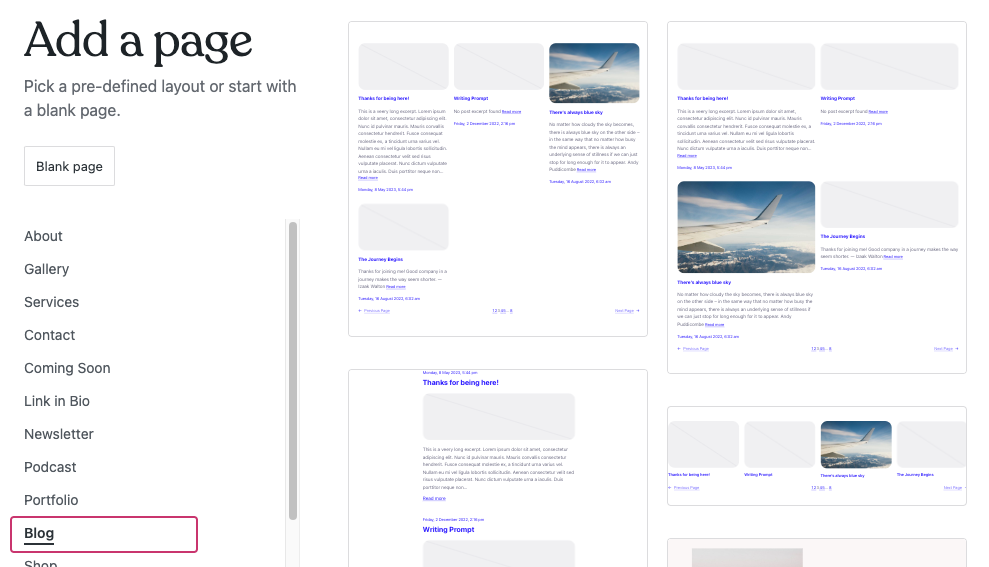
First, log into your WordPress account. Use your username and password. Then, find the dashboard menu on the left. Click on “Appearance.” This will show you theme options. You can see your current theme here. It’s easy to change it.
Click on “Add New” under the Appearance section. A search bar will appear on the screen. Type the name of the theme you like. You can browse popular themes too. Click “Install” once you find the perfect theme. After installation, click “Activate.” Now, the theme is live on your blog.
Download a theme file in .zip format first. Go to the “Add New” section under Appearance. Click on “Upload Theme” at the top. Choose the .zip file from your computer. Click “Install Now” to start the upload. After uploading, click “Activate” to use the theme. Your new theme is ready.
Credit: wordpress.com
Activating The Theme
To add a theme to your WordPress blog, first navigate to the “Appearance” section in your dashboard. Select “Themes,” then click “Add New” to explore a variety of themes. Choose one that suits your style, install it, and activate to give your blog a fresh look.
Preview Theme Before Activation
Previewing a theme is simple. First, go to your WordPress dashboard. Click on Appearance, then select Themes. Hover over the theme you like. Click on Live Preview. You will see how the theme looks. Check if it fits your blog’s style. Make sure it is easy to read. Also, ensure all parts are visible. Take your time. Decide if this is the right theme for you.
Activate Theme On Site
After previewing, activating is easy. Go back to the Themes page. Find your chosen theme. Hover over it again. Now, click on Activate. Your blog now has a new look. Refresh your site to see changes. Check all pages. Ensure everything is working fine. If something looks wrong, you can choose another theme. Remember, themes change the look but not your content.
Customizing The Theme
Use the Customizer Tool to make your blog unique. It lets you change colors and fonts. You can also adjust the layout. Just click on the tool and see changes live. It’s fun to experiment with different styles.
Modify Theme Settings to suit your taste. This includes changing the header and footer. You can upload your own logo. Adjust the background image to fit your theme. Make sure to save changes after editing.
Add Widgets and Menus for better navigation. Widgets help display useful information. Menus guide visitors around your site. You can add social media links and recent posts. It’s easy to drag and drop them into place.
Testing And Adjustments
Make sure your site works well after adding a theme. Click on different pages. Open and close menus. Try out buttons. Everything should work smoothly. If something breaks, you need to fix it. Themes can sometimes cause errors. Look for broken links or missing images. These can make your site look bad. Check every corner of your site.
Many people use phones and tablets. Your site must look good on these devices. Open your site on a phone. Check if everything fits the screen. Text should be easy to read. Images should not be too big. Menus should be simple to use. If something looks odd, adjust the theme settings. A mobile-friendly site keeps visitors happy.
Small changes can make your site better. Adjust colors to match your style. Change fonts for easy reading. Move elements for better layout. Test these tweaks before going live. Ask friends to browse your site. Get their feedback on the look and feel. Fix any problems they find. Your goal is a site that looks great and works well.
Maintaining Theme Updates
Adding a theme to your WordPress blog enhances its look. First, log in to your dashboard. Then, visit the “Appearance” section and select “Themes. ” Browse, install, and activate your chosen theme to refresh your blog’s design effortlessly. Regular theme updates ensure your site stays secure and functional.
Regularly Update Theme
Updating your WordPress theme keeps your blog safe. New updates fix bugs. They also improve security. Always check for updates weekly. Use the WordPress dashboard for updates. It’s easy and quick. Your blog will run better.
Backup Before Updates
Backing up your blog is very important. Always do it before any update. This saves your data. Use a plugin like UpdraftPlus. It helps make backups fast. Restore your blog if something goes wrong. Backups keep your blog safe.
Monitor For New Features
New features make your blog better. Check for new theme features often. They can help with design. They also add new tools. Read the update notes. This way, you know what’s new. Your blog will stay fresh and exciting.
Credit: elfsight.com
Frequently Asked Questions
How Do I Install A WordPress Theme?
To install a WordPress theme, navigate to Appearance > Themes in your dashboard. Click ‘Add New’ to browse themes. You can upload a theme file or search the directory. Once chosen, click ‘Install’ and then ‘Activate’ to apply the theme.
Your new design will now be live.
Can I Customize My WordPress Theme?
Yes, you can customize your theme via the WordPress Customizer. Go to Appearance > Customize to adjust colors, fonts, and layouts. Many themes offer additional customization options. For advanced changes, use a child theme. This ensures your modifications stay intact during updates.
Are Free WordPress Themes Reliable?
Free WordPress themes can be reliable if sourced from trusted providers. Check reviews, ratings, and download numbers for quality assurance. Ensure the theme is updated regularly for security. Always download from the WordPress theme directory or reputable developers to avoid issues.
How Can I Change My WordPress Theme?
To change your theme, go to Appearance > Themes. Browse available themes or upload a new one. Click ‘Activate’ to switch themes instantly. Ensure your content displays correctly after changing themes. Backup your site before making major changes to prevent data loss.
Conclusion
Adding a theme to your WordPress blog is simple. Start by choosing the right theme. Make sure it fits your blog’s style and needs. Install the theme through your WordPress dashboard. Activate it to see changes immediately. Customize your theme to match your vision.
Adjust colors, fonts, and layout. Make your blog unique and appealing. Regularly update your theme for security and performance. Test your blog on different devices. Ensure it looks good everywhere. A well-chosen theme enhances user experience. It keeps readers engaged.
Your blog becomes more attractive and professional. Keep exploring new design ideas. Your creativity is the key.


