

Are you looking to organize your WordPress pages better and make your website easier to navigate? Adding tags to your WordPress pages can be a game-changer for both you and your visitors.
Tags help group related content, boost your site’s SEO, and improve user experience. But if you’ve ever wondered how to add tags to your WordPress pages, you’re in the right place. This guide will walk you through simple, step-by-step methods to get tags working on your pages quickly and effectively.
Keep reading, and you’ll unlock a powerful way to make your website smarter and more engaging.
Credit: www.youtube.com
Benefits Of Tagging Pages
Tagging pages in WordPress brings several important benefits. Tags help group related content. They make your website easier to use and understand. Tags also support better search engine performance. Below, learn how tagging pages can improve your site.
Improving Seo Rankings
Tags create clear topics for search engines to read. They connect similar pages under one keyword or idea. This helps search engines find and index your pages faster. Tags can increase your chances of appearing in search results. Using relevant tags boosts your site’s visibility online.
Enhancing User Navigation
Tags help visitors find related content quickly. Users can click on a tag to see all pages with that tag. This reduces the time spent searching for information. Tags guide users through your website naturally. They improve the overall user experience by making browsing simple.
Organizing Content Efficiently
Tags keep your content well-organized. They create a structure that groups similar pages together. This helps you manage large amounts of content easily. Tags make it simple to update and maintain your site. A well-organized site looks professional and trustworthy.
Choosing The Right Tags
Choosing the right tags for your WordPress pages helps organize content. Tags improve user experience by making related topics easy to find. They also boost your site’s SEO by linking similar pages. Careful tag selection ensures your pages reach the right audience.
Keyword Research Tips
Start with simple keyword research to find popular terms. Use tools like Google Keyword Planner or Ubersuggest. Pick words that match your page content closely. Focus on short phrases people use to search. Avoid very broad or highly competitive keywords.
Avoiding Over-tagging
Limit the number of tags per page to five or six. Too many tags confuse search engines and visitors. Use only tags that directly describe your content. Over-tagging can harm your site’s SEO ranking. Keep tags clear and focused.
Using Relevant Terms
Choose tags that relate to your page topic exactly. Avoid vague or unrelated terms that mislead visitors. Relevant tags help users find useful information quickly. They also improve your site’s authority on the topic. Always check tags fit your content well.
Adding Tags In WordPress
Adding tags to WordPress pages helps organize content. Tags improve navigation and user experience. They also boost SEO by linking related pages. WordPress offers simple ways to add and manage tags.
Using Default WordPress Features
By default, WordPress allows tags on posts, but not on pages. To add tags to pages, you need to enable this feature. Use a small code snippet or a plugin to activate tags for pages. Once enabled, tags will appear in the page editor. You can add new tags or select existing ones easily.
Installing Tagging Plugins
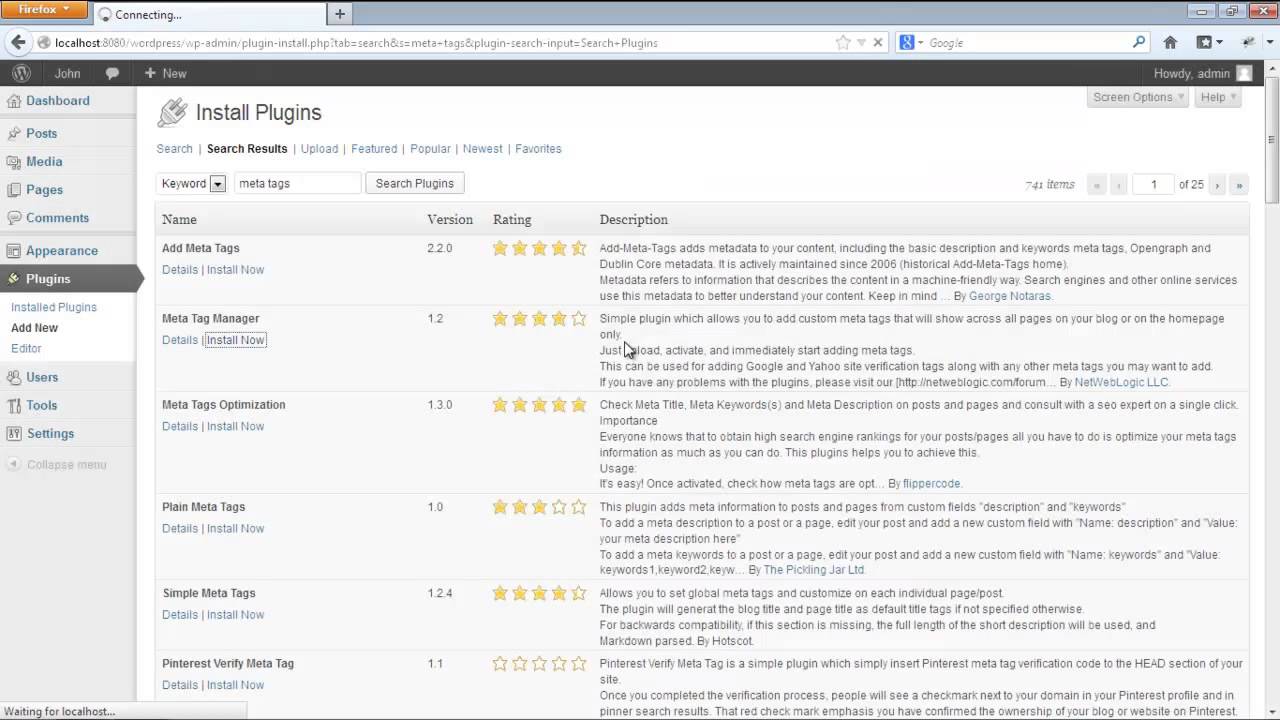
Several plugins add tag support for WordPress pages. These plugins provide more options and flexibility. Search for “page tags” in the WordPress plugin directory. Install and activate the plugin of your choice. After activation, tags will show in the page editor. Some plugins offer bulk tag editing and better tag management.
Editing Tags On Existing Pages
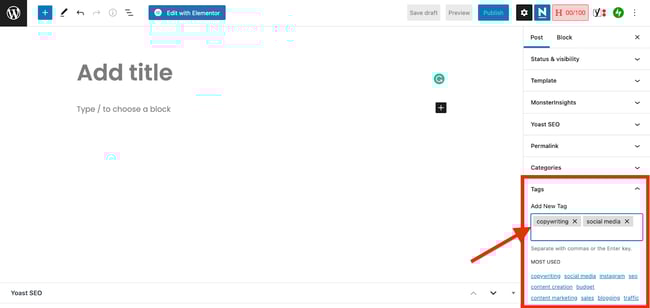
You can edit tags on pages anytime. Open the page editor and find the tags box. Add new tags or remove old ones as needed. Save or update the page to apply changes. For multiple pages, use bulk edit tools from the page list screen. This keeps tags relevant and organized across your site.
Credit: blog.hubspot.com
Optimizing Tags For Seo
Optimizing tags for SEO helps improve your website’s visibility. Tags organize content and guide search engines to related topics. Proper use of tags can boost page rankings and user experience. Focus on unique, relevant tags for best results.
Creating Unique Tag Pages
Each tag should have a unique page with clear content. Avoid duplicate or thin content on tag pages. Add a short description to explain the tag’s purpose. Unique pages help search engines understand your content better.
Linking Tags To Related Content
Link tags to pages with similar topics or keywords. This creates a strong internal link structure. It helps users find related information easily. Search engines also use these links to crawl your site better.
Monitoring Tag Performance
Track how tags perform using tools like Google Analytics. See which tags bring traffic and which do not. Remove or improve tags that do not add value. Regular monitoring keeps your SEO strategy effective.
Common Tagging Mistakes To Avoid
Tags help organize your WordPress pages. They improve navigation and boost SEO. Yet, many make simple mistakes with tags. These errors reduce their usefulness and confuse visitors. Avoid these common tagging mistakes to keep your site clean and effective.
Duplicating Tags
Using the same tag multiple times creates clutter. It splits your content into small parts. Visitors find it hard to locate related pages. Keep tags unique and clear. Check existing tags before adding new ones.
Using Irrelevant Tags
Tags should always match page content. Irrelevant tags mislead users and search engines. This lowers your site’s ranking. Choose tags that describe the main topics. Stay focused on what your page really covers.
Neglecting Tag Maintenance
Tags need regular updates. Over time, some tags become outdated or unused. Old tags cause confusion and reduce site quality. Review and clean your tags often. Remove or merge tags to keep them useful.
Credit: www.wpbeginner.com
Frequently Asked Questions
How Do I Add Tags To WordPress Pages?
To add tags, first enable tags support for pages using code or a plugin. Then, edit your page and add tags in the Tags box, just like posts. This helps organize content and improves site navigation.
Why Can’t I See Tags On WordPress Pages?
By default, WordPress doesn’t support tags on pages. You need to enable tags for pages via custom code or a plugin. Once enabled, the Tags box appears in the page editor for easy tagging.
Can Tags Improve Seo On WordPress Pages?
Yes, tags can improve SEO by grouping related pages and boosting keyword relevance. Proper tagging helps search engines understand your content better and enhances user experience through easier navigation.
Is It Better To Use Categories Or Tags For Pages?
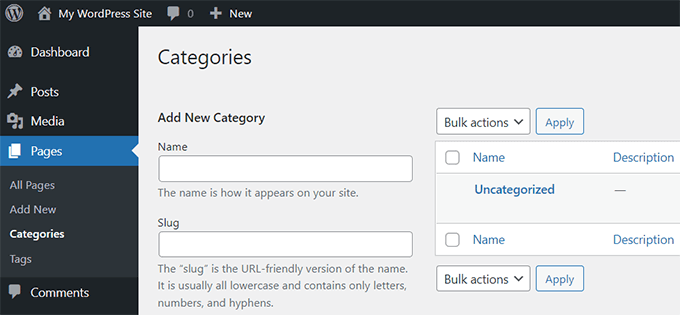
Pages usually don’t have categories by default. Tags help in organizing pages with similar topics. Use tags for specific keywords, and consider categories mainly for posts to maintain structure.
Conclusion
Adding tags to WordPress pages helps organize your site better. It makes finding content easier for visitors. Tags group related topics, improving user experience and site structure. This simple step can boost your website’s navigation. Try adding tags regularly to keep your pages neat.
Clear tags lead to happier readers and better site flow. Keep your tags relevant and concise for best results. Start using tags today and see the difference.


