
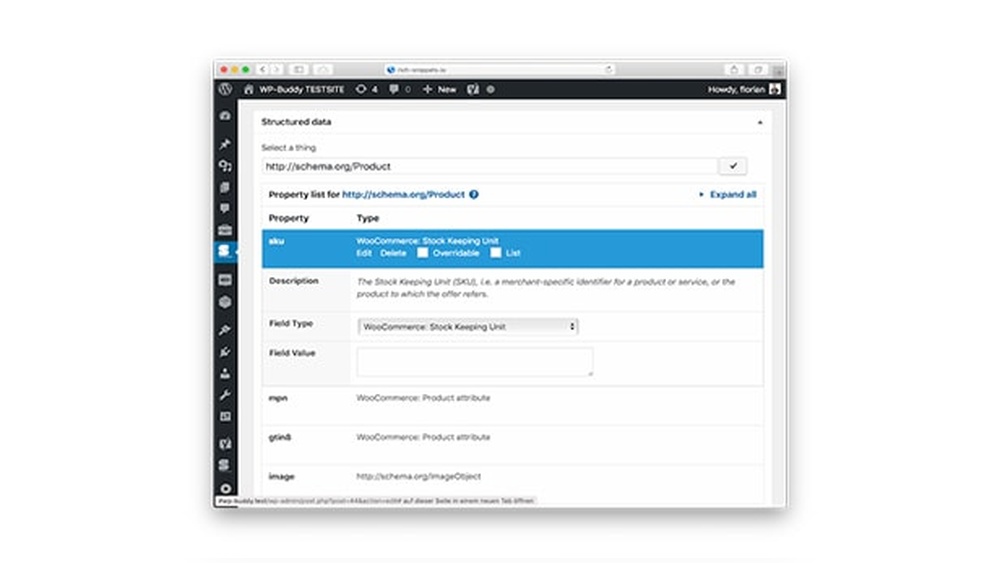
If you want your website to stand out in search results and attract more visitors, adding structured data is a game-changer. But maybe you’re wondering, how exactly do you add structured data in WordPress without messing up your site?
This guide will walk you through simple, clear steps to help you boost your site’s visibility and get those rich snippets working for you. By the end, you’ll have the confidence to improve your SEO and make your content shine in search engines.
Ready to take your WordPress site to the next level? Let’s dive in.
Benefits Of Structured Data
Structured data helps search engines understand your website content better. It organizes information in a clear format. This clarity improves how your site appears in search results. Many websites miss out on these benefits by not using structured data.
Improving Search Visibility
Search engines use structured data to index your pages more effectively. It helps your site show up for relevant searches. This can increase your site’s ranking and presence online. More visibility means more people find your content easily.
Enhancing Click-through Rates
Structured data can make your search listings more attractive. It adds extra details like ratings, prices, or events. These details catch users’ eyes and build trust. Users are more likely to click on your links with this information.
Enabling Rich Snippets
Rich snippets show extra content in search results. They highlight things like reviews, recipes, or product details. Structured data allows search engines to display these snippets. Rich snippets make your listings stand out and look professional.
Types Of Structured Data For WordPress
Structured data helps search engines understand your WordPress site better. It improves how your content appears in search results. Different types of structured data exist, each with its own format and use. Knowing these types helps you choose the best one for your site.
Schema.org Markup
Schema.org is a common vocabulary for structured data. It defines tags that describe different content types. These tags include products, events, reviews, and more. Using Schema.org helps search engines display rich snippets. It makes your site more attractive in search results.
Json-ld Format
JSON-LD is a popular format for adding structured data. It uses JavaScript to embed data in a script tag. This format keeps your HTML clean and easy to manage. Google recommends JSON-LD for WordPress sites. It is simple to implement and update.
Microdata And Rdfa
Microdata and RDFa are older formats for structured data. They mix data directly into HTML tags. Microdata uses specific attributes within HTML elements. RDFa adds more detailed metadata to your pages. Both formats work but are less flexible than JSON-LD.
Choosing The Right Plugin
Choosing the right plugin for structured data is key to improving your website’s SEO. The right tool helps search engines understand your content better. It makes your site more visible in search results. Picking a plugin that fits your needs saves time and avoids technical issues.
Popular Structured Data Plugins
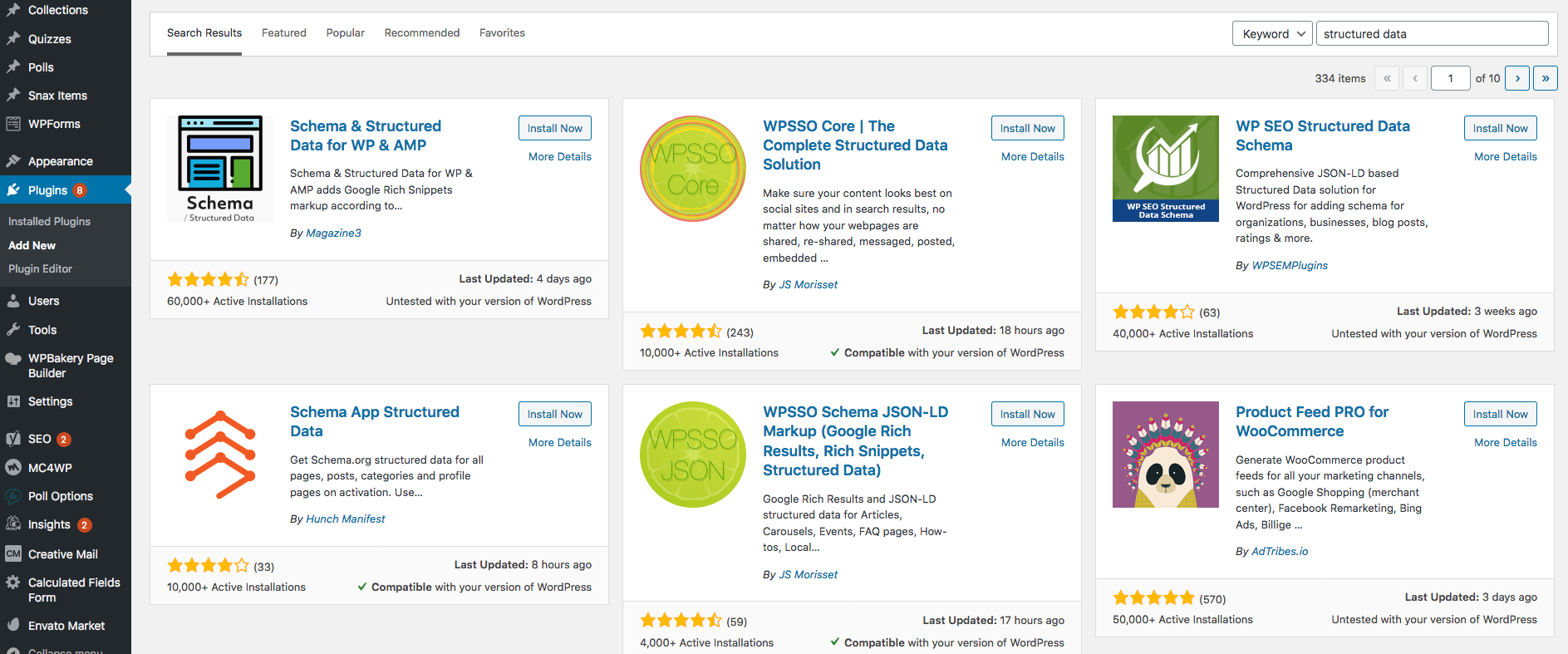
Several plugins can add structured data to WordPress easily. Schema Pro offers many schema types and is user-friendly. Yoast SEO includes basic schema features along with SEO tools. All in One Schema Rich Snippets focuses on showing rich snippets in search results. These plugins have good reviews and updates.
Features To Look For
Choose a plugin with clear options for schema types. It should support common types like articles, products, and events. Easy setup is important for beginners. Look for plugins that allow customization without coding. Automatic schema generation saves time. Good plugins also provide error checking tools.
Plugin Compatibility
Check if the plugin works well with your current WordPress version. It should not conflict with your theme or other plugins. Compatibility prevents site crashes or slowdowns. Regular updates show the plugin is maintained. Also, ensure it supports your SEO plugin if you use one. Test the plugin on a staging site before live use.
Credit: www.sistrix.com
Adding Structured Data Manually
Adding structured data manually gives you full control over your website’s markup. It helps search engines understand your content better. This method uses JSON-LD scripts inserted directly into your WordPress site. You can create custom data that fits your page perfectly. The process is simple but requires careful steps to avoid errors.
Creating Json-ld Scripts
JSON-LD is a popular format for structured data. It uses JavaScript to describe your content. Start by defining the type of content, like an article, event, or product. Use a text editor to write the script. Include key details such as name, description, and date. Keep the script clear and focused on your content.
Inserting Code Into WordPress
Place the JSON-LD script inside the
section of your site. Use a child theme or a plugin that allows custom code. Avoid editing core theme files directly. Paste the script inside aTesting Your Markup
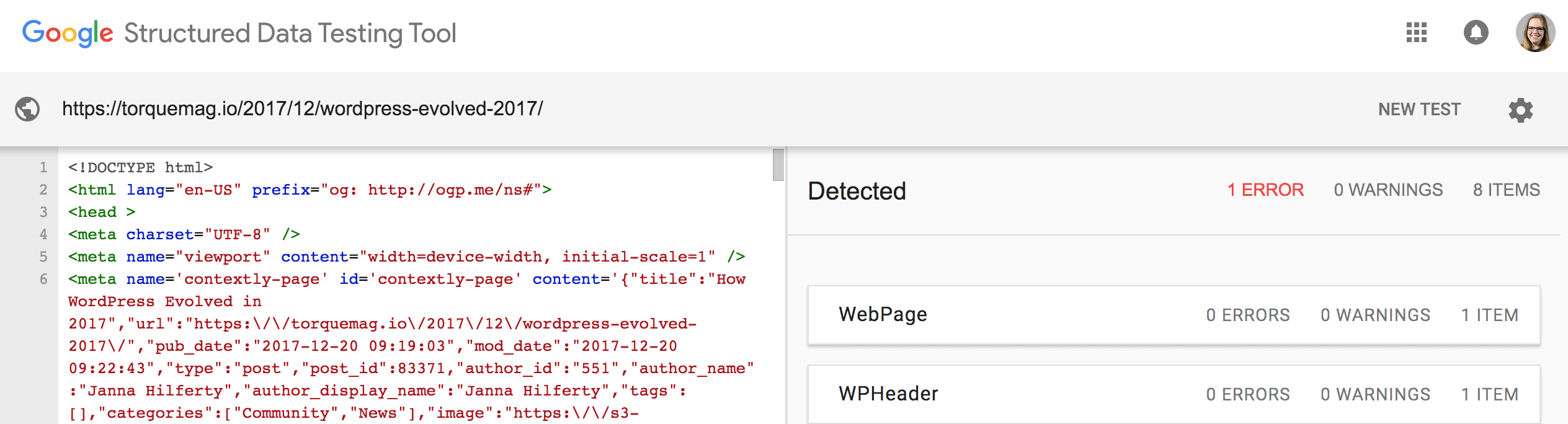
Check your structured data with Google’s Rich Results Test tool. Paste your URL or code snippet for analysis. The tool shows detected errors and warnings. Fix any issues before publishing. Proper testing helps your pages appear with rich snippets in search results. Repeat tests regularly to keep markup accurate.
Using Plugins To Add Structured Data
Using plugins to add structured data in WordPress is a simple and effective method. Plugins handle the coding part for you. They help search engines understand your content better. This can improve your site’s visibility and click rates. Plugins offer ready-made templates for different data types. You can add schema markup without touching any code.
Installing And Activating Plugins
Start by going to your WordPress dashboard. Click on “Plugins” and then “Add New.” Search for structured data plugins like “Schema” or “WP SEO Structured Data.” Choose a plugin with good ratings and recent updates. Click “Install Now” and then “Activate.” The plugin is now ready to use on your site.
Configuring Structured Data Settings
After activation, find the plugin settings in your dashboard. Each plugin has a different setup process. Usually, you select the type of content to mark up. Options include articles, products, events, and reviews. Fill in the required fields with your content details. Save the settings to apply the structured data to your pages.
Verifying Plugin Output
Check if the structured data works correctly. Use Google’s Rich Results Test or Schema Markup Validator. Enter your website URL or page source code. The tool shows if the plugin added the data properly. Fix any errors or warnings shown in the report. This step ensures search engines read your structured data well.

Credit: www.youtube.com
Validating Structured Data
Validating structured data is a key step after adding it to your WordPress site. This ensures search engines read your data correctly. Proper validation helps your site appear with rich results in search engines. It also reduces errors that could harm your SEO.
Testing tools give clear feedback on your structured data. They highlight any mistakes or warnings. Fixing these issues improves your site’s search visibility. Below are three important tools and tips for validation.
Google Rich Results Test
The Google Rich Results Test checks if your markup supports rich results. Enter your page URL or code snippet to test. The tool shows which rich result types are detected. It also points out errors and warnings to fix. Use this tool often to keep your structured data error-free.
Schema Markup Validator
The Schema Markup Validator is another useful tool. It checks your JSON-LD, Microdata, or RDFa code. This tool is great for detailed schema testing. It highlights syntax problems and missing fields. Use it to ensure your markup follows schema.org standards.
Fixing Common Errors
Errors like missing properties or incorrect types are common. Check for spelling mistakes in property names. Ensure required fields like “name” and “image” are present. Use consistent data formats, like dates in ISO 8601. Clear errors quickly to improve search engine understanding. Correct markup helps your site rank better and show rich snippets.
Monitoring Seo Impact
Monitoring the SEO impact of structured data in WordPress helps measure success. It shows how your efforts affect website visibility and traffic. Tracking these changes guides future updates and improves search performance. Regular checks prevent issues and keep your site optimized.
Tracking Search Console Metrics
Search Console provides key data on your site’s search presence. Check for errors in structured data reports. Look at impressions and clicks to see how users find your pages. Monitor the rich results status to confirm if your structured data works well.
Analyzing Traffic Changes
Use analytics tools to watch traffic patterns after adding structured data. Notice any rise in page views or session duration. Compare before and after data for clear insights. Look for new visitor trends or changes in bounce rates.
Adjusting Structured Data Strategies
Based on data, update your structured data markup regularly. Fix errors or add new types to cover more content. Experiment with different schemas to find what improves visibility. Keep structured data aligned with your site’s goals and content.
Credit: wpengine.com
Frequently Asked Questions
What Is Structured Data In WordPress?
Structured data is code that helps search engines understand your content. In WordPress, it improves SEO and rich snippets. It uses schema markup to describe your site’s elements clearly to search engines, enhancing visibility and click-through rates.
How To Add Structured Data In WordPress Without Plugins?
You can add structured data manually by inserting JSON-LD code in your theme’s header or footer. Use the WordPress Customizer or child theme’s functions. php file. This method requires basic coding skills but offers full control over your markup.
Which WordPress Plugins Add Structured Data Easily?
Popular plugins include Yoast SEO, Schema Pro, and All in One Schema Rich Snippets. These plugins simplify adding schema markup without coding. They support various content types like articles, products, and events for better search results.
How To Test Structured Data In WordPress?
Use Google’s Rich Results Test or Schema Markup Validator. Enter your page URL or code snippet to check for errors and warnings. These tools ensure your structured data is correctly implemented and eligible for rich results.
Conclusion
Adding structured data to your WordPress site boosts its search visibility. It helps search engines understand your content better. This can lead to rich snippets and higher click rates. Follow the steps carefully to avoid errors. Test your data with Google’s tools to ensure accuracy.
Keep your structured data updated as your site grows. Small efforts here bring steady traffic gains. Start adding structured data today and watch your site improve. Simple steps. Clear results.


