

If you want to control how search engines see your WordPress site, adding a robots.txt file is a simple but powerful step. This file tells search engines which pages to crawl and which to ignore, helping you protect sensitive content and improve your site’s SEO.
In this guide, you’ll learn exactly how to create and add a robots. txt file to your WordPress site, even if you’re not tech-savvy. By the end, you’ll have full control over your site’s visibility and be one step closer to better search rankings.
Let’s dive in and get your robots. txt file set up the right way.
Purpose Of Robots.txt
The robots.txt file guides search engines on how to crawl your website. It tells web crawlers which pages to visit or avoid. This file plays a key role in managing your site’s visibility online.
By controlling crawler access, you protect sensitive pages from being indexed. It helps shape how search engines understand and rank your site.
Role In Seo
The robots.txt file impacts your SEO by guiding search engines. It prevents crawling of duplicate or low-value pages. This focus helps search engines index your important content faster.
Proper use of robots.txt can improve your site’s ranking. It ensures search engines spend their crawl budget wisely. This can lead to better visibility in search results.
Controlling Crawler Access
With robots.txt, you decide which parts of your site crawlers see. You can block admin pages, login screens, or private folders. This keeps sensitive areas hidden from search engines.
It also helps avoid overloading your server by limiting crawler activity. You set rules for different bots, giving you control over site access. This keeps your website running smoothly and securely.
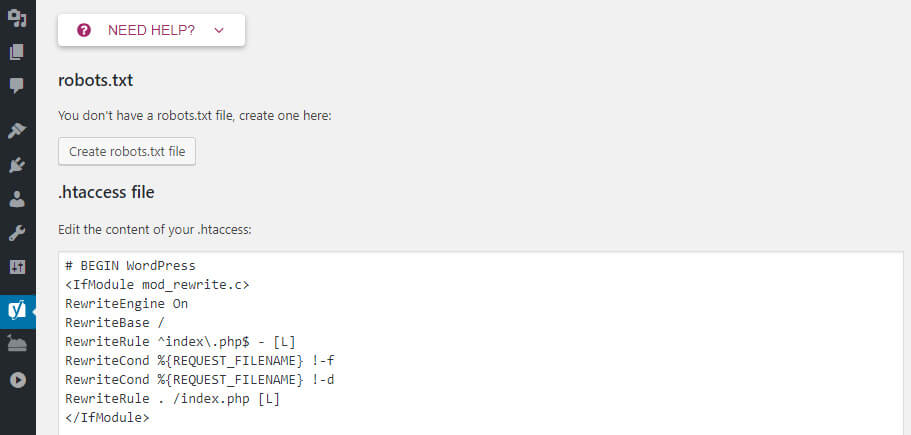
Credit: www.hostinger.com
Preparing Your Robots.txt File
Preparing your robots.txt file is a key step before adding it to WordPress. This file guides search engines on which pages to crawl or avoid. Creating a clear and correct robots.txt helps protect private content and improve site indexing.
Understanding the basic syntax and structure makes the process easier. You also need to know which common directives to include. These will control how search engines interact with your website.
Basic Syntax And Structure
The robots.txt file uses simple rules. Each rule has a user-agent and one or more directives. The user-agent tells which search engine the rule applies to.
Directives tell the search engine what to do. The two main directives are “Disallow” and “Allow.” “Disallow” blocks pages, while “Allow” lets search engines crawl specific pages.
Lines starting with a “” are comments. They do not affect the file but help you organize rules.
Common Directives To Include
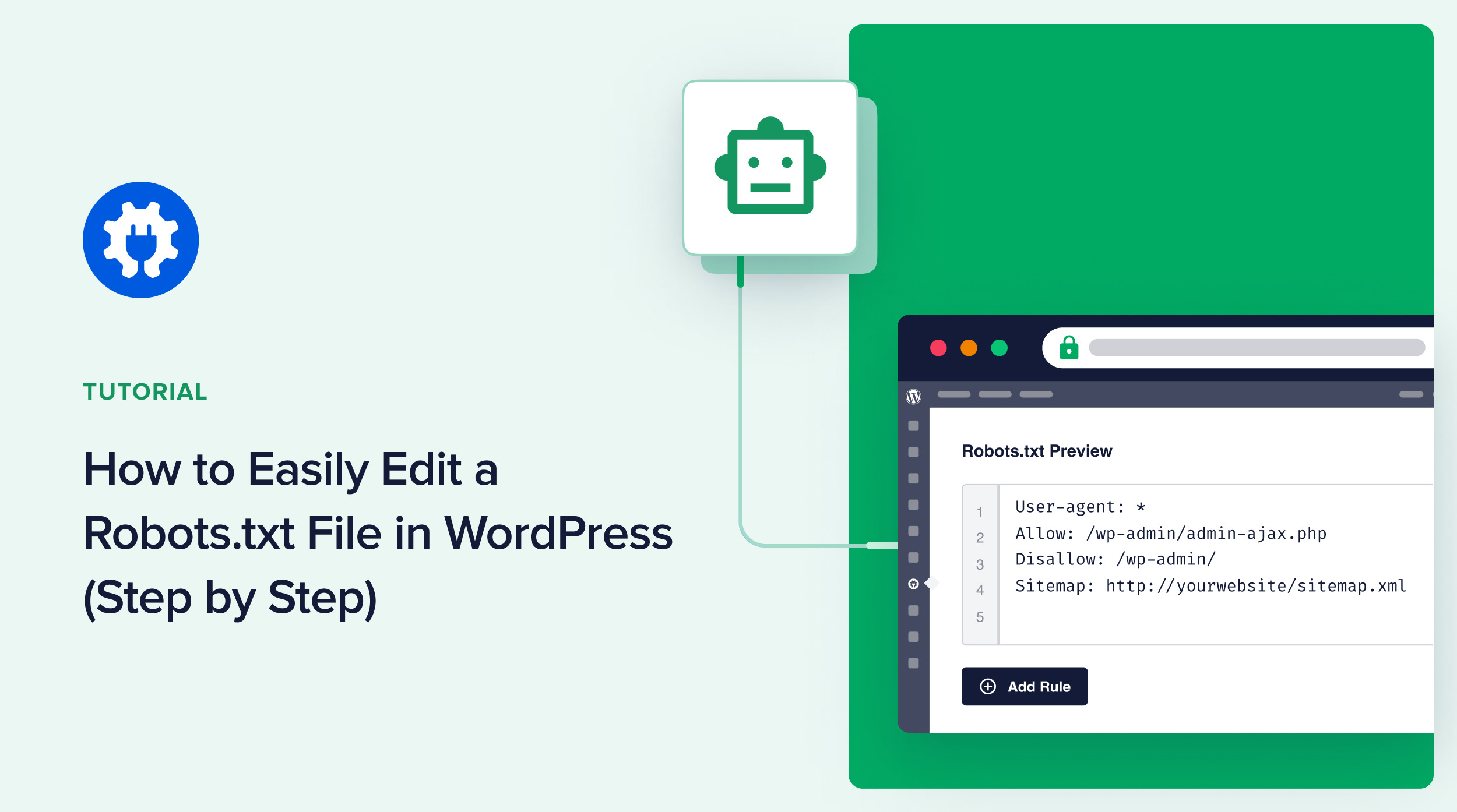
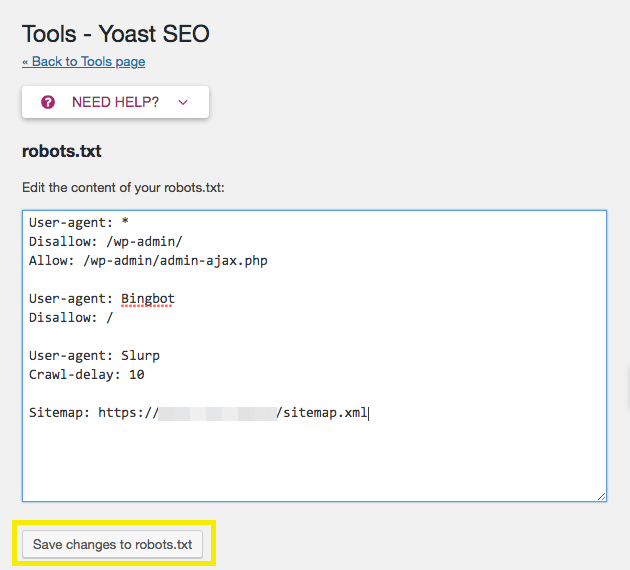
Start with “User-agent: ” to apply rules to all search engines. Use “Disallow: /wp-admin/” to block access to your admin pages.
“Allow: /wp-admin/admin-ajax.php” lets necessary scripts run. Blocking the admin folder protects sensitive data.
Exclude duplicate content by disallowing certain URL parameters. You can also block specific file types like PDFs or images if needed.
Keep the file simple and clear. Too many rules can confuse search engines and harm SEO.
Methods To Add Robots.txt In WordPress
Adding a robots.txt file to your WordPress site helps control how search engines crawl your pages. This file guides search engines on what content to index and what to avoid. Several methods exist to create or edit this file. Choose the one that fits your comfort level and technical skills.
Using Seo Plugins
Many SEO plugins offer a simple way to create and edit robots.txt files. Plugins like Yoast SEO or All in One SEO include built-in editors for this purpose. You just navigate to the plugin’s settings and find the robots.txt editor. Make your changes and save them. This method is fast and does not require technical knowledge.
Editing Via File Manager
Access your hosting control panel and open the file manager. Locate the root folder of your WordPress site, usually called public_html. Look for the robots.txt file or create a new one if it does not exist. Edit the file directly with a simple text editor. This method gives you full control over the file content.
Using Ftp Access
Connect to your web server using an FTP client like FileZilla. Navigate to the root directory of your WordPress installation. Download the robots.txt file to your computer or create one if needed. Edit the file using a text editor and upload it back to the server. This method requires basic knowledge of FTP but offers flexibility.
Credit: aioseo.com
Verifying Your Robots.txt File
Verifying your robots.txt file is important. It helps confirm that search engines read your rules correctly. A wrong file can block important pages or allow pages you want hidden. Checking your file ensures your site appears as you want in search results.
Using Google Search Console
Google Search Console offers a tool to test your robots.txt file. Sign in and go to the “Robots.txt Tester” section. Paste your robots.txt content or upload the file. The tool shows if Google can read it and highlights errors. It also lets you check specific URLs to see if they are blocked or allowed.
Testing With Online Tools
Several free online tools test robots.txt files. These tools scan your file and report problems. They show which URLs are blocked or accessible. Use these tools to catch mistakes before Google crawls your site. They are easy to use and provide quick feedback.
Best Practices For Robots.txt
Creating a proper robots.txt file is key for your WordPress SEO. It guides search engines on which pages to crawl or ignore. Using best practices helps avoid errors and improves site indexing. Follow these tips to manage your robots.txt file effectively.
Avoiding Common Mistakes
Do not block important pages like your homepage or main content. Avoid using disallow rules that stop search engines from crawling your entire site. Make sure syntax is correct, with no extra spaces or typos. Test the file in Google Search Console to find errors fast.
Keeping It Updated
Update robots.txt when you add new pages or sections to your site. Remove old rules that no longer apply. Check for changes after installing new plugins or themes. Regular updates keep search engines aware of your current site structure.
Credit: wpengine.com
Frequently Asked Questions
What Is A Robots.txt File In WordPress?
A robots. txt file guides search engines on which site pages to crawl or avoid. It helps control website indexing and improves SEO by managing crawler access.
How Do I Create A Robots.txt File In WordPress?
You can create a robots. txt file manually via FTP or use SEO plugins like Yoast. Both methods allow easy editing and customization for your WordPress site.
Why Is Robots.txt Important For WordPress Seo?
Robots. txt prevents search engines from indexing duplicate or private pages. This improves site ranking by focusing crawl budget on important content and enhancing user experience.
Can I Edit Robots.txt Without Plugins In WordPress?
Yes, you can edit robots. txt by accessing your website’s root directory via FTP or hosting file manager. This method requires basic knowledge but avoids extra plugins.
Conclusion
Adding a robots. txt file to WordPress helps control search engine access. It guides which pages to crawl or avoid. This simple step can improve your site’s SEO and keep sensitive content private. Regularly check and update your robots. txt for best results.
Stay clear and organized to help search engines understand your site better. Doing this keeps your website healthy and easy to find online.


