
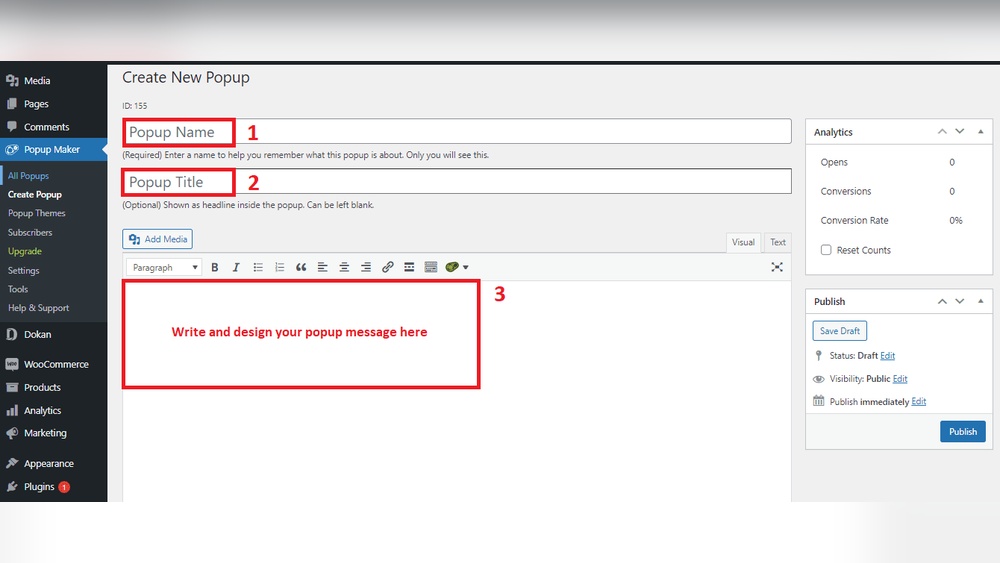
Are you looking to grab your visitors’ attention the moment they land on your WordPress site? Adding a popup can be a game-changer for boosting your email list, promoting special offers, or sharing important updates.
But if you’re unsure how to get started, don’t worry—you’re in the right place. This guide will walk you through simple steps to add a popup on WordPress, even if you have zero technical skills. By the end, you’ll know exactly how to create eye-catching popups that keep your visitors engaged and coming back for more.
Let’s dive in and transform your website’s impact!
Benefits Of Using Popups
Popups are small windows that appear on your website. They help catch visitors’ attention quickly. Using popups on WordPress has many benefits. They improve how users interact with your site. Popups can guide visitors to take action. This boosts your site’s performance and helps meet your goals.
Increase User Engagement
Popups make your website more interactive. They invite users to join surveys or read new content. This keeps visitors on your site longer. Longer visits mean users are more interested in your content. Popups can also reduce bounce rates by offering relevant messages.
Grow Email Subscribers
Popups are great tools for collecting emails. You can ask visitors to subscribe to newsletters or updates. More subscribers mean more chances to connect with your audience. Email lists help you send offers and important news directly. Popups make it easy to build a strong email list fast.
Promote Special Offers
Popups can highlight discounts or deals instantly. They grab attention at the right moment. Visitors see your offers clearly without searching. This increases the chance they will buy or join. Timely popup messages help you share promotions effectively.
Choosing The Right Popup Plugin
Choosing the right popup plugin for WordPress can change how visitors interact with your site. The ideal plugin fits your needs without slowing your site down. It should be easy to use and offer features that match your goals. Consider your budget, skill level, and the kind of popups you want.
Popular Free Plugins
Many free plugins offer solid features for basic popups. Popup Maker and Hustle are well-known choices. They let you create email opt-ins and simple announcements. These plugins have good user ratings and regular updates. They work well for small sites or beginners.
Premium Options
Paid plugins provide more advanced tools and support. OptinMonster and Bloom are popular premium plugins. They offer templates, targeting rules, and analytics. These plugins help create professional popups that convert better. Premium options suit businesses wanting more control.
Plugin Compatibility
Check if the popup plugin works with your WordPress theme. It should also support your other plugins. Compatibility avoids conflicts that can break your site. Test the plugin on a staging site before going live. This keeps your site stable and user-friendly.
Installing A Popup Plugin
Installing a popup plugin on WordPress is a simple process. It helps you create popups without coding skills. Plugins add features to your website fast. Follow these steps to install a popup plugin easily.
Accessing The WordPress Dashboard
Start by logging into your WordPress dashboard. Use your username and password. The dashboard is the control center for your site. You manage plugins, themes, and content here. Look for the menu on the left side of the screen.
Searching And Installing Plugins
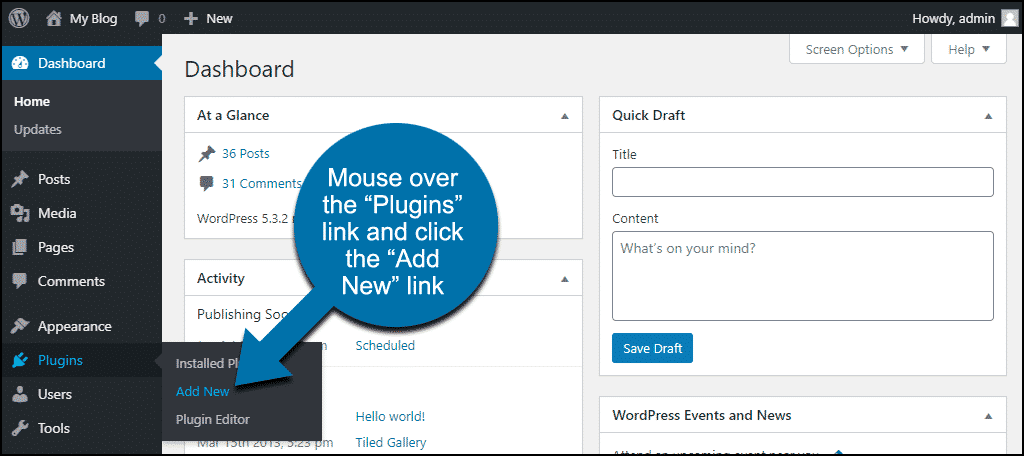
Find the “Plugins” option in the menu. Click on it, then select “Add New.” Use the search bar at the top right corner. Type “popup” to see available popup plugins. Choose one with good ratings and reviews. Click “Install Now” on your chosen plugin. Wait a few seconds as WordPress downloads the plugin.
Activating The Plugin
After installation, the “Install Now” button changes to “Activate.” Click “Activate” to enable the plugin. Your popup plugin is now ready to use. You can start creating popups from the plugin’s settings. This step makes the plugin live on your website.
Creating Your First Popup
Creating your first popup on WordPress is simple and quick. It helps to catch visitors’ attention and share important messages. This step-by-step guide will show how to build an effective popup.
Selecting A Template
Start by choosing a popup template. Templates save time and give a professional look. Pick a style that matches your website theme. Many plugins offer free and paid templates. Select one that fits your goal, like collecting emails or promoting offers.
Customizing Content And Design
Change the text, images, and buttons to fit your message. Use clear and short sentences to explain your offer. Choose colors that match your brand and attract attention. Make sure the popup looks good on phones and computers. Keep the design simple and clean for better results.
Setting Display Rules
Decide when and where the popup should appear. Set rules like time delay or scroll percentage. Choose specific pages or posts for the popup to show. Limit how often visitors see the popup to avoid annoyance. Proper display rules improve visitor experience and increase success.
Advanced Popup Settings
Advanced popup settings let you control how and where your popup appears. These options help make your popup more effective. You can target the right visitors, choose the best time to show the popup, and connect it to your email list. This section explains key features to improve your popup’s performance.
Targeting Specific Pages Or Users
Show popups only on certain pages to reach the right audience. You can select pages like the homepage, blog posts, or product pages. Target users by their behavior, location, or device type. This way, your popup feels personal and relevant. Avoid annoying visitors with popups on every page.
Timing And Triggers
Choose when your popup appears to catch visitors’ attention. Set triggers like time delay, scroll percentage, or exit intent. Time delay shows the popup after a few seconds. Scroll percentage triggers it when visitors scroll down a page. Exit intent shows the popup as visitors try to leave. These options increase chances of engagement.
Integrating With Email Marketing
Connect your popup with email marketing tools for easy list building. Link it to platforms like Mailchimp, Constant Contact, or others. New subscribers go directly to your email list. This saves time and avoids manual work. Also, you can send automated emails to your new contacts.
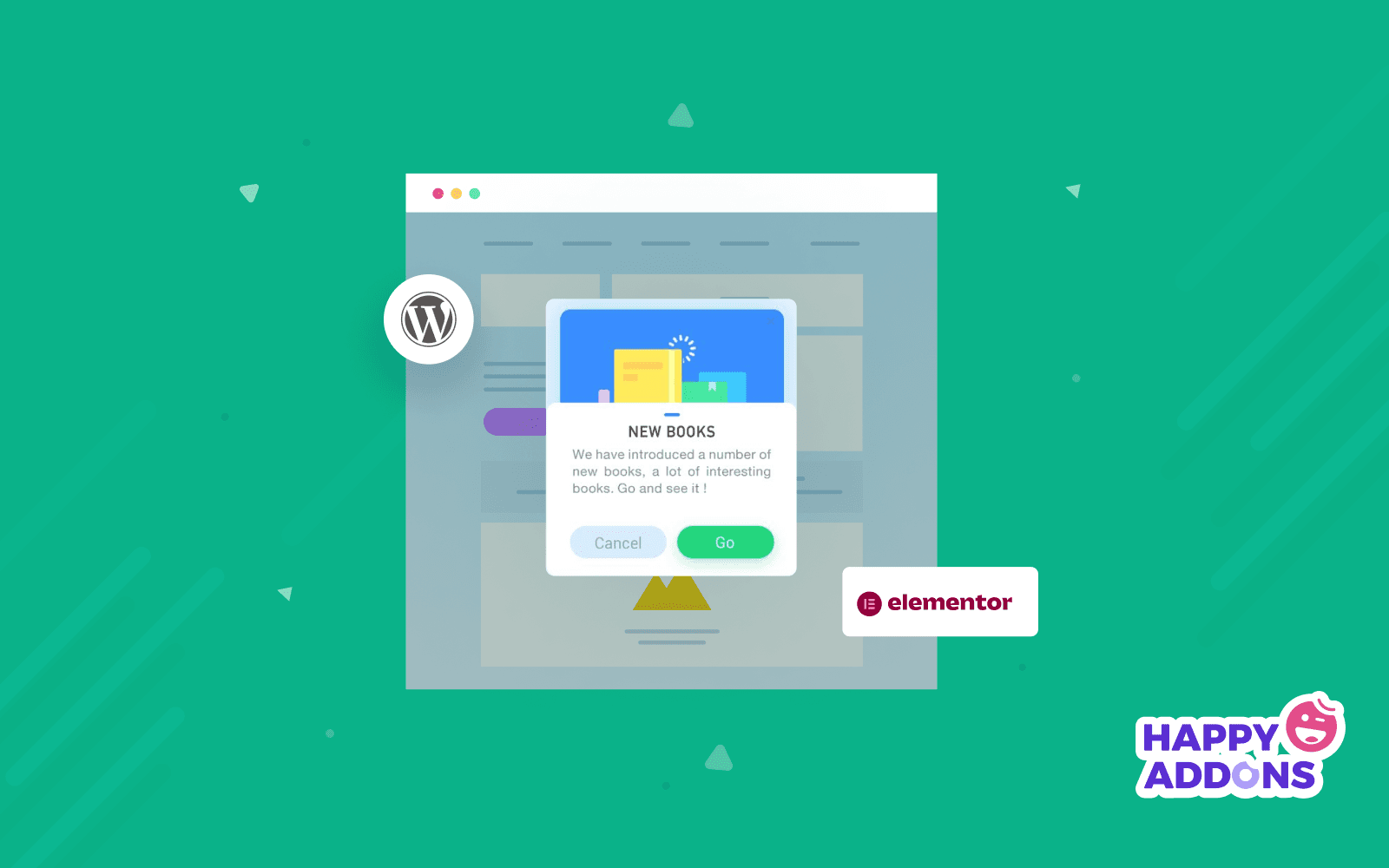
Credit: happyaddons.com
Testing And Optimizing Popups
Testing and optimizing popups is key for better results on your WordPress site. It helps you see what works and what does not. Small changes can lead to more clicks and conversions. Regular testing keeps your popups effective and less annoying for visitors.
Previewing Popups
Previewing lets you see how the popup looks before it goes live. Check on different devices like phones, tablets, and desktops. Look for any layout issues or text mistakes. Make sure the popup appears at the right time and place. This step prevents errors and improves user experience.
A/b Testing Strategies
A/B testing compares two popup versions to find the best one. Change one element at a time, like the headline or button color. Show each version to a part of your audience. Track which popup gets more clicks or sign-ups. Use the winning popup for better engagement.
Analyzing Performance Metrics
Performance metrics show how well your popup works. Look at click-through rates and conversion rates first. Also, check bounce rates to see if the popup annoys visitors. Time spent on page can tell if visitors stay longer. Use this data to adjust and improve your popup.
Best Practices For Popup Use
Popups can be powerful tools to engage visitors on your WordPress site. Using them wisely helps improve user experience and boost conversions. Follow these best practices to make your popups effective and user-friendly.
Avoiding Intrusive Popups
Popups should not block important content. Avoid showing them immediately after a page loads. Give visitors time to explore before displaying a popup. Limit popup frequency to prevent annoyance. Use exit-intent popups that appear when users try to leave. This approach respects users and reduces frustration.
Design Tips For Better Conversion
Keep popup designs simple and clear. Use contrasting colors for buttons to draw attention. Write short and direct messages. Include a clear call to action. Make sure the popup works well on mobile devices. Use images or icons to support your message but avoid clutter.
Compliance With Privacy Laws
Follow privacy regulations like GDPR and CCPA. Inform users about data collection in the popup. Provide options to accept or decline cookies and tracking. Link to your privacy policy clearly. Respect users’ choices and do not collect data without permission. This builds trust and keeps your site safe.
Credit: www.greengeeks.com

Credit: www.youtube.com
Frequently Asked Questions
How Can I Add A Popup To WordPress Without Coding?
You can use WordPress popup plugins like Popup Maker or OptinMonster. They offer easy drag-and-drop builders. No coding skills are needed. Just install, activate, and customize popups with your desired triggers and content.
What Are The Best Free Popup Plugins For WordPress?
Popular free popup plugins include Popup Maker, Hustle, and Popup Builder. These plugins offer essential features like customizable templates and triggers. They help you create effective popups without any cost or technical knowledge.
How Do I Create A Mobile-friendly Popup In WordPress?
Choose a responsive popup plugin that supports mobile devices. Customize popup size and layout for smaller screens. Test your popup on multiple devices to ensure it looks good and functions smoothly on smartphones and tablets.
Can Popups Improve My WordPress Site’s Conversion Rate?
Yes, popups can boost conversions by capturing visitor emails and promoting offers. Well-timed popups increase engagement without annoying users. Use targeted popups with clear calls to action for the best results.
Conclusion
Adding a popup on WordPress can boost your website’s engagement. Choose a simple plugin to start. Customize the popup to fit your site’s style and goals. Test it on different devices to ensure it works well. Keep your messages clear and useful for visitors.
Regular updates will keep your popup effective. With a little effort, popups can help grow your audience and improve user experience. Try these steps today to see the difference.


