

If you want your website to stand out and rank higher on search engines, adding an HTML meta tag to your WordPress site is a simple but powerful step you can’t ignore. You might wonder why these tiny snippets of code matter so much.
The truth is, meta tags help search engines understand what your page is about and can improve how your site appears in search results. You’ll learn exactly how to add HTML meta tags to your WordPress site quickly and without hassle.
By the end, you’ll have the tools to boost your site’s visibility and attract more visitors. Ready to make your website work harder for you? Let’s dive in.
Why Meta Tags Matter
Meta tags are small pieces of text that describe a webpage’s content. They do not appear on the page itself but in the page’s code. Search engines and browsers use meta tags to understand what your page is about. This helps your website get noticed and ranked properly.
Adding meta tags to your WordPress site improves how search engines read your content. It also helps users decide whether to visit your page. Let’s explore why meta tags are important for your website.
Role In Seo
Meta tags tell search engines the main topics of your page. They include keywords that match user searches. This helps your page show up in relevant search results. Good meta tags can improve your site’s ranking. Search engines use these tags to index your pages better.
Impact On Click-through Rates
Meta tags often appear as snippets in search results. Clear, relevant meta descriptions attract more clicks. They give users a quick summary of your page. A well-written meta tag can make your link stand out. This increases the chance people will visit your site from search results.
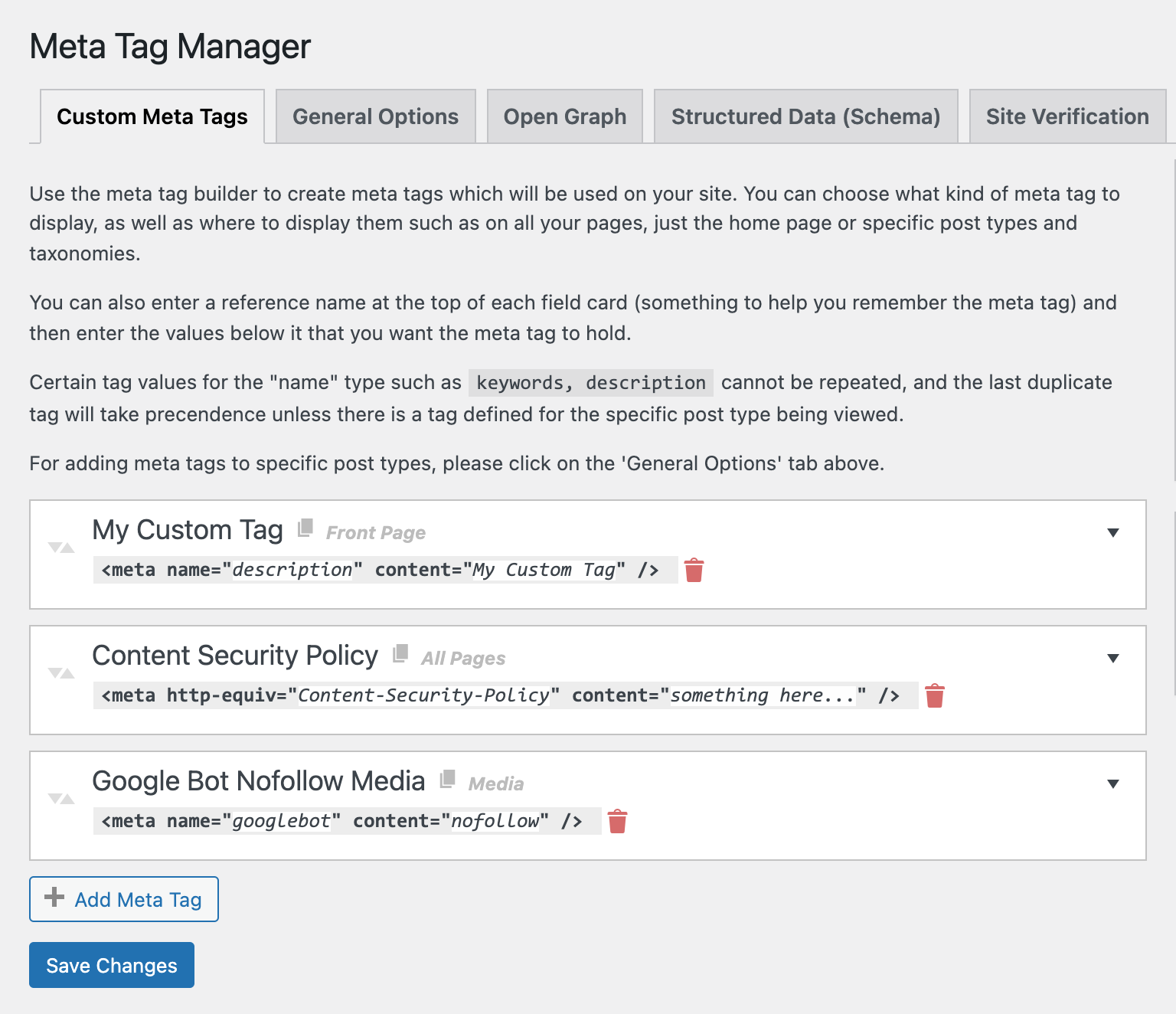
Credit: wordpress.org
Types Of Meta Tags
Meta tags play an important role in how search engines read your website. They provide key information about your pages. Different types of meta tags serve different purposes. Understanding these tags helps improve your site’s SEO and user experience.
Title Tags
Title tags define the main title of a web page. They appear in search engine results and browser tabs. A clear, relevant title tag helps users and search engines understand your page content. Keep titles short and include important keywords.
Description Tags
Description tags offer a brief summary of the page content. Search engines often show this text below the title in results. A good description encourages users to click your link. Write concise, appealing descriptions using target keywords.
Robots Meta Tags
Robots meta tags guide search engine crawlers on how to index your page. They can allow or block indexing and link following. Use robots tags to control which pages appear in search results. This helps manage your site’s visibility and SEO strategy.
Adding Meta Tags Via WordPress Themes
Validating meta tag implementation is key to ensure search engines read your tags correctly. It confirms your HTML meta tags appear properly in your WordPress site’s code. This step helps improve your site’s SEO and user experience.
Checking your meta tags also helps catch errors early. You avoid issues that could hurt your site’s visibility on search engines. Use simple tools to verify your tags work as intended.
Using Browser Tools
Most browsers have built-in tools to check meta tags. Right-click on your webpage and select “View Page Source” or “Inspect”. Search for your meta tags in the header section of the code.
This method quickly shows if your tags are present and spelled correctly. It also reveals if multiple or conflicting tags exist.
Seo Audit Tools
SEO audit tools scan your website for meta tag issues. They provide detailed reports on tag presence and quality. Tools like Screaming Frog and Ahrefs highlight missing or duplicate tags.
These tools also suggest improvements for better SEO results. Regular audits keep your site optimized and search-friendly.

Credit: www.youtube.com
Using Seo Plugins For Meta Tags
Effective meta tags help search engines and users understand your webpage. They improve your site’s visibility and click rate. Writing good meta tags takes simple but careful steps.
Focus on clear, relevant, and concise information. Avoid stuffing keywords or using vague descriptions. Keep your tags updated to match your content.
Crafting Compelling Descriptions
Write a short summary that highlights your page’s main point. Use active words and invite users to learn more. Keep the description under 160 characters to avoid cuts in search results. Make it unique for every page on your site.
Keeping Tags Updated
Review your meta tags regularly. Change them if your content changes or if they don’t attract clicks. Fresh tags help search engines show your latest information. Check tags after website updates or new posts.
Credit: vixencomposites.com
Frequently Asked Questions
What Is An Html Meta Tag In WordPress?
An HTML meta tag provides metadata about your webpage. It helps improve SEO by giving search engines information. In WordPress, you can add meta tags to control description, keywords, and more.
Why Should I Add Meta Tags To My WordPress Site?
Meta tags improve your site’s visibility on search engines. They help attract more clicks by providing clear page descriptions. Proper meta tags also enhance social sharing and website indexing.
How Can I Add Meta Tags Without Coding In WordPress?
You can use SEO plugins like Yoast SEO or All in One SEO. These plugins offer easy interfaces to add meta titles and descriptions without touching code.
Can I Add Meta Tags Manually In WordPress?
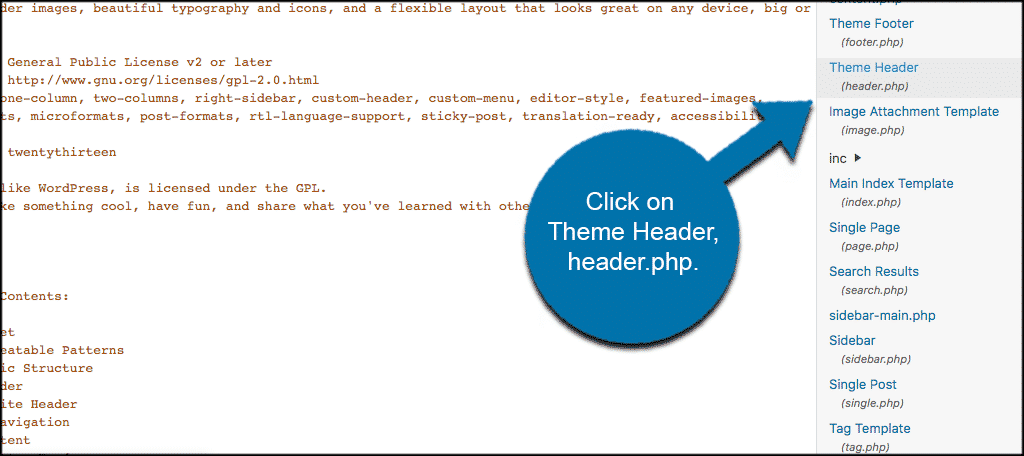
Yes, you can add meta tags manually by editing your theme’s header.php file. Insert the meta tags within the
section for proper functionality.Conclusion
Adding an HTML meta tag to WordPress is simple and fast. It helps improve your site’s SEO and control how pages appear in search results. Use the right method for your skill level—either a plugin or editing theme files. Check your site after adding the tag to ensure it works.
Regularly updating meta tags keeps your site fresh and relevant. Now, you can easily manage meta tags and boost your website’s visibility online.


