
Unlocking the full potential of your WordPress theme can be a game-changer for your website. One way to give your site a modern edge is by incorporating Font Awesome SVG icons.
Imagine being able to effortlessly enhance your website’s design with sleek, scalable icons that capture your audience’s attention. You’re not just adding icons; you’re adding a touch of professionalism and flair. If you’re wondering how to seamlessly integrate these eye-catching SVG icons into your WordPress theme, you’re in the right place.
In this guide, you’ll learn the steps to enhance your site’s visual appeal while keeping it lightweight and fast. So, if you’re ready to transform your website from mundane to magnificent, keep reading. Your audience will thank you for it.
What Is Font Awesome
Font Awesome is a tool for adding icons to websites. It makes websites look nice and professional. Icons are little pictures or symbols. They help users understand more quickly. Font Awesome offers many icons. You can find icons for almost anything. There are icons for social media, weather, and more. You can use these icons in your WordPress theme. They make your site look modern and sleek.
Icons from Font Awesome are easy to use. You just need to add the code. It’s like adding a picture. But it’s smaller and faster. This is important for your website speed. A fast website is a good website. Font Awesome helps you achieve this.

Credit: docs.fontawesome.com
Benefits Of Using Svg Icons
SVG icons are clear and sharp. They look good on all screens. SVGs can change size easily. This means they fit any device. They are small in file size. Pages load faster with them. SVGs work well with animation. They make pages lively and fun. They are easy to change. Colors and shapes can be altered quickly.
SVGs are safe for websites. They don’t harm your site. SVG icons are neat and tidy. They make your site look modern. They are easy to create. Designers love using them. SVGs are simple to use. Everyone can understand them. They help you save space and time. They are the future of web design.
Preparing Your WordPress Theme
Easily enhance your WordPress theme by adding Font Awesome SVG icons. First, download the Font Awesome package. Then, integrate the SVG files into your theme’s directory. Lastly, use the icons directly in your WordPress theme by referencing their SVG code.
Checking Theme Compatibility
Ensure your WordPress theme supports Font Awesome. Some themes might not. Check theme documentation first. You can also search the theme’s support forum. Look for any known issues. If your theme is compatible, proceed with installation. If not, consider using a different theme. Compatibility is crucial for smooth integration. It helps avoid potential display issues.
Creating A Child Theme
A child theme is important. It protects your changes. Updates won’t erase your customizations. First, create a new folder in the themes directory. Name it similar to your main theme. Add a style.css file inside. Include basic information like theme name. Then, add a functions.php file. This file will hold custom functions. Finally, activate your child theme in WordPress.
Installing Font Awesome
Plugins make tasks easier. Find a Font Awesome plugin in your WordPress dashboard. Go to the Plugins section. Click on Add New. In the search bar, type “Font Awesome.” Choose a plugin and click Install. After installation, click Activate. Now, you can use Font Awesome icons. Simple and quick!
Manual steps need more care. First, download the Font Awesome files. Then, upload them to your theme’s folder. Go to your theme’s header.php file. Add a link to the Font Awesome CSS file. Save your changes. Now, you can use icons in your theme. This method gives more control.
Integrating Svg Icons
SVG icons make headers look modern. First, download the Font Awesome SVG files. Put them in your theme folder. Use the WordPress editor to open the header.php file. Locate the place for the SVG icon. Copy the SVG code and paste it in the header.php file. Save the changes. Refresh your website to see the new icon in the header.
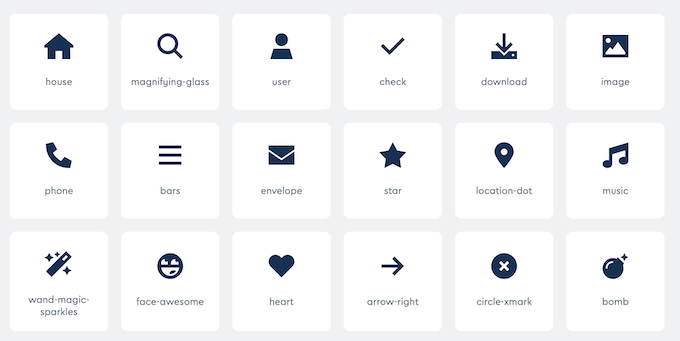
Icons in content are useful. Open the page or post editor. Find where you want the icon. Copy the SVG code from Font Awesome. Paste it in the editor. Use the text mode for pasting. Save the page or post. Check the website to see the new icon in the content. Icons help explain things better.
Credit: www.wpbeginner.com
Customizing Svg Icons
SVG icons can have any color you want. Use CSS to change them. First, add a class to your icon. Then, use the CSS color property. Choose a color you like. Make sure the class name is unique. This helps avoid conflicts with other styles. You can use color names like “red” or “blue”. Hex codes like “#FF5733” are also fine. Experiment with different colors. Find the one that fits your design.
SVG icons can be resized easily. Use the CSS width and height properties. Start by adding a class to your icon. Then, set the width and height in pixels. For example, use “width: 50px; height: 50px;”. This makes your icon 50 pixels by 50 pixels. Play with different sizes. Find what looks best. Large icons grab attention. Small icons fit well in tight spaces.
Ensuring Website Performance
SVG files are used for icons. They are small and clear. But, they can still slow down a site. It is important to make them smaller. Remove any extra details. This will help the site run fast.
Fast load times keep users happy. Use fewer SVG files. Only keep the most important ones. This makes your page load faster. Always check file sizes. Smaller files are better.
Troubleshooting Common Issues
Integrating Font Awesome SVG icons into a WordPress theme can sometimes present challenges. Errors often arise from incorrect file paths or missing script enqueueing. Ensure compatibility by checking theme requirements and updating scripts regularly for smooth functionality.
Icons Not Displaying
Icons sometimes do not show up on WordPress. This could be a conflict with other plugins. Many plugins use their own scripts. These scripts can interfere with Font Awesome. To fix this, first check your plugin list. Disable each plugin one by one. See if the icons appear after disabling. This helps find the conflicting plugin. Once found, look for updates. Updates often fix bugs.
Conflicts With Other Plugins
Some plugins can cause problems with Font Awesome SVG. They might load scripts that clash. To solve this, disable plugins one by one. Check if the icons show after each try. If they do, that plugin is the issue. Update or replace it with another. Sometimes, clearing the cache helps. Try that if updates do not work. Always keep plugins updated to avoid issues.

Credit: www.elegantthemes.com
Frequently Asked Questions
What Is Font Awesome Svg?
Font Awesome SVG is a scalable vector graphic version of Font Awesome icons. It offers flexible and responsive design options. SVGs are resolution-independent and can be styled with CSS, making them ideal for modern web development. Integrating them into WordPress enhances design aesthetics and functionality.
Why Use Font Awesome Svg In WordPress?
Using Font Awesome SVG in WordPress improves site performance and design flexibility. SVGs are lightweight and scalable, ensuring fast loading times. They adapt to various screen sizes without quality loss. This enhances user experience and SEO, making your WordPress site more appealing and accessible.
How To Install Font Awesome Svg In WordPress?
To install Font Awesome SVG, first, download the Font Awesome kit. Upload the files to your theme’s directory. Enqueue the SVG files in your theme’s functions. php file. This process ensures the icons are available for use throughout your WordPress site, enhancing its design and functionality.
Can Font Awesome Svgs Be Customized With Css?
Yes, Font Awesome SVGs can be easily customized with CSS. You can change their size, color, and other properties. This flexibility allows you to match the icons to your site’s design seamlessly. CSS customization makes your WordPress theme more visually appealing and consistent.
Conclusion
Adding Font Awesome SVG to your WordPress theme is simple and effective. It enhances your site’s visual appeal. Follow the steps outlined to integrate seamlessly. Start by downloading the necessary files. Next, upload them to your WordPress directory. Then, enqueue the script in your theme’s functions file.
Finally, insert icons where needed using the correct HTML tags. Your site now looks more professional. Icons improve user experience and navigation. Keep your design consistent with your brand. Practice makes perfect. Experiment with different icons and placements. Enjoy your improved website look and feel.


