
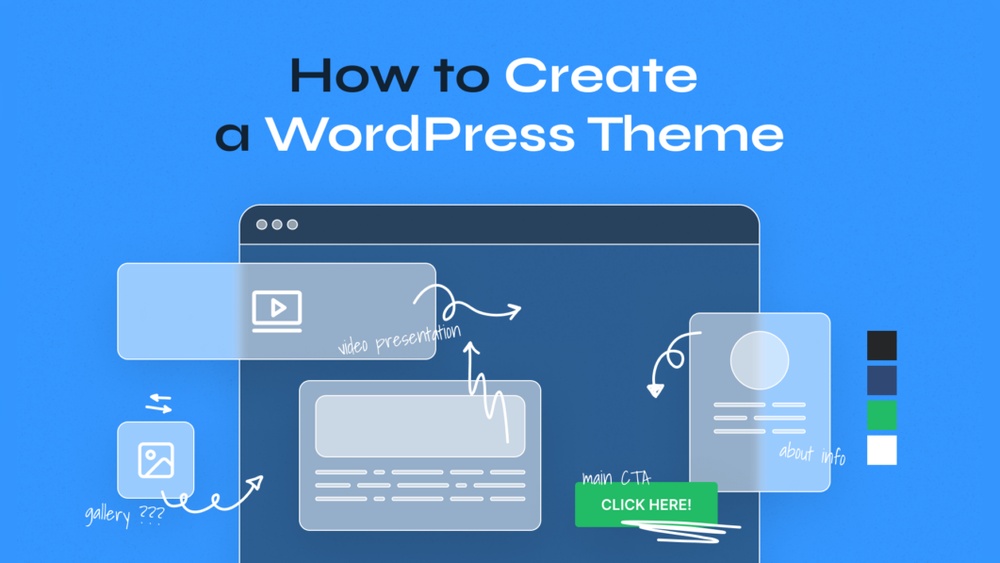
Are you ready to make your WordPress site truly yours? Adding a custom theme is the key to standing out and creating a unique online presence that reflects your style and brand.
Whether you want a sleek professional look or something vibrant and fun, customizing your theme gives you full control. In this guide, you’ll discover simple, step-by-step instructions to add a custom theme to your WordPress site—no confusing tech talk, just clear and easy tips.
Keep reading, and you’ll unlock the secret to transforming your website exactly the way you want it.
Why Choose Custom Themes
Choosing a custom theme for your WordPress site gives you control over how your website looks and works. It fits your needs better than standard themes. Custom themes help your site stand out. They create a unique space for your brand online.
Benefits Of Custom Design
Custom design allows you to build a site that matches your exact needs. You decide the layout, colors, and features. This helps your site run smoothly and look professional. Custom themes can improve your site’s speed and user experience. They avoid unnecessary code that slows down your site.
Brand Identity And Uniqueness
A custom theme reflects your brand’s style and values. It shows your audience who you are. This builds trust and keeps visitors coming back. Unique design helps you stand apart from competitors. People remember a website that looks different and fits the brand well.
Preparing For Theme Addition
Adding a custom theme to WordPress can change your website’s look and feel. Preparing well helps avoid problems later. Take time to get ready before making changes. Two key steps make this process smoother and safer.
Backing Up Your Site
Always create a backup before adding a new theme. A backup saves your current site data. It protects your content if something goes wrong. Use a reliable plugin or your hosting service to back up. Store the backup file safely on your computer or cloud. This step ensures you can restore your site quickly if needed.
Selecting The Right Theme
Choose a theme that fits your site’s purpose. Check if the theme is compatible with your WordPress version. Look for themes that load fast and work on mobile devices. Read user reviews to learn about others’ experiences. Pick a theme that supports important features for your site. A good theme makes your website user-friendly and attractive.
Methods To Add Custom Themes
Adding a custom theme to WordPress changes your website’s look and feel. It lets you create a unique style. There are different ways to add themes. Each method suits different user needs and skill levels.
Choose the method that fits your comfort with technology. Some methods are simple and quick. Others give more control but need extra steps.
Using WordPress Dashboard
The easiest way to add a custom theme is through the WordPress dashboard. Go to “Appearance” then “Themes.” Click “Add New” and then “Upload Theme.” Choose your theme file, usually a .zip file, from your computer. Click “Install Now” and then activate the theme. This method is fast and does not require special tools.
Uploading Via Ftp
FTP is for users who want more control over their files. Use an FTP client like FileZilla to connect to your website. Upload the unzipped theme folder to the “wp-content/themes” directory. Once uploaded, go to your WordPress dashboard. Find “Appearance” then “Themes.” Your theme will appear here. Click “Activate” to use it. This method is reliable and good for large themes.
Installing With Theme Builders
Theme builders offer a custom theme creation option. Tools like Elementor or Divi let you design themes visually. Install the builder plugin on WordPress first. Use the builder to create or import your custom theme. This method is best for users who want design flexibility. It requires no coding but some learning.
Credit: smashballoon.com
Activating And Customizing Themes
Activating and customizing a theme is a key step in making your WordPress site unique. After installing a theme, you need to activate it to see how it looks. Customizing allows you to change colors, fonts, layouts, and more. This process helps your site match your style and needs.
Theme Activation Steps
First, go to your WordPress dashboard. Click on “Appearance” and then “Themes.” Find the theme you want to use. Hover over the theme and click the “Activate” button. Your site will now use this theme. Check your homepage to see the changes. This step makes the theme live on your site.
Personalizing Theme Settings
After activation, go to “Appearance” and choose “Customize.” You will see many options to change. Adjust colors, fonts, and header styles. Add your logo or change the background image. Some themes let you set layouts for pages and posts. Save your changes to apply them. Customizing helps your site look just right.
Troubleshooting Common Issues
Troubleshooting common issues is important when adding a custom theme to WordPress. Problems may stop your site from working well or looking right. Understanding these issues helps you fix them fast. This section covers common problems and how to solve them.
Theme Compatibility Problems
Some themes do not work with all WordPress versions. Check if your theme supports the WordPress version you use. Incompatible themes can cause layout issues or errors.
Plugins may also clash with your theme. Disable plugins one by one to find conflicts. Update themes and plugins to their latest versions for better compatibility.
Fixing Installation Errors
Installation errors happen often during theme upload. A common error is “style.css missing.” This means the theme folder lacks the needed file. Make sure the theme package is complete before upload.
File size limits can block theme uploads. Increase the maximum upload size in your hosting settings or use FTP to upload the theme. Check file permissions if the theme does not install properly.
Credit: www.seedprod.com
Optimizing Custom Themes
Optimizing custom themes is key to a great WordPress site. A fast, responsive theme keeps visitors happy and engaged. It also helps your site rank better on search engines. Focus on simple steps to improve speed and mobile use. These efforts pay off in user experience and site performance.
Improving Site Speed
Speed matters for every website. A slow site frustrates visitors and increases bounce rates. Start by minimizing CSS and JavaScript files. Use caching plugins to reduce server load. Compress images without losing quality. Avoid using too many plugins that slow down your site. Test your site speed regularly with tools like Google PageSpeed Insights. Fast loading pages attract more visitors and keep them longer.
Ensuring Mobile Responsiveness
Most users browse on mobile devices. Your theme must look good and work well on phones and tablets. Choose a responsive design that adapts to all screen sizes. Check font sizes and button placements to ensure easy reading and clicking. Test your site on different devices to catch layout issues. Mobile-friendly sites get better rankings and more traffic. A smooth mobile experience keeps visitors coming back.
Credit: www.seedprod.com
Frequently Asked Questions
What Are The Basic Steps To Add A Custom Theme In WordPress?
To add a custom theme, upload the theme folder via Appearance > Themes > Add New. Then activate the theme to apply it. Ensure the theme is compatible with your WordPress version before installation for best results.
Can I Install A Custom Theme Without Coding Skills?
Yes, you can install a custom theme easily without coding. Use the WordPress dashboard to upload and activate themes. Many themes come with user-friendly options for customization without touching code.
How To Ensure My Custom Theme Is Seo Friendly?
Choose themes with clean, optimized code and fast loading times. Verify the theme supports responsive design and schema markup. Use SEO plugins alongside your theme for better search engine visibility.
Is It Safe To Upload Custom Themes From Third-party Sites?
Only download themes from trusted sources to avoid security risks. Poorly coded themes can harm your site’s performance and security. Always scan themes for malware before installation.
Conclusion
Adding a custom theme to WordPress is simple and fun. It lets you create a unique website look. Follow the steps carefully for best results. Always check your theme works well on all devices. Keep your site updated for security and speed.
Custom themes help your site stand out from others. Try different designs until you find the right one. Enjoy making your website truly yours with custom themes.


