
Are you struggling to connect with your audience through your WordPress site? Adding a contact page might just be the solution you need.
Imagine this: a visitor lands on your site, loves what they see, and wants to reach out. But there’s no easy way to connect. Frustrating, right? A seamless contact page not only opens the doors for communication but also builds trust and credibility.
If you’re wondering how to add a contact page to your WordPress theme, you’re in the right place. This guide will walk you through the process step-by-step, making it easy for you to enhance your site’s functionality and engage more effectively with your audience. Stick around, and discover how to transform your website into a more interactive and user-friendly platform.
Choosing A Contact Form Plugin
Several plugins help create a contact page. Contact Form 7 is quite popular. WPForms is another choice. Ninja Forms also gets used often. Each plugin has unique features. Choose the one that fits your needs.
| Plugin | Ease of Use | Customization | Price |
|---|---|---|---|
| Contact Form 7 | Medium | Limited | Free |
| WPForms | Easy | High | Paid |
| Ninja Forms | Easy | Moderate | Freemium |
Open your WordPress dashboard. Go to Plugins. Click Add New. Search for the plugin name. Click Install Now. Wait a few seconds. Then, hit Activate. Your plugin is ready to use.
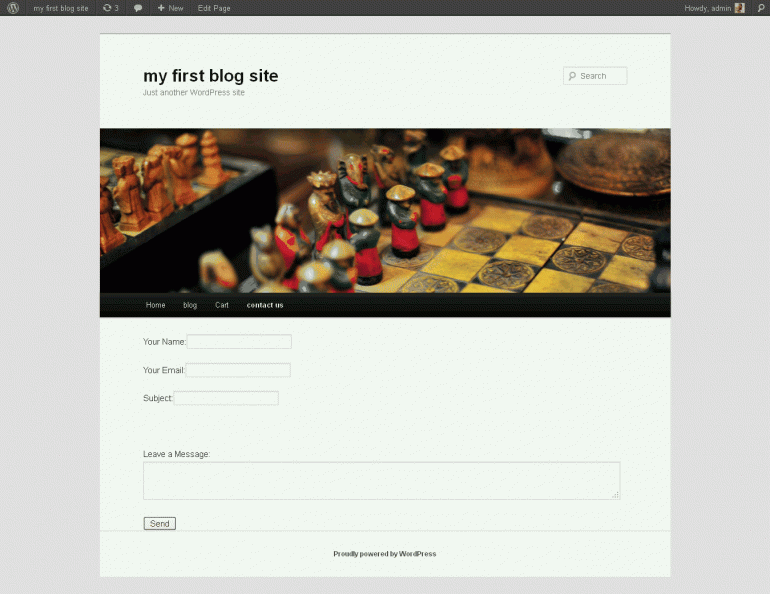
Credit: www.webdesign.org
Creating A Contact Form
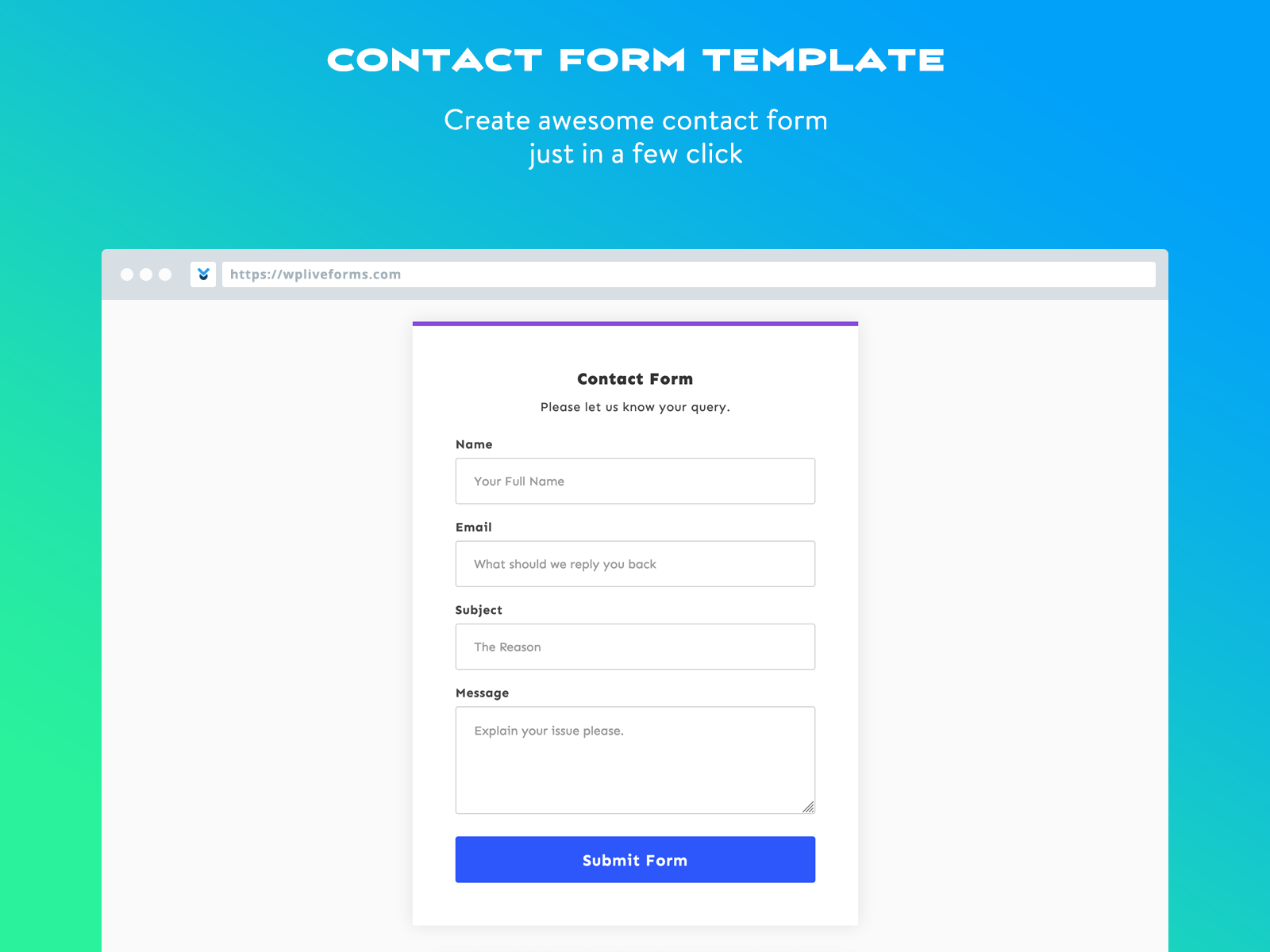
Add a contact form to your website. Let visitors reach out easily. Use a plugin like Contact Form 7. It’s simple and effective. Customize the form to suit your needs. Change fields and labels. Make it your own.
Options allow you to tweak the form. Add extra fields for more info. Change the layout to fit your style. Customization makes your form unique. Visitors find it easy to use. Choose the best options for your site.
Notifications keep you informed. Set them up to get alerts. Emails arrive when someone fills the form. It’s important to check these notifications. Respond to visitors quickly. Keep communication smooth and efficient.
Link your form to email services. Use platforms like MailChimp or SendGrid. Integration helps manage responses. Organize contacts in one place. Email services make communication easy. Keep your inbox tidy and efficient.
Adding The Contact Form To A Page
Shortcodes make adding a contact form easy. First, install a contact form plugin. Popular ones are Contact Form 7 and WPForms. After installation, create your form in the plugin. Each form has its own unique shortcode. Copy this shortcode. Open the page editor where you want the form. Paste the shortcode into the editor. Save the page. Your contact form is now live on the page. Shortcodes are simple and effective.
Widgets add contact forms to sidebars. Navigate to the WordPress dashboard. Go to Appearance, then Widgets. Choose the Text widget. Drag it to your desired sidebar area. Paste your contact form shortcode in the widget. Click Save. The form will appear in the sidebar. Widgets are great for visibility. They keep forms always accessible.
Credit: www.isitwp.com
Styling The Contact Page
Use simple CSS changes to make your contact page look nice. Start by changing the background color. Pick a color that matches your theme. Next, change the font style to make text easy to read. Arial or Verdana are good choices. Make buttons stand out with a bold border and bright color. Keep your layout clean and neat. Too many colors can be confusing.
A responsive design makes your page look good on all devices. Use percentages instead of pixels for widths. This helps the page fit on small screens. Test your page on a phone and a tablet. Check if all parts are easy to see and read. Fix any part that looks too small or too big. A good contact page works well on any device.
Enhancing Contact Page Functionality
Enhancing your WordPress theme with a contact page boosts user interaction. Utilize plugins like Contact Form 7 for easy setup. Customize fields to match your site’s needs, ensuring clear communication paths for visitors.
Adding Captcha For Security
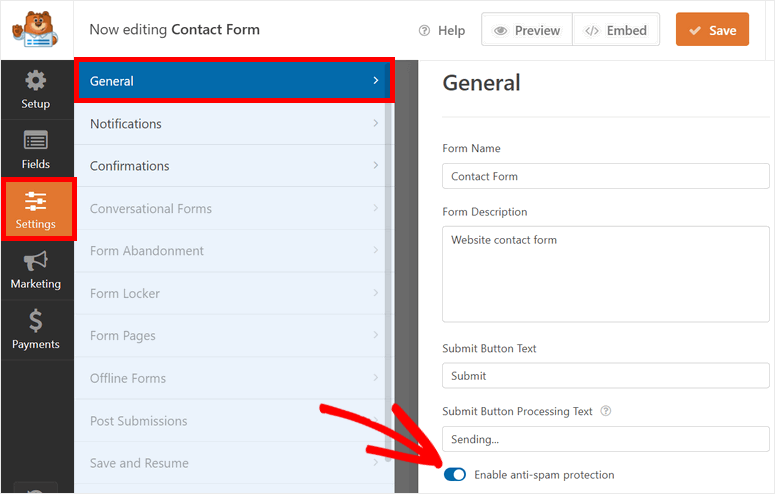
Adding a Captcha can help stop unwanted spam. It acts like a puzzle. Only real people can solve it. Spam bots get confused. Install a Captcha plugin on your WordPress. Some popular plugins are reCAPTCHA and hCaptcha. Go to the plugin section. Search and activate your chosen Captcha plugin. Configure it with easy steps. This makes your contact page safer.
Incorporating Google Maps
Adding a map helps visitors find your location easily. Use Google Maps for this. Go to the Google Maps website. Search for your business location. Click on the share button. Select embed map. Copy the HTML code provided. Paste this code into your contact page. Now visitors can see your exact location. This makes your page more useful.
Credit: wpliveforms.com
Testing The Contact Page
Checking form submissions is key for a working contact page. Fill out the form with a test message. Click submit and check your email for the message. Make sure the email matches what you set up. If the email does not arrive, there might be a problem with the form.
Some issues are easy to fix. Check the email settings in WordPress. Ensure the email address is correct. Also, look at the spam folder. Sometimes emails get lost there. Always use a real email for testing.
Troubleshooting common issues can save time. If the form does not send, check the plugins. Some plugins may cause conflicts. Try deactivating one by one. See if the form works after each one. Also, update all plugins and themes. This can solve many problems.
Best Practices For Contact Pages
Adding a contact page to your WordPress theme enhances user interaction. Use a plugin like Contact Form 7 for easy setup. Ensure the page is accessible from the main menu for better user experience.
Ensuring Accessibility
Contact pages must be easy to find. Users need quick access. Use clear labels. Make buttons big and visible. Ensure forms are simple. Use easy words and phrases. Avoid complex questions. Provide help options if needed. Clear instructions help everyone. Accessibility is key for all users.
Privacy And Data Protection
Privacy is important. Protect user data. Use secure forms. Encrypt information. Inform users about data use. Show privacy policy clearly. Gain trust by being transparent. Ask only for needed information. Avoid unnecessary data collection. Ensure data is safe. Users appreciate safe interactions.
Frequently Asked Questions
How Do I Create A Contact Page In WordPress?
To create a contact page, navigate to Pages in WordPress. Click ‘Add New’, title it ‘Contact’. Use a contact form plugin like Contact Form 7 or WPForms. Customize the form as needed, then publish. Add the page to your menu for easy access.
Which Plugin Is Best For WordPress Contact Forms?
WPForms is popular for its user-friendly interface and features. It offers drag-and-drop form creation, making it simple to customize. Alternatives like Contact Form 7 and Gravity Forms are also reliable. Choose based on your specific needs and budget.
Can I Add A Contact Page Without Plugins?
Yes, you can add a contact page without plugins. Create a new page in WordPress and insert an HTML form. Style it using CSS for a better appearance. However, plugins often provide more functionality and ease of use.
How Do I Customize Contact Form Fields?
Use your chosen contact form plugin’s settings to customize fields. Most plugins offer drag-and-drop features for easy rearrangement. You can add, remove, or modify fields to suit your needs. Ensure fields are clear and concise for user convenience.
Conclusion
Creating a contact page in WordPress is simple. Just follow the steps. Choose a plugin or use default settings. Customize fields to fit your needs. Ensure it matches your site’s design. A contact page helps visitors reach you easily. It’s important for building trust.
Check your contact page regularly. Make sure it’s working properly. Keep your contact information up to date. This improves communication with your audience. Now, you have the tools to create an effective contact page. Your site will feel more professional.
Visitors will appreciate the easy access. Happy website building!


