
Are you looking to enhance your WordPress theme with a sleek, interactive feature? Adding Bootstrap modal windows might just be the perfect solution.
Imagine effortlessly capturing your visitors’ attention with elegant pop-up windows that seamlessly display important information, forms, or multimedia content. By integrating these modals, you not only improve the user experience but also elevate the overall aesthetic appeal of your site.
In this guide, you’ll discover how easy it is to implement Bootstrap modal windows into your WordPress theme, transforming your website into a modern, user-friendly platform. Ready to boost your website’s functionality and style? Let’s dive in!

Credit: formidableforms.com
What Is A Bootstrap Modal
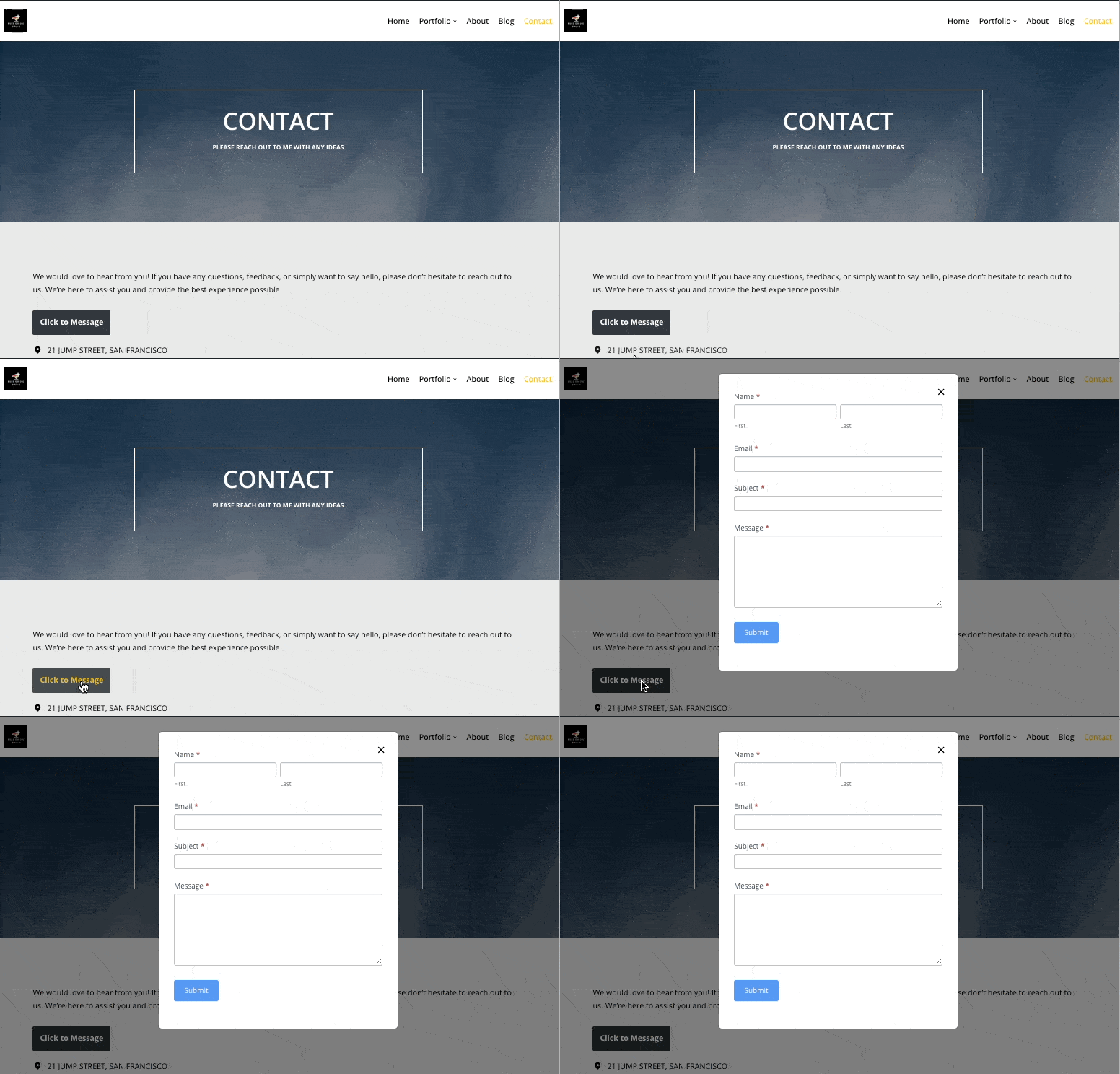
A Bootstrap Modal is a pop-up box. It appears on top of the page. It helps to show important content. This content can be a message or a form. Modals make your site look professional. They are easy to create. You do not need to know much coding. They work on all devices. This is because Bootstrap is responsive.
Modals can have titles, bodies, and footers. The title is at the top. The body shows the main content. The footer has buttons. You can use these buttons to close the modal. Or submit a form. Users like modals. They keep the focus on important tasks. Adding a modal to your site is a great idea.
Credit: formidableforms.com
Benefits Of Using Modals In WordPress
Modals make websites look modern. They are small windows on the page. They grab attention easily. Use modals for notifications and alerts. Modals keep users focused. No need to move to another page. This saves time.
Forms and sign-ups work well in modals. Users fill them quickly. Modals are great for images and videos. They show content in a nice way. Modals can help with navigation. Easy to guide users.
Designers love modals. They make pages clean. Modals work on phones and computers. Responsive design is important. Modals improve user experience. They make websites better.
Installing Bootstrap In WordPress
Adding Bootstrap through a CDN is the easiest. Insert the Bootstrap link in the header of your theme. Find the file named header.php. Place the link before the closing head tag. This method is fast and reliable. It uses Bootstrap’s online resources.
Plugins make Bootstrap integration simple. Search for a Bootstrap plugin in your WordPress admin area. Install and activate the plugin. This method is quick and does not need coding skills. Many users prefer plugins for easy updates.
Download Bootstrap files from the official website. Upload them to your theme’s directory. Edit functions.php to enqueue the Bootstrap files. This method gives full control over the integration. Some users find it more flexible.
Creating A Basic Modal Structure
Integrating Bootstrap modal windows into WordPress themes enhances user interaction. Begin by including Bootstrap’s CSS and JavaScript files. Use HTML to create a basic modal structure, ensuring smooth functionality across devices.
Html Markup For Modals
To add a Bootstrap modal, start with the HTML markup. Use a tag to create the modal. Set the class to modal and fade. Inside, add another with the class modal-dialog. This creates the modal’s layout. Next, add a modal-content class inside the dialog. This part holds the header, body, and footer.
In the header, use a tag for the title. Add a button with class close to exit. For the body, use a with class modal-body. Here you put your content. Add a footer with modal-footer class. This often holds action buttons.
Css Styling Considerations
Bootstrap provides default styles for modals. Still, you can customize them. Use your theme’s stylesheet to make changes. Override Bootstrap’s styles with your own. Pay attention to colors and fonts. They should match your site’s look. Keep the design simple and clean. Users appreciate an easy-to-read modal.
Test your modal on different devices. Make sure it looks good everywhere. Responsive design is key for user experience. A well-designed modal makes your site more professional.
Incorporating Javascript For Modal Functionality
JavaScript is important to make modals work. It helps show and hide modals. You need code to trigger events. This makes modals appear when users click buttons. JavaScript listens for clicks. Then it shows the modal window.
Using Jquery For Trigger Events
jQuery is helpful for modals. It simplifies code. You can use jQuery to detect clicks. When a button is clicked, jQuery opens the modal. This makes the process easier. You can write less code. It saves time and effort.
Handling Modal Events
Events control what happens inside a modal. Modals close when you click outside them. JavaScript handles these actions. You can write code for closing modals. This makes sure they work well. Users can close modals easily. It makes using modals smooth.

Credit: formidableforms.com
Customizing Modal Appearance
Enhancing your WordPress theme with Bootstrap modal windows allows for stylish pop-ups. Customize the modal appearance with simple CSS tweaks. Create engaging user experiences by integrating smooth transitions and responsive designs.
Changing Modal Size
Modals can be big or small. Bootstrap lets you change their size easily. Use classes like .modal-sm or .modal-lg. These make your modal smaller or bigger. Add these classes to the div with the class .modal-dialog. This helps fit your content well. Try different sizes to see what works best.
Applying Custom Styles
You can make modals look special. Add your own CSS styles to them. Use the style tag in your WordPress theme. Change colors, fonts, or borders. This makes the modal match your site. Be creative. Make sure the text is easy to read. Test your styles to see if they work.
Dynamic Content In Modals
Loading content in modals can be easy using AJAX. AJAX helps fetch data without reloading the page. This method is quick and keeps users engaged. To begin, ensure you have jQuery enabled. Use jQuery to send a request to the server. Receive the data and display it inside the modal. Make sure the modal is responsive for all devices. Test the modal to verify it loads correctly. Debugging helps solve common issues. AJAX makes content dynamic and interactive. It boosts user experience and satisfaction.
Embedding Shortcodes
Shortcodes are small pieces of code. They insert features into WordPress easily. You can add shortcodes inside modals. This makes modals more functional. Users love seeing dynamic features in modals. Create a shortcode in your WordPress theme. Use it to add images, videos, or forms. Paste the shortcode inside the modal content area. Ensure shortcodes work smoothly. Check for conflicts with other codes. Shortcodes enhance modals and make them useful. They simplify adding content without coding.
Testing And Debugging Modals
Learn to add Bootstrap modal windows to your WordPress theme effortlessly. Enhance user interaction by integrating stylish pop-ups for various purposes. Ensure smooth functionality through thorough testing and debugging of modals.
Ensuring Browser Compatibility
Different browsers show modals differently. Test modals on popular browsers like Chrome, Firefox, and Safari. Check for layout issues and broken functionality. Some browsers might not support certain features. Use CSS fallbacks and JavaScript polyfills.
Common Issues And Fixes
Modals might not open or close correctly. Ensure JavaScript is loaded properly. Check for missing CSS or JavaScript files. Verify HTML structure is correct. Z-index conflicts can hide modals. Adjust z-index values in CSS. If buttons don’t work, inspect event listeners. Debug using browser console tools. They help identify errors quickly.
Best Practices For Modal Usage
Integrate Bootstrap modal windows into your WordPress theme for improved user interaction. Follow best practices for a seamless experience. Keep modals simple and intuitive for easy navigation.
Accessibility Considerations
Ensuring accessibility for all users is vital. Use ARIA attributes to help screen readers. This includes role=”dialog” and aria-labelledby. These labels describe the modal content. Make the modal focusable by trapping focus inside it. Users can navigate with the keyboard. Provide a clear close button to exit the modal. Always test with different assistive technologies.
Optimizing For Performance
Keep your modals lightweight. This speeds up loading time. Avoid heavy scripts and styles. Use minified CSS and JavaScript files. Lazy load modals that are not needed immediately. This saves bandwidth. Use CDNs for faster delivery. Test modal performance on various devices. Always aim for a smooth user experience.
Frequently Asked Questions
What Is Bootstrap Modal In WordPress?
A Bootstrap Modal is a popup window component used in web design. It enhances user interaction by displaying content without leaving the current page. In WordPress, it can be integrated into themes to create dynamic, responsive dialogues or forms, improving user experience and engagement.
How Do I Add Bootstrap To WordPress?
To add Bootstrap to WordPress, enqueue the Bootstrap CSS and JS files in your theme’s functions. php. Download Bootstrap from its official website or use a CDN link. Add the files using wp_enqueue_style and wp_enqueue_script functions. Ensure the scripts are loaded correctly to avoid conflicts.
Can I Customize Bootstrap Modals?
Yes, Bootstrap Modals are highly customizable. You can modify their appearance using custom CSS styles. Change the size, colors, and animations to match your WordPress theme. Utilize Bootstrap’s classes and JavaScript options to tailor the modal’s behavior and improve user interaction.
Why Use Bootstrap Modals In WordPress?
Bootstrap Modals offer a sleek, responsive design that enhances user experience. They allow you to display important information without navigating away from the page. This keeps users engaged and improves site usability, making them a valuable addition to any WordPress theme.
Conclusion
Adding Bootstrap modal windows to your WordPress theme is simple. It enhances user experience without much effort. Follow the steps shared above. They ensure seamless integration. You can customize modal windows to match your style. Users will find your site more engaging.
Modal windows can improve navigation. They keep visitors focused on the content. Make sure to test them thoroughly. Confirm they work across all devices. A well-integrated modal window adds professionalism. It shows attention to detail. Your website can benefit greatly.
Take action now. Enhance your WordPress theme today.


