

If you run a WordPress site and want to make sure your ad revenue is protected, adding an Ads.txt file is a crucial step. You might be wondering how to do this quickly and without technical headaches.
This guide will walk you through each step in simple terms, so you can secure your ads and boost your earnings. Keep reading—you’ll learn exactly what to do, even if you’ve never handled Ads. txt before. Let’s get started!
Credit: www.infolinks.com
What Is Ads.txt
Ads.txt is a simple text file used by website owners. It lists authorized digital sellers for their ad space. This file helps prevent unauthorized sellers from selling ad space on a website. Ads.txt stands for “Authorized Digital Sellers.” It is part of a system to increase transparency in digital advertising. Websites upload this file to their root domain for ad platforms to check.
Purpose And Benefits
The main purpose of ads.txt is to protect website owners. It stops fraud in the ad buying process. Advertisers can trust that their ads appear on real sites. This trust improves the overall quality of online ads.
Ads.txt also helps publishers control who sells their ad space. Only approved partners can sell ads. This control reduces fake ads and improves ad delivery. It makes the ad ecosystem safer for everyone.
How It Boosts Revenue
By using ads.txt, publishers can increase their ad revenue. Advertisers prefer to buy ads from verified sellers. This preference raises the demand for ad space on trusted sites. Higher demand often means higher prices for ads.
Ads.txt also reduces revenue loss caused by ad fraud. When fake sellers are blocked, real advertisers pay more. This leads to better earnings for website owners. Simple and effective, ads.txt helps keep ad income steady.
Credit: www.greengeeks.com
Preparing Your Ads.txt File
Preparing your ads.txt file is a key step in setting up ads on your WordPress site. This file helps protect your ad revenue and makes sure only authorized sellers can sell your ad space. Proper preparation avoids errors that can block ads or reduce earnings.
The process starts with gathering the right information. Then, you create the file in a simple text format. Each step is important to ensure your ads.txt file works correctly and keeps your ad setup clean.
Gathering Required Information
Collect details from all ad networks you use. This includes your publisher ID and the ad system’s domain name. You need the exact seller account ID from each platform.
Check your ad network’s documentation or dashboard for this data. Write down each authorized seller’s information carefully. Incorrect data can cause ad delivery problems.
Creating The File
Open a plain text editor like Notepad or TextEdit. Do not use word processors that add extra formatting. Save the file as ads.txt.
Enter each authorized seller on a new line. Follow this format: domain, publisher ID, relationship type. The relationship type is usually DIRECT or RESELLER.
Save the file and check for any extra spaces or errors. The file must be clean and easy to read by ad systems.
Methods To Add Ads.txt In WordPress
After adding the ads.txt file to your WordPress site, verifying its implementation is important. This step ensures that your file is accessible and correctly formatted. Verification helps avoid issues with ad revenue and keeps your site compliant with ad networks.
Checking File Accessibility
Start by checking if your ads.txt file is accessible online. Enter your website URL followed by /ads.txt in a browser. For example, www.yoursite.com/ads.txt. The file should load without errors. If you see a 404 or other error, the file is not uploaded correctly.
Ensure the file is in the root directory of your WordPress installation. Use FTP or your hosting file manager to confirm the file location. The file must be publicly accessible for ad networks to read it.
Using Online Tools For Validation
Several free online tools help validate your ads.txt file. These tools check for syntax errors and proper formatting. Paste your ads.txt URL into the tool and run the test.
Validation tools show if your file follows the ads.txt standards. Fix any reported errors to avoid problems with ad delivery. Regular checks keep your ads.txt file accurate and effective.

Credit: themehunk.com
Verifying Ads.txt Implementation
Maximizing your revenue from ads.txt on WordPress needs careful attention. Small steps can lead to better earnings. Keeping your ads.txt file clean and updated helps prevent unauthorized ad sales. Tracking how ads perform lets you adjust strategies for higher income.
Regular Updates To Ads.txt
Keep your ads.txt file current. Remove old or incorrect entries quickly. Add new authorized sellers as soon as possible. This practice stops fake sellers from taking your ad money. Update it at least once a month. Check your ad partners for any changes regularly.
Monitoring Ad Performance
Track your ad results daily or weekly. Use tools like Google AdSense or other ad platforms. Watch which ads bring more clicks and revenue. Pause or remove ads that perform poorly. Focus on ads that attract your visitors. Testing different ad formats can improve results. Stay alert to trends and adjust fast.
Frequently Asked Questions
What Is Ads.txt And Why Add It To WordPress?
Ads. txt is a file that protects your ad inventory from fraud. Adding it to WordPress verifies authorized sellers, increasing ad revenue and trust. It helps advertisers know they buy genuine ad space on your site, improving transparency and preventing unauthorized reselling of your ads.
How Do I Create An Ads.txt File For WordPress?
To create ads. txt, list your authorized ad sellers in a plain text file. Use your ad network’s details, like publisher ID and domain name. Save it as ads. txt and upload it to your WordPress root directory using FTP or file manager plugins.
Where Should I Upload Ads.txt In WordPress?
Upload the ads. txt file to your WordPress root directory, where wp-config. php is located. This ensures it is accessible via your domain (yourwebsite. com/ads. txt). Use FTP or a file manager plugin to place the file correctly for ad networks to verify.
Can I Use WordPress Plugins To Add Ads.txt?
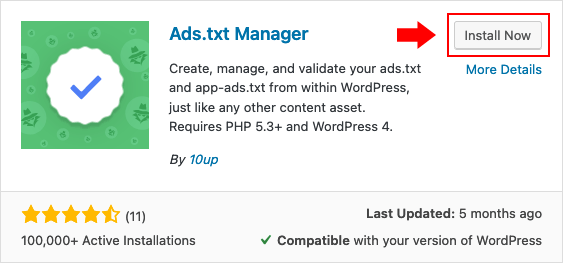
Yes, you can use WordPress plugins like “Ads. txt Manager” or “Insert Headers and Footers. ” These plugins simplify ads. txt management by allowing you to edit and update the file directly from your WordPress dashboard without FTP access.
Conclusion
Adding an ads. txt file helps protect your ad revenue. It shows advertisers your authorized sellers clearly. This simple step improves trust and ad quality on your site. Keep your ads. txt file updated regularly for best results. You can edit it anytime through your WordPress dashboard or FTP.
Small effort, big impact on your website’s earnings. Start adding ads. txt today and keep your site safe.


