
Are you ready to boost your website’s impact and connect with your audience like never before? Adding a blog section to your WordPress site is one of the smartest moves you can make.
It not only helps you share your ideas but also drives more visitors to your site. If you’re wondering how to get started or worried it might be too complicated, don’t worry—you’re in the right place. This guide will walk you through simple, clear steps to add a blog section to your WordPress site quickly and easily.
By the end, you’ll have a powerful tool that keeps your visitors coming back for more. Let’s dive in!
Choosing The Right Theme
Choosing the right theme is key to creating a successful blog on WordPress. The theme shapes your blog’s look and how your readers interact with your content. A good theme makes your blog easy to read and navigate. It also helps your site load faster and work well on phones and tablets.
Many themes come with special features for blogs. These can save time and effort. You can also pick a simple theme and change it to fit your style. Think about what fits your content and audience best.
Themes With Built-in Blog Features
Themes with built-in blog features come ready to use. They often include layouts for posts, categories, and comments. These themes may have options for showing recent posts or popular articles on the sidebar.
Such themes also support images and videos easily. They offer good spacing and fonts for easy reading. Many are mobile-friendly, so your blog looks good on all devices.
Customizing Themes For Blogging
Customizing a theme lets you match your blog’s style. You can change colors, fonts, and layouts. Many themes allow you to add your logo and background images.
Use the WordPress Customizer to see changes live. This helps you make quick adjustments. Adding widgets can improve your blog’s sidebar or footer with useful links or search bars.
Setting Up Your Blog Page
Setting up your blog page in WordPress is a key step to start sharing your posts. This process creates a dedicated space on your website for all your blog articles. Proper setup helps visitors easily find your latest content. Follow these simple steps to get your blog page ready.
Creating A New Page For The Blog
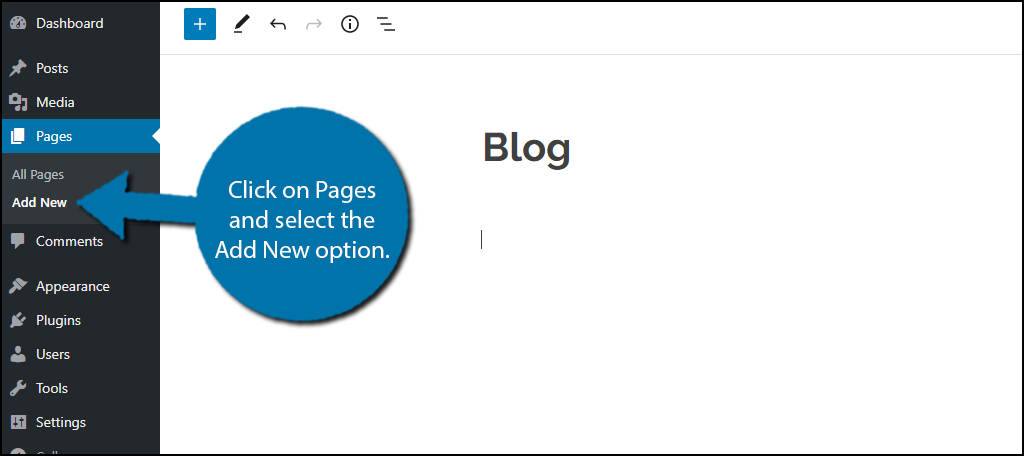
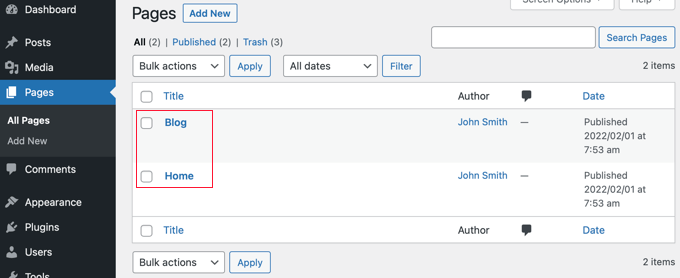
First, log in to your WordPress dashboard. Go to Pages and click Add New. Name this page “Blog” or any title you prefer. Leave the page content area blank. This page will show your blog posts automatically. Finally, click Publish to create the page.
Assigning The Blog Page In Settings
Next, go to Settings and select Reading. Look for the option labeled “Posts page.” Choose the new page you just created from the dropdown menu. Save your changes by clicking Save Changes. Now, WordPress will display your blog posts on this page.
Configuring Permalinks For Seo
Configuring permalinks correctly is important for SEO. Permalinks are the URLs used for your blog posts and pages. A clean, readable URL helps search engines understand your content. It also makes your links easier to share and remember. Setting the right permalink structure improves your site’s visibility in search results.
Selecting Seo-friendly Url Structures
Choose a URL structure that is simple and clear. Avoid using numbers or special characters. A good URL includes keywords from your blog post title. For example, use /blog-post-title/ instead of /?p=123. This helps search engines and readers know what your page is about. Keep URLs short and relevant.
Implementing Custom Permalink Settings
Go to your WordPress dashboard and open the Permalink Settings. Select the “Custom Structure” option. Enter a structure like /postname/ to create clean URLs. Save your changes to update all permalinks. Test a few blog post URLs to ensure they work properly. Custom permalinks give you control over your site’s URL format.
Credit: shortiedesigns.com
Adding Blog Posts
Adding blog posts is a key step in building your WordPress blog. It lets you share ideas, news, or stories with your readers. Each post can be unique and show your voice clearly. WordPress makes it easy to create and publish posts quickly. Organizing posts also helps readers find what they want fast. Using categories and tags is a smart way to keep your blog neat and user-friendly.
Creating And Publishing New Posts
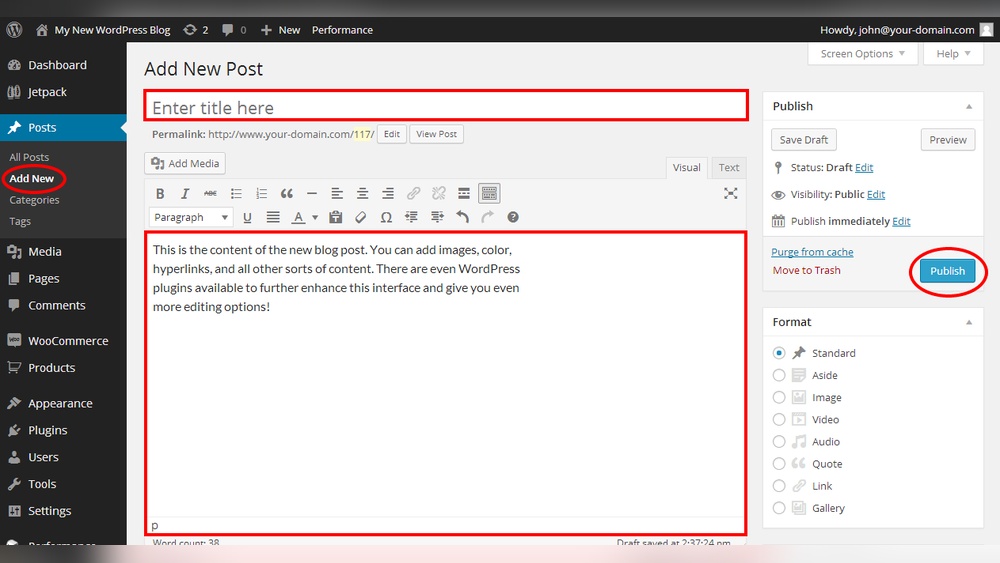
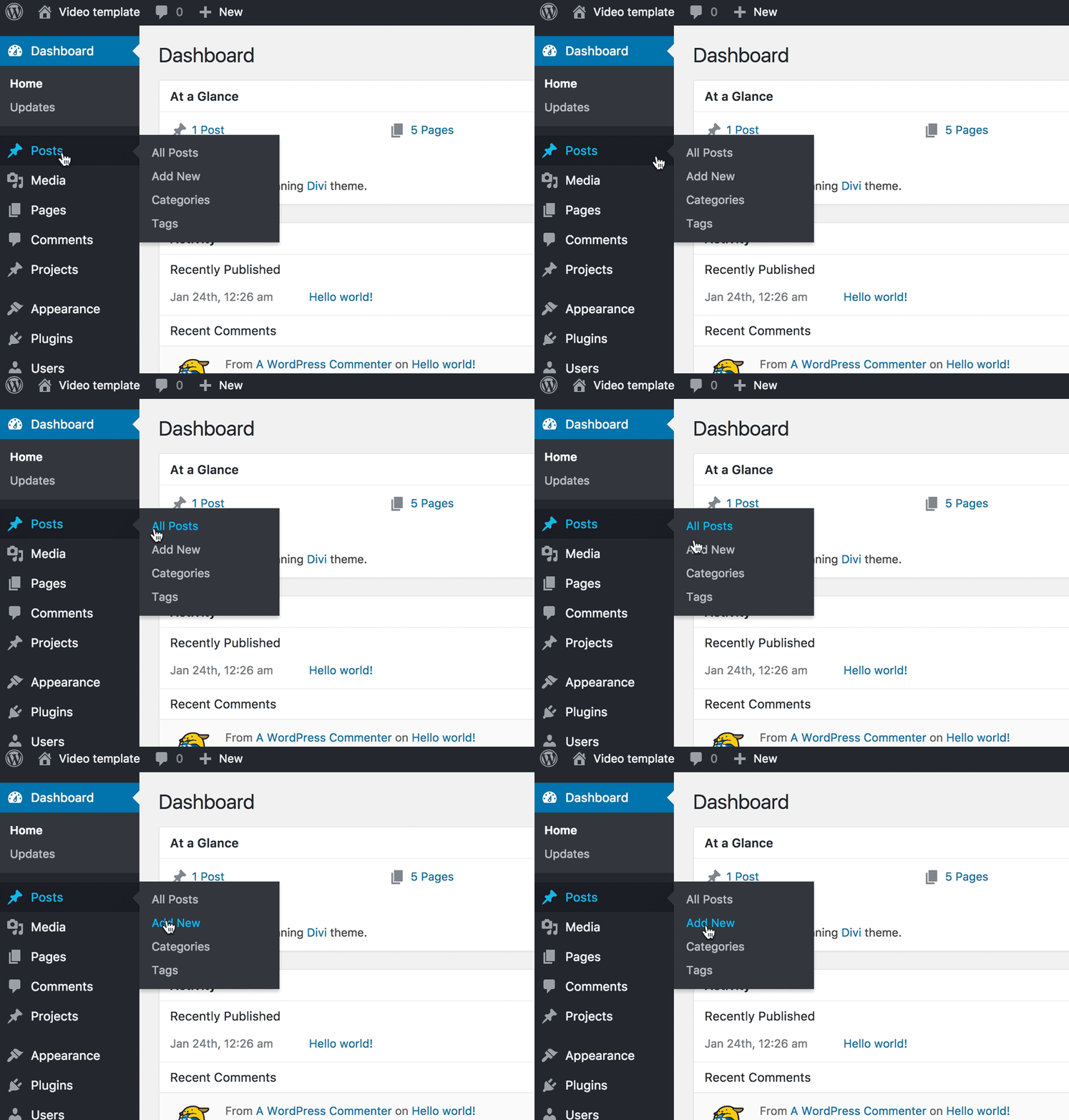
Start by logging into your WordPress dashboard. Click on “Posts” and then “Add New.” You will see a blank editor where you can write your post. Give your post a clear, catchy title. Add your content in the main editor box. Use short paragraphs to keep it readable. Add images or videos to make your post more interesting. When ready, click “Publish” to make your post live. You can also save it as a draft to edit later.
Using Categories And Tags Effectively
Categories group your posts into main topics. Choose categories that match your blog’s theme. Assign each post to one or two categories. This helps readers find related content easily. Tags are like keywords for your posts. Use tags to highlight important words or ideas. Add a few relevant tags to each post. Avoid using too many tags; keep it simple. Proper use of categories and tags improves site navigation and SEO.
Enhancing Blog Design
Enhancing your blog design is key to keeping visitors interested. A clean and attractive blog invites readers to stay longer and explore more. Small changes in design can make a big difference in user experience and engagement.
Focus on making your blog easy to read and navigate. Use white space wisely and choose a simple color scheme. Clear fonts help readers enjoy your content without strain.
Incorporating Widgets And Sidebars
Widgets and sidebars add useful features to your blog. They offer extra space to show recent posts, categories, or search bars. Adding these tools improves navigation and keeps visitors engaged.
WordPress makes it easy to add widgets. Go to the Appearance menu and select Widgets. Drag and drop items like calendars, tag clouds, or social links to your sidebar. Test their placement to find what fits best.
Customizing The Blog Layout
Customizing your blog layout helps present content clearly. You can choose between one, two, or three columns. Each layout style changes how readers see your posts and sidebars.
Many WordPress themes allow simple layout changes in the Customizer. Adjust widths, header styles, and footer options. Keep the layout balanced and avoid clutter. A neat design keeps visitors focused on your writing.
Credit: www.greengeeks.com
Boosting Traffic With Seo
Boosting traffic to your WordPress blog is important for success. SEO helps your blog appear higher in search results. Higher rankings mean more visitors and better exposure. Applying basic SEO tactics can improve your blog’s visibility fast.
Focus on clear, easy content. Write about topics your audience cares about. Use keywords naturally, so search engines understand your posts. SEO is a tool to connect your blog with real readers.
Optimizing Content For Search Engines
Use keywords in titles and headings. This helps search engines know your content’s topic. Keep sentences short and easy. Use bullet points for clarity. Add images with descriptive alt text. Alt text improves SEO and accessibility. Regularly update old posts to keep them relevant.
Installing Seo Plugins
SEO plugins simplify optimization tasks. They guide you on keyword use and readability. Popular plugins like Yoast SEO or Rank Math offer step-by-step help. Plugins can create sitemaps automatically. Sitemaps help search engines find your pages faster. Install and activate a plugin to start improving SEO immediately.
Promoting Your Blog
Promoting your blog is a key step after creating it on WordPress. It helps more people find your content and boosts your site’s reach. Promotion creates opportunities for engagement and builds a loyal audience.
Effective promotion takes effort and smart strategies. Focus on sharing your posts and interacting with readers. Both actions increase visibility and keep visitors coming back.
Sharing On Social Media
Social media platforms are great places to share your blog posts. Post your content on Facebook, Twitter, and LinkedIn. Use short, clear messages to explain what your post is about.
Consistent sharing helps your blog gain steady attention. Join groups or communities related to your blog topic. Share your posts there to reach interested readers.
Engaging With Readers Through Comments
Comments create a space for readers to interact with you. Respond quickly to their questions and opinions. This shows you value their input and care about their experience.
Encourage readers to leave comments by asking questions in your posts. A lively comment section makes your blog feel active and welcoming. It also helps build a community around your content.
Maintaining Your Blog
Maintaining your blog is key to keeping it healthy and popular. A well-maintained blog attracts more readers and ranks better on search engines. It also builds trust with your audience. Regular care prevents problems and keeps your content fresh.
Focus on updating your posts and backing up your site often. Track your blog’s performance to understand what works. These steps help you improve and grow your blog steadily.
Regular Updates And Backups
Update your blog content regularly to keep readers interested. Fresh content shows search engines your site is active. Check your WordPress plugins and themes for updates too. These updates improve security and add new features.
Back up your blog often. A backup saves your work in case of errors or hacks. Use plugins or your hosting provider’s tools for backups. Store backups in a safe place outside your site.
Monitoring Performance And Analytics
Track your blog’s performance using tools like Google Analytics. It shows how many people visit and what they read. Look at important data such as page views and visitor behavior. This helps you know which posts attract readers.
Use this information to improve your blog. Focus on topics your audience likes. Adjust your content and posting times based on analytics. Monitoring performance helps your blog grow stronger every day.
Credit: www.wpbeginner.com
Frequently Asked Questions
How Do I Create A Blog Section In WordPress?
To create a blog section, add a new page and name it “Blog. ” Then, set it as your posts page in WordPress settings under “Reading. ” This displays all your blog posts on that page automatically.
Can I Customize The Blog Layout In WordPress?
Yes, WordPress offers themes and plugins to customize your blog layout. You can change colors, fonts, and post formats to match your style without coding knowledge.
Is It Necessary To Install Plugins For A Blog Section?
No, WordPress includes built-in blogging features. Plugins can enhance functionality but are not required to add a basic blog section.
How Do I Organize Blog Posts By Categories?
Use the Categories feature in the WordPress dashboard. Assign posts to categories to help visitors find related content easily and improve SEO.
Conclusion
Adding a blog section to your WordPress site is simple and useful. It helps you share ideas and connect with visitors. Choose a clear layout and organize posts well. Keep your content fresh and easy to read. This way, more people will visit and stay longer.
Start your blog to make your website more active and interesting.



