

Are you looking to accept donations on your WordPress site but don’t know where to start? You’re in the right place.
Whether you run a charity, a personal project, or a community blog, making it easy for people to support you can make a big difference. You’ll discover simple steps to set up donation options that work smoothly and look professional.
By the end, you’ll have the tools you need to turn visitors into supporters without any hassle. Ready to boost your impact? Let’s dive in.
Credit: themeisle.com
Choosing The Right Donation Plugin
Choosing the right donation plugin is key to accepting donations smoothly on WordPress. The plugin you pick affects how easy it is for donors to give money. It also impacts your website’s speed and security. A good plugin helps build trust with visitors and makes managing donations simple.
Many donation plugins offer different features. Some focus on ease of use, while others provide advanced tools. Understanding what you need will help you select the best option for your site.
Popular Donation Plugins
Several donation plugins are widely used by WordPress sites. GiveWP is known for its user-friendly setup and many features. Charitable offers flexible campaign options and no monthly fees. PayPal Donations is simple and works well with PayPal accounts. WPForms also supports donation forms with payment integrations.
Features To Look For
Look for plugins that support multiple payment methods. Donors should pay with credit cards, PayPal, or bank transfers. Check if the plugin allows recurring donations for steady income. Customizable forms help match your website’s style. Good reporting tools show donation trends and totals. Security features like SSL support protect donor information.
Free Vs Paid Options
Free plugins work well for small projects or testing. They offer basic features but may limit payment options or form customizations. Paid plugins usually provide more features and better support. They can handle large campaigns and offer advanced tools. Choose a paid plugin if your donation needs are complex or growing.
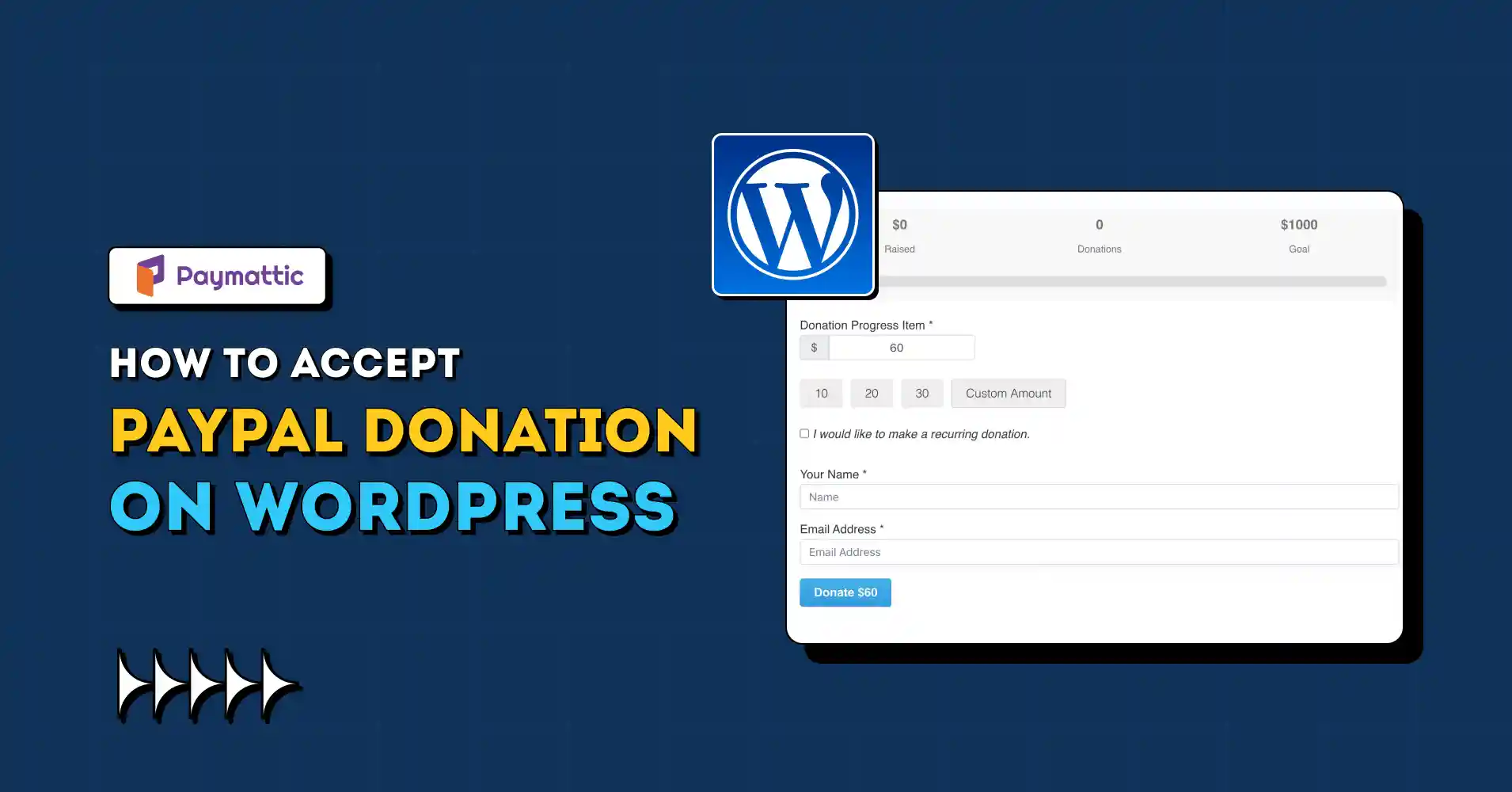
Credit: paymattic.com
Setting Up Your Donation Plugin
Setting up your donation plugin is the key step to start accepting donations on WordPress. A good plugin makes it easy to collect money safely and quickly. It also helps customize the donation process to fit your website’s style.
Follow simple steps to install, configure, and personalize your donation plugin. This ensures a smooth experience for donors and for you as the site owner.
Installing And Activating The Plugin
Go to your WordPress dashboard and click on “Plugins.” Choose “Add New” and search for a donation plugin. Popular options include GiveWP or Charitable.
Click “Install Now” and then “Activate.” The plugin will appear in your dashboard menu. This is your control center for managing donations.
Configuring Payment Gateways
Payment gateways let donors pay using credit cards or services like PayPal. Access the plugin settings to add your payment accounts.
Enter your API keys or merchant details provided by your payment service. Choose which payment methods to offer your donors.
Test the gateways to make sure payments go through smoothly and safely before you launch.
Customizing Donation Forms
Create forms that match your website’s look and feel. Use the plugin’s form builder to add fields like name, email, and donation amount.
Set suggested donation amounts or allow custom amounts. Add options for one-time or recurring donations.
Preview the form on your site to check its appearance and function. Adjust colors and fonts to match your brand.
Integrating Donation Forms Into Your Site
Integrating donation forms into your WordPress site makes it easy for visitors to support your cause. Proper integration helps you collect donations smoothly and encourages more contributions. Place forms where they get noticed but do not disrupt the user experience. This section explains how to add donation forms to pages, posts, and sidebars. It also covers using shortcodes and widgets to keep your site flexible and user-friendly.
Adding Forms To Pages And Posts
Adding donation forms directly to pages or posts lets visitors donate while reading your content. Most donation plugins provide a simple button or block to insert forms. Use the WordPress block editor or classic editor to place the form exactly where you want. Place the form near your call to action or story to boost donations. Test the form to ensure it works well on all devices before publishing.
Using Widgets And Shortcodes
Widgets allow you to add donation forms to sidebars, footers, or other widget-ready areas. This helps keep the donation option visible across your site. Shortcodes offer another way to embed forms anywhere on your site, including inside content or custom areas. Copy the shortcode from the plugin and paste it into the editor or widget text box. Shortcodes keep your site clean and help you reuse forms easily.
Optimizing Form Placement
Place donation forms where visitors can easily see and use them. Top of the page, end of posts, and in sidebars are common spots. Avoid cluttering the page with too many forms. Focus on clear, simple placement that matches your site design. Make sure the form is easy to fill out and loads quickly. Good placement increases donations and improves user trust.
Promoting Your Donation Campaign
Promoting your donation campaign is key to getting support on WordPress. You need to reach people and inspire them to give. Clear messages and smart sharing help your cause grow.
Creating Compelling Calls To Action
Calls to action guide visitors to donate. Use strong, simple words like “Give Now” or “Help Today.” Place these buttons where visitors see them fast. Make your ask clear and urgent. Short phrases work best. Use colors that stand out but fit your site design.
Using Social Media For Outreach
Social media spreads your message to many people quickly. Share stories about your cause. Use images and videos to catch attention. Post often but keep messages fresh. Ask followers to share your posts. Join groups related to your cause and take part in conversations. Social platforms bring new donors to your site.
Email Marketing Tips
Emails reach people directly and feel personal. Send short, clear messages about your campaign. Tell a story to connect emotionally. Include a simple donation link. Remind people gently with follow-up emails. Use a friendly tone and say thank you to donors. Email is a great way to keep supporters informed and involved.
Managing And Tracking Donations
Managing and tracking donations is key to running a successful WordPress donation site. It helps you stay organized and understand your supporters better. Proper tracking shows which campaigns work best. It also builds trust with donors by keeping clear records.
Viewing Donation Reports
Donation reports give you a clear view of all funds received. Most WordPress donation plugins offer easy-to-read reports. These reports show total donations, donor details, and dates. You can filter by campaigns or time periods. Checking reports regularly helps spot trends and plan future efforts.
Acknowledging Donors
Thanking donors is important for building good relationships. Sending a quick thank-you message shows appreciation. You can create personalized notes using donor names. Some plugins allow manual or automatic thank-you emails. Acknowledging donations encourages people to give again.
Setting Up Automated Receipts
Automated receipts save time and keep donors informed. After a donation, an email receipt confirms the gift instantly. Set up these receipts through your donation plugin’s settings. Include key details like donation amount and date. Automated receipts improve donor trust and simplify record keeping.
Ensuring Security And Compliance
Accepting donations on WordPress requires strong security and compliance. Protecting donor data builds trust. It also keeps your site safe from threats. Follow key steps to secure payment details and respect privacy laws.
Securing Payment Information
Use SSL certificates to encrypt data on your site. Encryption stops hackers from stealing sensitive info. Choose trusted payment gateways like PayPal or Stripe. These platforms follow strict security rules. Avoid storing credit card details directly on your server.
Gdpr And Privacy Considerations
Respect donor privacy with clear data policies. Inform users about data collection and usage. Add cookie consent notices if your site tracks visitors. Allow donors to opt out or delete their data. Complying with GDPR keeps your site legal in Europe.
Regular Plugin Updates
Update WordPress and plugins often to fix security flaws. Outdated tools attract hackers and cause errors. Enable automatic updates when possible. Remove unused plugins to reduce risk. Testing updates on a staging site prevents conflicts.
Troubleshooting Common Issues
Setting up donation acceptance on WordPress can be smooth. Still, some issues may arise. Troubleshooting common problems helps keep your donation process running well. This section covers the main problems and solutions.
Payment Failures
Payments may fail due to incorrect API keys. Always double-check your payment gateway details. Another cause is expired credit cards. Ask donors to verify their card information. Sometimes, server issues block transactions. Test your payment setup on a live site regularly.
Form Display Problems
Donation forms might not appear correctly. Clear your browser cache and refresh the page. Conflicts with your WordPress theme can hide form elements. Switch to a default theme to test this. Ensure your form shortcode is placed properly in the editor.
Plugin Conflicts
Multiple plugins can clash and cause errors. Disable other plugins one by one to find conflicts. Update all plugins to their latest versions. Avoid using too many similar plugins together. Keep your WordPress environment clean for better performance.

Credit: easydigitaldownloads.com
Frequently Asked Questions
How Do I Add A Donation Button To WordPress?
You can add a donation button using plugins like GiveWP or PayPal Donations. Install, activate, and customize the button easily.
Which Payment Methods Work Best For WordPress Donations?
Popular methods include PayPal, Stripe, and credit card payments. These are secure and widely accepted on WordPress donation plugins.
Can I Track Donations On My WordPress Site?
Yes, most donation plugins offer built-in reporting tools. They help you monitor donor data and donation amounts efficiently.
Is It Free To Accept Donations On WordPress?
Many plugins are free with essential features. However, some advanced options may require paid plans or transaction fees.
Conclusion
Accepting donations on WordPress is simple and effective. Choose a plugin that fits your needs. Set up your donation form clearly and securely. Share your cause honestly to build trust. Regular updates keep donors connected and motivated. Track donations easily through your WordPress dashboard.
Small steps can lead to big support. Start today and help your mission grow steadily.


