
Are you ready to boost your online store’s appeal and increase sales? Offering free shipping is one of the most powerful ways to attract customers and encourage them to complete their purchases.
But how do you set a free shipping price in WordPress, especially if you’re using WooCommerce? This guide will walk you through simple, clear steps to set up free shipping on your WordPress site. By the end, you’ll know exactly how to configure shipping options that make your customers feel valued and eager to buy.
Let’s dive in and turn your shipping costs into a smart sales strategy!
Woocommerce Shipping Basics
Understanding WooCommerce shipping basics is essential for managing your online store. Shipping controls how products reach customers. WooCommerce offers flexible options to set shipping rules. This guide covers the key components to start with shipping setup.
Setting Up Shipping Zones
Shipping zones divide your delivery areas by location. You create zones based on countries, states, or postal codes. Each zone can have different shipping methods and prices. This helps you control shipping costs for different regions.
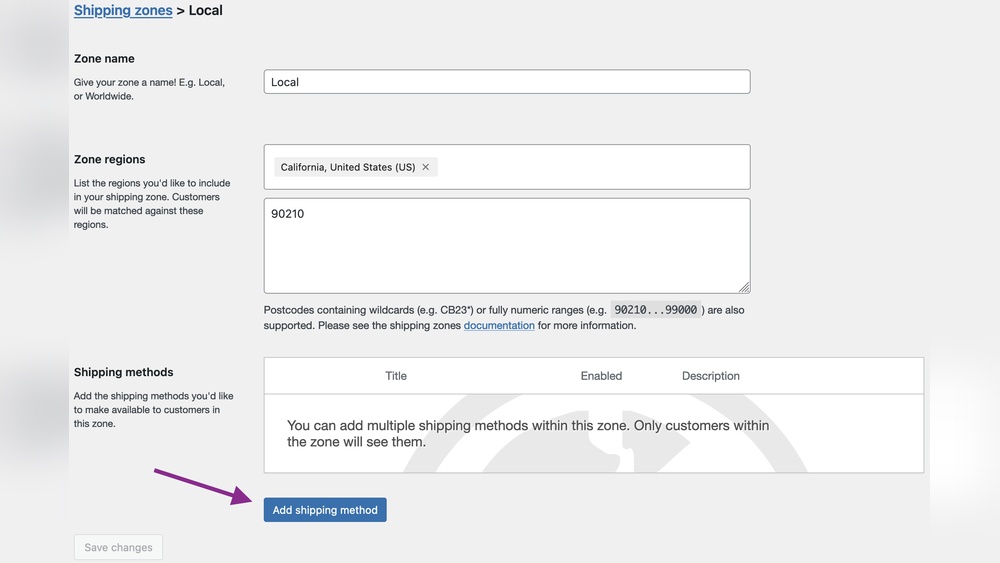
To add a zone, go to WooCommerce settings and select Shipping. Click “Add Shipping Zone” and name your zone. Define the regions covered by the zone. Save the zone before adding shipping methods.
Adding Shipping Methods
Shipping methods determine how you charge for delivery in each zone. Common methods include flat rate, free shipping, and local pickup. You can add one or multiple methods per zone.
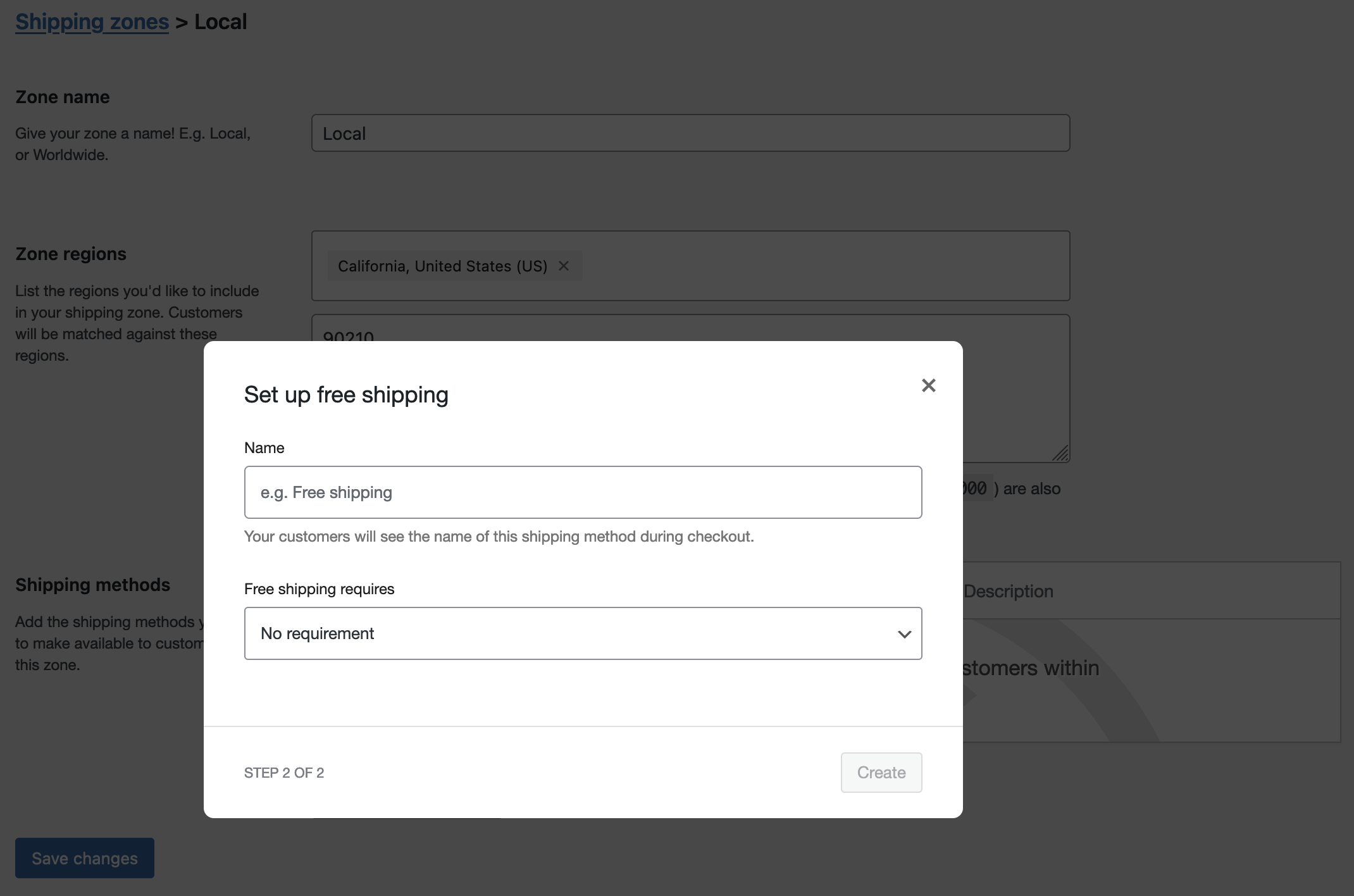
Choose “Add Shipping Method” inside a shipping zone. Select the method type and set the price or conditions. For example, free shipping can be set for orders over a certain amount. Adjust settings to fit your store’s needs.
Understanding Shipping Classes
Shipping classes group products with similar shipping costs. Use classes for items that need special handling or have different weights. Assign classes to products in the product edit screen.
In WooCommerce Shipping settings, click Shipping Classes to create new classes. Give each class a name and description. When setting shipping rates, you can charge different fees for each class. This adds flexibility and accuracy to shipping costs.
Configuring Free Shipping
Configuring free shipping on your WordPress store helps attract more customers and increase sales. It allows you to offer shipping without extra cost under specific conditions. Setting this up correctly is crucial for both customer satisfaction and business profit. Below are clear steps to help you configure free shipping easily.
Enabling Free Shipping Method
Start by logging into your WordPress dashboard. Navigate to WooCommerce > Settings > Shipping. Select the shipping zone where you want to offer free shipping. Click on Add Shipping Method and choose Free Shipping from the dropdown menu. Finally, click Add Shipping Method to enable it for that zone.
Setting Cart Value Thresholds
Free shipping often applies after a minimum cart value is reached. To set this, click Edit on the free shipping method you enabled. Enable the option Free shipping requires… and select A minimum order amount. Enter the cart value threshold, such as $50 or $100. Save your changes to activate this rule.
Applying Free Shipping With Coupons
Offering free shipping via coupons can boost sales during promotions. Go to WooCommerce > Marketing > Coupons. Click Add Coupon and enter a coupon code. Under coupon data, check Allow free shipping. Save or publish the coupon. Customers can now use this code to get free shipping at checkout.
Advanced Free Shipping Strategies
Advanced free shipping strategies help tailor your WooCommerce store’s shipping offers. These methods target specific products and customer segments. This approach boosts sales and controls costs. It goes beyond basic free shipping rules.
Using advanced tactics, you can create flexible shipping setups. This improves the shopping experience and encourages more purchases. These strategies work well for stores with diverse products and customer needs.
Creating Shipping Classes For Specific Products
Shipping classes divide products into groups with similar shipping rules. Assign free shipping to certain classes only. For example, offer free shipping on lightweight or high-margin items. This avoids losing money on heavy or expensive shipments.
Set up shipping classes in WooCommerce by going to Settings > Shipping > Shipping Classes. Create a new class and assign it to products. Then, set free shipping for that class in your shipping zones.
Using Coupons For Targeted Free Shipping
Coupons can unlock free shipping for select customers or orders. Create a coupon that allows free shipping only with a code. This helps run promotions or reward loyal customers. You control when and how free shipping applies.
To create a free shipping coupon, go to WooCommerce > Marketing > Coupons. Add a new coupon and check the “Allow free shipping” option. Share the coupon code through email or social media.
Combining Free Shipping With Discounts
Free shipping plus discounts attract more buyers. Offer a small discount combined with free shipping on specific products or cart totals. This increases the perceived value of the deal. Shoppers feel they save more overall.
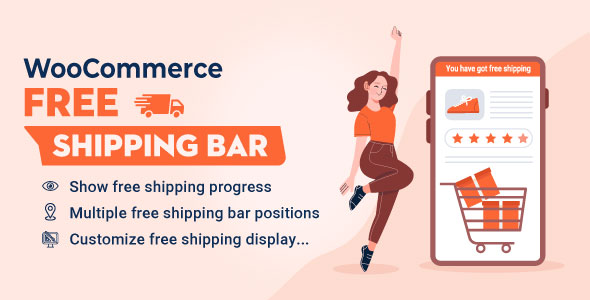
Use WooCommerce’s coupon system to create discount codes that include free shipping. Set minimum spend or product restrictions for better control. This strategy helps clear inventory or boost average order value.
Credit: codecanyon.net
Pricing Free Shipping Effectively
Pricing free shipping effectively is crucial for any online store using WordPress. It helps attract customers while keeping your business profitable. Setting the right price for free shipping can boost sales without cutting into your margins too much. The key is to find a balance between customer appeal and cost control.
Calculating Profit Margins
Start by knowing your profit margins clearly. Calculate how much you earn after all costs, including product and shipping expenses. This step shows how much room you have for offering free shipping. Without good margins, free shipping might cause losses. Use simple formulas to find your gross and net profit margins. Keep track of these numbers regularly.
Setting Free Shipping Thresholds
Set a minimum order amount for free shipping to encourage bigger purchases. This threshold should cover your shipping costs and still bring profit. Test different amounts to see what works best for your customers. For example, free shipping over $50 can increase average order value. Make sure the threshold is clear and visible on your site.
Balancing Shipping Costs And Sales
Balance shipping expenses with your sales goals. Offering free shipping can increase sales volume but may raise costs. Consider using flat-rate or regional shipping fees to control expenses. Monitor your shipping cost trends and adjust your pricing accordingly. This balance helps keep your store competitive and profitable over time.
Testing And Troubleshooting
Testing and troubleshooting your free shipping setup in WordPress ensures a smooth customer experience. It helps you catch errors early and fix them fast. This section guides you through previewing options, spotting common problems, and checking compatibility.
Previewing Free Shipping Options At Checkout
Always test free shipping before going live. Add products to your cart that meet the free shipping conditions. Visit the checkout page to see if the free shipping option appears. Make sure the price shows as zero for shipping costs. Try different cart values to confirm thresholds work. Use both logged-in and guest accounts to test visibility.
Common Setup Issues
Free shipping may not show if conditions are incorrect. Check your minimum order amount and shipping zones. Missing or wrong zones stop free shipping from appearing. Sometimes, coupons set to allow free shipping must be enabled. Clear your site cache after changes. Also, disable any conflicting shipping methods that might block free shipping.
Ensuring Compatibility With Themes And Plugins
Some themes or plugins interfere with shipping options. Test free shipping on a default theme like Twenty Twenty-One. Deactivate other plugins temporarily to find conflicts. Update all plugins and themes regularly. Use only trusted plugins from official sources. Conflicts often cause free shipping to disappear or misbehave at checkout.
Credit: woocommerce.com
Boosting Sales With Free Shipping
Offering free shipping can significantly increase your sales on WordPress stores. Customers feel more confident to buy when shipping costs are removed. This simple change reduces cart abandonment and encourages larger orders. Below are key strategies to use free shipping to boost sales effectively.
Promoting Free Shipping Offers
Make your free shipping offer clear and visible on your website. Use banners on the homepage and product pages to catch attention. Announce the offer at checkout to reduce hesitation. Highlight any minimum purchase required to get free shipping. This builds excitement and motivates customers to add more items.
Analyzing Customer Behavior
Track how customers respond to your free shipping deals. Use analytics to see which products sell more with free shipping. Note the average order value before and after the offer. Identify if customers buy more or abandon carts less often. Use this data to adjust your shipping strategy and pricing.
Optimizing Shipping For Conversions
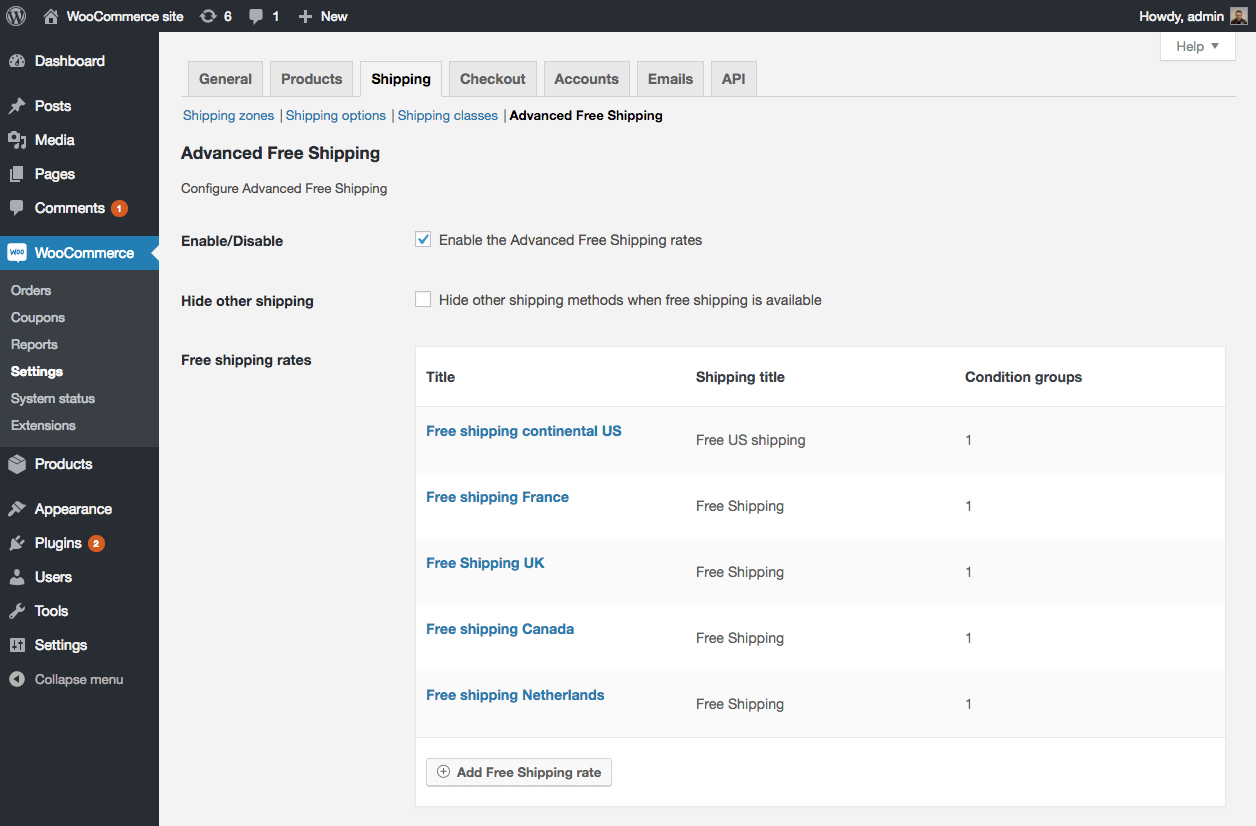
Set clear free shipping rules in WooCommerce to avoid confusion. Choose a reasonable minimum order amount that encourages bigger purchases. Offer free shipping on popular items to attract buyers. Keep shipping times and service quality high to satisfy customers. A smooth shipping experience turns visitors into repeat buyers.
Credit: wordpress.org
Frequently Asked Questions
How To Set Free Shipping On WordPress?
To set free shipping on WordPress, go to WooCommerce > Settings > Shipping. Add a shipping zone, then select “Add Shipping Method. ” Choose “Free Shipping” and save. Optionally, set conditions like minimum order amount or coupon usage to activate free shipping.
How To Set Free Shipping Threshold?
Set a free shipping threshold by going to WooCommerce > Settings > Shipping. Add or edit a shipping zone, select “Free Shipping,” and set the minimum order amount required. Save changes to activate free shipping once customers reach that order value.
How To Price For Free Shipping?
Price free shipping by including shipping costs in product prices or setting a minimum order amount to cover expenses. Analyze profit margins to keep pricing competitive. Use flat fees or thresholds to balance customer appeal and profitability effectively.
How To Set Shipping Rates On Woocommerce?
Go to WooCommerce > Settings > Shipping. Add a shipping zone, then add shipping methods. Set flat rates or free shipping per zone or product class. Save changes to apply rates.
Conclusion
Setting free shipping prices in WordPress is simple and effective. It helps attract more customers and improves sales. Follow the steps carefully in WooCommerce settings. Test your changes to ensure smooth checkout. Keep your shipping rules clear and fair. This way, shoppers enjoy a better buying experience.
You can update prices anytime to fit your business needs. Free shipping encourages buyers to spend more. Use this feature wisely to grow your online store.


