
Have you ever wondered how often you should update your WordPress plugins and themes? It’s a question that might seem trivial, but the answer can significantly impact your website’s performance and security.
As a website owner, you want to ensure your site runs smoothly, stays safe from vulnerabilities, and delivers the best experience to your visitors. But with the constant stream of updates from developers, it can be challenging to know when to take action.
In this post, you’ll discover the importance of regular updates, how they affect your website, and practical tips for keeping everything up to date without hassle. By understanding the right balance between frequent updates and stability, you’ll gain confidence in managing your WordPress site effectively. So, let’s dive in and explore the world of WordPress maintenance that will empower you to make informed decisions for your website’s future.
Importance Of Regular Updates
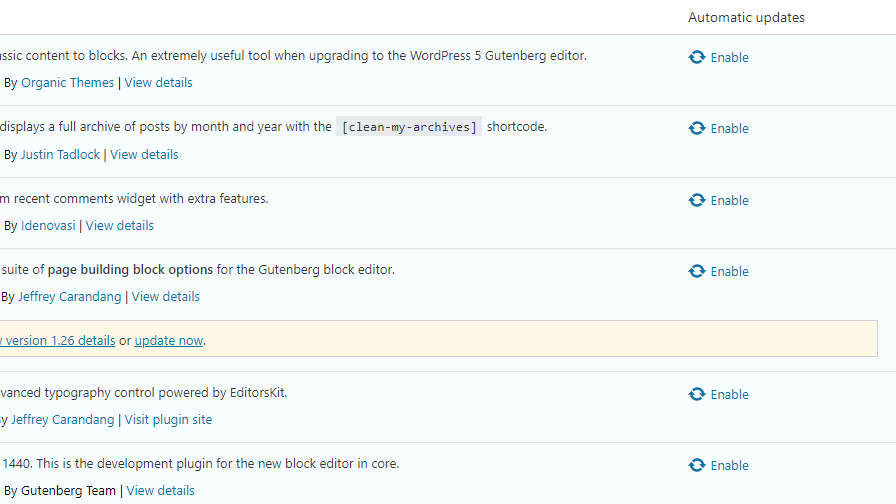
Regular updates are very important for your WordPress site. They keep your site safe from hackers. Updates fix bugs and improve performance. Plugins and themes with updates run better. Old versions can cause errors. They may not work well with new WordPress versions. Always check for updates. Updates add new features. They help your site look fresh. Updates can make your site faster. Fast sites are good for SEO. Visitors love fast sites. Updates are often free. They are easy to install. Just click a button. Follow steps on your dashboard. Keep your site up-to-date. It is easy and important.
Credit: wptavern.com
Security Concerns
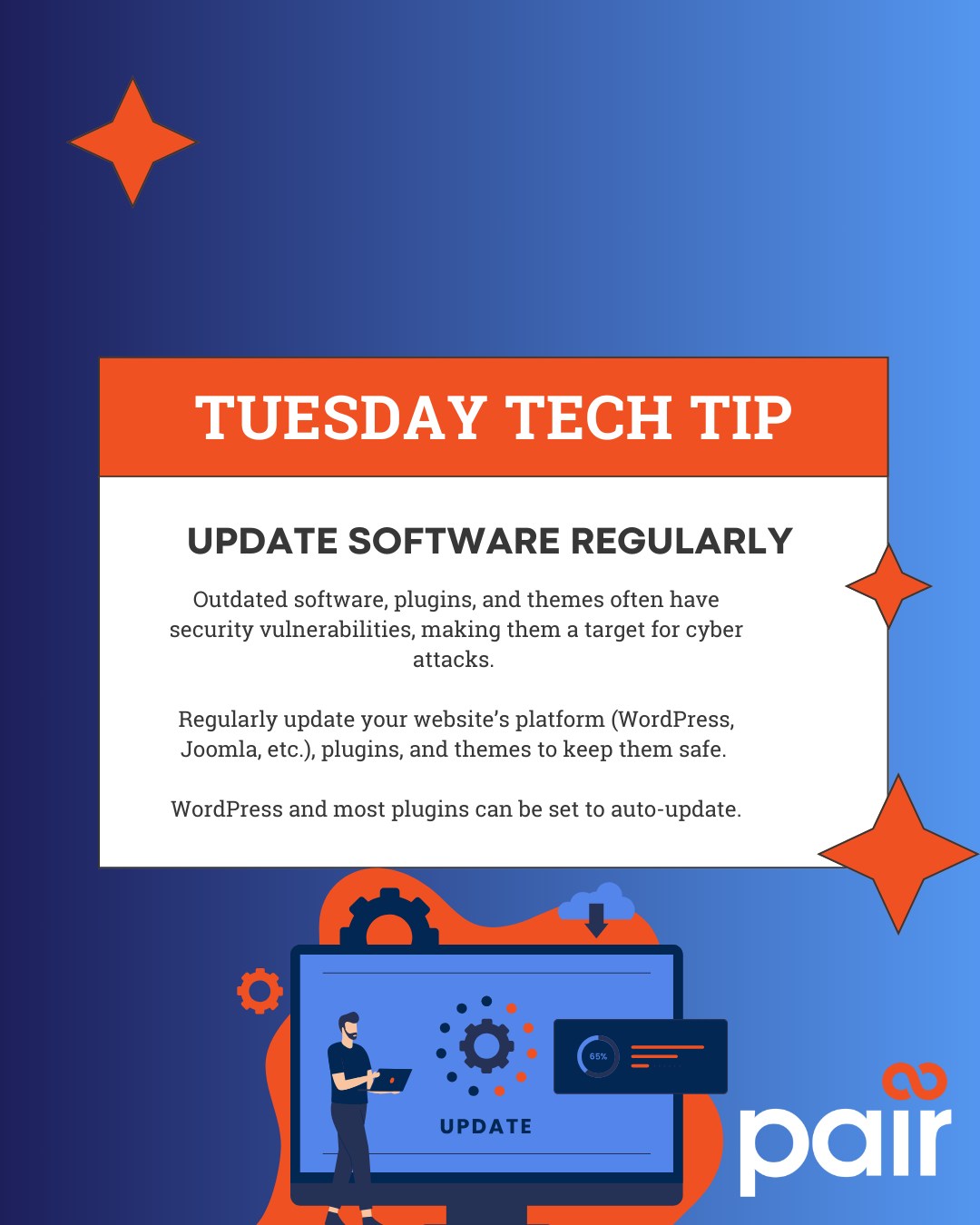
Regularly updating WordPress plugins and themes is crucial for security. Hackers exploit outdated software vulnerabilities. Aim to update every few weeks to keep your site secure and running smoothly.
Preventing Vulnerabilities
WordPress plugins and themes need regular updates. Updates fix bugs. They also close security holes. Old versions can be risky. Hackers can find ways in. They use these holes to steal data. Always keep your site safe. Update as soon as you can. Check for new versions weekly. Ensure your site stays secure.
Protecting User Data
User data is important. Protect it at all costs. Updates help in this. They patch any weak spots. Secure user data by staying updated. Users trust sites with good security. They share more information. Do not let them down. Regular updates build trust. Your site stays reliable.
Performance Improvements
Fast websites make users happy. Speed matters. Slow sites lose visitors. Updating plugins helps. Updates fix bugs. They also improve speed. Themes get better too. New versions load faster. They use less data. This makes your site quick. A quick site ranks higher. Search engines like speed. Fast sites get more views.
Plugins add features. They make sites useful. Updates keep them working well. Without updates, plugins may break. Themes need updates too. They improve site features. New themes add modern looks. They fix old problems. Old themes may not work well. Updating ensures everything works. Your site stays safe and smooth.
Compatibility Issues
Ensuring Plugin Compatibility is crucial for your site’s stability. Plugins may conflict with each other. Updates help prevent these issues. Always check compatibility before installing new versions. Reading reviews can provide insights. Developers often note compatibility in the update notes.
Keeping plugins compatible ensures smooth functionality. It avoids unexpected errors or crashes. Regular updates reduce security risks. They also enhance performance. Follow developers’ guidelines for best results.
Theme and WordPress Core Updates are equally important. Themes must align with the latest WordPress version. Updates ensure this alignment. They also bring new features and fixes.
WordPress core updates improve security. They boost site speed and functionality. Staying updated is essential for a secure site. It also keeps your site looking fresh. Regular updates are a simple way to maintain your website.
Frequency Of Updates
WordPress plugins need regular checks. Every week, look for updates. Plugins get new features often. They fix bugs and improve security. Don’t ignore plugin updates. Your site stays safe and fast with updated plugins. Make time each week. Check for changes. Install updates quickly. This keeps your website running smoothly.
Themes need attention too. Themes might not change as often. Still, review them each month. Look for theme updates. Updates can improve design and fix issues. Themes affect how your site looks. They also affect speed and security. Monthly checks help catch problems early. Stay on top of theme changes. Keep your site looking great. Keep it safe and efficient.
Automated Vs. Manual Updates
Automated updates save time and effort. Plugins and themes get updated without needing your input. This keeps your site secure and up-to-date. Problems and bugs get fixed quickly. Users enjoy a smoother experience. Updates happen even when you forget. Less stress for you. Automation can prevent security risks. Your site stays safe from hackers. No manual checks needed. It all happens in the background.
Manual updates give you more control. You decide what to update. You can test updates on a staging site first. This prevents breaking your live site. Some updates may cause issues. Check compatibility before updating. Manual updates let you read changelogs. Know what’s new before updating. This ensures nothing important gets changed. Manual updates are good for large sites. They need more attention and care.
Best Practices For Updating
Regular updates for WordPress plugins and themes ensure security and functionality. Aim for updates monthly or when notified. Frequent updates protect against vulnerabilities and keep features running smoothly.
Backing Up Your Site
Always create a backup before making changes. This ensures that you have a copy of your site. Use tools or plugins that make backups simple. Save backups in a safe place away from your site. This helps if something goes wrong. Restoring from a backup is easier than fixing problems. Remember, backups are like an insurance policy for your site.
Testing In A Staging Environment
A staging environment is a testing area for updates. It looks like your real site but is hidden from visitors. Test updates here first. This helps you spot problems before they go live. Use staging to check for compatibility issues with new updates. Make changes here and see how they work. It keeps your main site safe and running smoothly.

Credit: www.wpcopilot.com.au
Signs It’s Time To Update
Update notifications appear in the dashboard. They signal that plugins or themes need updating. Ignoring these alerts can cause problems. Security risks might increase. Features may not work properly. Regular updates ensure your site runs smoothly. They fix bugs and improve performance. Always pay attention to these alerts.
Site issues can be a sign. Pages may load slowly. Some features might stop working. Visitors may face errors. Such issues often need updates. Outdated plugins or themes might cause these problems. Keeping everything updated helps avoid disruptions. Updated versions fix errors and enhance site speed.
Common Pitfalls To Avoid
Regular updates for WordPress plugins and themes are crucial. Skipping updates can lead to security risks and compatibility issues. Frequent checks ensure smooth website performance and safety.
Ignoring Update Alerts
Many users ignore update alerts. This can lead to problems. Updates fix bugs and improve security. Without updates, your site may have issues. Hackers look for old plugins to attack. Updates keep your site safe. Check for updates often. Set a reminder if needed. Your site will thank you.
Overlooking Change Logs
Change logs show what’s new in an update. They list new features and bug fixes. Skipping change logs is risky. You might miss important changes. Some updates might not work well with your site. Read change logs to avoid surprises. They help you understand the update better. It’s a small task with big benefits.
Credit: m.facebook.com
Frequently Asked Questions
How Often Should I Update WordPress Plugins?
Update WordPress plugins regularly to ensure security and functionality. Check for updates weekly. Install updates promptly to avoid vulnerabilities. Regular updates improve performance and keep your site secure. Prioritize updates for critical plugins.
Do WordPress Themes Need To Be Updated?
Yes, updating WordPress themes is necessary. Updates enhance security, fix bugs, and improve compatibility. Regular updates ensure optimal performance. Always back up your site before updating.
Should I Update My WordPress Plugins?
Yes, regularly update WordPress plugins for enhanced security, improved performance, and new features. Outdated plugins can pose security risks. Ensure compatibility by backing up your site before updating. Keep your website stable and secure by maintaining up-to-date plugins. Regular updates help prevent vulnerabilities and ensure optimal functionality.
Should I Auto Update WordPress Plugins?
Auto-updating WordPress plugins enhances security by ensuring the latest patches. It reduces manual updates, saving time. However, it can occasionally cause compatibility issues. Regularly check your site after updates to ensure everything functions properly. Use a staging site for testing if possible.
Conclusion
Regular updates keep your WordPress plugins and themes secure. They enhance performance and add new features. Always check for updates monthly. Install them promptly to avoid vulnerabilities. Outdated plugins can break your site. Stay proactive to ensure smooth functionality. Keep backups before updating.
This prevents data loss if issues arise. Regular checks are essential for a healthy website. They help maintain optimal user experience. A little effort goes a long way. Protect your site and audience with consistent updates. Make it a habit to review and update regularly.
Your site’s safety depends on it.


