

Thinking about building a website on WordPress but unsure how much it will cost? You’re not alone.
Understanding the true expenses behind creating your online space can be tricky. But knowing what to expect can save you time, money, and frustration. You’ll discover clear, straightforward answers about the costs involved. By the end, you’ll feel confident making smart decisions for your website without any hidden surprises.
Let’s dive in and uncover exactly how much you need to invest to bring your website to life.
Website Types And Their Costs
Building a website on WordPress costs vary based on the website type. Each type needs different features and tools. These differences affect the price. Understanding the costs helps you plan your budget well.
Some websites need simple designs. Others require complex functions. WordPress offers flexibility to create many kinds of websites. Below, we explain common website types and their typical costs.
Personal Blogs
Personal blogs are simple sites for sharing thoughts or hobbies. They need basic themes and few plugins. Many free themes work well for blogs. Hosting and domain fees usually cost around $50 to $100 per year. Premium themes or extra plugins can add $20 to $100. Overall, personal blogs are low-cost and easy to set up.
Business Websites
Business websites need professional designs and more features. These include contact forms, service pages, and SEO tools. Costs rise due to premium themes and plugins. Expect to spend $200 to $1,000 or more. Custom designs or advanced features increase prices. Hosting costs also grow with traffic needs.
E-commerce Stores
E-commerce stores sell products online and need special tools. Plugins like WooCommerce add shopping carts and payment options. Costs include premium plugins, payment gateways, and security features. Setup can range from $500 to several thousand dollars. Larger stores with many products require more investment. Hosting must handle higher traffic and transactions.
Portfolio Sites
Portfolio sites showcase work like art, photos, or projects. They focus on clean design and easy navigation. Many portfolio themes are affordable or free. Costs mainly come from premium themes and hosting. Usually, portfolios cost between $100 and $500. They are simpler than e-commerce but more polished than blogs.
Essential Cost Components
Building a website on WordPress involves several key costs. These costs are essential to get your site online and running smoothly. Knowing these helps you plan your budget wisely.
Each component has different pricing options. You can choose based on your needs and goals. Understanding these costs prevents surprises later.
Domain Name Fees
A domain name is your website’s address on the internet. It usually costs around $10 to $15 per year. Some domains may cost more depending on the extension or popularity.
Choose a simple, easy-to-remember name. This helps visitors find your site easily. Domain names renew every year, so budget for that recurring cost.
Web Hosting Plans
Hosting stores your website files on a server. Prices range from $3 to $30 per month or more. Shared hosting is cheapest but slower. Managed WordPress hosting costs more but offers better speed and security.
Pick a hosting plan that fits your site size and traffic. Good hosting improves user experience and site performance.
WordPress Themes
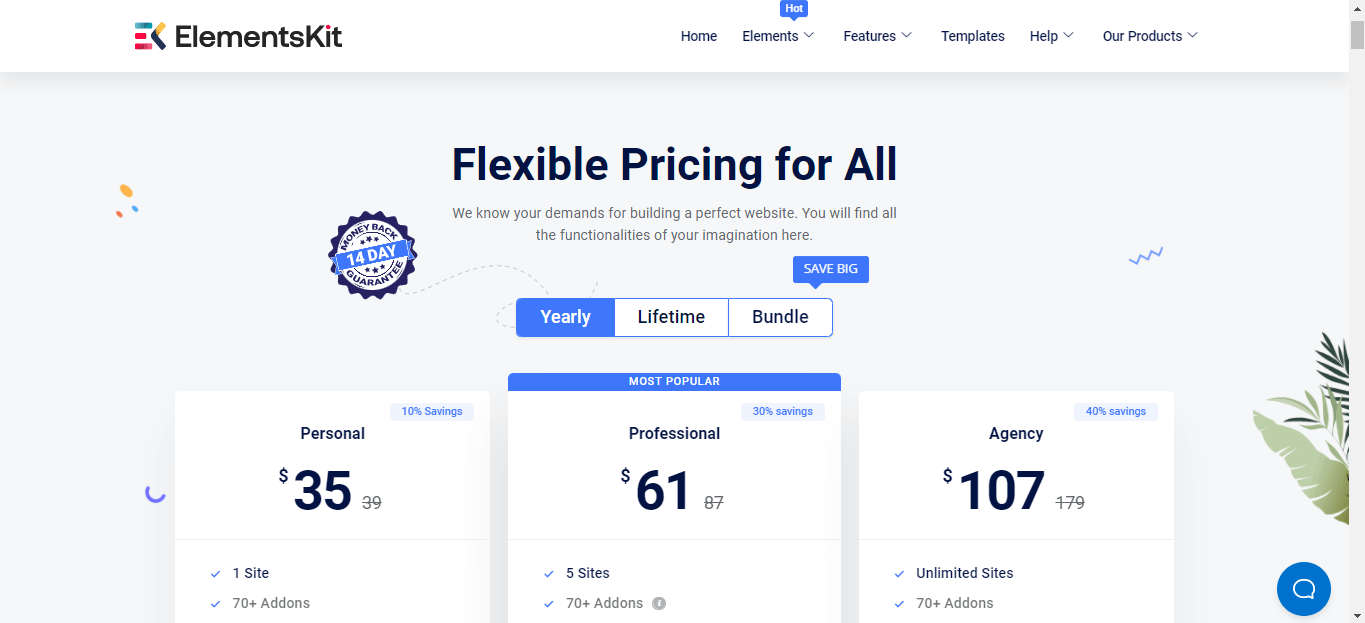
The theme controls your website’s look and layout. Free themes are available but may lack features. Premium themes cost between $30 and $100 usually as a one-time fee.
Paid themes offer better design, support, and updates. Choose a responsive theme that works well on phones and tablets.
Plugins And Extensions
Plugins add features to your WordPress site. Many are free, but some premium plugins cost $20 to $100 or more. Examples include SEO tools, contact forms, and security plugins.
Only install plugins you really need. Too many plugins can slow down your site. Keep plugins updated to avoid security risks.
Diy Vs Professional Help
Deciding between building a WordPress website yourself or hiring help is important. Both choices have benefits and costs. Understanding these options helps you pick what fits your needs and budget.
Building It Yourself
Building your own WordPress site saves money on labor. You pay for hosting, themes, and plugins only. Learning is part of the process. It takes time to understand WordPress tools and design. Mistakes can happen and slow progress. You control every detail and update at any time. Great for small projects or simple sites.
Hiring Freelancers
Freelancers offer flexible, affordable help. They can build or fix parts of your site. Prices vary based on skill and experience. Communication is direct and faster than agencies. Quality depends on the freelancer you choose. Good for medium projects or if you want some help but keep control.
Using Web Agencies
Web agencies provide full service from design to launch. They have teams for different skills like design and SEO. Costs are higher but work is professional and faster. Agencies handle complex projects well. You get ongoing support and maintenance options. Best for large or business-critical websites.
Credit: wpmet.com
Hidden And Ongoing Expenses
Building a WordPress website has costs beyond just design and setup. Some expenses stay hidden and come up regularly. These ongoing costs keep your site safe, fast, and fresh. Understanding these expenses helps you plan your budget better.
Maintenance And Updates
WordPress needs regular updates for themes, plugins, and the core system. Updates fix bugs and add new features. Skipping updates risks site errors or slow performance. Hiring a professional or doing it yourself costs time or money. Maintenance also includes fixing broken links and improving site speed.
Security Measures
Keeping your site secure is critical. You may need to buy security plugins or services. These protect against hackers and malware. Some hosts offer basic security, but extra protection often costs more. Regular security checks and monitoring add to ongoing expenses.
Backup Solutions
Backups save copies of your site data. They prevent data loss from crashes or attacks. Many backup tools require subscriptions or fees. Automatic backups are safer but cost more than manual ones. Having reliable backups ensures quick site recovery if problems occur.
Content Creation
Fresh content attracts visitors and improves SEO. Creating blog posts, images, or videos takes time and effort. Outsourcing content to writers or designers adds to your budget. Consistent updates help keep your site relevant and engaging for users.
Cost-saving Tips
Building a website on WordPress does not have to break the bank. Small decisions can save a lot of money. Understanding which parts of your website need investment helps keep costs low. Here are some simple tips to cut down expenses while creating a strong online presence.
Choosing Affordable Hosting
Hosting is one of the biggest costs for a website. Choose a reliable host with low prices. Many companies offer plans under $5 per month. Look for good customer support and decent speed. Avoid expensive packages with features you do not need.
Free Vs Premium Themes
The WordPress theme shapes your website’s look. Free themes are a good start. They offer enough style and functionality for most sites. Premium themes cost more but add extra features. Use free themes first and upgrade only if necessary.
Selective Plugin Usage
Plugins add special functions to your website. Too many can slow down your site and cost money. Use only plugins that are essential. Choose free plugins with good ratings. Delete any plugins not in use to keep your site fast and clean.
Credit: www.isitwp.com
Budget Breakdown Examples
Understanding the cost to build a WordPress website helps plan your project better. Costs vary widely based on features, design, and functionality. Here are three common budget breakdown examples to guide you.
Low Budget Setup
This setup suits simple websites like blogs or small portfolios. Expect to spend around $100 to $300.
- Hosting: $50 per year for basic shared hosting
- Domain name: $10 to $15 per year
- Free WordPress theme or a low-cost premium theme ($20 to $50)
- Basic plugins, mostly free
- DIY setup to save on developer costs
This budget works if you want a clean, simple site with minimal features.
Mid-range Build
Good for small businesses and growing blogs. Budget ranges from $500 to $2,000.
- Better hosting, such as managed WordPress hosting ($100 to $300 per year)
- Custom premium theme or a well-supported theme ($50 to $100)
- Paid plugins for SEO, security, or forms ($50 to $200)
- Some custom design or developer help ($300 to $1,000)
- Professional email setup
This option offers more polished design and extra features.
High-end Website
Ideal for large businesses or e-commerce sites with complex needs. Expect $3,000 or more.
- Top-tier hosting with speed and security ($300+ per year)
- Fully custom design and development
- Advanced plugins and integrations
- Professional copywriting and SEO services
- Ongoing maintenance and support
This budget delivers a unique site built for performance and growth.
Future Trends Affecting Costs
The cost to build a WordPress website will change with new trends. These trends affect how much you spend on design, hosting, and features. Understanding future trends helps you plan your budget better. Here are some key trends that will shape costs soon.
Ai And Automation
AI tools now help create content and design faster. Automation can handle tasks like SEO and security updates. This saves time but may add to initial costs. Over time, AI reduces expenses by cutting manual work. Expect more AI features in WordPress plugins soon.
New Hosting Technologies
Hosting is getting faster and more secure. Cloud hosting and edge servers improve website speed. These new technologies may cost more than basic plans. Yet, faster hosting boosts user experience and SEO. Choosing modern hosting affects your website’s overall cost.
Evolving WordPress Features
WordPress updates add new blocks and design options. Advanced themes and plugins offer more functions but often cost extra. Some features require ongoing payments for support and updates. Staying current with WordPress means budgeting for these changes. Costs rise with added complexity and tools.
Credit: wedevs.com
Frequently Asked Questions
How Much Does A Basic WordPress Website Cost?
A basic WordPress website typically costs between $100 and $500. This includes hosting, a domain name, and a free or premium theme. Additional costs depend on custom features, plugins, or professional design services you might need.
What Are Ongoing Costs For A WordPress Website?
Ongoing costs include web hosting fees, domain renewal, and premium plugin subscriptions. Hosting can range from $5 to $30 monthly. Domain renewal usually costs $10 to $15 yearly. Maintenance and security can add extra expenses if outsourced.
Does WordPress Website Cost Vary By Complexity?
Yes, complexity greatly impacts cost. Simple blogs cost less, while e-commerce or membership sites need more features and custom development, raising the price. More functionality means more plugins, design work, and maintenance, increasing overall expenses.
Can I Build A WordPress Site Without Coding Skills?
Yes, WordPress is user-friendly with drag-and-drop builders and pre-made themes. You can create a professional site without coding knowledge. However, custom features might require developer help, which can increase the cost.
Conclusion
Building a WordPress website can fit many budgets. Costs depend on design, features, and hosting choices. You can start small and grow your site later. Knowing the expenses helps plan your project better. Take time to compare options and pick what suits you.
A clear budget keeps your website goals on track. Now, you have a simple guide to understand website costs. Ready to create your own WordPress site?


