
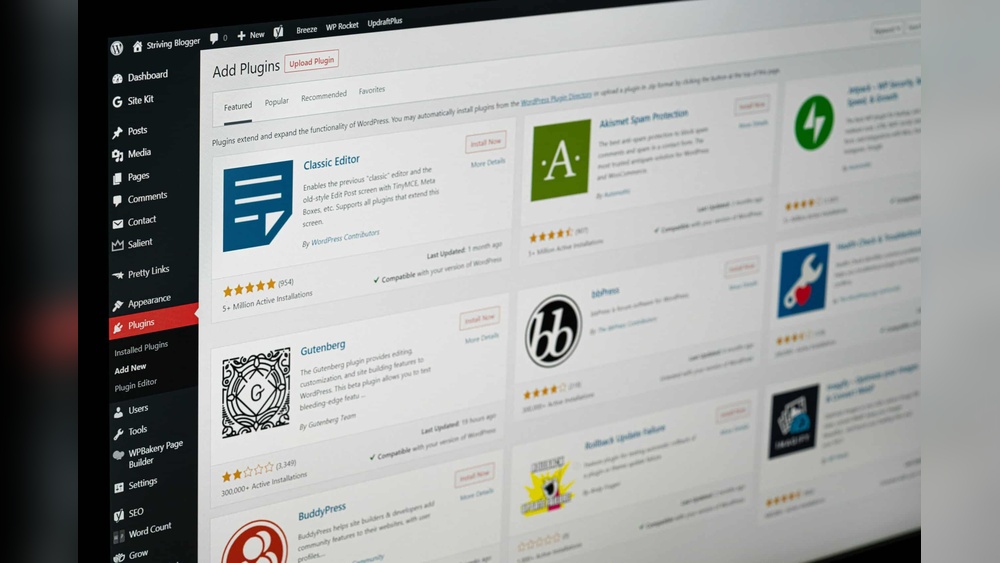
Are you wondering how much WordPress plugins really cost? You’re not alone.
Whether you’re building your first website or upgrading an existing one, knowing the true price of plugins can save you time and money. Some plugins are free, while others come with hidden fees or pricey subscriptions. What if you could understand the costs upfront and make smarter choices for your site?
Keep reading, and you’ll discover everything you need to know about WordPress plugin pricing—no surprises, just clear facts that help you get the most value.
Plugin Pricing Models
WordPress plugins come with different pricing models. These models affect how much you pay and what features you get. Choosing the right type can save money and suit your website needs. Understanding these models helps you decide which plugin fits your budget and goals.
Free Plugins
Free plugins cost nothing to download and use. They often cover basic functions for your website. Many are available in the WordPress Plugin Directory. Free plugins work well for simple tasks and small websites. Support and updates may be limited or slower.
Freemium Plugins
Freemium plugins offer both free and paid versions. The free version includes basic features. The paid version unlocks advanced options and better support. This model lets you try before you buy. Many users start free and upgrade as needs grow.
Paid Plugins
Paid plugins require a purchase before use. They often come with full features and dedicated support. Pricing can be one-time or subscription-based. These plugins suit complex websites or businesses needing reliable tools. Paid plugins usually get frequent updates and improvements.
Credit: www.elegantthemes.com
Factors Influencing Plugin Prices
Plugin prices vary widely. Several key factors affect how much a WordPress plugin costs. These factors help users decide which plugin fits their budget and needs.
Functionality And Features
Plugins with more features usually cost more. Basic plugins may be free or cheap. Advanced plugins offer tools for complex tasks. Customizable options also raise the price. The more a plugin can do, the higher its cost.
Developer Support
Support quality impacts plugin price. Plugins with active support teams cost more. Users get help fixing bugs and issues. Quick responses and detailed guides add value. Good support can save time and frustration.
Updates And Maintenance
Regular updates keep plugins secure and compatible. Developers who maintain their plugins charge more. Updates fix bugs and add new features. A well-maintained plugin offers better long-term value.
Licensing And Usage Limits
License type changes plugin cost. Some licenses allow use on one site only. Others cover multiple or unlimited sites. Pricing often depends on the number of users or domains. More extensive licenses usually cost more.
Common Price Ranges
WordPress plugins usually cost between free and $100 yearly. Some offer one-time payments, while others require subscriptions. Prices vary by features and support level.
Low-cost Plugins
Low-cost plugins usually range from free to around $20. Many offer essential features for small websites. These plugins often cover basic needs like SEO, contact forms, or social sharing. Free versions may come with limited options or ads. Paid low-cost plugins typically remove these limits. They suit beginners and simple projects well.
Mid-tier Plugins
Mid-tier plugins generally cost between $20 and $100. They provide more advanced features and regular updates. These plugins often support multiple sites or include premium support. Users get better security and performance tools here. Small businesses and growing websites often choose mid-tier plugins. They balance price and functionality effectively.
Premium Plugins
Premium plugins usually start at $100 and can go much higher. They offer extensive features, priority support, and frequent updates. Large websites or e-commerce stores benefit from premium plugins. These tools often include integrations with other software. Premium plugins focus on reliability and scalability. They are an investment for serious site owners.
Subscription Vs One-time Fees
Choosing between subscription and one-time fees is key when buying WordPress plugins. Both pricing models affect your budget and plugin updates. Understanding each helps you pick the best option.
Advantages Of Subscriptions
Subscriptions usually cost less upfront. They often include regular updates and support. This keeps your plugin safe and compatible with WordPress. Many subscriptions offer access to multiple plugins. This saves money if you need more than one plugin. Automatic renewal means you won’t forget to pay. Support teams help solve problems quickly. Subscriptions fit well for long-term projects.
Benefits Of One-time Purchases
One-time fees give full ownership after payment. No monthly or yearly charges follow. This suits those with a tight budget. You avoid surprises from recurring payments. Some plugins offer lifetime updates with one-time fees. Paying once means you control your spending. You can use the plugin forever without extra cost. This option fits simple or short-term needs well.
How To Choose Plugins Within Budget
Choosing WordPress plugins within your budget takes careful thought. You want useful features without overspending. Balancing cost and value helps you build a better site. Follow simple steps to pick plugins that fit your needs and wallet.
Assessing Plugin Value
Check what each plugin offers before buying. Look at features and how they meet your goals. Read user reviews to see real experiences. A cheap plugin may lack important tools. Spending a bit more can save time and trouble later.
Comparing Alternatives
Search for plugins with similar functions. Compare prices and features side by side. Free plugins can work well for basic needs. Paid plugins often provide better support and updates. Choose the one that fits your budget and offers good quality.
Considering Long-term Costs
Think about future expenses beyond the initial price. Some plugins charge yearly fees for updates and support. Factor in costs if your site grows and needs more features. Avoid plugins with hidden charges that add up fast. Plan for ongoing costs to keep your site running smoothly.

Credit: bestwebsoft.com
Where To Find Reliable Plugins
Finding reliable WordPress plugins is important for your website’s performance and security. Choosing plugins from trustworthy sources helps avoid problems. It also ensures you get good support and updates. Here are some places to find safe and reliable plugins.
Official WordPress Repository
The Official WordPress Repository is the safest place to get plugins. It offers thousands of free plugins tested by WordPress experts. Each plugin has user reviews and ratings to help you decide. The repository also ensures plugins follow WordPress standards and security rules.
Third-party Marketplaces
Third-party marketplaces sell premium plugins with advanced features. They offer a wide range of plugins for different needs. Most marketplaces verify plugin quality and provide customer support. Always check reviews and ratings before buying from these sites.
Developer Websites
Many plugin developers sell plugins directly on their websites. Buying from developers often gives access to exclusive updates and support. Check the developer’s reputation and user feedback before purchasing. This option helps if you want specialized or niche plugins.
Tips For Saving On Plugin Costs
Plugins can add many features to your WordPress site. But their costs can add up fast. Saving money on plugins is smart. It helps keep your website budget-friendly. Here are some tips to reduce plugin expenses.
Using Free Plugins Wisely
Free plugins can be very useful. Many offer good features without any cost. Choose free plugins that have good reviews and regular updates. Test them carefully to see if they meet your needs. Avoid using many plugins that do the same job. This can slow down your site and cause conflicts.
Taking Advantage Of Discounts
Plugin developers often offer discounts during holidays or special events. Watch for sales on popular plugin sites. Signing up for newsletters can alert you about deals. Some plugins offer lower prices for yearly payments. This can save you money over monthly plans.
Bundled Plugin Deals
Bundles include several plugins sold as one package. They often cost less than buying plugins separately. Bundles work well if you need multiple tools at once. Check if the bundle fits your website’s needs. Avoid bundles with too many plugins you won’t use.

Credit: pressupinc.com
Frequently Asked Questions
How Much Do Free WordPress Plugins Cost?
Free WordPress plugins cost nothing to download or use. They offer basic features suitable for many websites. However, some free plugins may have limited support or features compared to premium versions.
What Is The Average Price Of Premium WordPress Plugins?
Premium WordPress plugins typically cost between $20 and $100 per year. Prices vary based on features, support, and license types. Some advanced plugins or bundles may cost more depending on the developer.
Are There Any Hidden Fees For WordPress Plugins?
Most WordPress plugins show clear pricing upfront. Hidden fees are rare but can occur with add-ons or subscription renewals. Always read the pricing details carefully before purchasing any plugin.
Can Plugin Costs Affect Website Budget Planning?
Yes, plugin costs can impact your website budget. Consider both initial purchase and renewal fees. Budgeting for essential plugins ensures smooth website functionality and ongoing updates.
Conclusion
WordPress plugins come in many price ranges. Some are free, while others need payment. Costs depend on features, support, and updates. Choose plugins that fit your budget and needs. Spending wisely saves money and improves your website. Remember, expensive does not always mean better.
Test a few options before deciding. Keep your site safe by updating plugins regularly. Good plugins help your website run smoothly and grow.



