
Are you wondering how many websites you can manage with WordPress? Whether you’re starting a personal blog, launching an online store, or building sites for clients, knowing your limits can save you time and money.
You might be surprised to learn that WordPress offers flexible options to handle multiple sites from one account. You’ll discover exactly how many sites you can have on WordPress, the differences between WordPress. com and WordPress. org, and smart tips to manage them efficiently.
Keep reading—your next big website project starts here.
Credit: www.wpzoom.com
WordPress Site Limits
WordPress allows you to create websites with ease. Knowing the limits on site numbers helps plan better. You can run one or many sites depending on your needs. The setup you choose affects how many sites you can manage.
This section explains the limits for single sites and multisite networks.
Single Site Setup
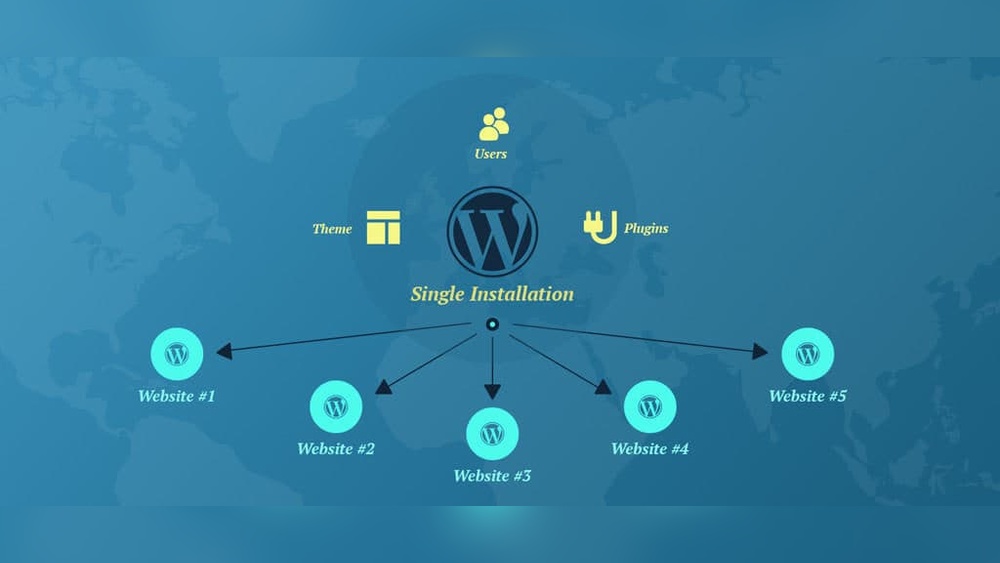
A single WordPress installation supports one website only. This setup is perfect for blogs, business sites, or portfolios. You manage all content, themes, and plugins from one dashboard. It keeps things simple and easy to handle. There is no built-in option to add more sites here. You must install WordPress again for each new site.
Multisite Network Basics
WordPress multisite lets you create many sites on one installation. Each site shares the same plugins and themes but has its own content. It is ideal for groups, schools, or businesses with multiple branches. You can add new sites quickly from the network dashboard. The number of sites depends on your server capacity. Hosting plans may limit the total sites you can run. Multisite saves time and resources compared to multiple single installs.

Credit: wordpress.com
Unlimited Sites With WordPress Multisite
WordPress Multisite allows users to create and manage many websites from one WordPress installation. This setup supports unlimited sites, making it ideal for people who want to run several websites easily and efficiently. Each site can have its own settings, users, and content, but they all share the same WordPress core files. This saves time and effort in managing multiple sites.
How Multisite Works
Multisite uses a single WordPress setup to host many sites. It creates a network where each site is a part of the whole system. Sites can have unique themes and plugins or share them across the network. Users can switch between sites without logging out. The main site acts as the network admin, controlling all sites in the network.
Benefits Of Multisite
Multisite saves hosting space and reduces maintenance tasks. Updates to WordPress, themes, or plugins happen once for all sites. It simplifies managing multiple websites under one dashboard. Users can have different roles for different sites. This system also makes it easier to keep sites consistent and secure.
Common Use Cases
Schools use Multisite to give each class or department a website. Businesses create separate sites for products or regions. Bloggers run networks of blogs on different topics. Developers build demo sites for clients. Nonprofits manage chapters or events with their own sites.
Hosting Considerations
Hosting plays a big role in how many WordPress sites you can run. Your choice affects speed, storage, and overall site health. Choosing the right hosting type helps your sites work well and stay secure.
Shared Vs Dedicated Hosting
Shared hosting means many sites share the same server. It is cheaper but slower when traffic grows. Dedicated hosting gives you one server for your sites. It costs more but offers better speed and control. Pick based on your budget and site needs.
Performance Impact
Hosting affects how fast your sites load. Slow hosting can frustrate visitors and lower rankings. Dedicated servers provide steady performance even with many sites. Shared hosting might slow down if one site uses too many resources.
Storage And Bandwidth Limits
Storage is the space for your files and images. Bandwidth is the data your site sends and receives. Hosting plans set limits on both. Running many sites means you need larger storage and bandwidth to avoid extra fees or slowdowns.

Credit: blogvault.net
Managing Multiple Sites
Managing multiple WordPress sites can feel challenging. Each site needs attention and care. Organizing tasks can save time and reduce stress. Using the right tools and strategies helps keep everything running smoothly.
Site Management Tools
Site management tools help control several sites from one place. They show updates, backups, and security checks quickly. Tools like ManageWP or InfiniteWP can simplify managing many websites. These tools reduce the need to log in to each site separately.
User Roles And Permissions
User roles keep your sites safe and organized. Assign roles like Administrator, Editor, or Subscriber to team members. This limits access and controls what each user can do. It helps avoid mistakes and keeps your sites secure.
Plugin And Theme Sharing
Sharing plugins and themes across sites saves time and effort. You can use the same tools to keep the look and features consistent. Some management tools allow bulk updates for plugins and themes. This keeps all sites updated and running well.
Alternatives To Multisite
WordPress Multisite lets you run many sites under one roof. Yet, it might not suit every need. Some users want simpler or different setups. Alternatives to Multisite offer useful choices. These options can help manage multiple websites effectively.
Multiple Single Installations
One way is to create separate WordPress installs for each site. Each site has its own database and files. This setup keeps sites isolated and easier to manage individually. It also avoids risks that affect all sites at once. Updates and plugins can be handled site-by-site. This method works well for few sites or very different projects.
Using WordPress.com Plans
WordPress.com offers various plans with hosting included. You can create multiple sites using these plans. Each site is independent with its own dashboard. Maintenance and security are managed by WordPress.com. This option fits users who want less technical work. It also suits those who prefer built-in features and support.
Cost Implications
Understanding the cost implications of running multiple WordPress sites helps you plan better. Each site adds expenses that can grow quickly. Knowing these costs avoids surprises and keeps your budget steady.
Hosting Costs
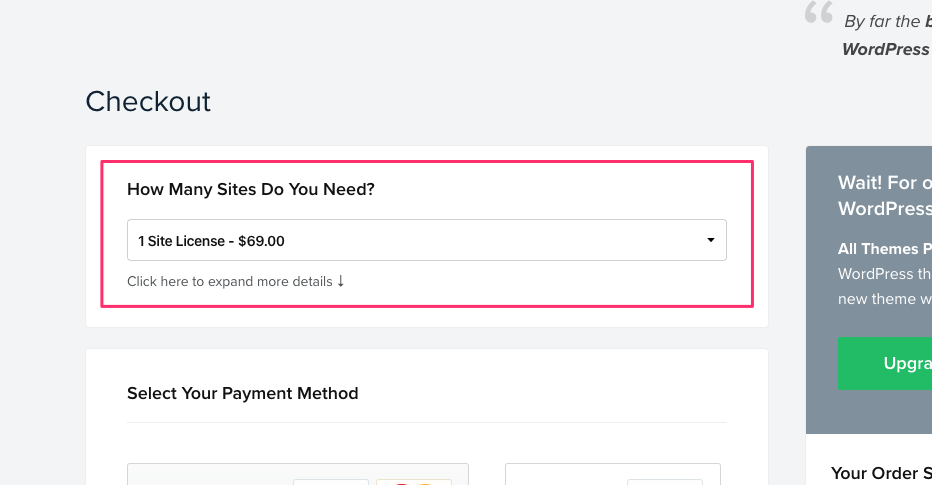
Hosting is the first big expense for any WordPress site. More sites mean more server space and bandwidth. Shared hosting can handle a few sites but may slow down with many. VPS or dedicated hosting offers better performance but costs more. Some hosts charge per site, increasing your monthly fee. Choose a plan that fits your site count and traffic needs.
Maintenance And Updates
Each WordPress site needs regular updates to run smoothly. Themes, plugins, and WordPress core require attention. More sites mean more time spent on updates and backups. You might hire help or use management tools, adding to costs. Neglecting updates can cause errors, leading to expensive fixes. Plan for ongoing maintenance expenses for multiple sites.
Security Measures
Security is vital for every WordPress site. Multiple sites increase the risk of vulnerabilities. You need strong passwords, firewalls, and security plugins for each site. Some security services charge per site, raising costs. Regular scans and backups protect your sites from hacks. Investing in good security reduces risks and saves money on potential damage.
Frequently Asked Questions
How Many Websites Can I Create On WordPress.com?
On WordPress. com, you can create multiple websites under one account. The exact number depends on your plan, but generally, there is no strict limit for free or paid plans. Managing multiple sites from one dashboard is simple and user-friendly.
Can I Host Unlimited Sites On Self-hosted WordPress?
With self-hosted WordPress, the number of sites depends on your hosting plan. Some hosts allow unlimited domains, while others limit based on resources. You can install multiple WordPress instances or use multisite to manage many sites efficiently.
What Is WordPress Multisite, And How Many Sites Can It Handle?
WordPress Multisite lets you run multiple sites from one installation. The number of sites depends on your server capacity. It’s ideal for managing dozens or even hundreds of sites with shared plugins and themes.
Are There Limits On Subdomains Or Subdirectories In WordPress?
WordPress supports unlimited subdomains or subdirectories for sites in a multisite network. Limits depend on hosting restrictions, not WordPress itself. This flexibility allows easy organization of many related websites under one network.
Conclusion
WordPress lets you create many websites with one account. Each site can have its own look and content. You control how many sites you want to build. Choose the right plan to fit your needs and budget. Managing multiple sites is easier than you think.
Start small, then grow as you learn. This flexibility makes WordPress a popular choice. Create, manage, and enjoy your websites with confidence.



