
Are you ready to unleash your creativity and make a unique WordPress theme tailored just for you? Crafting your own theme can seem daunting, but it’s also incredibly rewarding.
Imagine having a website that reflects your personal style or brand identity, standing out in the sea of generic designs. By the end of this guide, you’ll discover how simple and satisfying it can be to design a theme that’s truly yours.
You’ll learn the essentials, avoid common pitfalls, and unlock techniques to make your site not just functional, but memorable. Get ready to dive into a world where your ideas transform into reality, and watch as your digital space comes alive with your distinct flair. Are you excited to get started? Let’s transform your vision into a WordPress masterpiece!
Choosing The Right Tools
Creating a WordPress theme starts with the right tools. You’ll need a good code editor like Visual Studio Code or Sublime Text. These editors make coding easier. They show errors and help with formatting.
Local development software is important too. XAMPP or MAMP can create a local server on your computer. This helps test your theme before going live. Learning CSS and HTML is key. These languages style and structure your theme.
For advanced features, know some PHP. WordPress uses PHP for dynamic content. Photoshop or Sketch helps design your theme visually. Good design tools make your theme look great.
Setting Up The Development Environment
Start by installing a local server on your computer. Tools like XAMPP or MAMP can help. They make your computer act like a web server. This way, you can test your WordPress theme safely.
Next, download the latest version of WordPress. You can get it from the official site. Extract the files into the server’s folder. Open your browser and type “localhost/your-folder-name”. This will start the WordPress setup.
Create a database using PHPMyAdmin. This tool helps manage databases easily. Name it something simple like “my_wp_theme”. During WordPress setup, enter this database name. Also, set up a username and password for security.
Creating The Theme Folder
Start by making a new folder for your theme. Choose a simple name. This will be the theme name. Inside, add two files. The first is style.css. This file tells WordPress about your theme. The second is index.php. It shows the content. These files are important. Without them, the theme won’t work.
Next, open the style.css file. Write some basic details. Include theme name, author, and version. This info helps others know about the theme. Save the file. Now, your theme folder is ready. You can start adding more files. These files will make the theme look good. Remember, keep the folder organized. It helps in finding files easily.
Understanding Theme Structure
Every WordPress theme has core files. These are essential. The style.css file handles design. It defines colors and fonts. The index.php file is the main template. It displays posts and pages. The functions.php file adds features. It can change how the theme works. The header.php file includes the site’s header. Logo and menu go here. The footer.php file includes the site’s footer. Copyright and links go here. These files form the backbone of your theme.
WordPress uses template hierarchy. It decides which file to use. If a single post is shown, single.php is used. For a page, page.php is selected. The category.php file is for category views. For tag pages, tag.php is used. The archive.php file shows archives. This hierarchy helps structure your site. It ensures the right layout for each type of content.
Designing The Layout
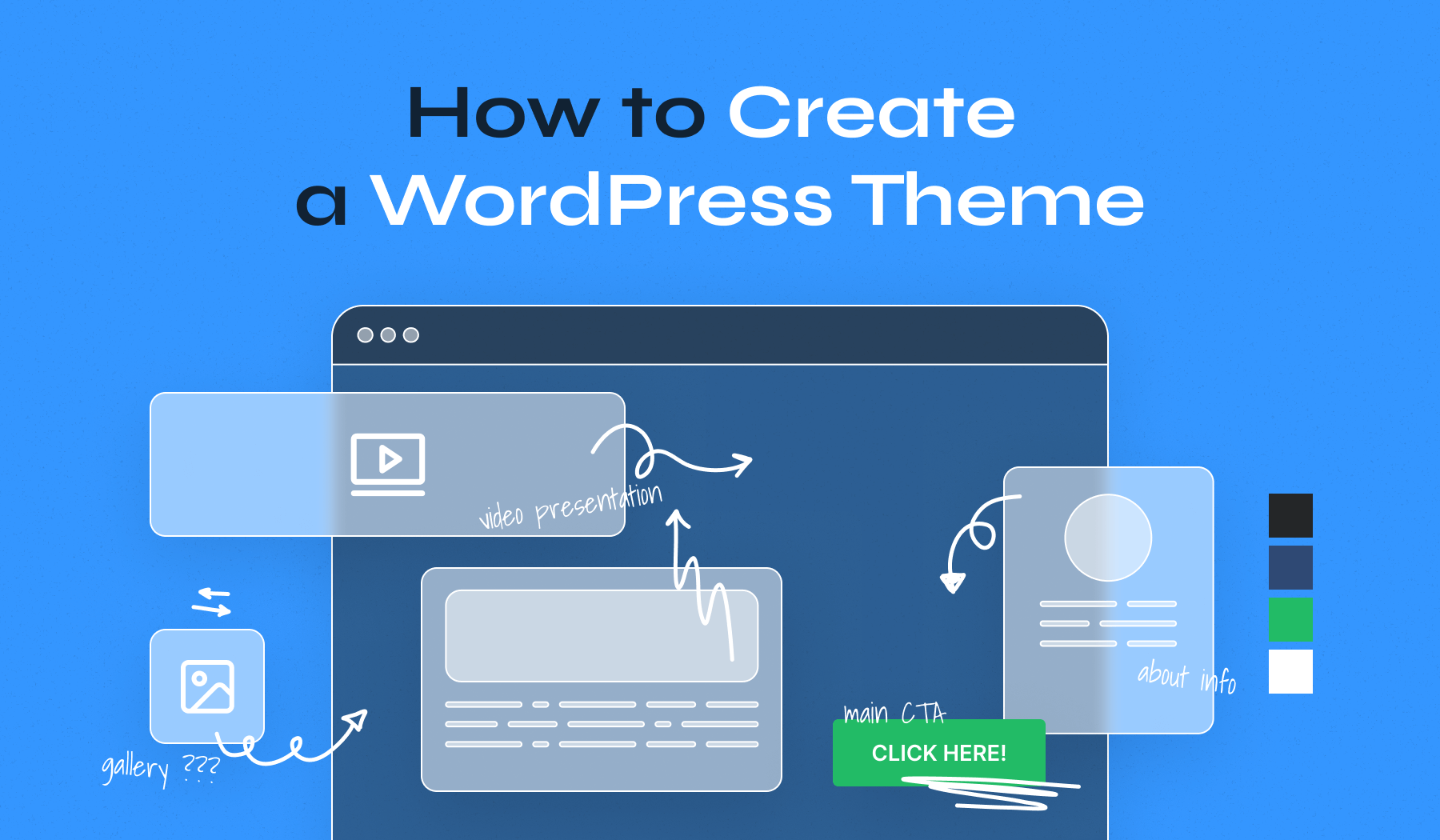
Wireframing is like drawing a map for your website. It helps you plan where things go. You can use paper or a computer. Boxes show where images will be. Lines show where text will be. This makes building easier later. Change things if needed. Have fun and be creative!
Tools like Adobe XD or Sketch help design websites. They let you see your ideas on screen. Drag and drop elements to build your layout. Canva is also simple for beginners. It’s like painting but on a computer. Remember to save your work often. This keeps your designs safe.
Credit: www.hostinger.com
Coding The Theme
Start with a simple HTML structure. Use tags like , and . These help organize your content. Add CSS to style it. Use properties like color and font-size. Make sure your layout is responsive. This means it looks good on all devices.
Practice using flexbox or grid. These help with layout design. Learn about CSS classes and IDs. They make styling easier. You can reuse them.
JavaScript makes your theme interactive. Use it to add animations and effects. It can also handle user actions. Like clicking a button. JavaScript is great for dynamic content. You can change things without loading a new page.
Learn about events. These are actions like clicks or hovers. JavaScript can respond to them. Use libraries like jQuery for easier coding. They have many helpful functions.
Integrating WordPress Functions
Template tags are special functions. They help you display content. Use them to show titles, headings, or posts. Place these tags in your theme files. They make your theme dynamic. Always check the WordPress Codex. It gives you many template tags. Learn them well. Use them wisely.
Custom functions are unique to your theme. They add special features. Write them in the functions.php file. They can change how your site looks. Or how it works. Use PHP code to create them. Make sure they are error-free. Test them before using. This ensures your theme runs smoothly.
Styling With Css
Creating a website that looks good on all devices is crucial. Responsive design helps your site fit any screen size. Use media queries to change styles for different devices. They allow your website to adapt to mobile, tablet, and desktop. Set breakpoints in your CSS to control layout changes. This ensures your content is readable on small screens. Add flexible images and fluid grids to enhance responsiveness.
CSS frameworks can make styling easier. They provide pre-written code to speed up design. Bootstrap and Foundation are popular choices. These tools offer a range of UI components. Buttons, forms, and navigation bars are included. Frameworks help maintain consistency across your site. This saves time and effort when styling. Beginners find frameworks helpful for learning CSS basics.
Testing And Debugging
Browsers can show websites differently. It’s important your WordPress theme looks good on all browsers. Test your theme in popular browsers like Chrome, Firefox, and Safari. This ensures users see your site the same way. Small changes in code can fix big problems. Use CSS and HTML that works on all browsers. Always check responsive design. Your theme must look good on phones and tablets too.
Debugging tools help find errors. They make your theme work better. Use tools like WordPress Debug and PHP Error Logs. They show where problems are. Browsers also have developer tools. These tools help check code directly on the browser. Fixing errors is easier when you know where they are. Keep your code clean and check often.
Credit: blog.templatetoaster.com
Customizing Theme Options
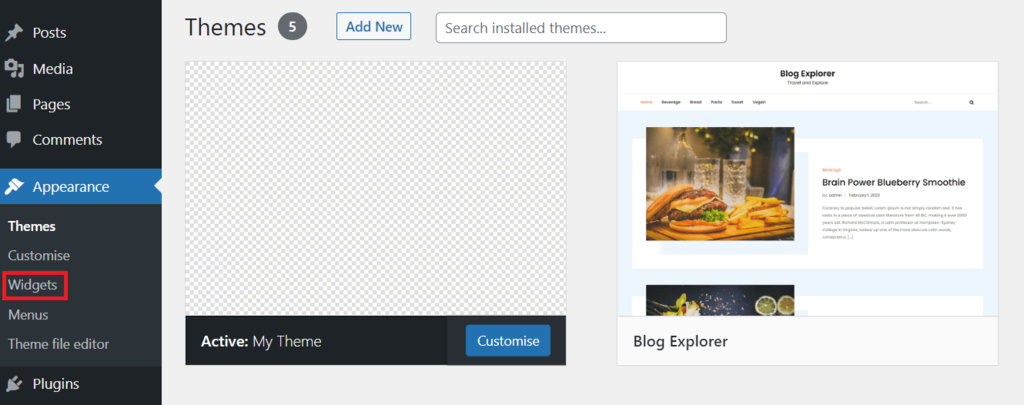
Theme Customizer helps to change your site’s look. It is easy to use. You can adjust colors, fonts, and backgrounds. It offers live preview of changes. This makes tweaking design simple. You can see changes instantly without saving. Adjusting layout is also possible here. Choose header and footer styles with ease. The Customizer is user-friendly. It is perfect for beginners and experts alike.
Widgets add features to your site. They are small blocks of content. You can place them in sidebars and footers. Adding widgets is simple in WordPress. Drag and drop them where needed. They enhance your site’s functionality. Popular widgets include search bars and menus. They improve user experience. Explore various widgets to customize your site. Make your site more interactive with widgets.
Ensuring Seo Optimization
Crafting a WordPress theme requires attention to SEO optimization. Focus on clean code and responsive design. Prioritize fast loading times and ensure mobile-friendliness. Use relevant keywords in headings and metadata to enhance search engine visibility.
Seo Best Practices
Use keywords in your theme files. Add them to the title tag and meta description. This helps search engines find your site. Keep URLs short and clear. Use header tags like H1, H2, and H3. They organize your content. Make sure your site is mobile-friendly. Many people use phones to browse. A responsive design works best. Always check for broken links. Fix them soon. They can hurt your SEO score.
Optimizing Speed
A fast site is a good site. Use lightweight themes. They load quickly. Limit the use of large images. They slow down your site. Use a caching plugin. It stores data for fast access. Reduce the number of plugins you use. Too many can slow things down. Keep your theme code clean and simple. This helps with speed. Always test your site’s speed. Use tools like Google PageSpeed Insights.
Preparing For Launch
Testing your WordPress theme is very important. Check if everything works well. Make sure all links go to the right place. Look at how the theme appears on different devices. Does it look good on phones and tablets? Fix any issues you find. Ensure the theme loads fast. A slow theme can upset users. Test the theme with different browsers. Not everyone uses the same one.
Write clear instructions for your theme. Help users understand how to use it. Explain each feature in simple words. Include pictures if you can. Pictures help users see what to do. Tell users how to install the theme. Also, mention how to update it. Make sure your contact information is easy to find. Users may need to ask questions or get help. Good documentation makes users happy.
Credit: www.wpzoom.com
Frequently Asked Questions
Can I Create My Own WordPress Theme?
Yes, you can create your own WordPress theme. Use HTML, CSS, and PHP to design it. WordPress provides a detailed guide for beginners. Access tutorials and resources online for assistance. Customize your theme to meet your specific needs and preferences.
How To Make A WordPress Theme Free?
Create a free WordPress theme by using theme development tools. Start with a basic structure. Customize design elements and features. Ensure responsiveness and compatibility. Test thoroughly before publishing. Use platforms like GitHub for distribution. Follow WordPress guidelines to maintain quality and functionality.
How Do I Create My Own Template In WordPress?
Install a child theme in WordPress. Customize the theme files using a code editor. Create new template files. Add custom styles and scripts. Save and activate your template.
Which Language Is Used To Develop A Theme In WordPress?
WordPress themes are primarily developed using PHP, HTML, CSS, and JavaScript. PHP manages dynamic content, HTML structures pages, CSS styles them, and JavaScript adds interactive elements. This combination creates responsive and visually appealing themes, enhancing user experience. Understanding these languages is crucial for custom theme development in WordPress.
Conclusion
Creating a WordPress theme can seem challenging at first. Yet, with patience and practice, it becomes manageable. Start by planning your design and features. Use tutorials and resources available online. Experiment with code to see how changes affect the theme.
Always test your theme on different devices. This ensures a consistent look everywhere. Keep learning and updating your skills. WordPress is always evolving, and so should your themes. Enjoy the process and express your creativity. Soon, you’ll have a theme that reflects your vision.
Happy designing!


