
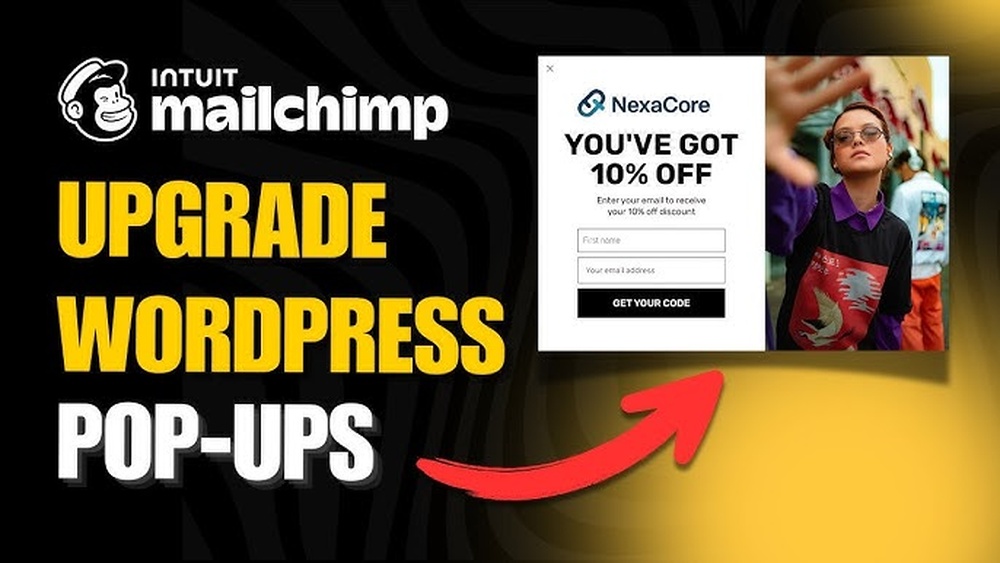
Are you looking to grow your email list and connect with your audience more effectively? If you use WordPress for your website, integrating Mailchimp can be a game-changer.
But how exactly does Mailchimp work with WordPress? Understanding this connection can help you save time, boost engagement, and turn visitors into loyal subscribers. Keep reading, and you’ll discover simple steps to make your email marketing smarter and more powerful.
Your WordPress site deserves this upgrade!
Mailchimp And WordPress Integration
Mailchimp and WordPress integration helps you connect your website with powerful email marketing tools. It makes managing your email lists and campaigns easier. This connection allows you to grow your audience and keep visitors engaged with regular updates.
By linking Mailchimp with WordPress, you can collect email addresses directly from your site. This process saves time and keeps your marketing organized. The integration also helps you track visitor behavior and send personalized emails.
Benefits Of Connecting Mailchimp With WordPress
Connecting Mailchimp to WordPress improves your marketing efforts. You can easily add signup forms to your website. These forms help gather emails from visitors interested in your content.
This integration allows automatic syncing of contact information. It keeps your email list up to date without manual work. You can send targeted emails based on user activity on your site.
Tracking email performance becomes simple too. You see who opens emails and clicks links. This data helps you create better campaigns and grow your audience.
Required Tools And Plugins
To connect Mailchimp with WordPress, you need some tools. The main one is the Mailchimp for WordPress plugin. It helps you create signup forms and sync data easily.
Other useful plugins include form builders like Contact Form 7 or WPForms. These work well with Mailchimp to collect emails. You also need a Mailchimp account to get an API key.
Using these tools, you can add signup forms anywhere on your site. The setup process is simple and quick. No coding skills are required to use these plugins effectively.
Setting Up Mailchimp On WordPress
Setting up Mailchimp on WordPress is a simple process. It helps you collect emails and send newsletters easily. This setup lets you grow your audience and keep them engaged.
Follow these steps to connect Mailchimp with your WordPress website. Each step is clear and easy to follow.
Creating A Mailchimp Account
First, visit the Mailchimp website and sign up for a free account. Use a valid email address and create a strong password. After confirming your email, log in to your new account. This account will store your email lists and campaigns.
Installing Mailchimp Plugin
Go to your WordPress dashboard and open the Plugins menu. Click on “Add New” and search for “Mailchimp for WordPress.” Find the plugin and click “Install Now.” Once installed, activate the plugin to start using it. This plugin helps you add signup forms easily.
Connecting Mailchimp To Your Website
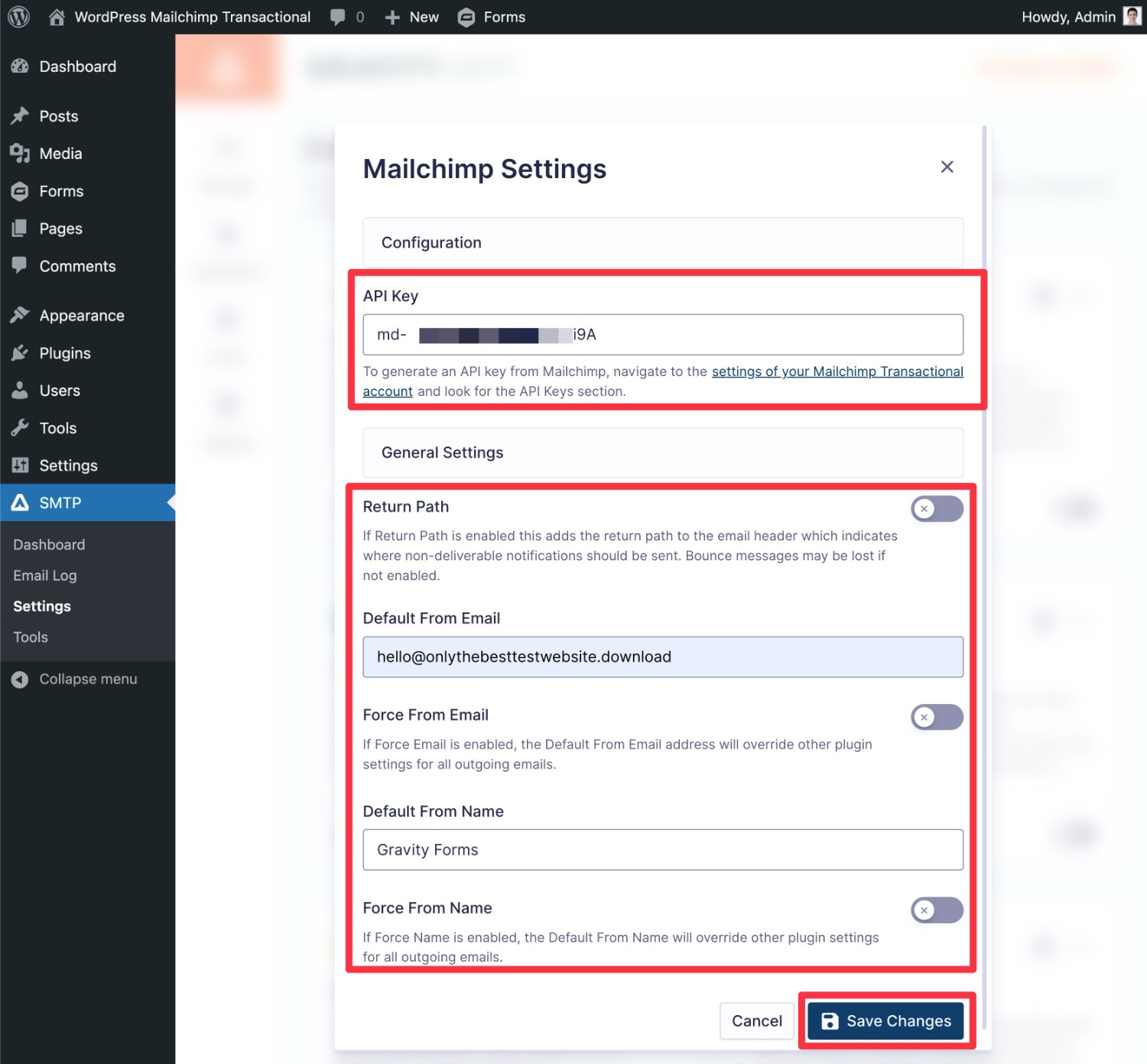
In your WordPress dashboard, open the Mailchimp plugin settings. You need to enter your Mailchimp API key here. Find the API key in your Mailchimp account under “Account” and “Extras.” Copy the key and paste it into the plugin settings. Save the changes to connect your site. Now your website can send new subscribers to your Mailchimp list.
Building Email Lists Through WordPress
Building an email list is essential for growing your WordPress site audience. Mailchimp integrates smoothly with WordPress to help collect emails from visitors. This connection allows you to gather contacts easily and turn visitors into subscribers.
Using Mailchimp with WordPress, you can create signup forms, popups, and manage your subscribers all in one place. These tools help you stay connected with your audience and send them updates, offers, or news.
Using Signup Forms And Popups
Signup forms are the main way to collect email addresses on your site. Mailchimp lets you add these forms directly to WordPress pages or posts. Popups are another option that grab visitor attention quickly. They appear on the screen and invite users to subscribe.
Both forms and popups can be placed in key spots like sidebars, footers, or after blog posts. This increases the chances visitors will notice and sign up. Mailchimp also provides templates to get you started fast.
Customizing Forms For Better Engagement
Customizing your forms improves how many visitors subscribe. Change colors, fonts, and text to match your site style. Clear, simple messages work best. Ask for only essential information like email address.
Personal touches make forms friendlier. Add a headline that explains the benefit of signing up. Use a strong call-to-action button like “Join Now” or “Subscribe.” Testing different styles helps find what works best.
Managing Subscribers Effectively
Mailchimp organizes all your subscribers in one list. You can see who signed up and when. Segmenting your list allows sending targeted emails to different groups.
Keep your list clean by removing inactive contacts. This helps improve email delivery and engagement rates. Use Mailchimp’s tools to track subscriber activity and plan better campaigns.
Credit: www.gravityforms.com
Designing Campaigns With Mailchimp
Designing campaigns with Mailchimp is simple and effective for WordPress users. It allows you to create emails that fit your brand and speak directly to your audience. The platform offers many tools to make your campaigns look professional and feel personal. Let’s explore key features that help you design great email campaigns.
Choosing Email Templates
Mailchimp offers a wide range of email templates. These templates are easy to customize and fit different types of campaigns. You can pick a design that matches your brand style. Templates save time because you start with a ready-made layout. You can add your logo, images, and colors with just a few clicks. This makes your email look polished and consistent.
Personalizing Content For Your Audience
Personalization helps you connect with your readers. Mailchimp lets you add names and other details automatically. You can create sections that change based on who receives the email. This makes each message feel unique. Personal content improves engagement and builds trust. You can also segment your list to send targeted messages. This way, your audience gets information that matters to them.
Scheduling And Automation Features
Scheduling emails in Mailchimp is easy. You can set the date and time for your campaign to send. This helps you reach your audience at the best moment. Automation tools let you send emails based on actions people take. For example, welcome messages or follow-ups after a purchase. Automation saves time and keeps your audience engaged without extra work. It ensures your emails reach the right people at the right time.
Tracking Performance And Analytics
Tracking performance and analytics is key to understanding how your email campaigns perform. This helps you see what works and what does not. Mailchimp offers tools to monitor your campaigns directly from WordPress. These tools show important data about your emails.
Monitoring Open And Click Rates
Open rates show how many people open your emails. Click rates tell you how many click on links inside. Mailchimp tracks both automatically. You can view these numbers in your dashboard. This data helps you know if your subject lines and content attract readers. Low open rates mean you might need stronger subject lines. Low click rates suggest your links need improvement.
Using Reports To Improve Campaigns
Mailchimp provides detailed reports for each email sent. These reports include bounce rates, unsubscribes, and more. Analyzing these reports helps you improve your next campaigns. You can test different ideas like sending times or email designs. Reports guide you to make smart changes. This leads to better engagement with your audience.
Integrating Google Analytics With Mailchimp
Google Analytics offers deeper insights into your email traffic. You can connect it with Mailchimp easily. This lets you see what visitors do on your WordPress site after clicking an email. Track actions like purchases or sign-ups. These insights show how effective your emails are at driving results. You get a fuller picture of your campaign success.
Advanced Tips To Boost Email Marketing
Advanced email marketing tips can improve your campaigns on WordPress. These techniques help you reach the right people with the right message. Using Mailchimp with WordPress offers tools to make your emails more effective and engaging. Explore these strategies to get better results from your email marketing.
Segmenting Your Audience
Divide your email list into smaller groups based on interests or actions. This lets you send messages that fit each group’s needs. Segmentation increases open rates and clicks because emails feel personal. Use Mailchimp’s tools to create segments from your WordPress subscribers. Target customers by location, purchase history, or engagement level.
A/b Testing Email Campaigns
Test different versions of your emails to see which works best. Change subject lines, images, or calls to action. Mailchimp allows easy A/B testing with WordPress. Send variants to small groups and compare results. Pick the best version for the full audience. This improves your email performance over time.
Leveraging Woocommerce Integration
Connect Mailchimp with WooCommerce to boost sales through emails. Sync customer data and purchase history automatically. Send targeted emails like product recommendations or abandoned cart reminders. Use WooCommerce data to create personalized campaigns. This integration helps you engage buyers and increase revenue.
Troubleshooting Common Issues
Troubleshooting common issues helps keep your Mailchimp and WordPress setup running smoothly. Problems can block your email marketing efforts. Quick fixes save time and avoid frustration. This guide covers frequent issues and easy solutions. Stay on top of your email campaigns without stress.
Sync Problems Between Mailchimp And WordPress
Sync errors often happen due to API key problems. Check if your API key is active and entered correctly. Plugin updates may affect syncing. Keep your Mailchimp and WordPress plugins updated. Disable conflicting plugins that might block data transfer. Clear cache to refresh connections. Test syncing by adding a new subscriber and verify in Mailchimp.
Fixing Signup Form Errors
Signup form errors can stop subscribers from joining your list. Ensure your form fields match Mailchimp’s required fields. Use simple labels and instructions on forms. Clear cache if the form does not show changes. Rebuild the form if errors continue. Check for JavaScript conflicts with other plugins. Test the form on different browsers and devices.
Handling Delivery And Spam Challenges
Emails landing in spam reduce campaign success. Use verified domains and consistent sender names. Avoid spammy words like “free” or “buy now” in your emails. Regularly clean your email list to remove inactive addresses. Ask subscribers to add your email to their contacts. Monitor bounce rates and fix issues quickly. Use Mailchimp’s tools to improve delivery rates.

Credit: wordpress.com

Credit: wplift.com
Frequently Asked Questions
How Does Mailchimp Integrate With WordPress?
Mailchimp integrates with WordPress via plugins like Mailchimp for WordPress. These plugins help capture emails and sync contacts. They enable creating signup forms directly on your WordPress site. Integration is simple and requires minimal technical knowledge.
Can I Automate Emails Using Mailchimp On WordPress?
Yes, Mailchimp allows email automation on WordPress. You can set up welcome emails, abandoned cart reminders, and newsletters. Automation helps engage subscribers without manual effort. It boosts your marketing efficiency and improves user experience.
Is Mailchimp Free To Use With WordPress?
Mailchimp offers a free plan suitable for WordPress users. It includes basic email marketing features and up to 500 contacts. Advanced features like automation and analytics require paid plans. The free version is ideal for small websites and beginners.
How Secure Is Mailchimp Integration With WordPress?
Mailchimp integration with WordPress is secure when using official plugins. Data transmission uses encryption to protect subscriber information. Always keep plugins updated for security patches. Following best practices ensures your email marketing remains safe.
Conclusion
Mailchimp and WordPress work well together to grow your email list. You can easily add signup forms to your website. This helps you connect with visitors and share updates. Managing campaigns becomes simple with their combined tools. Both platforms save you time and effort.
Using them together improves your marketing results. Start small, and watch your audience grow step by step. Keep your messages clear and your design simple. This way, your emails will reach and engage more people.


