
Imagine you’ve just purchased a shiny new web domain—it’s like having the keys to your very own corner of the internet. But now what?
You need to connect your domain to a website host to make your site come alive. This may sound technical, but don’t worry; it’s simpler than you think. By following a few straightforward steps, you’ll be on your way to showcasing your brand or sharing your ideas online.
So why is linking your domain to a host important? It’s the bridge that turns your domain into a functional website, allowing visitors to find and explore your content. We’ll guide you through the process, step by step, ensuring that you feel confident and in control. Let’s dive in and transform your domain into a thriving digital space.
Choosing A Domain Registrar
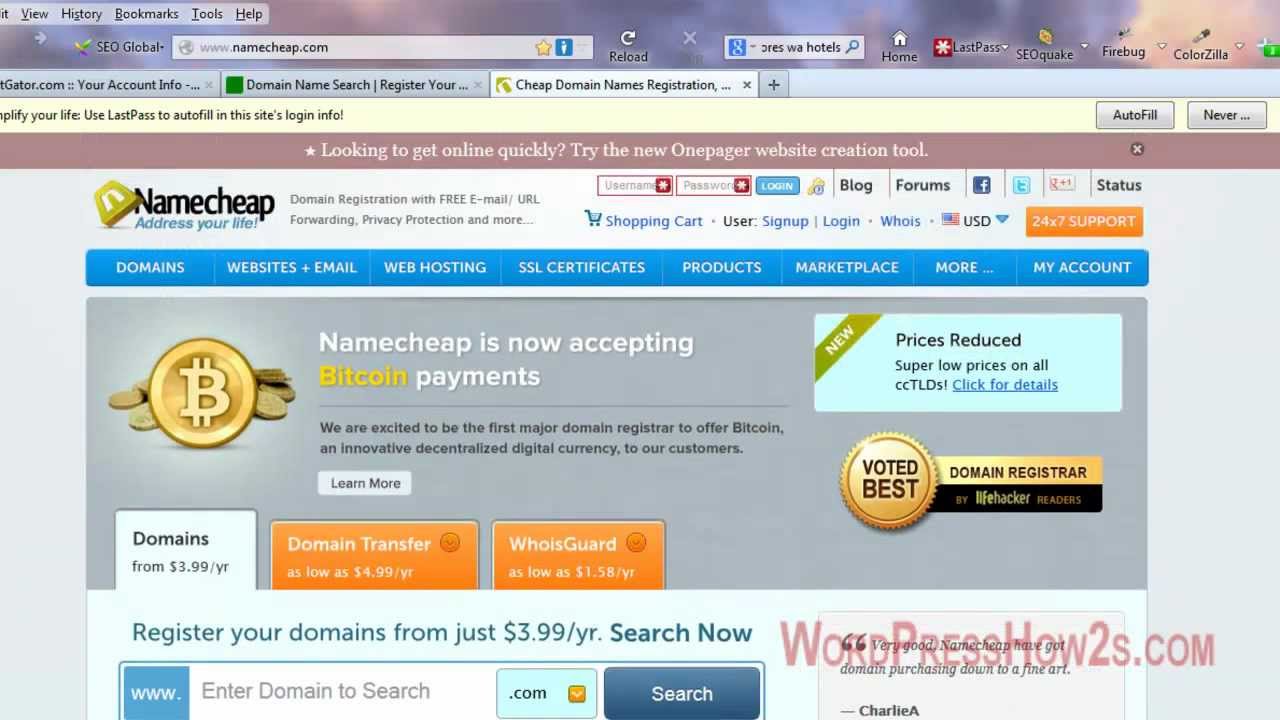
Many people start with popular registrars like GoDaddy, Namecheap, and Bluehost. These companies offer easy tools to manage your domain. They have large user bases and good support. Users often find it easy to use their platforms. You can register and manage your domain without hassle.
Think about price and renewal fees. Some registrars offer low first-year prices. But renewal costs might be higher. Check the customer support quality. It’s helpful when issues arise. Look at extra features. Some registrars provide free privacy protection. This keeps your data safe.
Don’t forget security features. A secure registrar protects your domain from hackers. Also, consider the ease of transferring domains. Sometimes, you may want to switch registrars. Make sure the process is simple and clear.
Credit: fastersolutions.com
Selecting A Web Hosting Provider
Different types of hosting include shared, VPS, dedicated, and cloud hosting. Shared hosting is like sharing a big house with others. It is cheap and easy. VPS hosting gives more control. It’s like having your own room in a house. Dedicated hosting means the whole house is yours. It’s costly but very powerful. Cloud hosting is like having a room that grows when needed. It’s flexible and scalable.
Important features include uptime, speed, security, and support. Uptime should be 99.9% or more. A fast server is important. Good security protects your site. Support should be available 24/7. These features ensure your website runs smoothly.
Domain Name System (dns) Basics
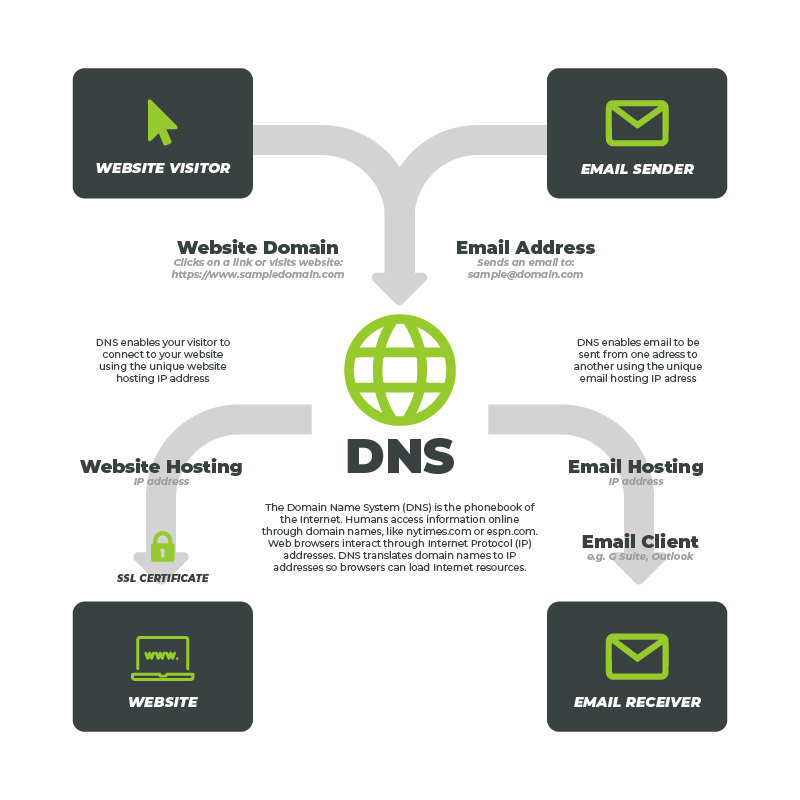
DNS records help websites connect to the internet. They tell computers where to find a website. Think of them as addresses for websites. There are different types of DNS records. A records point to the IP address of a website. CNAME records help redirect one domain to another. MX records show where emails should go. It’s important to know these records for website setup. They make sure your site is seen online. Each record has a unique role. Understanding them is key for web management.
Name servers are like phone books for the internet. They help find the right IP address for a domain name. Your web host provides name servers. They translate domain names into IP addresses. This process helps users reach your website. Two name servers are common for most domains. They keep your site online and accessible. Without name servers, websites can’t be found easily. Proper setup is essential for smooth operation. They ensure your website loads correctly.
Credit: www.youtube.com
Connecting Domain To Hosting
First, login to your domain registrar account. Find the section called DNS settings. This is where you manage domain settings. Click on it. Here, you can see various options. Look for the one labeled Name Servers or DNS Servers. Click to edit these settings. Save any changes you make. It might take some time to update.
Obtain the name server details from your hosting provider. They usually provide two or more server addresses. Replace the old name servers with these new ones. Make sure to save the changes. It may take a few hours to update. Sometimes, it can take up to 48 hours. During this time, your website might not be accessible. But don’t worry, it will work soon.
Verifying Domain Linkage
Domain linking can take time. This is called propagation. It usually takes up to 48 hours. Sometimes it’s faster. Sometimes slower. Waiting is normal. Patience is key. Check your domain settings. Ensure they are correct. Be patient during this time.
Problems can happen. First, check if you typed the domain right. Make sure the DNS records are correct. Sometimes, old settings cause issues. Clear your browser cache. Restart your computer. If problems continue, contact your host. They can help solve issues. Always double-check your steps.
Testing Website Accessibility
Connecting a web domain to a website host ensures accessibility for users. This process involves updating DNS settings to point your domain to the host server’s IP address. With this setup, visitors can easily find your site online.
Checking Domain Resolution Using Online Tools
It’s important to check if your domain name works. Online tools can help. They show if your domain points to the right server. DNS Checker is one of these tools. It lets you see if your domain is set up correctly. Pingdom is another useful tool. It checks how fast your domain connects to the website. Google’s Dig tool can also help. It shows detailed DNS information.
These tools are easy to use. Just enter your domain name. Then, they will show the results. If something is wrong, you will know. Fixing errors will make sure your website works well. Always remember to check regularly.
Securing Your Domain Connection
SSL certificates protect your website. They ensure data safety. Hackers can’t steal information. Install them easily. Access your hosting account. Find the SSL section. Click to activate. Your site will become secure. A lock symbol appears in the browser. Visitors trust your site more. Google ranks secure sites higher. It’s a simple setup. But very important.
DNS connects domains to hosts. Changes can affect connectivity. Regular checks are crucial. Use a DNS monitoring tool. Track modifications instantly. Correct errors promptly. Ensure your site remains reachable. Users won’t face downtime. Search engines like stable sites. Keep your DNS updated. Avoid unnecessary changes. Stability is key for good performance.

Credit: www.crazydomains.com
Frequently Asked Questions
How Do You Link The Domain Name To The Website Hosting?
To link your domain to website hosting, update your domain’s DNS settings. Enter the hosting provider’s nameservers in your domain registrar’s settings. Save changes and allow time for DNS propagation. Your domain will now point to your website hosting.
How Do I Link My Domain To Another Website?
Log in to your domain registrar. Update the DNS settings to point to the new website’s server IP address. Save changes and allow propagation time. Verify the connection by visiting your domain in a browser.
How Do I Point My Domain To Another Hosting Provider?
To point your domain to another hosting provider, update its DNS settings. Access your domain registrar’s dashboard. Enter the new hosting provider’s nameservers. Save changes and allow up to 48 hours for DNS propagation. Contact your hosting provider for specific nameserver details.
How To Self Host A Website With A Domain?
Buy a domain and hosting plan. Change domain DNS settings to hosting provider’s nameservers. Upload website files via FTP. Ensure website works by visiting your domain. Use a CMS like WordPress for easier management. Regularly update and backup your site for security.
Conclusion
Connecting your domain to a host is simple. Start with choosing a reliable host. Then, update DNS settings. Check if the domain points correctly. Troubleshooting might be necessary. Verify your website’s functionality. Adjust settings as needed. Seek help if issues persist.
This process ensures your site works efficiently. A correctly linked domain boosts visibility. Remember to review settings regularly. Stay patient and focused. Your website deserves the best setup. With the right steps, your site can thrive online. Enjoy the smooth connection between your domain and host.


