
Are you ready to take your online presence to the next level? Linking your GitHub repository to your web domain can be a game-changer for showcasing your projects.
Imagine having a seamless connection between your code and your website, providing a professional and cohesive experience for your visitors. In this guide, you’ll discover the simple steps to effortlessly connect GitHub with your web domain. Whether you’re a seasoned developer or just starting out, understanding this process can elevate your online portfolio and make your work stand out.
Stay with us, and learn how to enhance your web presence with this powerful integration.

Credit: pages.github.com
Github Pages Overview
GitHub Pages lets you host websites directly from your GitHub repository. It’s a simple way to showcase your projects. You can create a personal, organization, or project site. GitHub Pages are free and easy to set up. They use your repository as the source for your site. Changes in your repository update your website automatically. It uses Jekyll to build static pages for your site. With GitHub Pages, you can link your custom domain. This makes your site look more professional. Remember, GitHub Pages support only static content. For dynamic pages, consider another hosting service.
Setting Up Github Repository
Start by logging into GitHub. Click on the “New” button in the repositories section. Name your repository. Keep it simple and clear. Choose the visibility. Public or private, based on your needs. Initialize the repository. Add a README file for details. Click “Create Repository” to complete. Your repository is now ready.
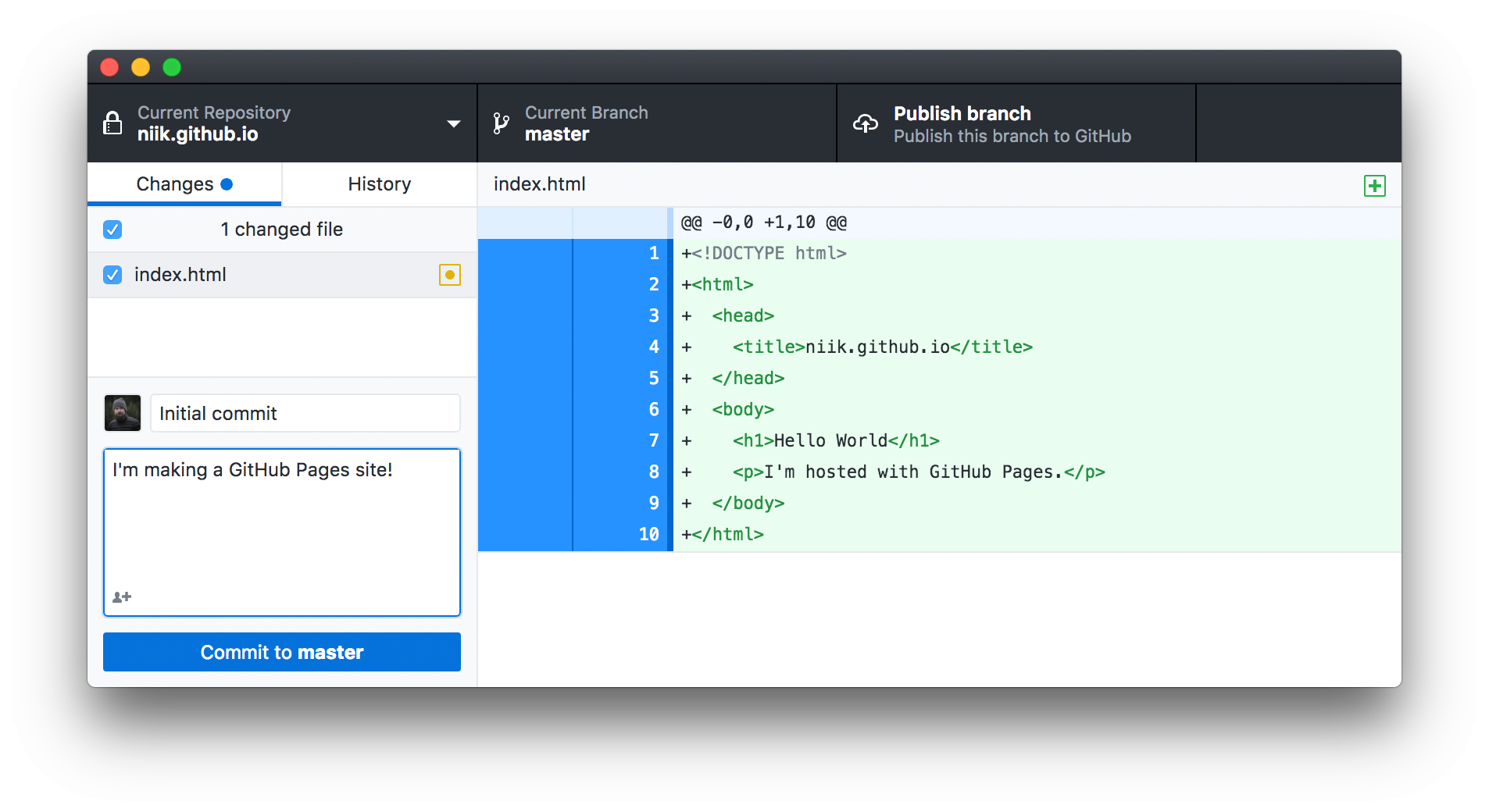
To add files, go to your repository page. Click on “Upload files”. Choose files from your computer. You can drag and drop them too. Once files are selected, click “Commit changes”. This saves your files. Add content to your files if needed. Use a text editor for this. Save changes often. Your repository now has files and content.
Enabling Github Pages
GitHub Pages makes it easy to host websites. You can use a branch to show your site. First, pick a branch. This can be the main branch or another one. Make sure the branch has your website files. Files like HTML, CSS, and JavaScript. You can create a new branch if needed. This will be for your site only. Now, your code is ready to be shown.
Go to the repository settings. Look for the GitHub Pages section. Choose the branch you picked earlier. Then, pick a folder. Often, it’s the root or a docs folder. Click save to apply changes. You will see a link to your site. This is the URL to share. Check if the site works. If not, go back and check settings. Make sure everything is correct. Now, your site is live!
Credit: pages.github.com
Preparing Your Domain
Choose a name for your website. Make it short and easy. Use a trusted domain registrar to buy it. Popular ones are GoDaddy and Namecheap. After buying, you own the domain. Keep the login details safe. You’ll need them later.
Log into your domain registrar account. Find the domain settings. Look for DNS management or Name Server settings. These settings help connect your domain to other services. Make sure to follow the instructions carefully. If unsure, ask for help from the registrar support.
Connecting Domain To Github Pages
Create a file named CNAME in your GitHub repository. Add your domain name in this file. The domain name should be on one line. This step links your domain to the GitHub pages. Make sure there are no spaces or extra lines in the file.
Log in to your domain provider’s site. Find the DNS settings section. Add a CNAME record. Point it to `.github.io`. This connects your domain to the GitHub pages. Check that the record is correct. Changes may take some time to update. Be patient.

Credit: www.geeksforgeeks.org
Verifying Domain Connection
First, ensure your web domain is active. Check if it points to the correct server. Open a browser and type your domain name. See if your webpage loads. This confirms the domain connection. If it doesn’t load, there might be an issue. Double-check your domain settings. Ensure the DNS records are correct. Verify the IP address matches your server.
Testing The Domain Link
Use tools to test your domain link. Online tools can check the connection. They show errors if any exist. Always check for SSL certificates. Ensure they are valid. An expired certificate can cause issues. Test your site on different devices. Check if it loads on mobile and desktop. This ensures the link works properly.
Troubleshooting Common Issues
Sometimes, issues occur. Check your internet connection first. Weak connections cause loading problems. Next, verify your domain settings. Look for typos in the domain name. Ensure the server is online. A down server causes site failures. Also, check your firewall settings. Firewalls can block access. Adjust them if needed.
Maintaining Your Site
Keep your website fresh. Add new articles or blogs. Make sure all information is correct. Remove any old or outdated details. Use images to make pages look nice. Pictures help explain ideas better. Visitors like to see new stuff. They visit often if they find new content. It makes your site interesting.
Ensure your domain points to the right server. Check DNS settings often. Set up an A record for your domain. It links your domain to an IP address. Use a CNAME record for subdomains. This helps in linking them properly. Always save changes. Changes might take some time to update. Be patient.
Frequently Asked Questions
How To Connect Github To A Domain?
Connect GitHub to a domain by configuring a custom domain in your GitHub Pages settings. Update your DNS settings to point to GitHub’s IP addresses. Ensure the CNAME file in your repository matches your custom domain. This process links your GitHub Pages site to your chosen domain.
How Do I Connect My Domain To My Web Host?
Log into your domain registrar’s account. Update the DNS settings to point to your web host’s nameservers. Save changes and wait for DNS propagation. Verify the connection by visiting your website. Contact support if needed.
How To Have Github Host Your Website?
Create a GitHub repository, name it “username. github. io”, and add your website files. Enable GitHub Pages in repository settings. Your site will be live at “https://username. github. io”.
How Do I Add My Website To My Github Repository?
To add your website to a GitHub repository, upload your website files. Push changes to the repository. Use GitHub Pages for hosting. Set your repository to public. Configure the domain in settings. Follow these steps to make your website live via GitHub Pages.
Conclusion
Connecting GitHub to your web domain can be simple. Follow each step carefully. Double-check your settings and configurations. Success comes with patience and practice. This process enhances your website’s functionality. It offers new possibilities for your projects. Remember, troubleshooting is part of learning.
Every challenge is a chance to improve. Stay focused and keep trying. Your web domain will soon reflect your GitHub projects. Keep experimenting and exploring. Growth comes with consistent effort. Enjoy your journey in web development!


