
Are you thinking about building a website with WordPress but wondering just how hard it really is to use? You’re not alone.
Many people ask themselves if they need special skills or if it will take forever to learn. The good news is, WordPress is designed to be user-friendly, even if you’re not tech-savvy. But like any tool, it has its quirks and challenges.
You’ll discover exactly what to expect when using WordPress, so you can feel confident and ready to get started without frustration. Keep reading to find out how easy—or tricky—WordPress can be for you.
WordPress Basics
Understanding the basics of WordPress helps new users feel more confident. WordPress is a popular tool for building websites. It offers many options and features that fit different needs. This section explains the key points about WordPress.
What Is WordPress
WordPress is software used to create websites and blogs. It is free to use and easy to install. Many websites on the internet run on WordPress. You do not need to know coding to use it. The platform provides tools to add text, images, and more.
Types Of WordPress Platforms
There are two main types of WordPress platforms. The first is WordPress.com, which hosts your site for you. It is simple but has some limits. The second is WordPress.org, a self-hosted option. It gives full control but needs hosting setup. Both work well for beginners in different ways.
Key Features For Beginners
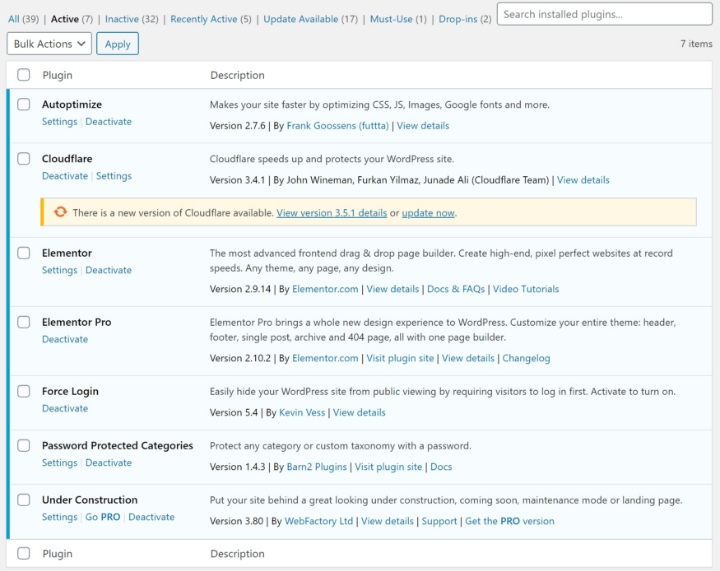
WordPress has many features that help beginners. It offers easy editing with a block editor. You can add photos and videos without trouble. Themes let you change the look with a few clicks. Plugins add extra tools like contact forms. The community support is large and helpful. These features make WordPress a good choice for new users.
Credit: elementor.com
Getting Started With WordPress
Getting started with WordPress is easier than many think. The platform guides users through each step. Beginners can build a website without deep technical skills. Understanding the basics helps reduce confusion and saves time. Here’s a clear path to launching your first WordPress site.
Setting Up Your First Site
Start by planning what type of site you want. Choose a clear goal for your website. WordPress offers many themes and tools to customize your site. You can change colors, fonts, and layouts easily. The dashboard is simple to use and helps you control your content. No coding is needed to create a professional look.
Choosing A Domain And Hosting
Your domain is your website’s address on the internet. Pick a name that matches your brand or topic. Keep it short and easy to remember. Hosting is where your website lives online. Choose a reliable hosting provider for good speed and uptime. Many hosts offer WordPress-specific plans for easy setup. Compare prices and features before selecting a host.
Installing WordPress
Most hosting providers offer one-click WordPress installation. This makes setup fast and simple. After installation, log in to your WordPress dashboard. Start adding pages, posts, and images right away. Install plugins to add extra features like contact forms. Regular updates keep your site secure and running well.
Navigating The Dashboard
The WordPress dashboard is the heart of your website management. It lets you control everything from one place. Understanding the dashboard is key to using WordPress well.
At first, the dashboard may seem crowded or confusing. The good news: it is designed for easy navigation. With time, you will find it simple to use.
Dashboard Layout
The dashboard has a main menu on the left side. This menu holds all the main sections like posts, pages, and settings. The center area shows updates and quick links.
Each section in the menu leads to different tools. The top bar gives access to your profile and site preview. The layout stays the same across all WordPress sites.
Common Tools And Menus
Posts let you add and edit blog entries. Pages are for static content like “About” or “Contact.” Media stores your images and files. Comments help you manage user feedback.
Appearance controls themes and design. Plugins add extra features. Users let you manage who can access the site. Tools and Settings contain more options for site control.
Customizing Settings
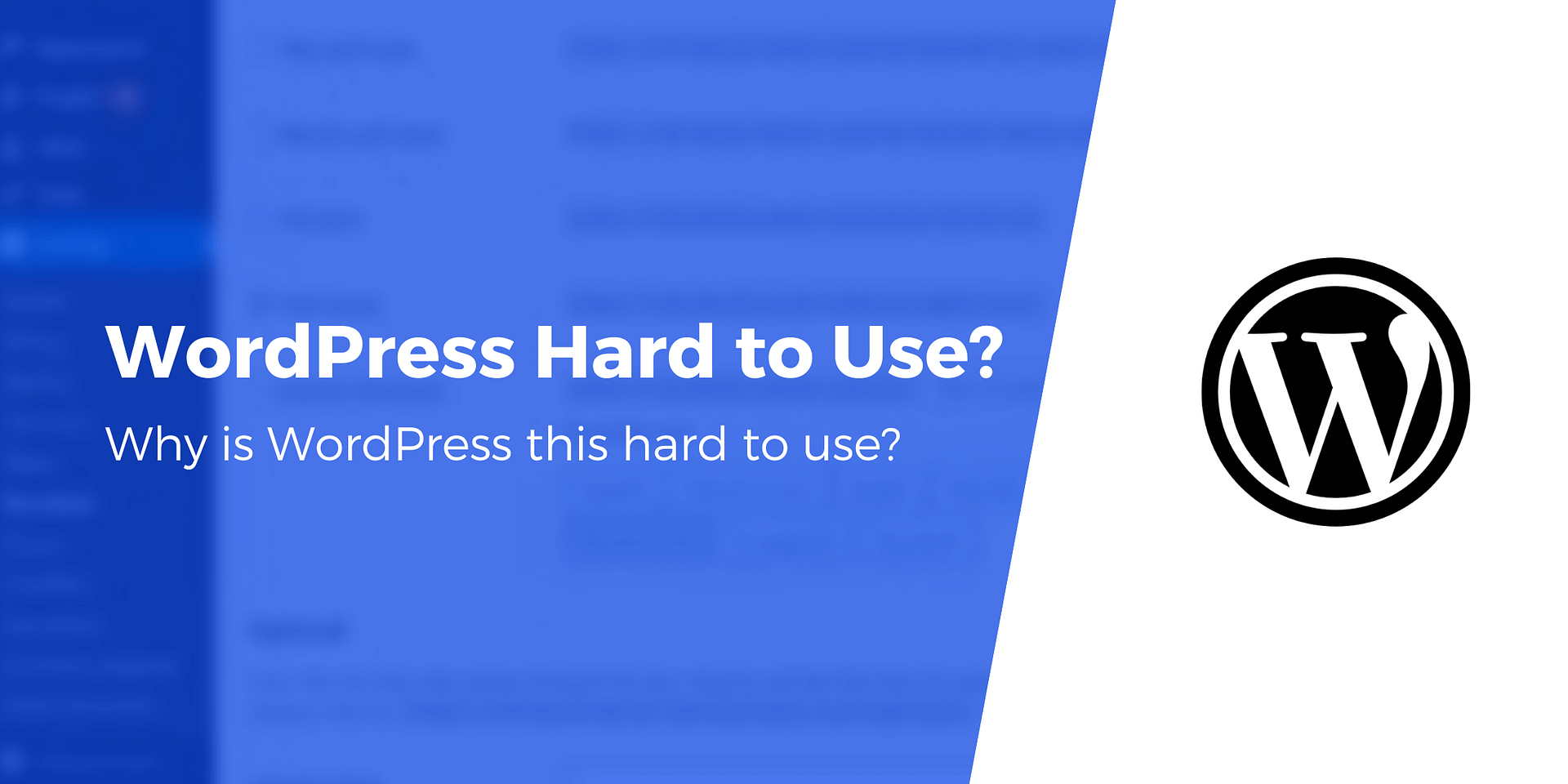
Settings allow you to change site title, tagline, and timezone. Reading settings control how your homepage looks. Discussion settings manage comments and notifications.
Permalinks set the structure of your page URLs. Adjusting these settings helps your site work better. You can always return to default settings if needed.
Credit: www.hostinger.com
Creating Content
Creating content in WordPress is a core task for any website owner. It involves writing posts, making pages, and adding images or other media. WordPress offers tools that simplify these steps. The process is designed to help users focus on their message, not the technical details.
Writing Posts And Pages
Posts and pages form the main content of a WordPress site. Posts are for regular updates like articles or news. Pages are for static content such as “About” or “Contact” pages. Writing in WordPress feels like using a simple text editor. You can type directly, format text, and organize content easily.
The interface is clear and user-friendly. Basic options like bold, italics, and lists are visible. This makes it easy to create clean, readable content. No coding skills are needed to write and publish your work.
Using The Gutenberg Editor
The Gutenberg editor is the default content editor in WordPress. It uses blocks to add different types of content. Each paragraph, image, or video is a separate block. This block system helps you arrange content freely.
Blocks are easy to add, move, or delete. You can change the look of each block with simple settings. This editor allows more creativity without complex steps. It may take a few tries to feel comfortable. But it is clear and logical for new users.
Adding Media And Images
Adding pictures or videos improves your content greatly. WordPress makes it simple to upload media files. You can drag and drop images directly into the editor. The media library stores all your uploaded files.
Images can be resized or aligned with a few clicks. WordPress also supports alt text, helping with SEO and accessibility. Adding media does not require technical knowledge. This feature helps make posts more engaging and lively.
Design And Customization
Design and customization are key parts of using WordPress. They let you make your website look the way you want. WordPress offers many options. You can change themes, colors, and layouts. Also, plugins add new features. These tools help you create a unique site without coding.
Choosing And Installing Themes
The first step is picking a theme. Themes control your site’s look and feel. WordPress has thousands of free and paid themes. You can search by style or purpose. Installing a theme is easy. Just click “Install” and then “Activate.” Your site will change instantly. You can always switch to a different theme later.
Customizing Appearance
After installing a theme, customize it to fit your brand. WordPress lets you change colors, fonts, and layouts. Use the “Customizer” tool for live previews. You can add a logo, header image, and background. Widgets and menus help organize content. No coding skills are needed. Small changes can make a big difference.
Using Plugins For Extra Features
Plugins expand your site’s functions. Add contact forms, social media buttons, or SEO tools. There are over 50,000 plugins available. Installing plugins is simple. Search in the plugin directory, install, and activate. Plugins work with your theme. They improve user experience and site performance. Just be careful not to add too many.
Credit: themeisle.com
Troubleshooting Common Issues
Troubleshooting common issues in WordPress can seem tough at first. Many users face errors, update problems, or need support. Knowing how to handle these issues helps keep your site running smoothly. This section covers simple ways to fix bugs, manage updates, and find help.
Fixing Errors And Bugs
Errors and bugs appear due to theme or plugin conflicts. They can also come from incorrect code changes. Start by disabling all plugins. Then, reactivate them one by one to find the problem. Switch to a default theme like Twenty Twenty-One to check theme issues.
Clear your browser and site cache. This often solves display problems. Use debugging mode in WordPress to see detailed error messages. Fix small code errors by editing files carefully or restoring backups.
Managing Updates
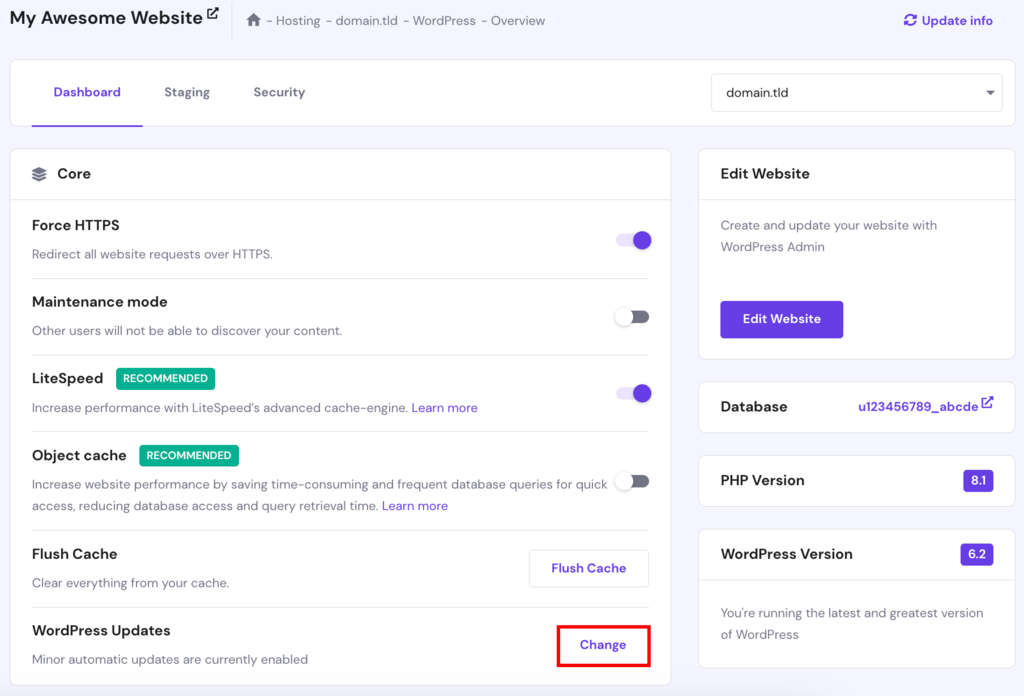
WordPress updates are important for security and features. Updates can sometimes cause problems if plugins or themes are not compatible. Always back up your site before updating.
Update plugins and themes regularly. Check if the updates are compatible with your WordPress version. Use a staging site to test updates before applying them to your live site. This prevents breaking your site.
Finding Help And Support
WordPress has a large community and many resources. Use the WordPress support forums to ask questions. Search existing threads for solutions to common problems. Many tutorials and guides are available online for free.
Consider hiring a professional if an issue is too complex. Some hosting companies offer WordPress support. They can help with technical problems related to the server or WordPress installation.
Comparing WordPress With Other Platforms
Choosing the right platform to build a website can be confusing. WordPress is one of the most popular options. Comparing WordPress with other platforms helps you understand its strengths and weaknesses. This way, you can pick the best tool for your needs.
Ease Of Use
WordPress has a user-friendly interface. Beginners can learn basic tasks quickly. Platforms like Wix or Squarespace offer drag-and-drop tools. These tools make design easier for people with no technical skills. WordPress requires some learning but offers more options as you grow.
Flexibility And Control
WordPress gives full control over your website. You can add many plugins and themes. Other platforms limit customization to keep things simple. WordPress suits users who want to expand their site later. It works well for blogs, stores, or portfolios.
Cost Considerations
WordPress itself is free to use. You pay for hosting and premium themes or plugins. Other platforms include hosting in their price, making it easier to manage costs. WordPress can be cheaper or more expensive, depending on your choices. It allows scaling without switching platforms.
Tips For WordPress Beginners
Starting with WordPress can feel challenging. The platform has many features and options. Beginners need clear guidance to avoid confusion. Simple tips can make the journey smoother and more enjoyable.
Learning Resources
Use official WordPress tutorials to understand the basics. Watch short videos to see how things work. Join online forums to ask questions and get answers. Try beginner-friendly blogs for step-by-step guides. Practice regularly to build confidence and skills.
Best Practices
Choose a simple theme to keep your site clean. Use plugins sparingly to avoid slow loading times. Keep your content clear and easy to read. Update WordPress and plugins often for security. Backup your site regularly to prevent data loss.
Avoiding Common Mistakes
Avoid installing too many plugins at once. Don’t ignore updates; they fix bugs and improve safety. Avoid using complex themes that slow down your site. Don’t skip backups before making big changes. Stay patient and learn one step at a time.
Frequently Asked Questions
Is WordPress Easy For Beginners To Learn?
Yes, WordPress is beginner-friendly with a simple interface. It offers many tutorials and community support. You can create websites quickly without coding skills.
What Makes WordPress Difficult For Some Users?
Challenges include understanding themes, plugins, and customization. Some users struggle with technical aspects like hosting and security settings.
How Much Time Does It Take To Master WordPress?
Learning basics takes a few hours; mastering advanced features can take weeks. Regular practice and exploring resources speed up the process.
Can I Build A Professional Website Using WordPress?
Absolutely. WordPress powers millions of professional websites. With the right theme and plugins, you can create a fully functional, polished site.
Conclusion
WordPress is not very hard to use. It offers simple tools for beginners and experts alike. You can create and manage websites without coding skills. Some learning is needed, but it is easy to follow. Many tutorials and help guides are available online.
Practice makes the process smoother and faster. Overall, WordPress is a good choice for building websites. It fits well for personal blogs, business sites, and more. Give it a try, and you will see how simple it can be.


