
Have you ever wondered how a WordPress blog actually works behind the scenes? Whether you’re thinking about starting your own blog or just curious about the process, understanding how WordPress powers your content can give you a big advantage.
Imagine being able to create, manage, and customize your site without any hassle. You’ll discover exactly how WordPress makes blogging simple and effective. By the end, you’ll feel confident to take control of your blog and make it stand out.
Ready to unlock the secrets of WordPress? Let’s dive in!
WordPress Basics
Understanding WordPress basics is essential for anyone starting a blog. WordPress is a popular tool that helps you create and manage websites easily. It allows users to focus on content without worrying about complex coding.
This section explains what WordPress is, the differences between WordPress.com and WordPress.org, and key features that make WordPress user-friendly.
What Is WordPress
WordPress is a content management system (CMS). It helps you build websites and blogs. You do not need to know coding to use it. WordPress offers tools to create pages, posts, and menus.
It is open-source software, which means it is free to use and modify. Millions of websites worldwide use WordPress because it is flexible and easy to learn.
WordPress.com Vs WordPress.org
WordPress.com is a hosting service. It manages your website for you. You get limited customization options but no need to install software.
WordPress.org is self-hosted. You download the software and install it on your server. This option gives full control over your website’s design and features.
Choosing between the two depends on your needs and technical skills. WordPress.com suits beginners who want simplicity. WordPress.org fits users wanting more freedom and control.
Key Features
WordPress has many features that make blogging simple. It supports themes to change your website’s look easily. You can add plugins to extend functionality.
The editor allows you to write and format content without coding. WordPress also helps with SEO by allowing easy addition of meta tags and keywords.
It supports multiple users, so teams can collaborate on content. WordPress is mobile-friendly, meaning your blog looks good on phones and tablets.
Setting Up Your Blog
Setting up your WordPress blog is the first step to sharing your ideas online. It may seem tricky, but it is simple with clear steps. This process includes choosing a domain, getting hosting, installing WordPress, and picking a theme. Each step builds the foundation of your blog.
Careful planning in this stage helps your blog run smoothly and look great. Let’s explore how to set up your blog easily and quickly.
Choosing A Domain And Hosting
Your domain is your blog’s address on the internet. It should be short, easy to remember, and related to your blog topic. Choose a domain name that fits your brand or personal style. Hosting is where your website files live. Good hosting keeps your blog fast and available to visitors 24/7.
Select a reliable hosting provider that offers good speed and support. Many hosts have simple WordPress installation tools. This makes it easier to get started. Keep your budget and needs in mind when picking hosting.
Installing WordPress
Most hosting providers offer one-click WordPress installation. This means you can set up WordPress quickly without technical skills. Follow the hosting provider’s instructions to install it on your domain. After installation, you get access to your WordPress dashboard. This is where you create and manage your blog content.
WordPress is user-friendly. It lets you add posts, pages, and customize your blog easily. Regular updates keep your site secure and running well.
Selecting A Theme
The theme controls how your blog looks. Choose a theme that fits your blog’s style and purpose. There are thousands of free and paid themes available. Look for a theme that is mobile-friendly and loads fast. A clean design helps visitors focus on your content.
Test different themes to see which one feels right. You can customize colors, fonts, and layouts within your chosen theme. This lets you create a unique and attractive blog.
Creating Content
Creating content is the heart of any WordPress blog. It lets you share ideas, stories, and information with readers. WordPress makes this process simple and clear. You can write posts, organize them, and add images or videos easily.
Writing Your First Post
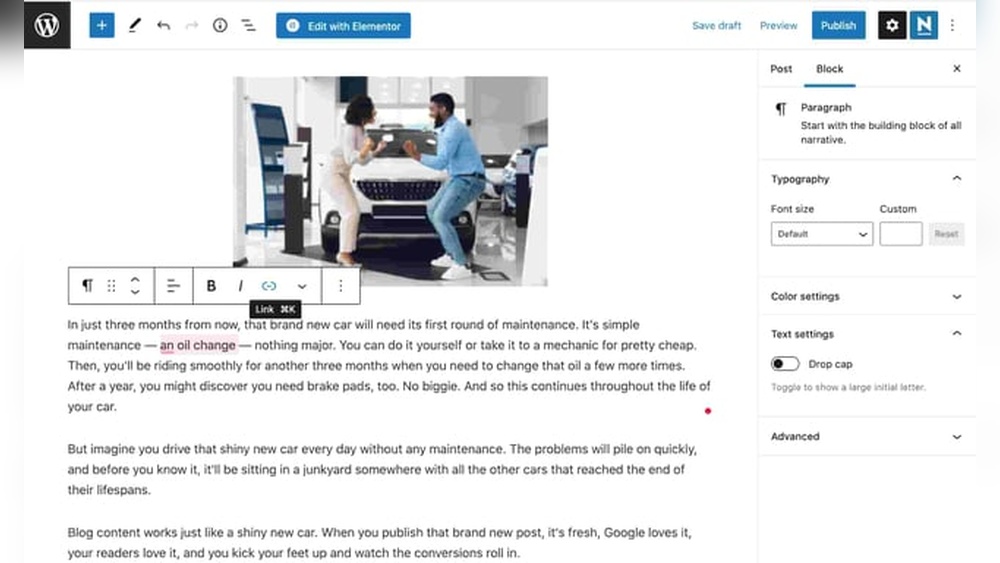
Start by clicking the “Add New Post” button in your WordPress dashboard. A blank editor will open. Write your title at the top. Below, write your blog content. Use short sentences and clear words. This helps readers understand your message quickly. Preview your post to see how it looks. When ready, hit “Publish” to make it live.
Using Categories And Tags
Categories and tags help organize your posts. Categories are broad topics. Tags are more specific keywords. For example, a food blog might have categories like “Recipes” or “Tips.” Tags could be “chocolate” or “easy dinner.” This helps readers find related posts fast. It also improves your blog’s SEO by grouping similar content.
Adding Media
Media makes your posts more interesting. Click the “Add Media” button to upload images, videos, or audio. Use clear photos that relate to your text. Videos can explain your ideas better. Avoid using large files that slow down your site. Adding media breaks up the text and keeps readers engaged.
Credit: searchwp.com
Customizing Your Blog
Customizing your WordPress blog helps you create a unique space online. It makes your blog stand out and reflect your style. You can change how your blog looks and works without complex coding. This section shows simple ways to personalize your blog easily.
Using Plugins
Plugins add new features and tools to your blog. You can find plugins for contact forms, SEO, security, and more. Install plugins directly from the WordPress dashboard. Activate and configure them based on your needs. Choose only trusted plugins to keep your site safe.
Design And Layout Tips
Pick a clean theme that matches your blog’s purpose. Use consistent colors and fonts for a neat look. Organize your content with categories and menus. Add images to break up text and attract readers. Keep your design simple to improve reader experience.
Improving Site Speed
Site speed affects how visitors enjoy your blog. Use caching plugins to load pages faster. Optimize images by reducing their file size. Choose a reliable web host for better performance. Avoid too many plugins that slow your site down.
Optimizing For Seo
Optimizing a WordPress blog for SEO helps your site appear higher in search results. It improves your blog’s visibility and brings more visitors. SEO involves using the right tools, choosing good keywords, and creating strong content.
Seo Plugins To Use
SEO plugins make optimization easier. They guide you to improve your posts and pages. Popular plugins include Yoast SEO and All in One SEO Pack. These tools check your content for SEO issues. They help with meta descriptions, titles, and readability.
Keyword Research
Keywords are words people type in search engines. Finding the right keywords helps your blog get noticed. Use tools like Google Keyword Planner or Ubersuggest. Choose keywords with good search volume and low competition. Use these words naturally in your posts.
Optimizing Content
Content should be clear and helpful. Use keywords in titles, headings, and the first paragraph. Write short sentences for easy reading. Add images with descriptive alt text. Keep your posts updated and make sure they load fast.
Growing Your Audience
Growing your audience is key to a successful WordPress blog. More readers mean more impact and better opportunities. Focus on ways to reach new visitors and keep current readers interested. Use clear methods that fit your style and goals.
Promoting On Social Media
Social media helps share your blog with many people fast. Choose platforms where your audience spends time. Post regularly and share your latest blog posts. Use images and short descriptions to catch attention. Join groups or communities related to your blog topic. Engage by commenting and liking other posts too.
Building An Email List
An email list keeps readers connected to your blog. Offer something valuable like a free guide or tips to get sign-ups. Send regular newsletters with updates and special content. Emails reach readers directly, unlike social media posts. Keep your messages short and interesting to encourage opens. Make it easy to subscribe on your blog.
Engaging With Readers
Talk to your readers through comments and feedback. Answer questions and thank them for their support. Encourage readers to share their thoughts and ideas. This builds a community around your blog. Use polls or surveys to learn what they want. Show you care about their opinions and needs.
Monetizing Your Blog
Monetizing your WordPress blog turns your passion into profit. It lets you earn money from your content and audience. Several methods exist to generate income, each fitting different blog types and readers.
Affiliate Marketing
Affiliate marketing means promoting products from other companies. You share links or banners on your blog. When readers buy through your link, you earn a commission. It is easy to start and needs no product creation. Choose products that match your blog’s theme. Trust builds sales. Be honest about your recommendations.
Sponsored Posts
Sponsored posts are articles paid by brands. These posts promote a product or service. Brands pay you to write or publish their message. Transparency is important; always disclose sponsored content. Sponsored posts can bring good income. They also help build connections with companies. Make sure the sponsor fits your audience’s interests.
Selling Products Or Services
Another way is selling your own products or services. You can offer ebooks, courses, or merchandise. Services like consulting or coaching also work well. WordPress supports online stores with plugins like WooCommerce. Selling directly gives you full control over pricing. It builds a stronger relationship with your readers.

Credit: createwithdanielle.com
Maintaining Your Blog
Maintaining your WordPress blog is key to keeping it healthy and attractive to visitors. Regular care helps avoid problems and keeps your content fresh. It also improves site speed and security. Simple tasks done often make a big difference.
Regular Updates
WordPress releases updates for its software, themes, and plugins. These updates fix bugs and add new features. Updating your blog regularly keeps it running smoothly. It also protects against security risks. Set a schedule to check for updates weekly.
Backup And Security
Backing up your blog means saving a copy of all data. This step protects your work from loss or hacking. Use plugins or hosting tools to create backups automatically. Strengthen security by using strong passwords and limiting login attempts. Monitor your site for suspicious activity often.
Analyzing Traffic
Understanding who visits your blog helps improve your content. Use tools like Google Analytics to track visitors and behavior. Look at which pages get the most views. Check where visitors come from and how long they stay. Use this data to create content your readers want.

Credit: theteenwhispererutah.com
Frequently Asked Questions
How Does WordPress Blog Publishing Work?
WordPress allows users to create and publish blog posts easily. You write content, add images, and hit publish. The platform manages the rest, including formatting and hosting your blog online instantly.
What Makes WordPress Ideal For Blogging Beginners?
WordPress offers a user-friendly interface with customizable themes and plugins. No coding is needed, making it accessible for beginners to start and grow a blog quickly.
How Does WordPress Handle Blog Content Management?
WordPress organizes content using posts, pages, categories, and tags. This structure helps users manage and display blog content efficiently for better navigation and SEO.
Can WordPress Blogs Be Optimized For Search Engines?
Yes, WordPress supports SEO plugins like Yoast SEO. These tools help optimize content, meta descriptions, and keywords, improving blog visibility in search engine results.
Conclusion
WordPress makes blogging easy and accessible for everyone. You can create and share your ideas quickly. With its tools, managing content is simple and clear. No need to know coding to start a blog. Just pick a theme, write posts, and publish.
WordPress also helps your blog reach more readers. It supports plugins that add useful features. Overall, WordPress offers a user-friendly platform for growing your voice online. Try it, and see how blogging can be fun and straightforward.


