
If you have a WordPress website, you probably want more people to find it on Google. But how does SEO work on WordPress, and how can you make it really boost your site’s traffic?
Understanding this can feel tricky, but it doesn’t have to be. You’ll discover simple, effective steps to improve your site’s visibility. By the end, you’ll know exactly what to do to help your content rank higher and attract the right visitors.
Ready to unlock your site’s true potential? Keep reading!
Seo Basics For WordPress
Understanding the basics of SEO is key for WordPress users. It helps websites appear higher on search engines. This increases visitors and improves site visibility. SEO involves simple steps anyone can follow on WordPress.
WordPress offers many tools and plugins. These tools make SEO easier to manage. Knowing how search engines work and what they look for is the first step. Let’s explore the basics of SEO for WordPress.
How Search Engines Rank Pages
Search engines like Google use bots to scan web pages. They look for content that matches user searches. Pages are ranked by relevance and quality. Faster websites with good content rank higher. Links from other sites also improve rankings.
Importance Of Keywords
Keywords are words people type in search boxes. Using the right keywords helps your site show up. Place keywords in titles, headings, and text naturally. Avoid stuffing keywords; it can harm your ranking. Research helps find the best keywords for your topic.
On-page Vs Off-page Seo
On-page SEO means changes on your own website. This includes content, images, and meta tags. Off-page SEO involves actions outside your site. It focuses on backlinks and social media shares. Both types are important for strong SEO results.
Credit: aioseo.com
Optimizing WordPress Settings
Optimizing WordPress settings is crucial for good SEO. These settings help search engines find and rank your site better. They improve site structure and make your content easier to discover. Simple changes here can have a big impact on your site’s visibility. Focus on key areas like permalinks, sitemaps, and robots.txt files.
Choosing The Right Permalink Structure
Permalinks are the URLs of your posts and pages. A clean and clear URL helps search engines understand your content. Choose a structure that includes keywords and is easy to read. For example, use “post name” instead of numbers or dates. This makes your links user-friendly and SEO-friendly. Set this in the WordPress settings under “Permalinks.”
Setting Up Xml Sitemaps
XML sitemaps list all important pages of your site. They guide search engines to crawl your content faster and better. WordPress can create sitemaps automatically with plugins or built-in features. Submit your sitemap to Google Search Console to improve indexing. Keep your sitemap updated as you add new content.
Configuring Robots.txt
The robots.txt file tells search engines which pages to crawl or ignore. Proper configuration prevents indexing of private or duplicate content. You can edit robots.txt directly in WordPress or via a plugin. Block unnecessary pages like admin or login pages. This saves crawl budget and improves SEO efficiency.
Using Seo Plugins
Using SEO plugins on WordPress helps improve your site’s visibility in search engines. These tools simplify SEO tasks and guide you through optimization steps. They save time and reduce the need for deep technical knowledge.
SEO plugins analyze your content and suggest changes. They handle tasks like meta tags, sitemaps, and keywords. This support helps your site rank better and attract more visitors.
Top Seo Plugins For WordPress
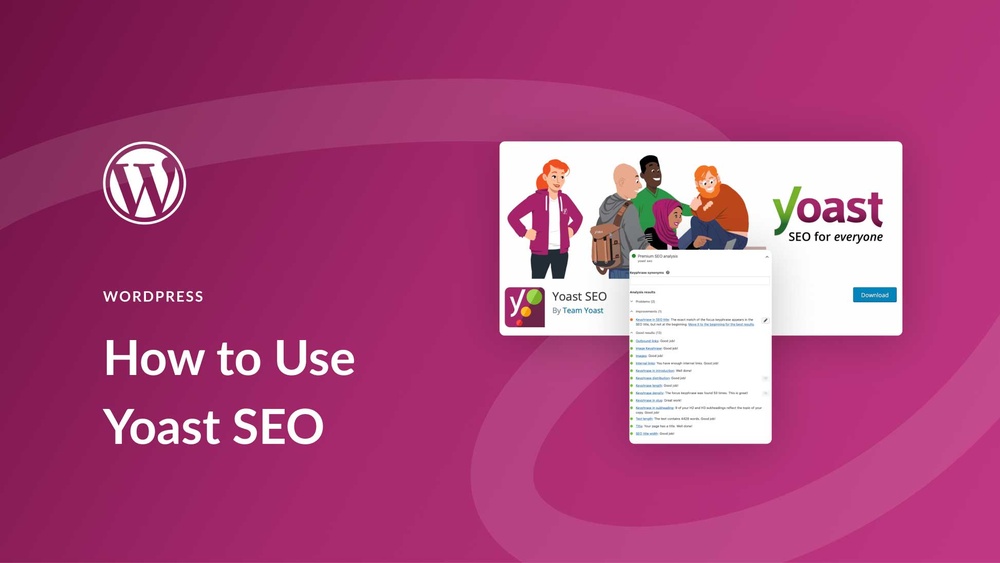
Several SEO plugins work well with WordPress. Yoast SEO is popular for its easy interface and useful tips. All in One SEO Pack offers comprehensive tools for beginners and experts. Rank Math provides detailed analytics and keyword tracking. Choose one that fits your needs and comfort level.
Configuring Plugin Settings
After installing an SEO plugin, configure its settings carefully. Start with basic options like site title and description. Set up XML sitemaps to help search engines find your pages. Enable features like breadcrumbs for better site navigation. Adjust settings based on your website goals and content type.
Leveraging Plugin Features For Optimization
Use plugin features to improve each page and post. Add focus keywords and check readability scores. Edit meta descriptions to attract clicks from search results. Use schema markup to enhance how search engines display your content. Regularly update content and review plugin suggestions for ongoing improvement.
Content Optimization Strategies
Content optimization is key to improving your WordPress site’s SEO. It helps search engines understand your content and rank it higher. Optimized content also keeps visitors engaged and encourages them to explore more pages.
Effective content optimization involves using the right words, structuring your text clearly, and making your site easy to navigate. These strategies help your site stand out in search results and attract more traffic.
Writing Seo-friendly Content
Create content that answers users’ questions. Use simple words and short sentences to keep readers interested. Include your main keywords naturally without stuffing. Write unique content that adds value and avoids repetition. Keep paragraphs short for easier reading on all devices.
Optimizing Titles And Meta Descriptions
Titles and meta descriptions appear in search results. Make titles clear and include main keywords near the beginning. Keep titles under 60 characters to avoid being cut off. Meta descriptions should summarize the content in 150-160 characters. Use action words that invite clicks but stay truthful to your content.
Using Header Tags Effectively
Header tags organize your content and signal importance to search engines. Use for the main title, only once per page. Use and to break content into sections and subsections. Headers should include keywords and be clear. This helps both readers and search engines understand your content structure.
Improving Site Performance
Improving site performance is vital for SEO on WordPress. A fast and smooth website keeps visitors happy and lowers bounce rates. Search engines prefer sites that load quickly and work well on all devices. Performance affects how your pages rank in search results. Focus on techniques that enhance speed, mobile use, and image handling. These help your site run better and rank higher.
Speed Optimization Techniques
Speed is a key factor for SEO. Use caching plugins to store site data temporarily. This makes pages load faster for repeat visitors. Minimize CSS, JavaScript, and HTML files to reduce page size. Choose a reliable hosting provider with good server speed. Limit the number of active plugins to avoid slowing down the site. Regularly update WordPress, themes, and plugins for better performance.
Mobile Responsiveness
Google favors mobile-friendly websites in its rankings. Use responsive WordPress themes that adjust to any screen size. Test your site on different devices to ensure usability. Make buttons and links easy to tap on small screens. Avoid large pop-ups that block content on mobile. Fast loading on mobile devices improves user experience and SEO.
Image Optimization
Large images slow down your WordPress site. Compress images before uploading to reduce file size. Use the correct image format like JPEG for photos and PNG for graphics. Implement lazy loading to delay off-screen images until needed. Add descriptive alt text to images for better SEO. Optimized images improve page speed and help search engines understand your content.

Credit: www.youtube.com
Building Quality Backlinks
Building quality backlinks is an important part of SEO on WordPress. Backlinks help search engines see your site as trustworthy and useful. The more good backlinks you have, the higher your site can rank in search results. Quality links come from reputable websites that relate to your content.
Not all backlinks are equal. Some can harm your site’s ranking. Focus on earning links that bring real value and traffic. This section explains how to build strong backlinks step by step.
Strategies For Link Building
Start by creating useful and original content. Other sites link to content that helps their readers. Use blog posts, infographics, and guides. Share your content on social media and forums. Join communities where your topic is popular. Networking with bloggers and website owners can lead to natural links.
Use internal linking within your WordPress site. Link related articles to keep visitors longer. This improves user experience and SEO.
Guest Posting And Outreach
Write articles for other websites in your niche. Guest posts introduce your site to new audiences. Choose sites with good reputation and relevant topics. Reach out politely to site owners or editors. Offer helpful content that fits their audience. Include a link back to your WordPress blog naturally. This builds trust and drives referral traffic.
Follow up respectfully if you don’t get a reply. Persistence can pay off but avoid spammy messages.
Avoiding Toxic Links
Toxic links come from spammy or irrelevant sites. These links can hurt your SEO and lower your rankings. Check your backlink profile regularly using SEO tools. Remove or disavow bad links. Avoid buying links or using link farms. Focus on quality, not quantity. Build links slowly and naturally for best results.
Tracking And Analyzing Seo Progress
Tracking and analyzing SEO progress is key for any WordPress site. It shows what works and what needs change. This helps improve your site’s visibility and ranking in search engines. Using the right tools makes tracking easy and effective. Data from these tools guides your SEO efforts to get better results.
Using Google Analytics
Google Analytics tracks visitor behavior on your WordPress site. It shows how many people visit, where they come from, and what pages they like. This data helps understand your audience and their interests. You can see which keywords bring traffic and which pages need improvement. Setting up Google Analytics is simple with WordPress plugins.
Monitoring With Google Search Console
Google Search Console helps monitor your site’s presence in Google search results. It shows which keywords your site ranks for and how often users click on your pages. You get alerts about any issues like broken links or indexing problems. This tool gives insights into your site’s health and search performance. Regular checks help keep your SEO on track.
Adjusting Strategies Based On Data
Data from Google Analytics and Search Console guides SEO changes. See what pages perform well and which need updates. Change content, keywords, or links based on this information. Track results after changes to find what works best. This ongoing process improves your site’s SEO over time.
Credit: aioseo.com
Frequently Asked Questions
How Does WordPress Seo Improve Website Ranking?
WordPress SEO improves ranking by optimizing site structure, content, and metadata. It uses plugins for keyword targeting and faster loading. This helps search engines understand your site better, driving more organic traffic and enhancing visibility.
What Are Essential Seo Plugins For WordPress?
Essential SEO plugins include Yoast SEO, Rank Math, and All in One SEO Pack. These tools simplify metadata management, keyword optimization, and XML sitemap creation. They also help improve readability and site performance, boosting search engine rankings.
How To Optimize WordPress Content For Seo?
Optimize content by using relevant keywords, crafting engaging titles, and writing clear meta descriptions. Use header tags properly and include internal links. High-quality, original content increases user engagement and improves search engine visibility.
Does WordPress Speed Affect Seo Performance?
Yes, site speed impacts SEO as faster websites rank higher. WordPress speed can be improved by using caching plugins, optimized images, and lightweight themes. A fast site enhances user experience and reduces bounce rates.
Conclusion
SEO on WordPress helps your website show up in search results. It uses tools like plugins to improve your site’s structure and content. Clear titles, good keywords, and fast loading speed all play a part. Regular updates keep your site fresh and relevant.
Small steps, done well, bring steady traffic over time. Keep working on SEO to help your site grow. Simple changes can make a big difference. Start with the basics, then build up slowly. Your WordPress site can reach more people with good SEO.


