
Have you ever wondered how freelance web designers take your ideas and turn them into a stunning online presence? Hosting a website might seem like a daunting task, but understanding the basics can empower you to make informed decisions.
You’ll discover the secrets behind how freelance web designers host websites, ensuring that your site is always up, running smoothly, and accessible to your audience. As you dive deeper, you’ll find yourself equipped with the knowledge to choose the right hosting solutions, optimize performance, and even save money.
Ready to uncover these insights and transform your web experience? Let’s get started!
Choosing A Hosting Provider
Understanding your website’s needs is vital. Assess site traffic and storage requirements. High traffic demands more bandwidth. Content-heavy sites need extra storage. Different sites have different needs. Choose wisely.
Several hosting services offer varied features. Bluehost is known for reliability. HostGator offers affordable plans. SiteGround is praised for speed. Compare features and costs. Make sure support is available.
Setting a budget is crucial. Basic plans are often cheaper. Advanced features cost more. Balance features and price. Quality often ties to cost. Choose what fits your pocket.
Domain Registration
Choosing a domain name is crucial. It should be easy to remember and spell. Short names work best. Avoid numbers and hyphens. These can confuse people. Ensure the name reflects your business. A unique name helps you stand out. Check its availability. Many names might already be taken. Use a domain checker tool.
After choosing a name, it’s time to register. Find a reliable domain registrar. Popular options include GoDaddy and Namecheap. These platforms are user-friendly. Enter your chosen name in the search bar. If it’s available, proceed to buy. Prices can vary. Usually, domains cost around $10 to $15 per year. Keep renewal costs in mind.
Domain privacy protects your personal info. Without it, details are public. This includes your name and address. Some registrars offer privacy for free. Others might charge a fee. Consider this option for safety. It prevents spam and unwanted contacts. Check the privacy policy before buying. Ensure your data stays secure.
Setting Up Hosting Account
Creating a hosting account is simple. First, visit the hosting provider’s website. Look for the sign-up button. Click on it. Fill out the form. Use a valid email. Choose a strong password. Check for any discounts or offers. Finally, submit your details. Your account is ready!
Login to your new account. Look for the settings tab. Click to access account settings. Update your personal details. Add your payment method. Set up security options. Enable two-factor authentication if available. This keeps your account safe.
Control panels help manage your website. Common types include cPanel and Plesk. These panels have many features. You can create emails, manage files, and check site statistics. Explore each section. Learn what each button does. This will make website management easier.
Credit: resumeworded.com
Website Deployment
Freelance web designers often use FTP to move files. It’s a safe way to upload website files. Tools like FileZilla make this process easy. First, connect to the server using your login details. Then, choose the files from your computer. Drag these files to the server space. Now, your website will appear online.
A Content Management System (CMS) helps manage site content. Popular choices include WordPress and Joomla. They offer ready-made themes and plugins. These tools make website building faster. Designers can easily update text or images. A CMS is user-friendly and saves time.
Many people browse sites on phones. It’s important for a site to be mobile-friendly. Use tools to check if a site fits small screens. Make sure buttons and links are easy to click. Adjust image sizes for quick loading. A mobile-ready site keeps users happy.
Managing Security
SSL certificates protect sites from hackers. They keep data safe. Users trust sites with SSL. Browsers show a lock icon. This means the site is secure. SSL is crucial for online safety.
Regular backups save your work. They protect against data loss. Backups keep files safe. Store backups on external drives. Cloud storage works too. Always have a backup plan.
Watch for security threats. Firewalls help block attacks. Use antivirus software. Keep your site protected. Update programs often. Stay alert. Security is a top priority.

Credit: www.instagram.com
Optimizing Site Performance
Faster websites make users happy. Slow sites lose visitors. A freelance web designer uses efficient code. Clean code loads pages quickly.
Caching stores data. It speeds up the website. This means less waiting. Users see pages faster. Caching solutions reduce server load. A happy server means a happy site.
Large images slow websites. Designers use small images. They use tools to shrink images. Smaller images load fast. Other resources need optimization too. Minified CSS and JavaScript help. Less data means quicker loading.
Handling Client Communication
Clients need clarity from the start. Discuss project timelines early. Share ideas about design and features. Explain hosting choices. Use simple language. Make sure clients understand the process. Ask them for their preferences.
Keep clients informed. Send weekly emails. Share progress reports. Show them the work done so far. Use screenshots if needed. Explain any changes. Make sure they feel involved. It builds trust.
Feedback is important. Listen carefully. Make the necessary changes. Be open to their ideas. Explain why some revisions may not work. Find solutions together. Aim for a design they love.
Credit: www.freelancermap.com
Troubleshooting Common Issues
Downtime can be frustrating. Check the server status first. Is the server working? Use monitoring tools. They alert you when the site is down. Check your internet connection. Sometimes it’s just a local issue. Contact your hosting provider. They might help solve the problem quickly.
Broken links annoy visitors. Use a link checker tool. Find all the broken links. Update or remove them. Make sure every link works. Check your HTML code. A small mistake can break a link. Always test your links before publishing.
Domains need renewal. Remember your renewal date. Set a reminder. Don’t let your domain expire. Check your email for renewal alerts. Renew your domain early. This prevents your site from going offline. Keep your payment info updated. This ensures a smooth renewal process.
Frequently Asked Questions
Do Web Developers Host Websites?
Web developers can host websites, but it’s not their primary role. They usually focus on designing and building websites. Hosting is often handled by web hosting companies. Some developers offer hosting services as part of their packages. Always confirm with your developer about their hosting capabilities.
How Does A Website Get Hosted?
A website gets hosted by purchasing a hosting plan from a provider. The provider stores website files on their server. Users access the site by entering the domain name, which directs them to the server. This process enables the website to be available online for visitors.
How To Charge As A Freelance Web Designer?
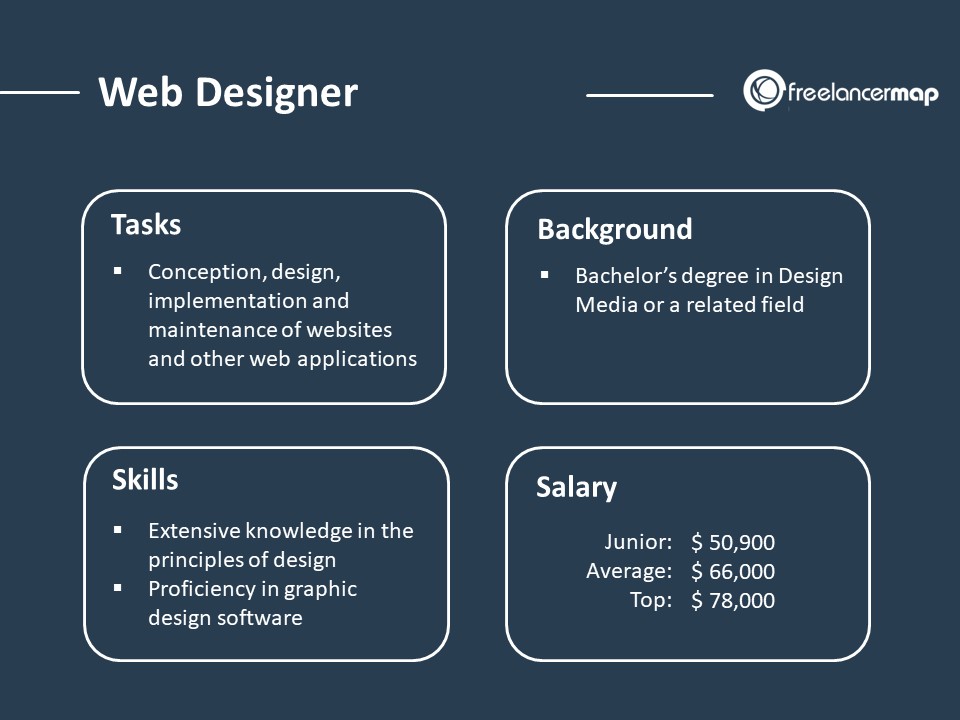
Charge based on experience, project complexity, and client budget. Use hourly rates or fixed project fees. Research market rates and adjust accordingly. Consider including additional costs like revisions or extra features. Communicate transparently with clients about pricing and deliverables.
How Do I Host A Self Made Website?
Choose a reliable hosting provider and register a domain name. Upload website files via FTP or hosting dashboard. Ensure website security and optimize for speed. Regularly update content and monitor performance.
Conclusion
Hosting a website can seem tricky for freelance web designers. They need to choose reliable hosting providers. Control over server settings is important for site performance. Regular backups prevent data loss. Security measures protect sensitive information. Managing domain names ensures easy access for users.
Using efficient tools simplifies the hosting process. Understanding server types helps in making informed decisions. With patience and practice, hosting becomes manageable. Freelancers can ensure smooth operation of websites. These steps build trust and enhance client satisfaction. Remember, good hosting leads to a strong online presence.
Keep learning and adapting in the digital world.


