
Have you ever wondered what happens when you type a web address into your browser? You might be surprised to learn that web host names play a crucial role in directing you to the right website.
Understanding how web host names work can unlock a deeper appreciation for the seamless browsing experience you enjoy every day. Imagine a world where you effortlessly find exactly what you’re looking for on the internet. By diving into the workings of web host names, you’ll gain insights into the invisible yet powerful system that makes it all possible.
Stay with us as we explore this fascinating topic, revealing secrets that can enhance your online experience and empower you with valuable knowledge.
Web Host Name Basics
Web hosts are like digital homes for websites. Each website needs a unique address. This address is the web host name. It helps users find websites easily. Web host names work with domain names. They point users to the right server. Servers store website files. Without a web host name, finding a website is hard. Names like “example.com” are easy to remember. They make the internet user-friendly. Choosing the right host name is important. It should be easy and memorable. A good host name helps websites be successful. Always check availability before choosing. Many tools help check host name availability.
Credit: dorik.com
Domain Name System (dns)
DNS Structure is like a big address book. It helps find web addresses. Computers use numbers, called IP addresses, to talk. Humans use names like “google.com”. DNS links these names to numbers. Think of DNS as a bridge. It makes web browsing easy.
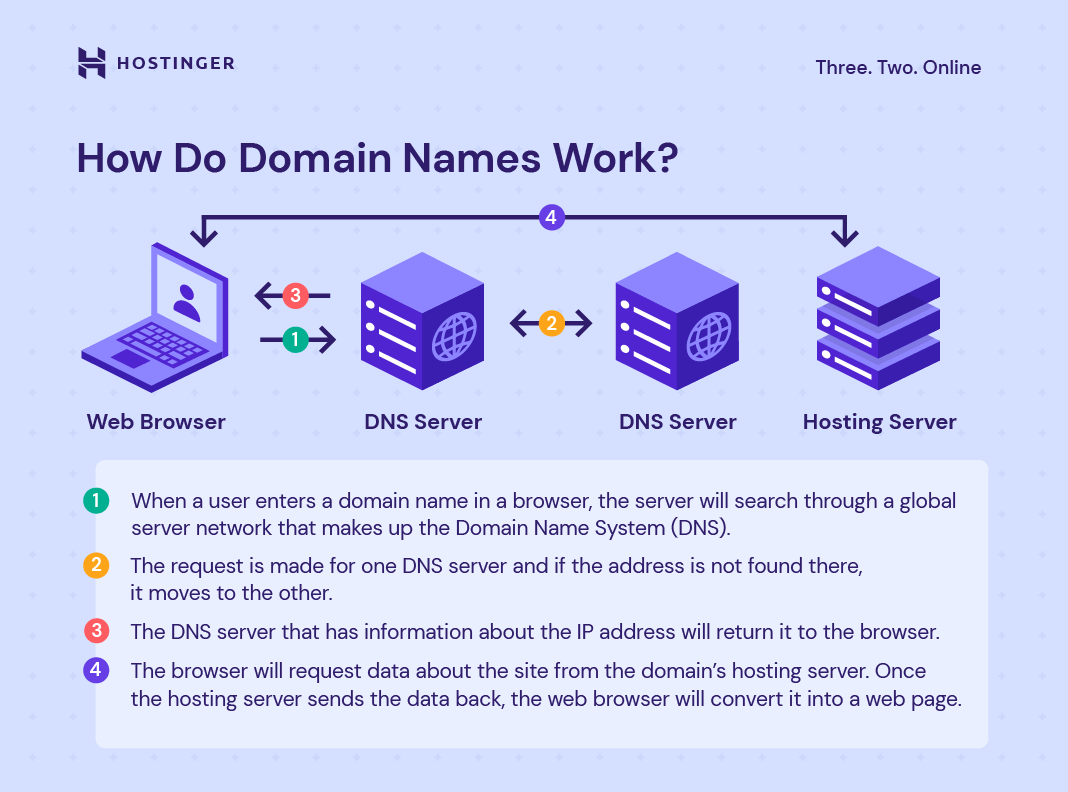
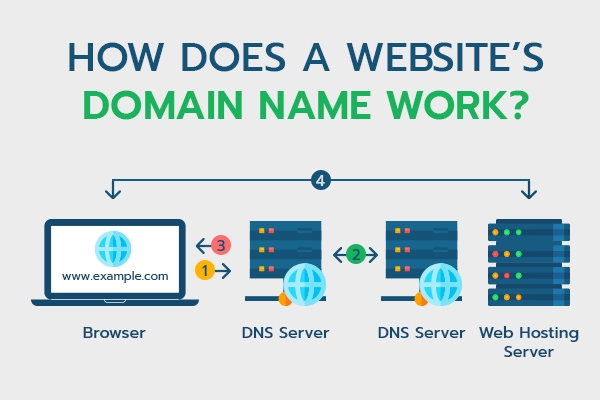
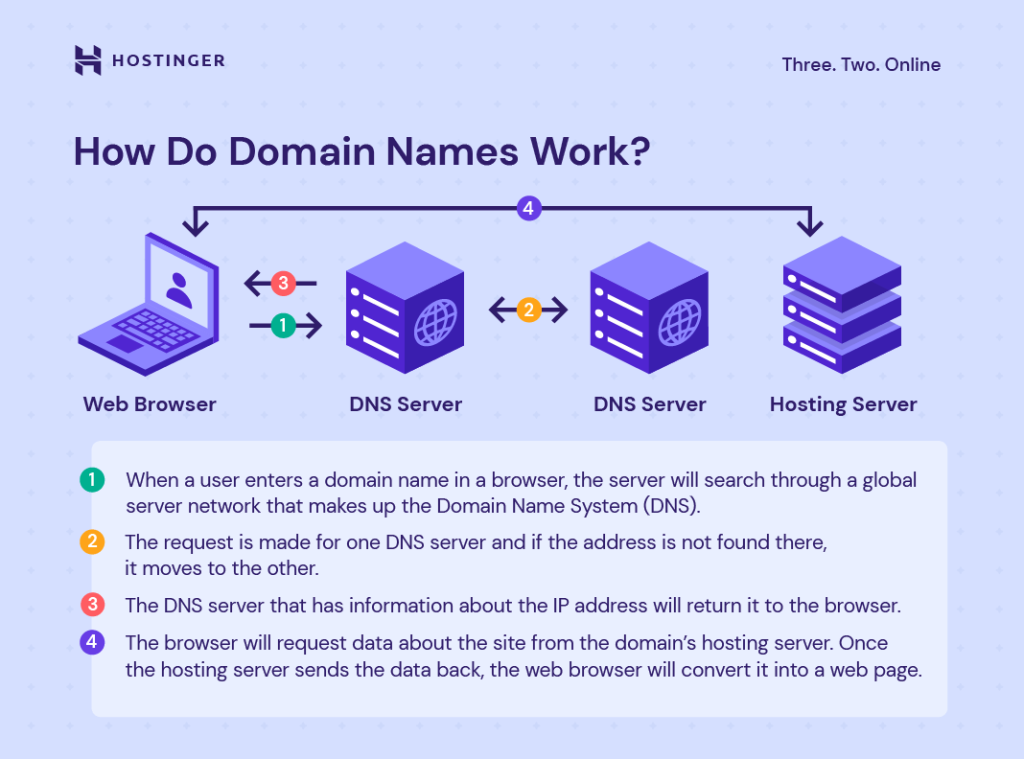
How DNS Resolves Host Names is a simple process. First, you type a web name in your browser. The DNS checks its records. It finds the IP address for that name. Then, your browser connects to that IP address. Finally, the website appears on your screen. DNS works fast. It helps you visit websites quickly.
Role Of Ip Addresses
Host names are linked to IP addresses. This helps computers find each other. Think of it like a phone book. Each host name matches an IP address. Computers use this to connect and talk.
There are special servers called DNS. DNS stands for Domain Name System. DNS helps link host names to IP addresses. When you type a web address, DNS finds the right IP. This helps your computer reach the website.
IPv4 is the older type of IP address. It uses four numbers like 192.168.0.1. But there are not enough IPv4 addresses. So, we have IPv6. IPv6 has more addresses. It looks different with longer numbers. This helps the internet grow.
Credit: www.hostitsmart.com
Types Of Host Names
A Fully Qualified Domain Name (FQDN) is a full web address. It includes the host name and domain name. An example is www.example.com. The “www” is the host name. The “example.com” is the domain name. FQDNs help computers find websites. They are like full addresses for homes.
Subdomains are parts of a main domain. They help organize websites. For example, “blog.example.com” is a subdomain. Here, “blog” is the subdomain. It is part of the main domain “example.com”. Subdomains can point to different sections. They keep sites neat and tidy.
Choosing A Web Host Name
Branding is very important. The web host name must match your brand. Choose a name that is easy to remember. Avoid names that are too long. Simple names work best. Make sure it sounds good.
SEO is key for web host names. A good name helps in search engines. Use keywords that relate to your site. This helps users find your site easily. Do not use strange words. Keep it clear and simple.
Managing Host Names
DNS records help computers find websites. These records work like a map. They turn words into numbers. Computers read these numbers to connect us to sites. DNS management is about keeping this map correct. It makes sure users get to the right place. If a record is wrong, users might see an error. So, it’s important to check DNS records often. This keeps them up-to-date and working.
Hosting providers give tools to manage host names. These tools help you control your domain. They let you change settings easily. For example, you can update DNS records. Or, you can add a new subdomain. Tools can also show you traffic data. This helps you understand your site’s visitors. Using these tools is simple. They make managing your host name easier.
Common Host Name Issues
DNS propagation can take hours or even days. During this time, changes to DNS settings might not show. This delay happens because DNS updates must reach all servers worldwide. Patience is key while waiting. Websites might be unreachable until propagation finishes. This is common and not a major issue. Avoid making multiple DNS changes during this period.
Incorrect DNS settings can cause websites to be offline. It’s crucial to double-check settings before saving changes. Common mistakes include wrong IP addresses or missing records. Always verify DNS records to ensure accuracy. This prevents confusion and downtime. Use DNS tools to help diagnose issues. Correct settings lead to smooth website operation.
Credit: www.hostinger.com
Future Of Web Host Names
Web host names help direct users to the right websites by translating domain names into IP addresses. These names act like addresses, guiding internet traffic to the correct destination. Understanding this process can help you grasp how websites are accessed online.
Emerging Technologies
New technologies are changing web host names. Blockchain is a key player. It offers security and transparency. Decentralized systems might be the future. They are less prone to attacks. Quantum computing could speed up processes. It’s faster and more efficient. These changes promise a dynamic shift in hosting.
Impact Of Ai And Machine Learning
AI and machine learning are reshaping web hosting. Automation is increasing. It makes hosting easier and smoother. Predictive analytics help understand user needs. This leads to better performance. AI can optimize resources efficiently. Machine learning adapts and learns. It can improve security and reliability. Hosting will become smarter and more responsive.
Frequently Asked Questions
What Is A Website Hostname Example?
A website hostname example is “www. example. com”. It identifies the web server where a website is hosted.
What Are The Rules For Host Names?
Host names can include letters, numbers, and hyphens. They must start and end with a letter or number. Host names cannot exceed 63 characters and should be lowercase. Avoid using underscores or spaces. Ensure the name is unique within the domain.
How Do Website Domain Names Work?
Domain names identify websites on the internet. They convert human-readable names into IP addresses. Users type domain names in browsers to visit websites. Domains consist of extensions like. com,. org, or. net. They are registered through domain registrars. Unique names are crucial for branding and online presence.
Is The Host Name The Same As The Ip Address?
A host name is not the same as an IP address. Host names are human-friendly labels for devices. IP addresses are numerical identifiers used for locating devices on networks. Host names resolve to IP addresses through DNS, making it easier to remember and access websites or network resources.
Conclusion
Understanding web host names is crucial for website management. They help connect users to your site. Think of them as digital addresses. Simple yet vital for online presence. Learning how they work enhances your internet skills. Stay informed to ensure smooth website operations.
Engage with your hosting service for better insights. Knowledge of web host names can improve website performance. It keeps your site accessible to visitors. Always prioritize efficient web hosting practices. This knowledge supports your online endeavors. A well-managed website attracts more users and boosts visibility.
Keep exploring web hosting to maximize your site’s potential.


