
Have you ever wondered how those stunning WordPress themes are created? As you browse through various websites, you’re likely captivated by their unique designs and seamless functionality.
But how do these themes come to life? If you’ve ever thought about building your own theme or are simply curious about the process, you’re in the right place. Understanding the artistry and technical skill involved will not only satisfy your curiosity but might also ignite a passion for web design.
You’ll discover the step-by-step journey of theme creation, unraveling the mystery behind those gorgeous WordPress sites. Get ready to dive into the fascinating world of theme development and discover how you can make a mark in the digital landscape.
Getting Started With WordPress Themes
WordPress is a tool for making websites. It is popular and easy. Themes change how a site looks. They make the site pretty and cool. Plugins add features to your site. You can use them for fun stuff. Themes and plugins work together. They make a site better. Everyone can use WordPress. It is simple and fast.
Themes are like clothes for websites. They give sites style. Templates are special pages. They have a layout. Themes use templates to show content. Every theme has templates. They help show your ideas. Themes and templates are important. They make your site neat and tidy.
To make themes, you need tools. A development environment is important. It has software and files. You need a computer and WordPress. Put WordPress on your computer. Use text editors like Notepad++ or Sublime Text. They help you write code. Browsers are good to test your site. Chrome or Firefox works well. Make sure everything runs smoothly.
Key Components Of A WordPress Theme
Crafting WordPress themes involves several key components. Developers use templates, stylesheets, and functions to create the theme’s layout and design. These elements work together to ensure a cohesive and user-friendly website experience.
Theme Files And Structure
WordPress themes need special files and a good structure. Each theme has a style.css file. This file tells WordPress about the theme. The index.php file is very important too. It shows your website’s main page. Other files like header.php and footer.php help make the site look nice. These files work together to make your theme special.
Core Template Files
Template files are like puzzle pieces. Each piece has a job. The single.php file shows single posts. The archive.php file shows lists of posts. All these files fit together. They make your website look and work well.
Stylesheets And Scripts
Stylesheets make your site look pretty. They change colors and fonts. The main stylesheet is called style.css. Scripts add special actions. They make things move or do fun stuff. Themes often use JavaScript for scripts. Together, stylesheets and scripts make your site both beautiful and fun.
Designing The Theme
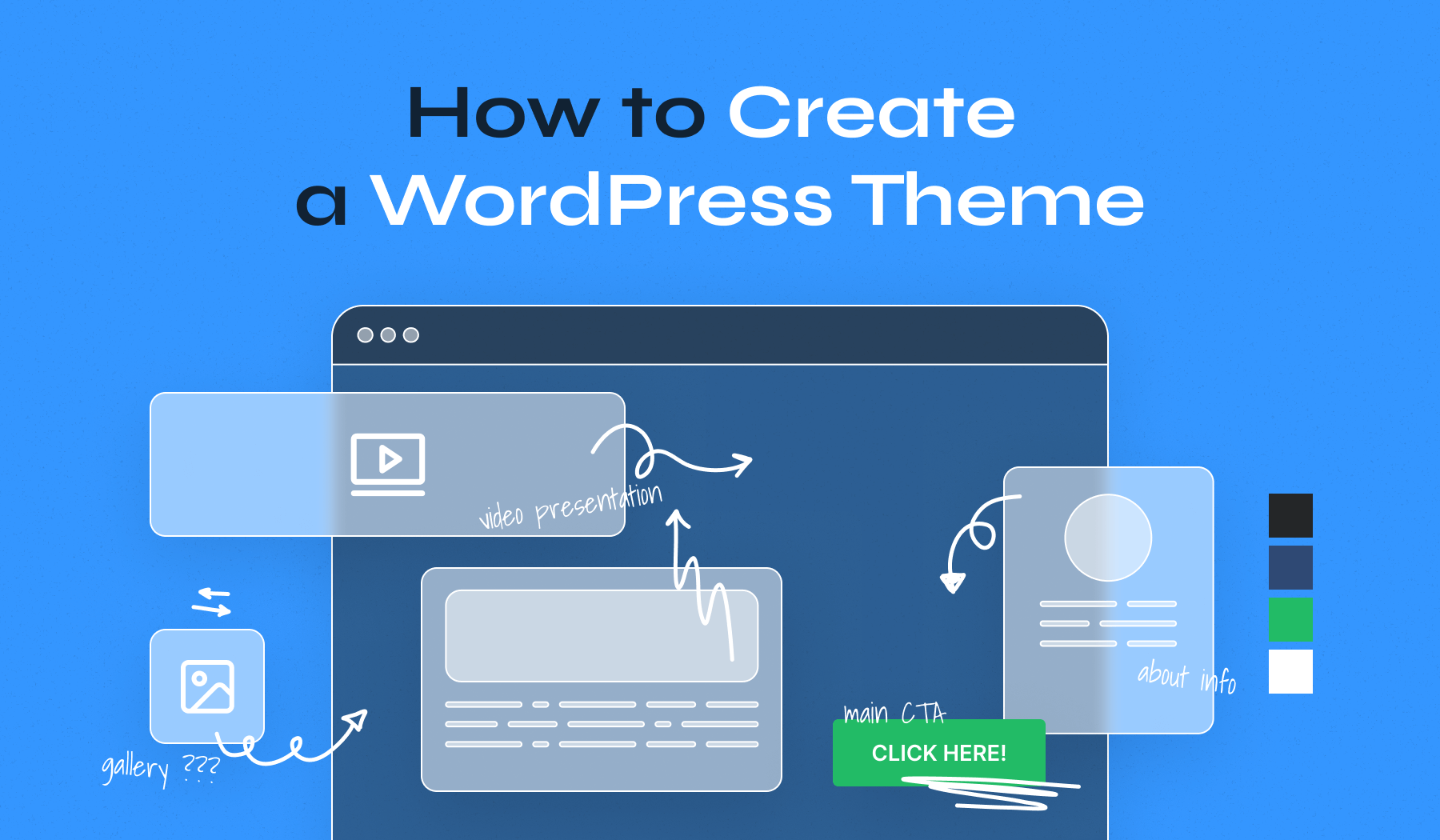
A wireframe is like a blueprint for your theme. It shows the layout of your website. People draw boxes to show where things go. For example, a box for the menu. Another box for the main content. This helps to plan the design before building it. You can use paper or a computer program to create a wireframe. It’s a simple way to see your ideas.
User experience is how easy it is to use the website. Themes should make users happy. Buttons must be easy to find. Text should be easy to read. Think about what users need. Make things simple and clear. This keeps users coming back.
Colors and fonts give your theme style. Choose colors that fit your topic. Blue can feel calm. Red can feel exciting. Fonts are the style of text. Some fonts look fancy. Others look simple. Both colors and fonts should match your theme’s mood. Make sure text is easy to read. This keeps visitors interested.
Credit: www.wpzoom.com
Building The Theme
HTML creates the structure of the theme. CSS adds style and color. PHP makes WordPress work with the theme. Each part has a special job. Together, they build the theme. Clean code helps make a good theme. It is easy to read and fix. Understanding these languages is key.
JavaScript adds fun to the theme. It makes things move and change. Buttons can change color. Images can pop up. JavaScript makes themes interactive. Small bits of code can do big things. It’s like magic for your theme. Be careful not to use too much. It can make the theme slow.
Responsive design means the theme looks good on any screen. Big or small, it fits right. People use phones, tablets, and computers. The theme must work on all. Media queries in CSS help with this. They tell the theme how to adjust. Flexibility is important. A good theme welcomes all users.
Adding Theme Features
Creating WordPress themes involves integrating diverse features. Designers focus on layout, color schemes, and functionality. Developers add custom widgets and plugins to enhance user experience.
Custom Post Types
Custom post types help organize content. These types are great for special content needs. Many themes use them. They make the theme more unique. Users can create different types of posts. This makes the site more organized. It’s easy to add custom post types. Use plugins or code. It adds new options to your site. Users enjoy more freedom with custom posts. Themes are more flexible. Custom post types enhance user experience.
Widgets And Sidebars
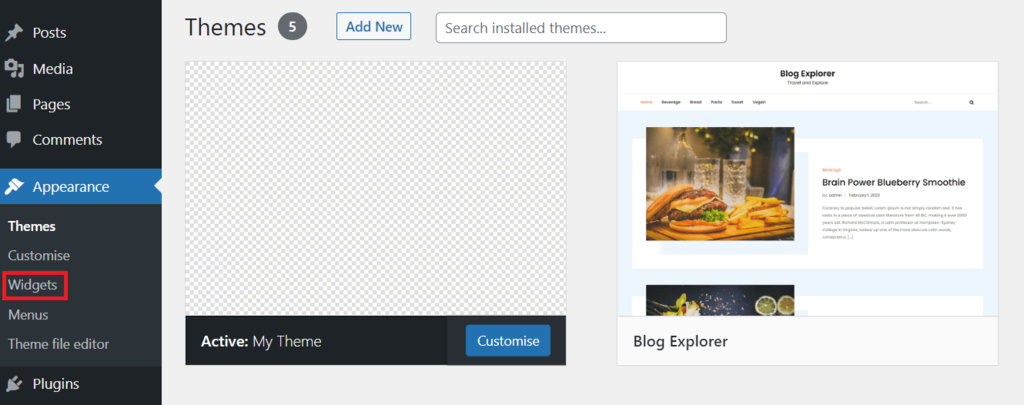
Widgets are small tools. They add features to your theme. Sidebars hold these widgets. Many themes offer custom sidebars. Users can drag and drop widgets. This changes the look of the site. Widgets make themes more useful. They are very easy to use. Add them from the dashboard. Users love themes with flexible widgets. Sidebars keep the site tidy. They improve site navigation.
Menus And Navigation
Menus guide users. They are important for site navigation. Themes often have custom menus. Users can change menu items easily. This helps in finding pages fast. Navigation should be simple. Users enjoy easy-to-use menus. Themes with good navigation are popular. Make menus clear and visible. This improves user experience. Menus are key in theme design.
Credit: www.seedprod.com
Testing And Debugging
Cross-browser compatibility is very important for WordPress themes. Different browsers show pages differently. Developers test themes in Chrome, Firefox, and Edge. This ensures a similar look everywhere. Bugs can hide in some browsers. Tools like BrowserStack help find these issues.
Ensuring mobile responsiveness is crucial. Many people use phones to browse. Themes should adjust to any screen size. Responsive design makes this possible. Developers use flexible grids and images. Testing on different devices is vital. This ensures a smooth user experience.
Debugging common issues is a part of theme development. Errors can occur in code. Themes may not work as expected. Debugging tools like WP_DEBUG help find problems. Fixing these ensures a stable theme. Testing fixes before release is essential. It prevents future issues for users.
Optimizing Theme Performance
Minimizing load times helps sites load fast. Use smaller image sizes and clean code. Compress files to make them smaller. Reduce the number of plugins used. Fewer plugins mean faster load times. Choose a reliable hosting provider for better speed.
SEO Best Practices keep your theme visible. Use clear and simple URLs. Add alt text to images for better understanding. Create a mobile-friendly design. Mobile users are many today. Ensure your theme is responsive.
Accessibility Considerations make themes usable for all. Use clear fonts and colors. Ensure texts are easy to read. Add labels to forms for better clarity. Make sure all users can navigate with ease. Accessibility benefits everyone.
Credit: www.hostinger.com
Publishing And Distributing The Theme
Creating a WordPress theme involves coding, designing, and testing. Developers use tools like HTML, CSS, and JavaScript. Themes are then published and distributed on platforms for users to install and customize.
Packaging The Theme
Creating a theme package is important. It should include all files. This means CSS, JavaScript, and PHP files. A readme.txt file is also crucial. It tells users how to use the theme. Check that all files are in the right place. The theme folder should have a style.css file. This file gives the theme its look. Compress the folder into a .zip file. Now it’s ready for sharing.
Submitting To The WordPress Repository
The WordPress Repository is a popular place to share themes. First, create an account on WordPress.org. Then, go to the theme upload page. Fill out the form with all details. Upload your zipped theme package. Wait for the review process. The team checks the theme for quality. If approved, it becomes live. Many people can now find and use it.
Marketing And Selling Themes
Selling themes can be a way to earn money. Share your theme on social media. Write about it on blogs. Tell people why it is special. Use clear images and videos. Show how the theme works. List it on theme marketplaces. Sites like ThemeForest are good for this. Offer support to users. Happy users tell others about the theme. This can help increase sales.
Frequently Asked Questions
Which Theme Builder Is Best For WordPress?
Elementor is the best WordPress theme builder for its user-friendly interface and extensive customization options. It offers drag-and-drop functionality, making design easy. Elementor also provides numerous templates and widgets, ensuring unique and creative website designs. Its compatibility with other plugins enhances its versatility and functionality for WordPress users.
How Do I Become A WordPress Theme Developer?
Learn HTML, CSS, JavaScript, and PHP for WordPress development. Study WordPress Codex and theme structure. Practice creating custom themes and templates. Utilize online resources and tutorials to improve skills. Join WordPress developer communities for support and feedback.
Which Language Is Used To Develop A Theme In WordPress?
WordPress themes primarily use PHP for development. HTML, CSS, and JavaScript enhance design and functionality. These languages create dynamic, responsive, and visually appealing themes. Developers can customize themes using WordPress’s template hierarchy and hooks. This combination ensures themes are both functional and aesthetically pleasing.
How To Create A WordPress Theme And Sell It?
Start by learning WordPress theme development basics. Design and code a unique theme. Test for compatibility and responsiveness. Package your theme with proper documentation. Use platforms like ThemeForest to sell your theme. Ensure SEO optimization to attract buyers.
Conclusion
Creating WordPress themes is an exciting journey. It blends design with coding skills. Start simple. Grow your skills with practice. Use online resources for learning. Experiment with different styles and layouts. Collaborate with others for feedback. Stay updated with the latest trends.
Keep user needs in mind always. Test your theme thoroughly before sharing. Enjoy the process of creating something unique. Your theme could help many users. So, continue learning and improving. Your dedication will pay off. Happy designing!


