
Are you wondering how to make money from your WordPress blog? One of the best ways to do that is by putting ads on your site.
But if you’re new to this, it might feel confusing or overwhelming. Don’t worry—you’re not alone. You’ll learn simple, step-by-step methods to add ads to your WordPress blog and start earning. By the end, you’ll have the confidence to turn your blog into a source of income.
Ready to get started? Let’s dive in!
Choosing The Right Ad Network
Choosing the right ad network is key to making money from your WordPress blog. The right network helps you earn more and keeps your readers happy. Different ad networks offer different benefits. Some pay more, others show better ads. Picking the best one fits your blog’s style and audience.
Popular Ad Networks For WordPress
Google AdSense is the most common choice. It offers many ad types and easy setup. Media.net works well for sites with mostly US traffic. Amazon Associates lets you earn by promoting products. Other options include AdThrive and Ezoic. Each network has its strengths and rules.
Factors To Consider When Selecting
Check how much the network pays per click or impression. Think about the ad types it supports, like banners or video. Consider the network’s rules and if they fit your blog. Look at how easy it is to use and set up. Review the support they offer if you need help.
Setting Up Your Account
Visit the ad network’s website and create an account. You will need to provide your blog’s URL and some personal info. Follow their steps to verify your site. Place the ad code in your WordPress blog. Use plugins or manual insertion for this. Test ads to see they display correctly.
Preparing Your WordPress Site
Preparing your WordPress site for ads is a key step before earning revenue. A well-prepared site helps ads perform better and keeps visitors happy. The right setup makes placing ads simple and effective. Start by organizing your site layout. Then, install tools that support ads. Finally, create pages suited for ad placement. Each step improves your blog’s ad readiness and user experience.
Optimizing Site Layout For Ads
Design your site to fit ads naturally. Use spaces where visitors often look, like sidebars or between posts. Avoid clutter to keep the site clean. Place ads where they do not interrupt reading. Balance content and ads for a smooth experience. Use a responsive layout to show ads well on all devices.
Installing Necessary Plugins
Choose plugins that help manage and display ads easily. Popular plugins include Ad Inserter and Advanced Ads. Install and activate the plugin from your WordPress dashboard. Configure settings based on your ad types and placements. Plugins save time and control where ads appear. Keep plugins updated for security and performance.
Creating Ad-friendly Pages
Build pages that work well with ads. Use clear headings and short paragraphs to keep readers engaged. Avoid long blocks of text where ads can get lost. Add spaces between content and ads to prevent confusion. Test your pages on mobile and desktop to ensure ads show correctly. Clean design keeps visitors focused and improves ad clicks.
Adding Ads Manually
Adding ads manually to your WordPress blog gives you full control over where and how ads appear. This method lets you place ads exactly where you want them. You can insert ad code into various parts of your site without relying on plugins. Below are simple steps to add ads manually using widgets, posts, pages, and custom HTML blocks.
Inserting Ad Code In Widgets
Widgets are small blocks that add content to your sidebar or footer. To insert ad code, go to the WordPress dashboard and open Appearance > Widgets. Choose the Custom HTML widget and drag it to your desired widget area. Paste your ad code inside the widget’s content box. Save the changes. The ad will now show in the chosen sidebar or footer area.
Placing Ads In Posts And Pages
To place ads inside posts or pages, switch to the Text or Code editor mode. Find the spot where you want the ad to appear. Paste your ad code directly into the content. Update or publish the post or page. This method works well for placing ads between paragraphs or after content. It keeps your ads integrated within your main content.
Using Custom Html Blocks
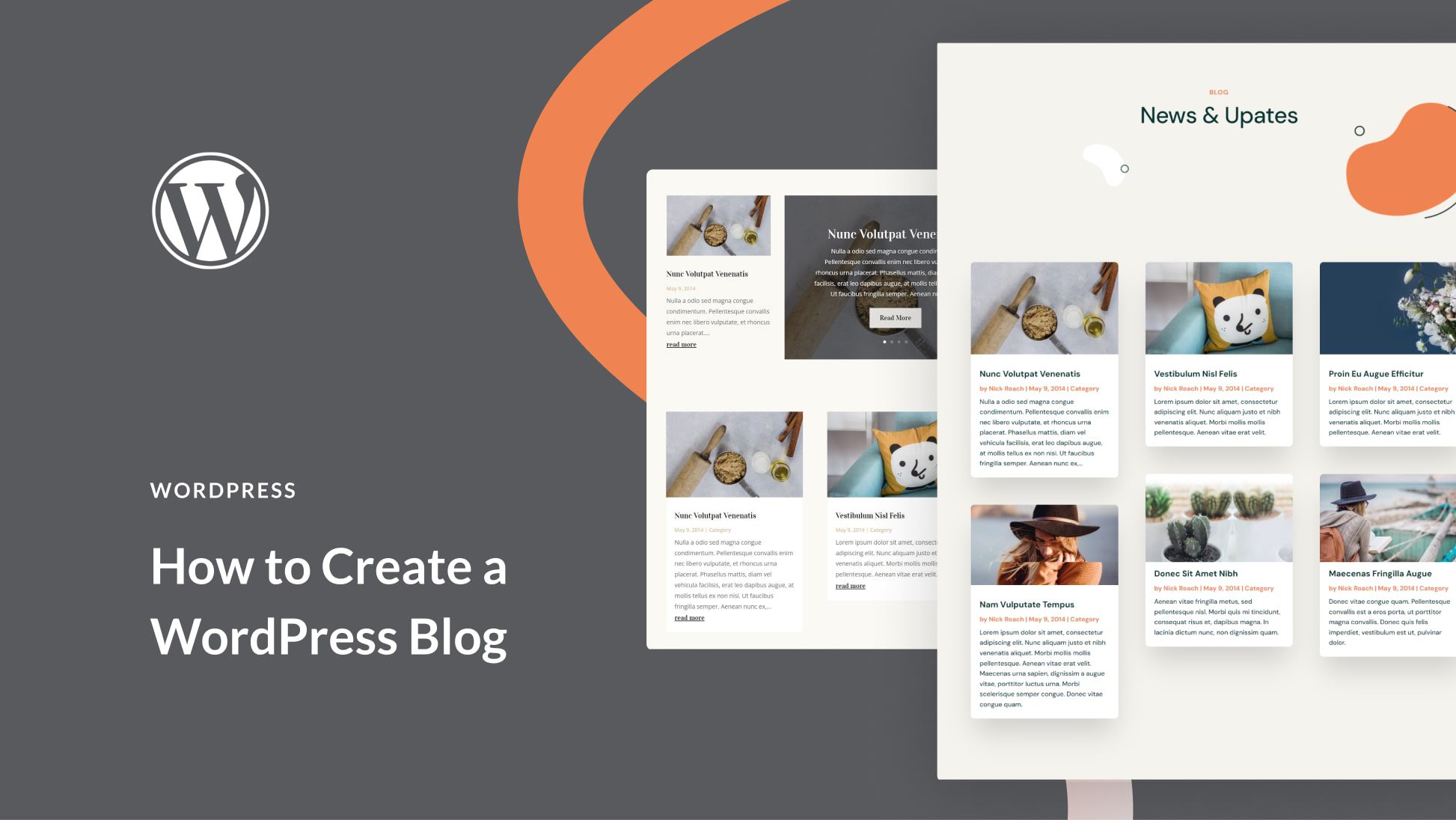
WordPress offers a Custom HTML block in the block editor. Open a post or page and click the Add Block button. Search for “Custom HTML” and select it. Paste your ad code inside this block. Preview to check the ad display. This option is perfect for placing ads with precise control over placement and design within your content.
Credit: www.elegantthemes.com
Using Ad Management Plugins
Using ad management plugins makes placing ads on your WordPress blog simple and effective. These tools help control where and when ads show up without needing coding skills. Plugins let you manage multiple ads from different sources in one place. You can also track ad performance to optimize your earnings.
Top Plugins For Ad Placement
Ad Inserter is popular for its easy setup and flexible options. Advanced Ads offers many tools for targeting and placement. WP Quads is a good choice for quick ad insertion without fuss. Each plugin supports major ad networks like Google AdSense. Choose one that fits your blog’s needs and your skill level.
Configuring Plugin Settings
Start by installing the plugin from the WordPress dashboard. Open the plugin’s settings to add your ad codes. Select where the ads should appear: header, footer, sidebar, or inside posts. Adjust display rules, such as showing ads only on certain pages. Save your settings and preview ads to ensure proper placement.
Scheduling And Rotating Ads
Many plugins allow scheduling ads to run during specific dates. Set start and end times to control ad visibility. Rotating ads keeps content fresh and maximizes revenue. Upload several ads and configure rotation intervals in the plugin. This keeps your blog looking dynamic and avoids ad fatigue.
Maximizing Ad Revenue
Maximizing ad revenue on your WordPress blog requires smart choices. Ads should not only fit your site but also attract clicks. Good planning and regular checks help increase earnings without annoying visitors.
Choosing High-performing Ad Formats
Select ad formats that work well on your blog layout. Banner ads, native ads, and video ads often perform well. Test different sizes and placements to see which get the most attention. Responsive ads adjust to screen size, offering better user experience and higher earnings.
Targeting Audience For Better Clicks
Understand your visitors’ interests and habits. Use tools to target ads based on location, age, or browsing behavior. Relevant ads catch visitors’ eyes and increase clicks. Tailored ads feel natural and improve user engagement on your blog.
Analyzing Ad Performance
Track ad performance using analytics tools. Watch for high click rates and earnings per ad. Drop ads that perform poorly and focus on successful ones. Regular analysis helps you adjust strategies and improve overall revenue over time.
Credit: help.one.com
Avoiding Common Pitfalls
Adding ads to a WordPress blog can bring income but also challenges. Avoid common pitfalls to keep your blog healthy. Protect your readers’ experience. Follow ad rules closely. Keep your site fast and smooth.
Maintaining User Experience
Ads should not annoy visitors. Place them where they do not block content. Avoid too many ads on one page. Balance ads with useful content. Clear and easy navigation keeps readers happy. Readers stay longer when your site is pleasant.
Complying With Ad Policies
Each ad network has strict rules. Read and follow their policies carefully. Avoid banned content like adult or violent material. Use only allowed ad formats. Breaking rules can lead to account suspension. Stay updated on policy changes to stay safe.
Managing Site Speed
Ads can slow down your website. Choose lightweight ad plugins. Limit the number of ads per page. Optimize images and scripts to load fast. Test your site speed regularly. Fast sites rank better and keep visitors engaged.
Credit: www.greengeeks.com
Frequently Asked Questions
How Do I Start Placing Ads On My WordPress Blog?
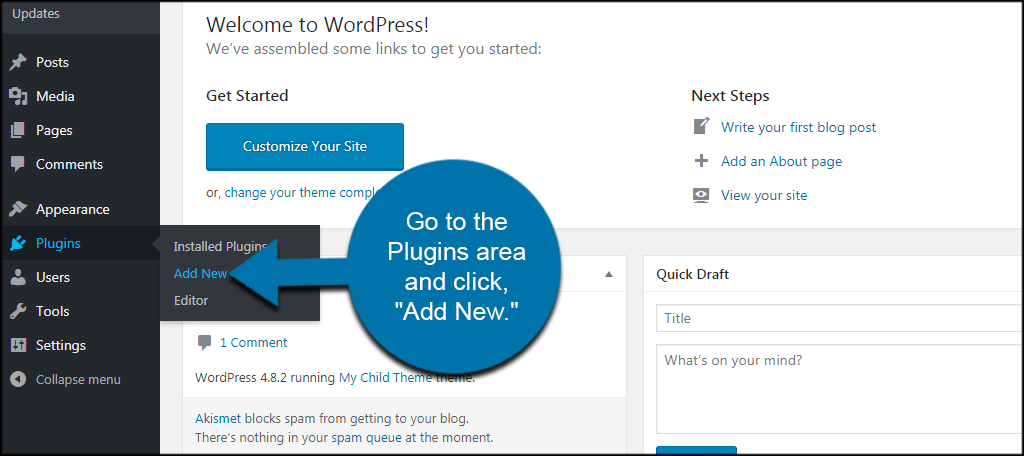
To start placing ads, first choose an ad network like Google AdSense. Then, sign up and get approval. Next, install an ad plugin or use WordPress widgets to add ad codes to your blog.
Which Ad Networks Work Best With WordPress Blogs?
Google AdSense, Media. net, and Amazon Native Shopping Ads are popular. They integrate easily with WordPress and offer good revenue potential. Choose based on your niche and audience size for best results.
Can I Place Ads Without Plugins On WordPress?
Yes, you can manually add ad codes by editing theme files or using widgets. However, plugins simplify ad management and optimize placements, making the process easier and more efficient.
How Do I Optimize Ad Placement On My Blog?
Place ads above the fold, within content, or in the sidebar for better visibility. Avoid cluttering and focus on user experience to increase click-through rates and revenue.
Conclusion
Adding ads to your WordPress blog can help you earn money. Choose the right ad network that fits your content. Place ads where visitors can easily see them without feeling annoyed. Keep your blog clean and user-friendly to keep readers coming back.
Test different ad formats to find what works best. Keep learning and adjusting to improve your results. Start small, stay patient, and watch your blog grow step by step.


