
Have you ever wondered who’s behind the scenes hosting your website? Knowing your web hoster is crucial, yet many people overlook it.
Imagine unlocking the secret to enhanced site performance, security, and support. Curious? You’re not alone. Many website owners like you want to ensure they’re getting the best service possible. By identifying your web host, you could uncover opportunities to optimize your site and potentially save money.
Ready to dive in and discover who’s really hosting your digital presence? Let’s unravel this mystery together.
Why Knowing Your Web Host Matters
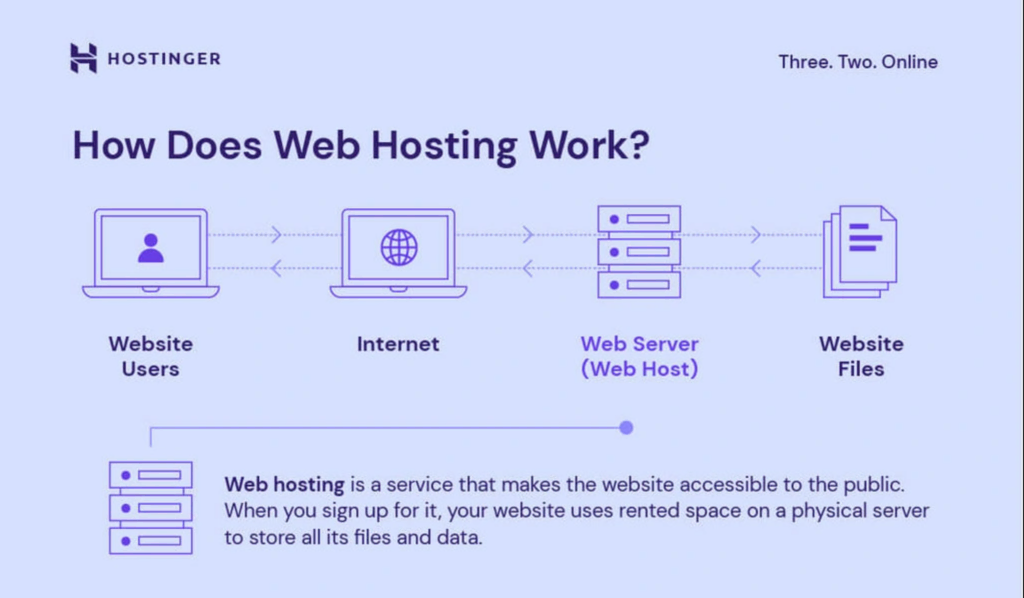
Your web host keeps your website running online. They store all your website’s files. Without them, your site won’t work. Choosing the right host is important. A good host makes your site fast and safe. A bad host can slow down your site. Slow sites can lose visitors.
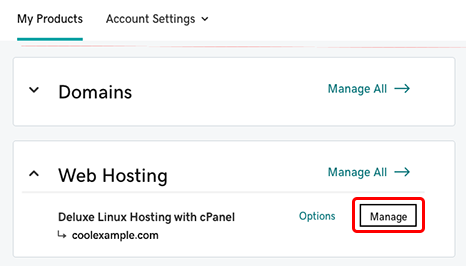
Your host also helps with customer support. If your site has problems, they can help fix it. It’s important to know who your host is. Check your billing information or email for hosting details. Look for names like Bluehost, GoDaddy, or HostGator. This information helps you contact them.
Always keep hosting details safe. You may need them for future changes or issues. Knowing your host gives peace of mind. It ensures your site is in good hands.
Credit: www.godaddy.com
Checking Domain Registration
WHOIS is a tool that shows domain details. It helps you find the domain owner. You can also see the web host. Start by visiting a WHOIS website. Enter your domain name there. The tool will show you the results. Look for information like the Registrar. This might be your web host.
WHOIS data is public. But some details may be hidden. Some owners use privacy services. This keeps their information safe. If you cannot find your host, check your email. There might be emails about your domain. These emails can help identify your web host.
Domain records are like a map. They show where your website is hosted. These records have details like the IP address. This address points to your web server. You can find these records using DNS tools. Look for records like A record or NS record. The A record shows the IP address. The NS record shows the name servers.
Name servers link your domain to the host. If you find the name servers, you might find your host. Many tools online can help with this. Always keep your domain records updated. This ensures your site runs smoothly.
Exploring Your Website’s Backend
Control panel is where you manage your website. Look for a login link on your web host’s page. You may see words like “cPanel” or “Dashboard.” Use your username and password to access it. If you forget them, use the “Forgot Password” option. Once inside, you’ll see many tools. Search for “File Manager” or “Settings.” These tools help you adjust files and settings. You can also find your website files here. Understanding your control panel is key to managing your site.
Finding your hosting info is simple. Check your email for details from your host. Look for emails with “Welcome” or “Account Information.” These emails often have your host’s name and contact info. Another way is checking your site’s domain registration. Use tools like “WHOIS” to find info. Enter your domain and see the results. It will show your host name and details. Knowing your host helps in troubleshooting and support.
Contacting Customer Support
Check emails for domain registration details. Look for any confirmation emails. These emails often have the registrar’s contact info. You can also visit the registrar’s website. Use their contact form to ask questions. They might have a live chat option too. It’s quick and easy. Always have your domain name ready when you ask.
Find old invoices or receipts. They usually show your hosting provider. Visit the hosting provider’s website. Look for a support page. You can find emails, phone numbers, or chat options. Ask directly about your hosting account. Provide your domain name to help them. This will make the process faster. Remember, they are there to help.
Utilizing Online Tools
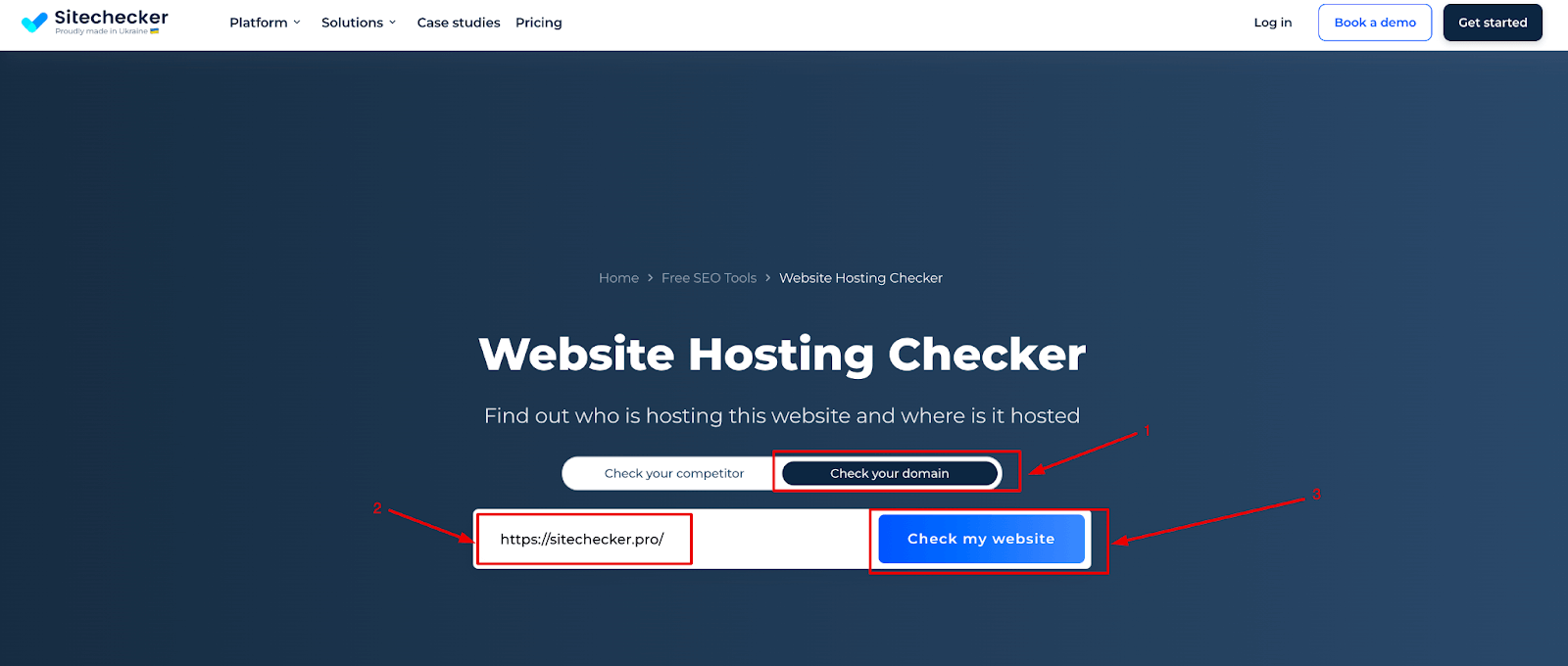
Discovering your web hoster is easier with online tools. Web hosting checker tools are simple to use. They give clear results quickly. Type your website URL. Click on the check button. Wait for the results. These tools reveal your web host’s name. They may show the host’s location too. Some popular tools include WhoIsHostingThis and HostAdvice. They are free to use. You can check multiple sites with these tools. They help in finding your host without hassle.
Server information can tell you about your web host. Look for IP addresses. They are unique numbers for servers. Tools can show these numbers. Server location is another useful detail. It helps to know where your data lives. Check the server’s name. It often includes the host’s name. Easy steps to find who hosts your site. Tools help you learn more about your server. This information is valuable. Knowing your host is important. It helps in managing your site better.
Credit: sitechecker.pro
Examining Billing Records
Check your billing records for clues about your web host. Look at invoices for names and logos. Payments to a company can reveal your host. Search for web hosting or domain services in descriptions. Keep these records organized for easy access. This makes finding your host easier.
Find your web host by checking your payment history. Look at bank statements for hosting service names. Sometimes, emails from your host include helpful details. These might be monthly or yearly payment notices. Save these emails for future reference.
Consulting Web Developer
Finding the right web hoster can be tricky. Seeking guidance from a web developer can simplify the process. Developers know different hosting services well. They can help you select the best option. Their expertise ensures you get reliable hosting.
Developers understand the technical aspects of hosting. They evaluate service features and reliability. This ensures your website runs smoothly. Their advice saves you time and effort. With their help, you avoid common hosting problems.
Credit: www.hostinger.com
Frequently Asked Questions
How Do I Find Out Whois Hosting A Website?
Use a WHOIS lookup tool to find hosting details of a website. Enter the domain name in the tool. It reveals the hosting provider and other registration information. Popular tools include ICANN WHOIS, Whois. net, and DomainTools. Always ensure the tool is reputable to get accurate information.
How Do I Know My Web Hosting Provider?
Check your website’s domain registration details for the hosting provider information. Use tools like Whois for verification. Log into your site management panel; hosting details are often displayed there. Review invoices or emails from your provider for confirmation. Contact support if unsure about your hosting provider.
How Do I Know What Platform My Website Is Hosting?
Check your website’s hosting platform by reviewing your hosting account details or using online tools like BuiltWith or WhoIs. Access your domain’s DNS settings to identify the hosting provider. Alternatively, contact your website administrator or developer for assistance in identifying the hosting platform.
What Is Your Website Host?
We host our website on Bluehost. It’s reliable, secure, and offers excellent customer support. Bluehost provides high-speed performance, ensuring an optimal user experience. Their hosting plans are affordable and scalable, perfect for growing businesses. We highly recommend Bluehost for its robust features and seamless integration with WordPress.
Conclusion
Finding your web hoster is simpler than you think. Start with a domain lookup. Check your billing records. They often list the host’s name. Use online tools for detailed information. Each step brings you closer to knowing your hoster. Understanding your web host is crucial.
It helps manage your website better. Keep your hosting details safe and handy. Always know where to find them. This ensures smooth website management. Remember, knowledge is power.


