
Have you ever stumbled upon a website and wondered where it is hosted? You’re not alone.
Unraveling the mystery of web hosting can feel like unlocking a secret realm. Knowing where a website is hosted can give you insights into its performance, reliability, and even security. Imagine having the power to peek behind the curtain and understand the backbone of a digital presence.
This knowledge can empower your decisions, whether you’re comparing hosting services or troubleshooting issues. Dive into this article to discover simple steps that will help you determine the hosting location of any website. Your curiosity might just lead you to uncover valuable secrets that enhance your web experience. Keep reading to learn how!
Hosting Providers Overview
Websites need a hosting provider to show online. These providers have big computers called servers. They store all the files needed for websites. There are many hosting providers available. Some are popular, some are not so well-known.
Each hosting provider offers different services. Some give shared hosting. Others offer dedicated hosting. Shared hosting means many websites share one server. Dedicated hosting means one website uses the whole server. Hosting providers can be found easily online.
Many offer helpful tools. Some tools help track website visits. Others help protect websites from hackers. Picking a provider depends on what a website needs. It’s important to compare services and prices. This helps in making the best choice.
Credit: sitechecker.pro
Tools For Checking Hosting
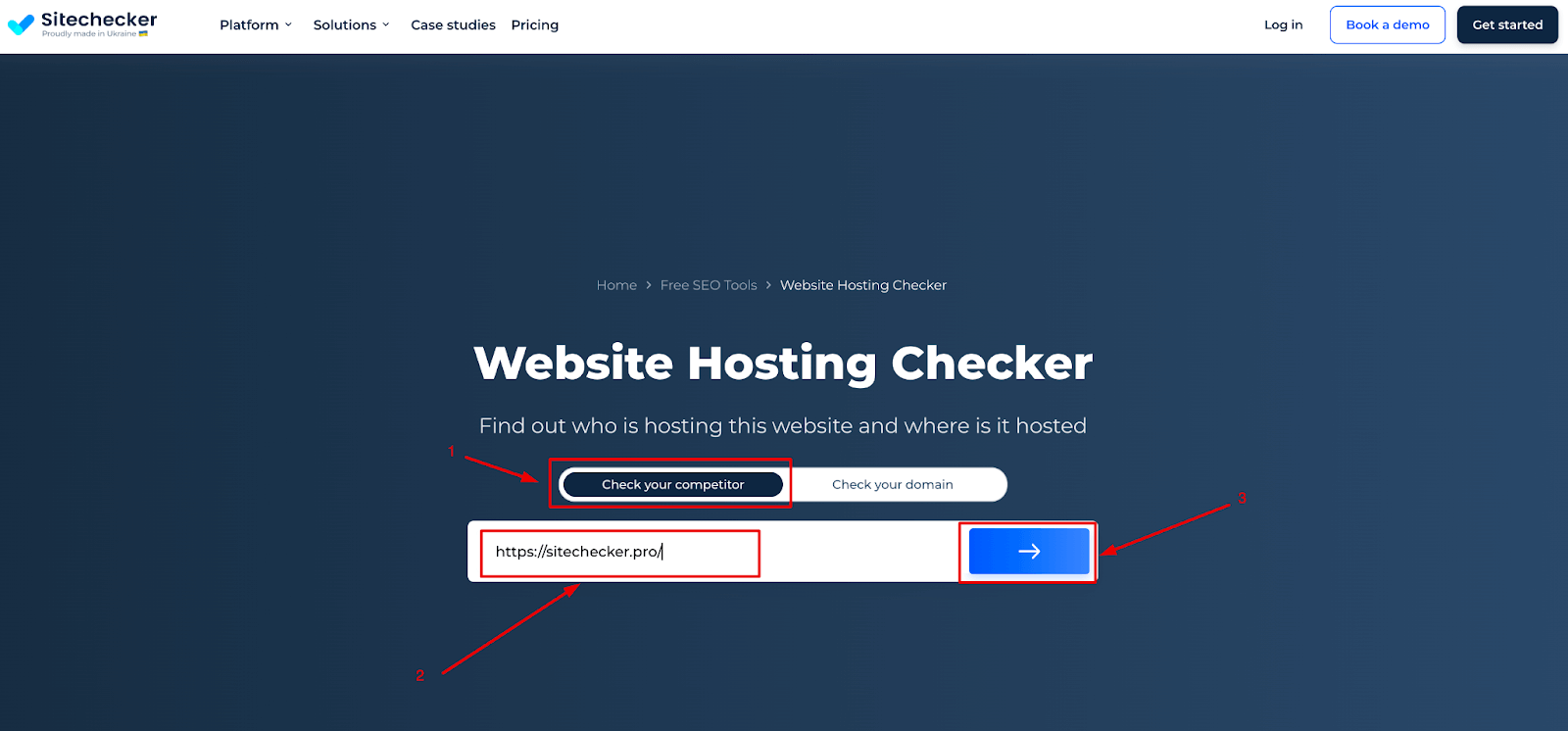
Discovering a website’s hosting provider involves using online tools like WHOIS lookup or hosting checker. These tools reveal server locations and other hosting details. Understanding hosting helps with website management and troubleshooting.
Online Services
Many websites offer services to find hosting details. Enter the website’s URL. These tools show where it’s hosted. Some popular ones include Whois and Hosting Checker. These sites are easy to use. They give clear information. You can also find the IP address of the website. This helps track hosting location.
Command Line Tools
Command line tools are useful for tech-savvy users. Use the ping command to find a site’s IP. Type “ping” followed by the website’s name. This shows the IP address. The traceroute command can trace the path of data. It helps locate the hosting server. These tools are found in Windows and Linux systems. They give detailed hosting information. It’s fast and reliable.
Using Whois Lookup
WHOIS Lookup is a tool to find out where a website is hosted. It shows details about the domain name. This includes the registrar, which is the company that registered the domain. You can also see when the domain was created and when it expires. This information helps understand a website’s background.
WHOIS data tells you who owns the domain. It includes contact details like the name, address, and phone number. Sometimes, the owner chooses to keep this information private. In that case, you might not see all the details.
To access WHOIS information, use a WHOIS lookup tool online. Many websites offer this service for free. Enter the domain name you want to check. The tool will show you the WHOIS data. Make sure you type the domain name correctly. Small mistakes can lead to wrong results.

Credit: www.wpbeginner.com
Dns Records Analysis
DNS records store information about a domain. They help find where a website is hosted. The A record shows the IP address of the server. It tells you where the website lives. The NS record tells which servers hold the DNS records. These servers are like the website’s phonebook. The CNAME record points one domain to another. It helps in redirecting to a different domain. The MX record shows where emails for the domain go. It tells which mail server is used. Each record type has a special role. Together, they help find out where a website is hosted.
Reading DNS data helps in finding a website’s host. Start with the A record. This shows the IP address. Next, check the NS record. It tells which DNS servers are used. Look at the MX record to know the mail server. CNAME records help find redirects. Each piece of data gives clues. Together, they reveal the website’s hosting details.
Ip Address Tracking
Finding a website’s IP address is easy. Use tools like WHOIS or DNS Lookup. Enter the website URL. These tools will show the IP address. Once you have the IP, you can learn more.
Each IP address links to a host. Use IP Lookup services. These services show the hosting company. They also provide the server’s location. Knowing the host is useful for security checks.
Web Hosting Platforms
Many websites use popular hosting platforms. These platforms are known for good service. Some common names include Bluehost, HostGator, and SiteGround. Each platform offers different plans. They help websites run smoothly and stay online. Users can choose based on their needs. Speed and support are key factors. Beginners often choose these hosts. They are user-friendly and easy to set up.
Finding where a site is hosted is simple. Tools like WhoIs can help. They show the host provider. You can check the domain details. It reveals the hosting company. Some sites also show hosting details at the bottom. It’s usually in the footer section. These details are helpful for website owners. They can decide on changing hosts. Understanding hosting is important. It ensures your site runs well.
Limitations Of Hosting Identification
Websites sometimes hide their hosting details for privacy. This can make it tricky to find out where they are hosted. Some sites use privacy services to protect their information. This makes it hard to trace the host. People do this to keep their data safe. It is like hiding their address so no one can find them.
Tools used to find hosting can be inaccurate. They might show wrong details. Sometimes, they do not update fast enough. This can lead to mistakes. It’s important to double-check the information. Trusting one tool might not be enough. Always compare results from different sources. This helps to get the right details.

Credit: www.webhostinghub.com
Frequently Asked Questions
How Do I Tell Where A Website Is Hosted?
Use online tools like WHOIS or hosting checker websites to find where a website is hosted. Enter the website’s domain to get hosting details. This helps in identifying the hosting provider and server location quickly.
How Do I Find Out What Platform A Website Is Hosted On?
Use online tools like BuiltWith or Netcraft to identify a website’s hosting platform. Check the site’s source code or DNS records for clues. Contact the website’s support for hosting details if needed.
How Do I Check A Website Server Location?
Use online tools like Whois. net or IP2Location to find a website’s server location. Enter the website URL for results. These services provide server details, including country and city. This helps in understanding server distribution for SEO and user experience purposes.
How To Find Out What Server A Website Is On?
Use online tools like Whois or DNS checker to identify a website’s server. These tools provide server details and IP address. You can also check website source code or use command prompt commands like “ping” or “tracert” for server information.
Conclusion
Knowing where a website is hosted helps you manage your site better. You gain insights into server location and performance. This knowledge can improve your site’s speed and security. Tools like WHOIS, DNS Checker, and Hosting Checker are useful. Use them to find hosting information easily.
They offer simple steps and clear results. Now, you can confidently locate your website host. It’s a practical skill for any website owner. Understand your hosting details. Enhance your online presence with informed decisions. Take control of your site’s hosting today.


