
Have you ever wondered what kind of server your website is hosted on? Knowing this can be crucial for your site’s performance, security, and reliability.
You might think it sounds technical, but don’t worry! It’s easier than you imagine, and understanding it can give you a significant edge in managing your online presence. Imagine having the power to optimize your website’s speed and security just by knowing this key detail.
Intrigued? Let’s dive into the steps to unveil what your web host server is, and discover how this knowledge can enhance your site’s success. Stick with us, and unlock the secrets that could transform your digital experience.

Credit: hostingchecker.com
Identify Your Web Host
Finding your web host can be easy. First, check your billing details. Your hosting provider often sends invoices. These invoices mention the host’s name. Look for emails related to payments. They usually come from the host. If you have a control panel, log in. The host’s name might be displayed there. Checking billing is a good first step. It often leads to quick answers.
Online tools help discover your web host. Whois Lookup is one such tool. Enter your website name in it. It reveals hosting information. Another tool is Hosting Checker. It shows the host name quickly. These tools are user-friendly. Most are free to use. A quick search online finds many options. Online tools make finding hosts easy.
Access Dns Records
First, find out who manages your domain. This is your domain registrar. They keep your domain details. Use online tools to check this.
Enter your domain name on the tool. Wait for the results. The registrar’s name will show up. It might be GoDaddy or Namecheap. Write it down for later.
Nameservers help direct internet traffic to your website. Check them to know your web host. Look for names like ns1.example.com. These are your nameservers.
Visit your registrar’s website. Log in to your account. Go to the DNS settings. Look for the nameservers listed there. These tell where your site is hosted.
Utilize Command Line Tools
The ping command helps you know your server’s status. It sends small packets to your server. The server sends them back to you. This tells you if the server is working. Open your command line tool. Type `ping` followed by your website name. Press enter. You will see some numbers. These numbers tell you if the server is fast or slow.
Traceroute shows the path data takes to your server. It helps find problems in the path. Open your command line tool. Type `tracert` if you use Windows. Or `traceroute` on a Mac. Then, add your website name. Press enter. You will see a list. This list shows all the stops your data makes. It helps you see where delays happen.
Leverage Hosting Control Panel
To find your server details, start by logging into cPanel. It’s a tool that helps manage your website. Use your username and password to enter. Once inside, look for the server information section. This is where you find all the details you need. The information is usually on the main page. It’s easy to find if you know where to look.
After logging in, search for the server section. This section shows your IP address and server name. You might also see the server type. These details help you know more about your web host. Always keep your login details safe. It’s important to protect your information.
Reach Out To Support
Contacting your web host’s support team is easy. They can help you find your server information. Most web hosts have a support chat or phone number. Use these to ask questions. You may need to provide your account details. This helps them find the right information for you.
Asking for server information is important. You might need to know your server type or location. Support teams can also help with technical issues. They are there to help you. Don’t hesitate to reach out if you need more information.
Check Email Records
Email headers show important info about an email’s journey. Locate the email headers in your email account. Look for a section that says “Original” or “Headers.” This section will have details like the server’s name and IP address. These details help you see where the email came from. Headers can also show if an email is genuine or not. Learning to read these headers is useful.
Find out who hosts your email by checking settings. Go to your email account settings page. Look for “Server” or “Hosting” info. This will show the company that hosts your email. It’s like knowing who provides your internet. Understanding your hosting can help with troubleshooting. It makes managing your email easier.
Third-party Services
WHOIS Lookup can help find your web host server. It shows domain information. You learn who owns the domain. It tells the server location. Enter your domain name. You get many details. Server IP address is also shown. It’s a useful tool. WHOIS Lookup is often free. Easy to use.
Many websites check hosting details. These sites give quick results. They show server info. You see server type and location. Some sites offer free checks. Others need payment. Choose a site you trust. Enter your domain name. Server details will appear. It’s simple and fast.
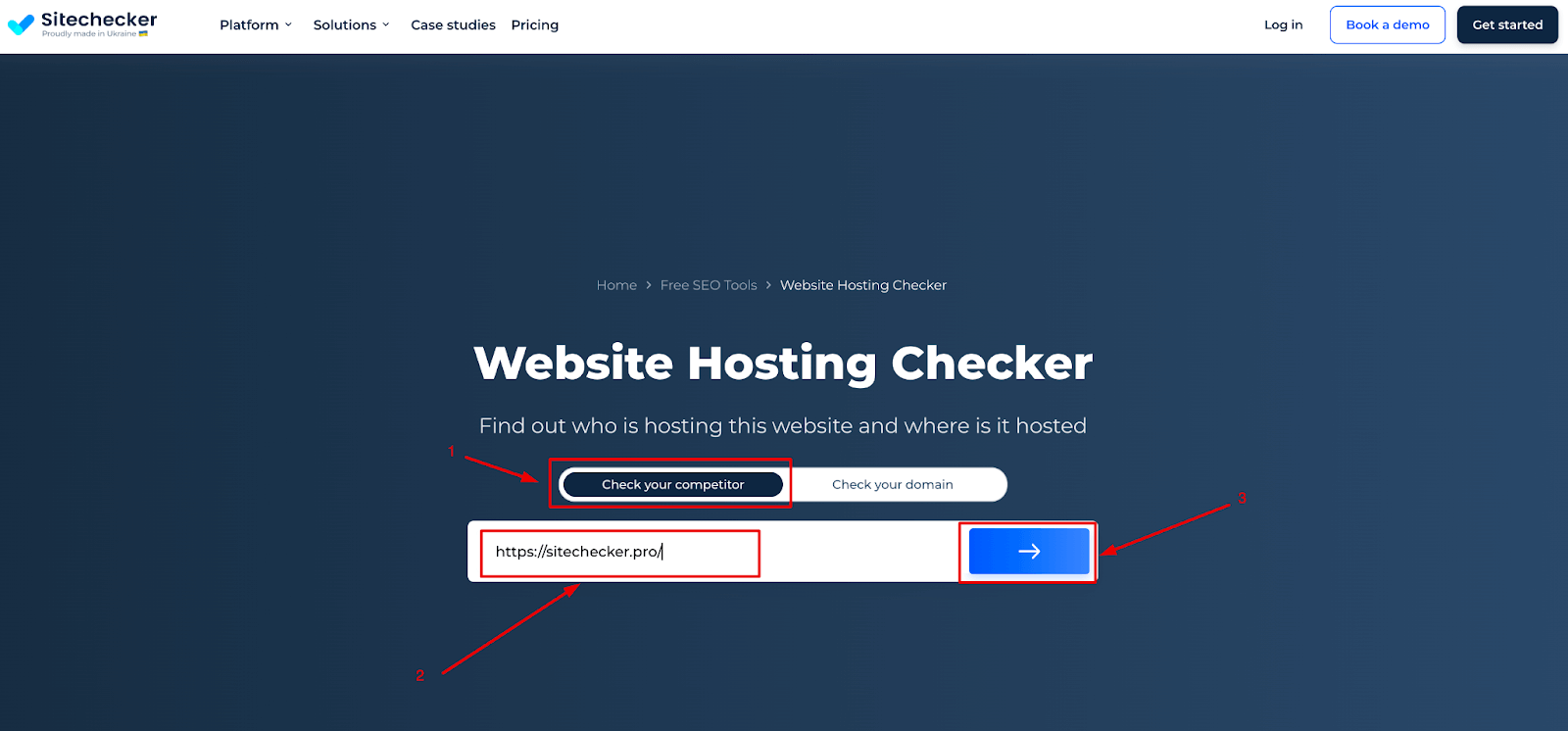
Credit: sitechecker.pro
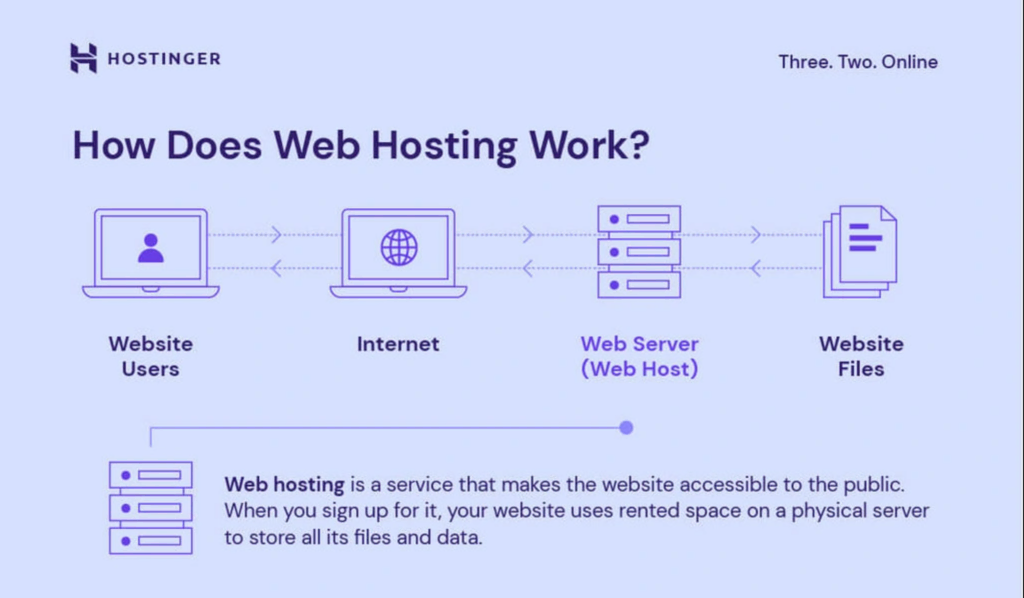
Credit: www.hostinger.com
Frequently Asked Questions
How To Check The Hosting Server Of A Website?
Use online tools like “Whois” or “Hosting Checker” to find a website’s hosting server. Enter the website URL, and the tool will display the hosting provider information.
How Do I Find My Web Server?
Check your hosting provider’s dashboard for server details. Use command lines like “ping” or “tracert” to trace your server. Access your website’s backend settings for server information. Consult your hosting support for assistance in locating your web server.
How Do I Know What Platform My Website Is Hosting?
Check your website’s admin panel or contact your hosting provider for details. Use online tools like BuiltWith or WhatCMS to identify hosting platforms. They analyze your site’s technology stack, revealing hosting information. Ensure your browser’s developer tools are enabled for additional insights.
How Do I Find Out Where My Dns Server Is Hosted?
Use the command prompt to type “nslookup” followed by your domain name. Check the “Server” line for DNS host details. Alternatively, access your domain registrar’s settings to find DNS server information. Tools like Whois and online DNS lookup services can also help identify your DNS server host.
Conclusion
Checking your web host server can seem daunting. But it’s essential. Knowing your server ensures reliability and speed. It helps you troubleshoot issues fast. Start by identifying your host provider. Use tools to find server details. Check server status regularly.
This keeps your site running smoothly. A reliable server boosts user experience. And search engines favor well-performing sites. So, take time to understand your server. It’s worth the effort. Your website depends on it. Stay proactive. Keep your web host in check.
Your online presence will thank you.


