
Switching web hosts might seem daunting at first, especially when you’re worried about keeping your website intact. You might be asking yourself, “How can I switch web host and keep my website?”
You’re not alone in this. Many website owners face the same challenge. The good news is, with the right steps, you can switch your web host smoothly and ensure your website remains uninterrupted. Imagine having a faster, more reliable web host that meets all your needs.
Think about the peace of mind you’ll gain knowing your website is in good hands. You’ll discover how to make this transition effortlessly. You’ll learn practical tips and strategies that will empower you to manage this switch like a pro. Whether you’re a tech-savvy individual or someone who’s just starting, you’ll find valuable insights tailored just for you. So, let’s dive in and explore how you can switch web hosts while keeping your website running smoothly.
Choosing A New Web Host
First, check what your website needs. Is it a small blog or a big shop? You may need more space or speed. Look at your current website size. Does it need a lot of memory? Maybe it uses many images or videos. Think about how many visitors come to your site. More visitors need more power. Write down what features are most important. This will help you find the right host.
Make a list of different hosts. Compare what they offer. Do they give enough storage? Is their support good? Check their uptime. This means how often their servers are online. A good host will have an uptime of 99% or more. Look at their prices. Some might offer a free domain. Others may give free site migration. Pick the one that meets your list of needs.
Read what others say. Check online reviews. Are customers happy? Do they have fast support? A host with a good reputation is important. This means they are trustworthy. Bad reviews can mean slow servers or poor support. Choose a host with mostly good reviews. Ask friends or search forums for opinions. A good host will make your site run smoothly.
Backing Up Your Website
First, log into the cPanel of your website. Find the “Backup” icon and click it. This opens the backup page. Choose “Full Backup” to save everything. You can also select “Partial Backup” for specific parts. Download the backup file to your computer. Keep it safe. This way, your website data is secure.
Go to the File Manager in cPanel. Select all your website files. Right-click and choose “Compress”. Download the compressed file to your computer. For the database, go to “phpMyAdmin”. Select your database. Click “Export” and save the file. This method keeps both files and database safe.
Transferring Domain Name
Domain lock is a security feature. It stops unauthorized changes. First, check if your domain is locked. Use your domain registrar’s website. Find the lock setting. If it’s locked, unlock it. This step is very important. Without it, you can’t transfer your domain. After unlocking, get your authorization code. This code is also called EPP code. You need it for the transfer.
DNS settings tell where your website lives. Update these settings after the domain transfer. Go to your new host’s control panel. Find the DNS section. Enter the new DNS details. These details are given by your new host. This step makes sure your website is live. It helps visitors find your site easily. Wait for a few hours. Changes take time to update worldwide.

Credit: community.cloudflare.com
Migrating Website Files
FTP helps move files from one place to another. Download all your site files to your computer. This is an important step. Upload them to your new host. Use an FTP client like FileZilla. It is free and easy to use. Put in your old host details first. Then, put in your new host details. This way, you can move your files. Make sure all files are copied. Double-check to be sure. If files are missing, try again. This will keep your site safe.
Your database holds important data. Use phpMyAdmin to export it. It is a tool that helps. Log into your old host account. Find phpMyAdmin in your control panel. Select your database and click Export. Save the file on your computer. Next, go to your new host. Log in and open phpMyAdmin there. Click Import and choose your saved file. This will copy your database to your new host. Make sure the data is correct. If there are errors, try importing again. It’s crucial for your site to work well.
Testing The New Host
Checking Website Functionality is crucial. Load the website on the new host. Look for broken links. Check if images load correctly. Navigate through different pages. Ensure every page works well. Verify that all buttons are clickable. Test forms for submissions. Make sure visitors can interact easily.
Ensuring Database Connections is important. Access the database from the new host. Ensure tables are intact. Verify data is complete and correct. Check if user accounts work. Test login and registration features. Confirm that queries run smoothly. Make sure there are no errors.

Credit: isoc.net
Switching Dns Records
Updating nameservers is a crucial step. First, locate your domain registrar’s dashboard. This is where you manage your domain. Find the DNS settings section. Here, you will see nameservers. Replace them with the new host’s nameservers. Save the changes. It may take a few hours to update.
Monitoring DNS propagation is essential. DNS propagation can take up to 48 hours. Use online tools to track progress. These tools show when changes are complete. Keep checking until your site is live. It’s important to be patient during this time. Your website might not be accessible immediately. But soon, everything will work fine.
Post-migration Checks
Check the speed of your website. Use online tools like Google PageSpeed. Ensure your site loads quickly. Fast sites keep visitors happy. Slow sites make them leave. Look for any lag or delay. Ensure all pages load smoothly.
Monitor your site’s response time. It should be quick. Make sure images and videos display correctly. Test your site on different devices. Phones, tablets, and computers should all show your site properly. Check that navigation is easy and links work.
Run a broken link checker online. These tools find dead links. Broken links frustrate users. Fix them to keep visitors happy. Check your site’s internal links. Ensure they lead to the right pages.
Verify external links too. They should direct users to correct websites. Fix any 404 errors. Redirect users to working pages. Broken links can hurt your site’s ranking. Keep them updated to improve SEO.
Cancelling The Old Hosting Service
Confirming data transfer is crucial before cancelling. Ensure all files are safe. Backup your website data carefully. Check your new host has received all the files. It’s vital to avoid data loss. Use reliable transfer tools for safety. Review each file for correctness. Update your DNS settings. This ensures smooth transition.
Next step is notifying the old host. Inform them about your switch. Send them a formal notice. Be polite but clear. Mention the date of cancellation. Confirm any last payments. Keep a record of all communications. This helps resolve future disputes. Ask about any final steps. They might need your confirmation. Check your email for updates from them.
Managing Downtime And Seo Impact
It’s important to inform users about the website changes. Use a simple announcement on your homepage. Tell them when the change will happen. Keep your message clear and easy. This way, your visitors know what to expect. They will appreciate being kept in the loop. Use email newsletters to reach them if you can. Let them know that you’re working to improve their experience. This builds trust and keeps them coming back.
Redirects help keep your website’s SEO strong. They guide users from old pages to new ones. Use 301 redirects for permanent changes. This tells search engines about the move. It also keeps your page rankings safe. Set up redirects before switching hosts. Test them to ensure they work well. Good redirects help users find what they need. They also keep your site SEO-friendly.
Credit: hostscore.net
Frequently Asked Questions
Can I Transfer My Website To Another Host?
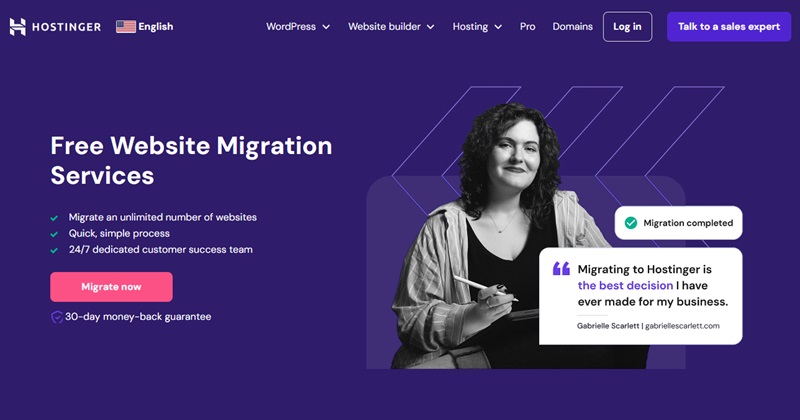
Yes, you can transfer your website to another host. Start by backing up your website files and database. Choose a new hosting provider and upload your files. Update your domain’s DNS settings to point to the new host. Verify everything is working correctly.
Consider professional help for a seamless transfer.
Can I Keep My Domain But Change Host?
Yes, you can keep your domain and change your hosting provider. Update your domain’s DNS settings to point to the new host’s servers. Ensure smooth transition by backing up your website data before switching hosts.
Can You Change The Hosting Of Your Website?
Yes, you can change your website hosting. Choose a new provider, migrate your files, and update your domain settings. Ensure backup to prevent data loss. Select a reliable host to improve website performance and security. Confirm domain and server compatibility for smooth transition.
How Long Does It Take To Migrate A Website To A New Host?
Migrating a website to a new host typically takes 24-48 hours. This includes DNS propagation time. Efficient planning and execution can minimize downtime and ensure a smooth transition. Always back up your site before starting. Ensure all files and databases transfer correctly for optimal performance.
Conclusion
Switching web hosts can seem tricky, but it doesn’t have to be. Plan each step carefully to avoid downtime. Back up your website files before moving them. Choose a reliable new host with good support. Test your site thoroughly after the transfer.
Doing this ensures everything runs smoothly. Remember, keeping your website online is crucial. Follow these steps, and your switch will be seamless. Don’t rush the process. Take your time and double-check details. A successful transfer keeps your website accessible and secure.
Your online presence remains strong, and visitors stay happy.


