
Curious about Expression Web and the concept of a local host? You’re not alone.
If you’re diving into web development, understanding these terms is crucial. Think of Expression Web as your creative toolkit for building websites. But, what about the local host? This is where your website takes its first breath, a safe space on your computer where you can build and test without the world watching.
Imagine crafting your perfect site without the fear of someone peeking before it’s ready. Intrigued? You’re about to discover how this duo can transform your web development journey, making it smoother and more efficient. Ready to unlock these secrets? Let’s dive deeper.
Local Host Basics
Local host is your own computer. It acts like a server. Developers use it for testing websites. This helps them see changes quickly. The term “localhost” means this machine. It uses a special IP address. This address is 127.0.0.1.
Every computer has this address. It works without internet. Local host is safe. Only you can access it. Others cannot see your work on local host. This is very useful for beginners. They can learn without risks.
Local host is very important in web development. It lets developers test code. They can debug errors easily. It offers a real-time environment. Changes appear quickly. This saves time and effort. Local host supports many languages. For example, HTML, CSS, and JavaScript.
Developers can run databases on local host. They use tools like MySQL. This helps in building dynamic websites. Local host ensures privacy. Your work is not online. It remains on your computer. This makes it secure and private.
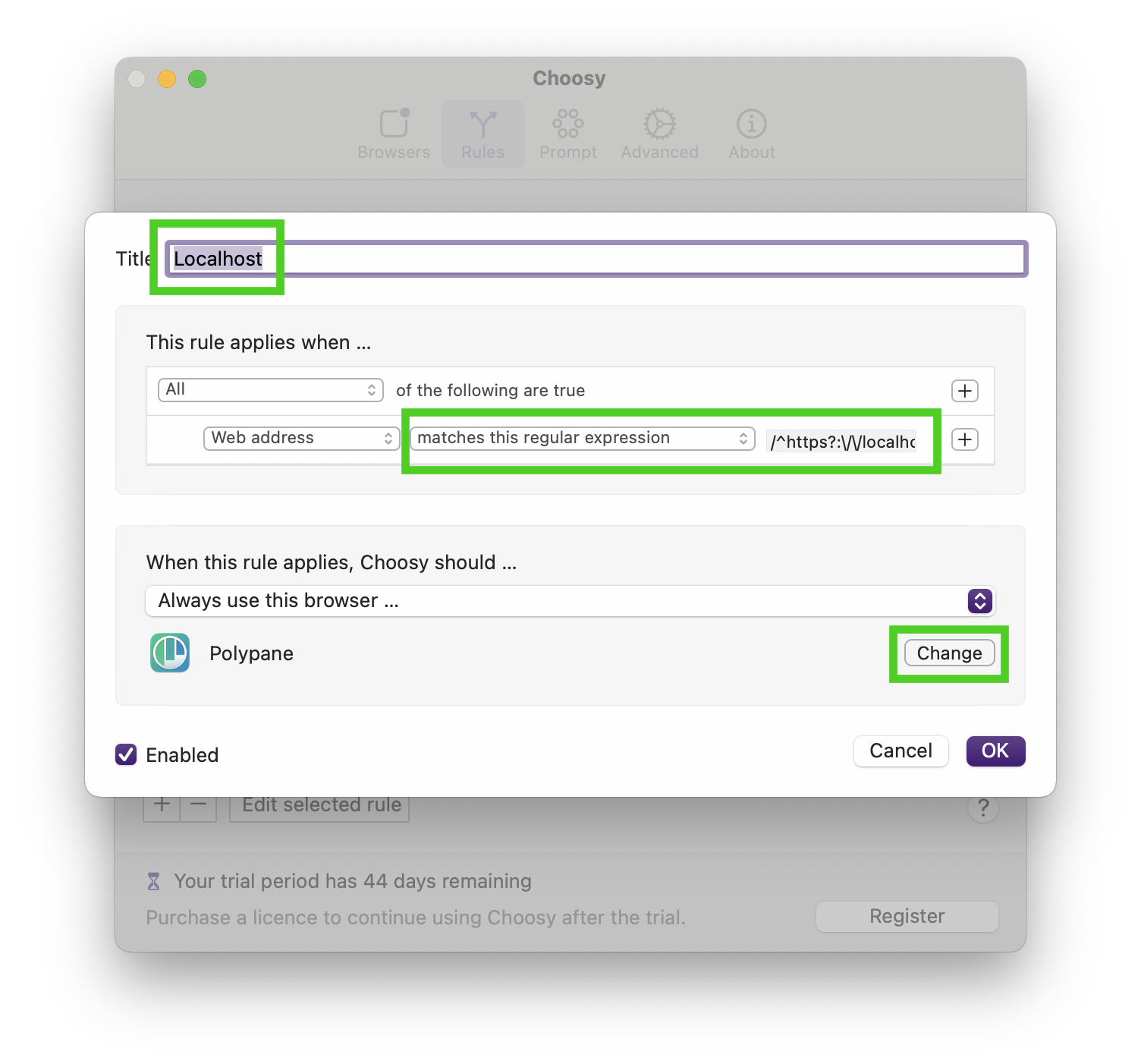
Credit: polypane.app
Setting Up Local Host
First, download a local server software like XAMPP or WAMP. These tools help your computer act like a server. After downloading, open the setup file. Follow each step. Click “Next” to continue. Choose the components you need. It’s best to select all. Then, pick a folder to install. Make sure you have enough space. Click “Install” to start. Wait a few minutes. You will see a progress bar. Once done, click “Finish”. Open the application to check if it works.
Open the control panel of your server software. Look for Apache and MySQL. Click “Start” next to both. This starts your local server. Open a browser. Type “localhost” in the address bar. You should see a welcome page. This means your server is working. If not, check your settings. Ensure no other program uses the same ports. Sometimes, you need to change the port number. Go to the configuration file. Find the line with “Listen 80”. Change “80” to “8080”. Save the file. Restart your server. Try accessing “localhost” again.
Testing Websites Locally
Local testing is very important. It makes sure your website works well. Testing on a local server is fast. There is no need for internet. You can save time and money. Changes happen right away. This helps in finding mistakes quickly. Also, your work stays private. Only you can see it. This is good for safety.
Sometimes, problems happen. Websites might not work. Check if the server is on. Make sure all files are in the right place. Look at the code for mistakes. Double-check all links. They should point to the correct pages. Sometimes, restarting the server helps. If things still do not work, ask a friend. They might see the mistake you missed.

Credit: www.youtube.com
Tools For Local Hosting
| Software | Features |
|---|---|
| XAMPP | Easy to install. Supports PHP, MySQL, and more. |
| MAMP | Works on Mac and Windows. Includes Apache and Nginx. |
| WampServer | Windows-friendly. Supports PHP and MySQL. |
| Local by Flywheel | Great for WordPress sites. User-friendly interface. |
XAMPP is very popular. It is easy to use. Many developers choose it. MAMP is perfect for Mac users. It has good support for PHP. WampServer works well on Windows. It is also easy to set up. Local by Flywheel is ideal for WordPress. It is simple and fast.
Each tool has its strengths. Choose what fits your needs. Beginners may prefer XAMPP or Local. Advanced users might like MAMP or WampServer. Always consider your operating system first.
Local Host Security
Security is important for local hosts. Unauthorized access is a big threat. Hackers can steal data. Viruses may infect your system. They can cause damage. Data leaks are also risky. Sensitive information might get out. This can lead to trouble. Security patches should be applied regularly. This helps keep systems safe. Firewalls protect against threats. They are your first line of defense.
Use strong passwords. They keep your data safe. Change them often. Update software regularly. This fixes security holes. Backup data frequently. If you lose data, you can restore it. Enable encryption for sensitive files. This makes them unreadable. Monitor activity on your local host. Watch for unusual behavior. Educate users about security risks. Knowledge helps avoid mistakes.
Transitioning From Local Host
Moving a website from a local host to live servers can be tricky. First, you need to ensure your website files are ready. This means checking that all links and images work. They should point to the right locations. Next, choose a good web hosting service. Look for one that fits your needs. Some hosting services offer extra features like backups. This can be helpful if something goes wrong.
Challenges can arise when you deploy. Files might not upload correctly. Or, your database may not connect. To solve these problems, double-check your settings. Make sure all permissions are set right. Also, test your website after uploading. This helps catch any errors early. With careful steps, your website will go live smoothly.

Credit: www.microsoftpressstore.com
Frequently Asked Questions
What Do You Mean By Local Host?
A local host refers to your computer used to access network services. It typically uses the IP address 127. 0. 0. 1. This setup helps in testing websites or applications locally before going live, ensuring everything works correctly without internet dependency.
What Is My Local Host?
Your local host is your computer’s loopback network interface. It often uses the IP address 127. 0. 0. 1. This allows developers to test applications locally without accessing external networks. Localhost helps simulate server environments on your computer.
What Is Local Web Hosting?
Local web hosting refers to hosting a website on servers physically located near your target audience. This reduces latency and improves site speed. Local hosting can enhance user experience and search engine rankings. It’s ideal for businesses targeting a specific geographic location.
Is Localhost The Same As My Ip Address?
Localhost is not the same as your IP address. Localhost refers to the loopback address 127. 0. 0. 1, used for testing. Your IP address identifies your device on a network, allowing external communication. Both serve different purposes in networking.
Conclusion
Understanding local host in Expression Web is crucial. It simplifies web development. Local host lets you test sites before they go live. This ensures your site functions correctly. It provides a safe testing environment. You work on your computer, not the internet.
Ideal for beginners, it’s easy to set up. Troubleshooting becomes simpler and faster. Local host is essential for developers. It enhances workflow efficiency. By mastering local host, you improve your web projects. Explore its capabilities further. Start using local host today and boost your skills in Expression Web.


