
Are you thinking about starting an online store but unsure if WordPress can handle ecommerce? You’re not alone.
Many people wonder if WordPress offers the tools and features needed to build a successful online shop. The good news is, WordPress isn’t just for blogs or simple websites—it can be a powerful platform for selling products too. You’ll discover how WordPress can work for your ecommerce needs and what makes it a smart choice for your business.
Keep reading to find out if WordPress is the right fit for your online store.
Credit: roconpaas.com
WordPress For Ecommerce
WordPress is a popular choice for building websites. Many people also use it to create online stores. It offers a flexible and easy way to sell products or services online. With WordPress, anyone can set up an ecommerce site without deep technical skills.
The platform supports many tools and plugins designed for ecommerce. This makes it simple to manage products, payments, and customer orders. WordPress gives control over the store’s design and features.
Why Choose WordPress For Online Stores
WordPress is free and open-source software. This means no cost to start building a store. It works well for small shops and large businesses alike. The platform is easy to customize with many themes and plugins. Users can add features as their store grows. WordPress also supports many payment gateways for smooth transactions. It has a large community that offers help and advice. Frequent updates keep the platform secure and reliable.
Key Features Supporting Ecommerce
WordPress has many tools to help run an online store. WooCommerce is the most popular plugin for ecommerce. It handles product listings, inventory, and shipping. Users can set taxes and manage orders easily. WordPress lets you design your store to match your brand. It supports mobile-friendly designs for customers on phones or tablets. SEO tools help improve your store’s visibility on search engines. Security plugins protect customer data and payment details. Integration with marketing tools helps grow your business.
Top Ecommerce Plugins
WordPress supports ecommerce through various plugins. These tools let you sell products or services online. Each plugin offers unique features to fit different needs. Choosing the right one helps your store run smoothly.
Woocommerce Benefits And Setup
WooCommerce is the most popular ecommerce plugin for WordPress. It is free and easy to use. You can sell physical, digital, or even subscription products. It supports many payment options and shipping methods.
Setting up WooCommerce is simple. Install and activate the plugin from your WordPress dashboard. Then, follow the setup wizard to add your store details. Upload products, set prices, and choose payment gateways. Your store is ready to start selling quickly.
Other Popular Ecommerce Plugins
Easy Digital Downloads is great for selling digital goods only. It offers a clean checkout and simple product management. Another option is BigCommerce for WordPress. It handles large catalogs and integrates with many sales channels.
WP Simple Pay focuses on accepting payments without a full store. It works well for donations or single payments. Each plugin fits different business types and goals. Explore their features to find the best match for your store.
Designing Your Store
Designing your online store is a key step in creating a strong ecommerce site with WordPress. The store’s look and feel affect how visitors see your brand. A clean, simple design helps customers find products and complete purchases easily.
Good design builds trust and keeps shoppers coming back. WordPress offers many tools to build a store that fits your style and needs.
Choosing The Right Theme
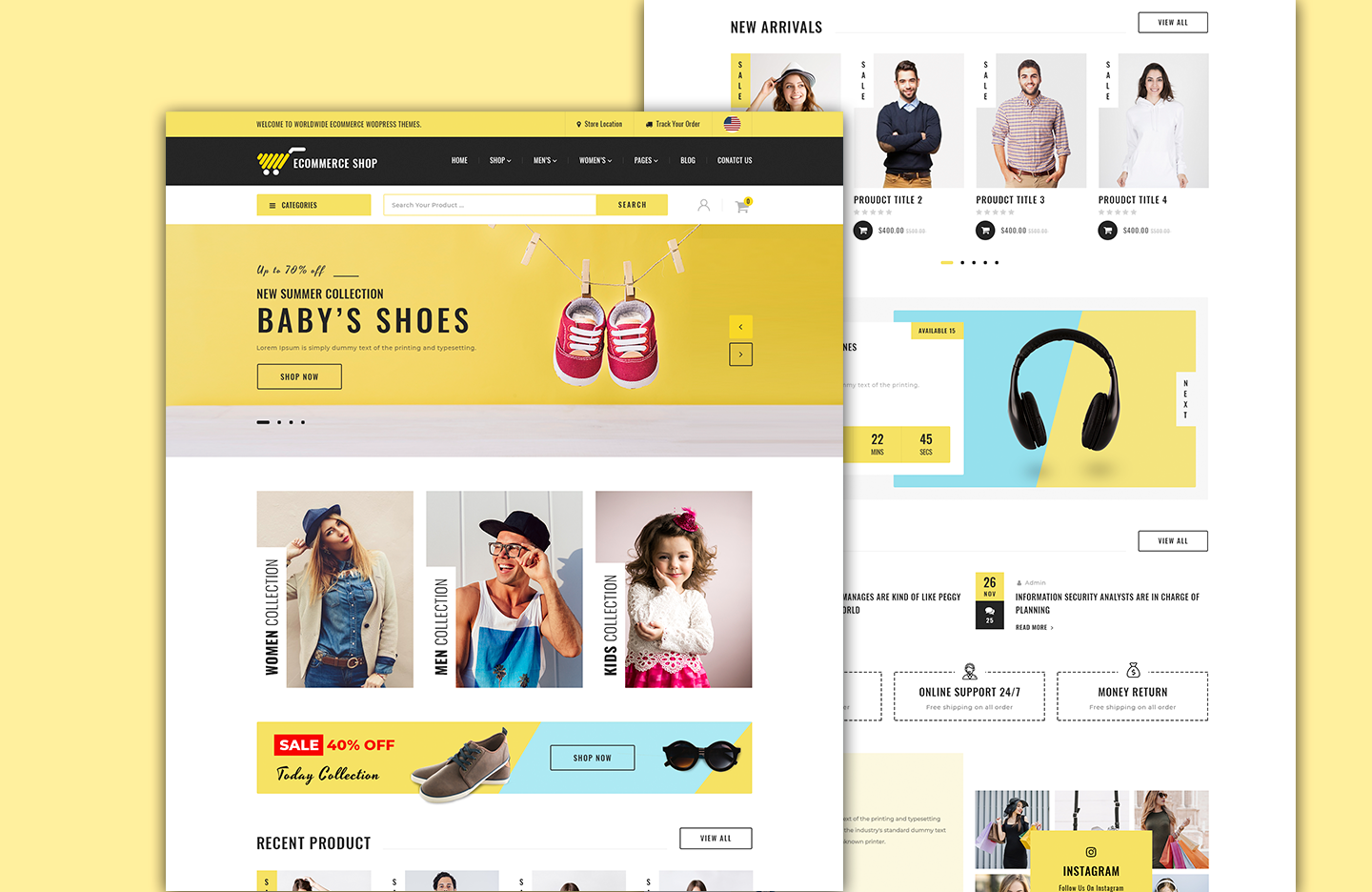
Select a theme made for ecommerce sites. These themes include product pages, shopping carts, and checkout features. They also load fast and work well on phones and tablets.
Pick a theme that matches your brand colors and style. Look for themes that offer easy setup and good support. Free and paid options are available to fit any budget.
Customizing For Better User Experience
Adjust your store’s layout to make navigation simple. Use clear menus and search bars so visitors find products fast.
Use high-quality images and readable fonts. Add product descriptions that are short and helpful. Check that buttons and links stand out and work well on all devices.
Test your store design often. Fix any issues quickly to keep customers happy and ready to buy.

Credit: umbrex.com
Payment And Shipping Options
WordPress supports many payment and shipping options for online stores. These features make selling products easy. Store owners can choose methods that suit their business needs.
Payment and shipping settings are flexible. They help provide a smooth buying experience. Buyers feel safe and confident during checkout.
Integrating Payment Gateways
WordPress allows adding popular payment gateways like PayPal and Stripe. These gateways handle card payments securely. Many plugins offer simple setup steps.
Store owners can enable multiple payment options. This helps customers pay using their preferred method. Credit cards, debit cards, and digital wallets work well.
Security is a top priority. SSL certificates protect sensitive payment data. WordPress plugins follow industry standards to keep payments safe.
Setting Up Shipping Methods
WordPress supports various shipping methods. Options include flat rate, free shipping, and local pickup. Store owners can set rules based on location or weight.
Shipping zones help define costs for different areas. This flexibility controls fees by region. Customers see accurate shipping charges during checkout.
Some plugins integrate with shipping carriers. Real-time rates from USPS, FedEx, or UPS appear. This updates shipping prices automatically, saving time.
Marketing Strategies On WordPress
Marketing strategies on WordPress help businesses reach more customers. WordPress offers many tools to promote your ecommerce site. These tools work well for small and large stores alike.
Using the right marketing strategies can increase your sales. WordPress supports plugins and features that boost your online presence. Focus on methods that bring steady traffic and repeat buyers.
Seo Tips For Ecommerce
SEO improves your store’s visibility on search engines like Google. Use clear and simple product descriptions with relevant keywords. Optimize your images by adding alt text and reducing file size. Create unique titles for each product page. Use categories and tags to organize your products. Make sure your website loads fast and works well on phones.
Using Email And Social Media
Email marketing builds a strong relationship with customers. Send updates about new products, sales, and special offers. Keep emails short and easy to read. Social media helps you connect with your audience directly. Share posts about products, behind-the-scenes, and customer reviews. Use platforms like Facebook, Instagram, and Twitter to reach more people. Engage with followers by replying to comments and messages.
Managing Sales And Inventory
Managing sales and inventory is vital for any online store. WordPress offers tools that help store owners control these tasks smoothly. Proper management ensures customers get their products on time. It also prevents stock issues and lost sales.
Tracking Orders Efficiently
WordPress ecommerce plugins track orders from purchase to delivery. Store owners can see order status in real time. This helps quickly identify any delays or issues. Customers receive updates about their orders automatically. Tracking orders reduces mistakes and improves customer trust.
Handling Stock And Product Updates
Keeping product stock accurate is easy with WordPress. Inventory levels update automatically after each sale. Store owners get alerts when stock runs low. Adding or removing products is simple and fast. This keeps the online store current and avoids selling unavailable items.
Security And Performance
Security and performance are crucial for any online store. Customers trust stores that protect their information. Fast websites keep visitors interested and boost sales. WordPress offers tools to improve both security and speed for ecommerce sites. Understanding these features helps store owners build reliable shops.
Protecting Customer Data
WordPress supports strong security measures to keep customer data safe. SSL certificates encrypt information during transactions. Many ecommerce plugins include built-in security features. Regular updates fix vulnerabilities and protect against attacks. Using strong passwords and limiting login attempts also helps. Secure hosting adds another layer of protection. Monitoring suspicious activity is important for ongoing safety.
Optimizing Site Speed
Fast loading times improve the shopping experience. WordPress allows caching to reduce page load time. Compressing images helps pages load quickly without losing quality. Choosing a reliable hosting provider boosts performance. Minimizing plugins avoids slowdowns caused by too many scripts. Content delivery networks (CDNs) deliver content faster worldwide. Regular speed tests identify areas that need improvement.
Scaling Your Ecommerce Store
Scaling your ecommerce store on WordPress means growing your business smoothly. It involves adding new tools and expanding what you sell. WordPress supports this growth with flexible options. You can upgrade your store without starting over. This makes WordPress a strong choice for ecommerce businesses of all sizes.
Adding New Features
WordPress offers many plugins to add features to your store. Want to add customer reviews? Easy. Need better payment options? Available. These features help improve shopping experience. They make your store more useful for buyers. Adding features does not need coding skills. Just install a plugin and set it up.
Expanding Product Lines
WordPress lets you add as many products as you want. You can organize products by categories and tags. This helps customers find what they want quickly. Adding new products can attract more buyers. It also helps keep your store fresh and interesting. Managing product details is simple with WordPress tools.
Credit: www.theclassictemplates.com
Frequently Asked Questions
Does WordPress Support Ecommerce Functionality?
Yes, WordPress supports ecommerce through plugins like WooCommerce. These tools enable online store setup, product management, and secure payment processing.
What Ecommerce Plugins Work Best With WordPress?
WooCommerce is the most popular ecommerce plugin for WordPress. Other options include Easy Digital Downloads and BigCommerce for WordPress, each catering to different store needs.
Can I Sell Physical And Digital Products On WordPress?
Absolutely. WordPress ecommerce plugins let you sell both physical and digital products easily, offering flexible options for inventory and download management.
Is WordPress Suitable For Large Ecommerce Stores?
Yes, with proper hosting and optimization, WordPress can handle large ecommerce stores. It offers scalability through plugins and custom development.
Conclusion
WordPress offers solid options for ecommerce sites. It supports many plugins that help sell products online. You can customize your store to fit your brand easily. Managing inventory and payments is straightforward with the right tools. Beginners and experts both find WordPress flexible and user-friendly.
Choose WordPress if you want control and simplicity in ecommerce. It can grow with your business as needs change. Overall, WordPress makes selling online clear and doable. Give it a try and see how it fits your goals.


