
Are you wondering if WordPress has email features built right in? If you rely on your website to connect with customers, send updates, or manage contact forms, understanding how email works with WordPress is crucial.
You might be asking yourself: Can WordPress send emails? Does it offer its own email service? Or do you need something extra? Keep reading, because getting clear answers now will save you time, avoid frustration, and help you make your website communication smooth and effective.
Let’s dive into what WordPress really offers when it comes to email.
WordPress Email Basics
WordPress includes basic email features to help website owners communicate. It sends emails like notifications, password resets, and contact form replies. Understanding these basics helps you manage your site’s communication better.
Emails sent by WordPress come from your hosting server or an email service. The system uses simple tools to create and send messages automatically. Let’s explore how WordPress handles emails by default and how it sends them.
Default Email Capabilities
WordPress can send emails without extra setup. It sends alerts about new user registrations, comments, and password changes. These emails keep you and your users informed about site activity.
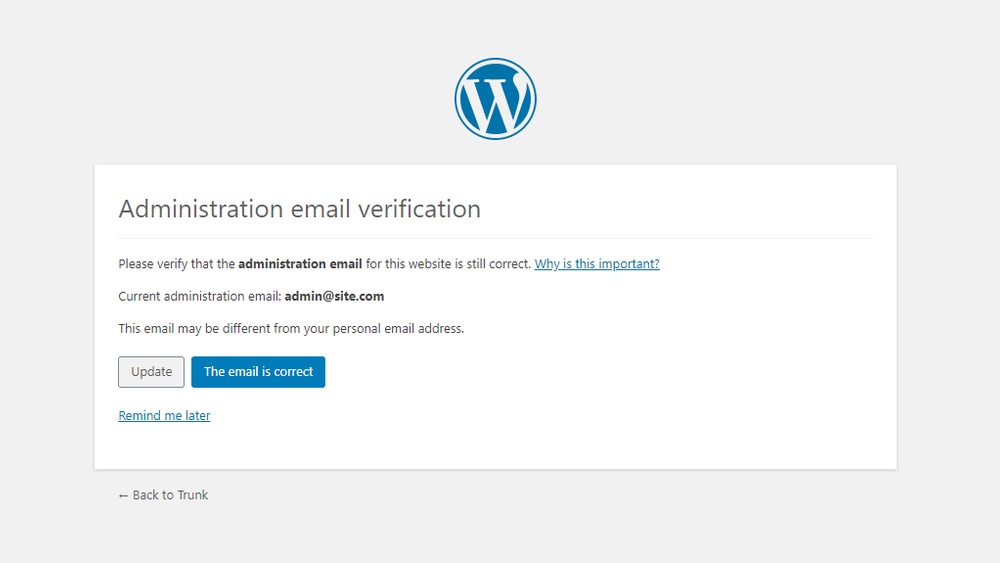
By default, WordPress uses the site’s admin email as the sender address. This email receives notifications and important updates. You can change this address in the settings if needed.
Basic emails are plain and simple. They do not include rich formatting or images. For more complex emails, plugins or third-party services are necessary.
How WordPress Sends Emails
WordPress uses a function called wp_mail() to send emails. This function relies on the PHP mail() function from your web host. It creates the email content and hands it off to the server.
The server then sends the email to the recipient’s mail server. Success depends on the hosting provider’s email setup. Sometimes emails can end up in spam folders.
To improve delivery, many use SMTP plugins. These connect WordPress to reliable email services. SMTP helps emails reach inboxes faster and more securely.
Setting Up Email In WordPress
Setting up email in WordPress is important for communication. You can send notifications, newsletters, or contact form messages easily. WordPress does not have built-in email services, but you can connect it with email tools. This section explains how to set up email in WordPress using two main methods.
Using Hosting Email Services
Many web hosts offer email services with their packages. You can create email accounts tied to your domain name. For example, yourname@yourwebsite.com looks professional and builds trust.
To use hosting email, log in to your hosting control panel. Find the email section to create new email accounts. After that, configure your WordPress site to send emails using these accounts.
This method often uses PHP mail function or SMTP settings provided by your host. It is simple but may face email delivery issues sometimes. Check with your host for specific instructions and server details.
Configuring Smtp Plugins
SMTP plugins improve email sending reliability in WordPress. SMTP stands for Simple Mail Transfer Protocol. It helps send emails through an external mail server.
Popular SMTP plugins include WP Mail SMTP, Easy WP SMTP, and Post SMTP. Install and activate a plugin from the WordPress plugin directory. Then, enter your SMTP server details such as host, port, and authentication.
Using SMTP plugins reduces chances of emails going to spam. It works with Gmail, Outlook, or any other email service. This method gives more control over email delivery and settings.
Popular Email Plugins
Email plugins help WordPress send and manage emails easily. They improve email delivery, design, and subscriber management. Many plugins offer different features for various email needs.
Wp Mail Smtp
WP Mail SMTP fixes email delivery problems on WordPress sites. It uses SMTP servers to send emails. This makes emails more reliable and stops them from going to spam. It supports popular email services like Gmail and Outlook.
Mailpoet
MailPoet lets you create and send newsletters directly from WordPress. It has a drag-and-drop editor for easy email design. You can manage subscribers and automate email campaigns. It works well for bloggers and small businesses.
Newsletter
Newsletter is a free WordPress plugin for email marketing. It helps build subscriber lists and send newsletters. It includes options for email tracking and analytics. The plugin is simple and fits beginners who want to grow their audience.

Credit: wpsiteplan.com
Enhancing Messaging Features
WordPress offers strong tools to improve how you send and manage emails. These features help make communication easy and effective for site owners.
With WordPress, you can automate emails, design unique templates, and manage your subscribers smoothly. These tools save time and keep your audience engaged.
Automated Email Notifications
WordPress allows automatic sending of emails. You can notify users about new posts, comments, or updates. This keeps readers informed without extra effort.
Automation ensures messages go out on time. It reduces manual work and keeps users connected to your site.
Customizable Email Templates
Email templates in WordPress are easy to change. You can add your logo, colors, and style. This creates a consistent look for your emails.
Custom templates make emails look professional. They help build trust with your audience by matching your brand.
Subscriber Management
Managing subscribers is simple with WordPress tools. You can add, remove, or group users based on interests. This helps send targeted emails.
Good subscriber management improves email delivery and engagement. It keeps your email list organized and active.
Integrating Third-party Email Services
WordPress does not include built-in email hosting. Users rely on third-party email services for sending and receiving emails. These services help you manage your site’s email communication easily.
Integrating third-party email services with WordPress improves email reliability and professionalism. It also enhances user experience and keeps your messages out of spam folders.
Connecting With Gmail And Outlook
Gmail and Outlook are popular email providers. You can connect them to WordPress using plugins or SMTP settings. This setup sends emails through your trusted Gmail or Outlook account.
Using these services ensures your emails reach the inbox. It also provides familiar interfaces for managing your messages.
Using Email Marketing Platforms
Email marketing platforms like Mailchimp and Sendinblue integrate well with WordPress. They help create newsletters, manage subscribers, and track campaign performance.
These platforms offer templates and automation tools. They simplify email marketing even for beginners.
Credit: wpmailsmtp.com
Troubleshooting Email Issues
Emails sent from WordPress sites can sometimes face delivery issues. These problems affect communication with users and customers. Troubleshooting email issues helps keep your messages reaching inboxes. It ensures your website stays professional and reliable.
Understanding common problems and ways to improve delivery is key. This section covers frequent email delivery issues and tips to fix them.
Common Email Delivery Problems
Emails may not arrive due to spam filters blocking them. Incorrect email settings cause many delivery failures. Server restrictions can stop WordPress from sending emails. Using the default PHP mail function can lead to poor delivery. Missing or wrong DNS records, like SPF or DKIM, also cause issues. Sometimes, emails end up in the spam folder instead of the inbox.
Improving Email Deliverability
Use SMTP plugins for better email sending from WordPress. SMTP uses proper email servers to increase success. Set up SPF, DKIM, and DMARC records in your domain settings. These records verify your emails and reduce spam tagging. Test your emails regularly to ensure they reach inboxes. Avoid sending too many emails in a short time. Keep your email list clean by removing inactive addresses.
Security And Compliance
Security and compliance are crucial for any platform handling emails. WordPress, a popular website builder, takes these matters seriously. It offers tools and features to protect user data and meet legal standards. Understanding these aspects helps users keep their email communication safe and lawful.
Protecting User Data
WordPress uses encryption to secure emails from hackers. It supports SSL certificates to keep data private. Password protection adds another layer of security. Plugins also help monitor suspicious activity. These steps reduce the risk of data theft.
Complying With Email Regulations
WordPress helps users follow email laws like GDPR and CAN-SPAM. It allows easy access to privacy policies and consent forms. Users can manage subscriptions and unsubscribe options. These features ensure legal email marketing and user trust.

Credit: wordpress.com
Frequently Asked Questions
Does WordPress Offer Built-in Email Services?
WordPress does not provide built-in email hosting. It sends emails using your web server or third-party SMTP services. For reliable email delivery, users often integrate external email providers like Gmail or SendGrid with WordPress.
How Can I Send Emails From WordPress?
You can send emails from WordPress using plugins or SMTP services. Popular plugins like WP Mail SMTP help configure email sending through trusted providers, ensuring better deliverability and avoiding spam filters.
Can WordPress Manage Email Marketing Campaigns?
WordPress itself doesn’t manage email marketing but supports plugins like Mailchimp or Constant Contact. These tools enable you to create, send, and track email campaigns directly from your WordPress dashboard.
Is WordPress Suitable For Business Email Hosting?
WordPress is not an email hosting provider. For business email, you should use dedicated services like Google Workspace or Microsoft 365, which integrate easily with your WordPress website for professional communication.
Conclusion
WordPress does not include built-in email services for sending or receiving messages. You can add email features using plugins or third-party tools. Many users connect WordPress with email providers to handle newsletters and contact forms. This setup keeps your website functional and your communication smooth.
Choosing the right email solution depends on your needs and budget. Simple tools work well for small sites, while bigger sites may need advanced options. WordPress offers flexibility but relies on external email services for messaging. This approach lets you control your emails without extra complexity.


