
Are you looking for a simple way to manage your WordPress site on the go? You might wonder, “Does WordPress have an app?”
Having quick access to your website from your phone or tablet can save you time and keep you connected wherever you are. You’ll discover whether WordPress offers an app, what features it includes, and how it can make your life easier.
Keep reading to find out how to take full control of your site right from your pocket.
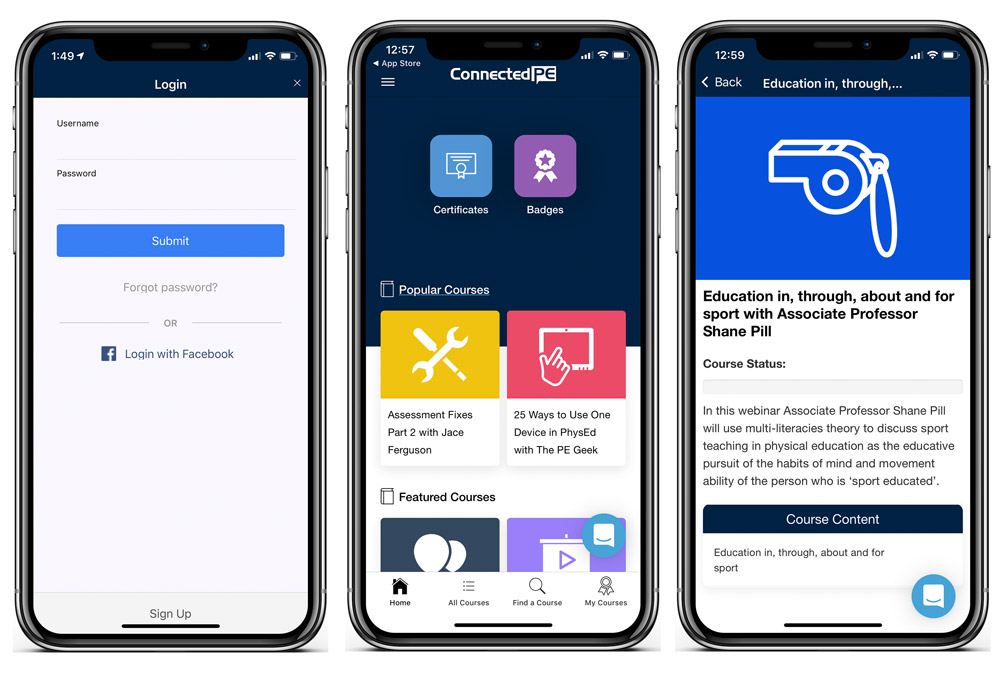
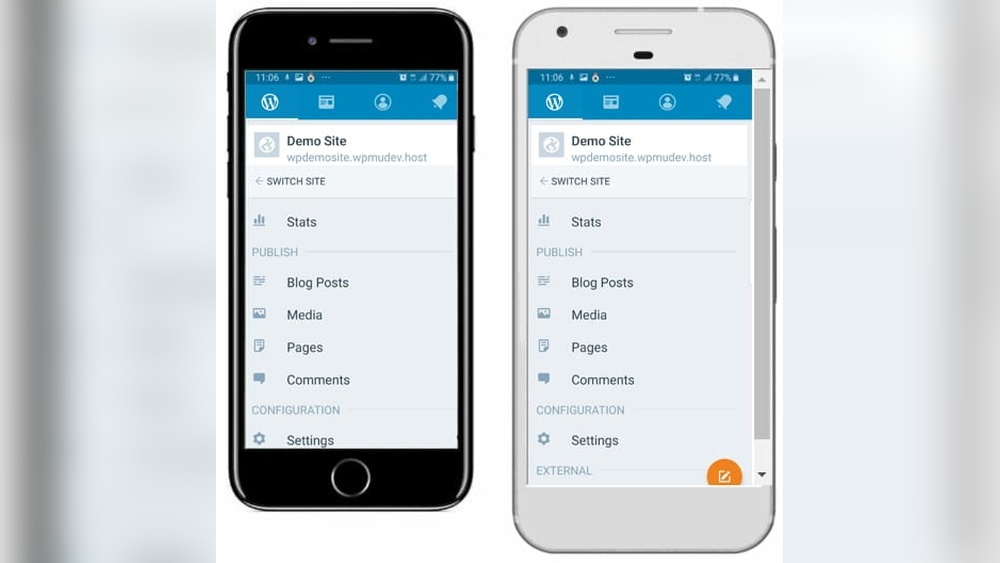
Credit: apppresser.com
WordPress App Overview
The WordPress app lets you manage your website on the go. It offers tools to write posts, upload images, and check site stats. You can keep your site updated without using a computer. The app is designed to be simple and fast.
Using the WordPress app helps you stay connected to your site anytime. It supports different types of WordPress sites, including self-hosted and WordPress.com blogs. The app brings key features right to your mobile device.
Available Platforms
The WordPress app is available for both iOS and Android devices. It works on iPhones, iPads, and Android smartphones or tablets. You can download it from the Apple App Store or Google Play Store. This wide availability means most users can easily access it.
Installation Process
To install the WordPress app, open your device’s app store. Search for “WordPress” and find the official app by Automattic. Tap the install button and wait for the download to finish. Once installed, open the app and log in with your WordPress account details. The setup is quick and user-friendly.
Key Features
The WordPress app offers many useful features for managing your website on the go. These tools help you keep your site updated and engaging. The app supports key tasks that website owners need daily. You can create content, manage media, and track your site’s performance.
Content Creation And Editing
Create new posts and pages easily from your phone. Edit existing content with simple tools. The app lets you format text, add links, and preview changes. Save drafts or publish instantly to keep your site fresh.
Media Management
Upload photos and videos directly through the app. Organize your media library without using a computer. Insert images into posts quickly. Manage files and free up space as needed.
Comment Moderation
Read and reply to comments from visitors anytime. Approve or delete comments to control spam. Engage with your readers to build a strong community. Notifications alert you to new comments fast.
Site Analytics
View important stats about your website traffic. Check visitor numbers, popular posts, and search terms. Monitor your site’s growth and audience interest. Use data to improve content and user experience.
Notifications And Updates
Receive alerts for new comments, likes, and follows. Stay informed about plugin or theme updates. The app keeps you connected to your site’s health. Respond quickly to maintain a secure and smooth website.
User Experience
User experience plays a key role in any app’s success. WordPress offers an app designed to help users manage their websites easily. The app aims to provide smooth interaction and quick access to essential features. It focuses on simplicity and clarity to serve users of all skill levels.
Interface Design
The WordPress app features a clean and simple interface. Buttons and menus are easy to spot and use. The design uses clear fonts and contrasting colors. This helps users read content without strain. The layout adapts well to different screen sizes. This makes the app functional on phones and tablets alike.
Ease Of Navigation
Navigation in the WordPress app is straightforward. Users find main functions within one or two taps. The bottom menu bar organizes key sections clearly. Switching between posts, stats, and comments is quick. The app avoids clutter by hiding less-used features. This creates a focused and calm environment for managing content.
Customization Options
The app allows basic customization to fit user needs. Users can adjust notifications to stay informed only about important updates. The home screen widgets show relevant site stats or recent activity. Though customization is limited compared to the desktop, it covers essential controls. This balance keeps the app simple without losing flexibility.
Benefits For Bloggers
Bloggers need tools that make writing and managing content easy. The WordPress app offers many benefits for bloggers. It helps save time and keeps the blogging process smooth.
The app lets bloggers work from anywhere. It also helps them stay connected with their readers. The app’s features improve how bloggers organize their tasks.
On-the-go Publishing
The WordPress app allows bloggers to create and publish posts anytime. No need to wait for a computer. Quick updates are possible from smartphones or tablets. This keeps content fresh and timely. Blogging becomes flexible and fits any schedule.
Real-time Interaction
Bloggers can respond to comments instantly using the app. This builds a stronger connection with readers. Real-time notifications alert bloggers about new comments and messages. Engaging with the audience becomes easier and faster. Readers feel valued and more likely to return.
Improved Workflow
The app helps bloggers manage their posts and media efficiently. Drafts, edits, and scheduling happen in one place. It saves time switching between devices or platforms. Bloggers can organize ideas and track progress easily. This leads to better productivity and less stress.
Benefits For Business Owners
Business owners benefit greatly from using the WordPress app. It helps manage websites anytime and anywhere. This flexibility saves time and keeps the business running smoothly.
Managing Multiple Sites
The WordPress app allows easy control of multiple websites. Owners can switch between sites without logging out. This feature simplifies handling several businesses or projects. Updates and changes happen quickly on all sites.
Tracking Performance
The app shows website stats in real-time. Business owners can see visitor numbers and popular posts. It helps understand what content works best. Quick access to data supports smart decisions for growth.
Customer Engagement
The app makes responding to comments simple. Business owners stay connected with their audience fast. Engaging with customers builds trust and loyalty. It encourages more interaction and repeat visits.
Credit: www.yeasitech.com
Limitations And Challenges
The WordPress app offers convenience but comes with some limits and challenges. Users may find it does not fully replace the desktop experience. Understanding these drawbacks helps manage expectations.
Feature Restrictions
The app lacks many advanced tools found on the desktop. Complex page builders and some plugins do not work well. Editing options are basic and may feel limited. Some themes and customizations are not supported.
Performance Issues
The app can be slow, especially on older devices. Loading times may increase with large sites. Saving changes sometimes takes longer than expected. Crashes or freezes occur occasionally during use.
Compatibility Concerns
Not all WordPress versions work smoothly with the app. Some plugins cause errors or do not load properly. Different mobile operating systems may affect app behavior. Updates to the app can create new bugs or conflicts.
Alternatives To WordPress App
WordPress offers an official app for managing sites on the go. Some users want other options for different features or ease of use. Several alternatives help you manage WordPress sites smoothly. These options work well for blogging, editing, and publishing.
Third-party Apps
Several apps from other developers support WordPress management. These apps often focus on specific tasks like editing posts or tracking site stats. Some provide simpler interfaces for beginners. Others offer advanced tools for experienced bloggers.
Third-party apps sometimes connect with multiple platforms. This can save time by managing several sites in one place. They may not have all WordPress features but cover key needs well.
Mobile Browsers
Mobile browsers are a simple way to access WordPress dashboards. You only need an internet connection and browser like Chrome or Safari. The WordPress dashboard works on most mobile browsers.
Using a browser means no need to install extra apps. You get full site control similar to desktop use. This method suits users who want quick edits or to check comments fast.

Credit: hughsviewsandnews.com
Tips For Maximizing The App
The WordPress app offers many features to manage your website on the go. Use these tips to get the most from the app. Simple steps can improve your experience and keep your site running smoothly.
Best Practices
Keep your posts clear and concise. Use images to make your content more interesting. Respond quickly to comments to engage your audience. Plan your posts ahead to stay consistent. Use the app’s built-in editor to fix errors fast.
Security Measures
Set a strong password for your app login. Enable two-factor authentication for extra protection. Avoid using public Wi-Fi for app access. Regularly check user permissions in your WordPress dashboard. Log out from the app when not in use.
Regular Updates
Update the WordPress app often to get new features. Keep your site’s plugins and themes updated too. Regular updates fix bugs and improve security. Turn on automatic updates if possible. Check for updates at least once a week.
Frequently Asked Questions
Does WordPress Have A Mobile App?
Yes, WordPress offers a mobile app for iOS and Android. It lets you manage your site, write posts, and track stats on the go.
What Features Does The WordPress App Include?
The app includes post editing, media uploads, comment moderation, and real-time site analytics. It supports multiple WordPress sites and Jetpack features.
Is The WordPress App Free To Use?
Yes, the WordPress app is completely free. You can download it from the App Store or Google Play without any cost.
Can I Manage Multiple Sites On The WordPress App?
Yes, the WordPress app allows you to manage multiple websites from one dashboard. It’s perfect for bloggers and agencies.
Conclusion
WordPress does have an app for both Android and iOS. It lets you manage your site on the go. You can write posts, upload photos, and check stats easily. The app keeps things simple for beginners and experts alike. It helps you stay connected with your website anytime.
Using the app saves time and effort. Overall, WordPress app is a useful tool for bloggers and site owners. Try it to see how it fits your needs.


