
Are you wondering if WordPress creates a sitemap for your website? If you want your site to be easily found by search engines like Google, a sitemap is key.
But do you need to set it up yourself, or does WordPress handle it automatically? You’ll discover how WordPress deals with sitemaps and what you can do to make sure your site gets the attention it deserves. Keep reading to unlock the simple steps that can boost your website’s visibility and bring more visitors to your pages.

Credit: learn.wordpress.org
WordPress And Sitemaps
WordPress and sitemaps work closely to improve how search engines find your website. A sitemap is a simple file that lists all important pages on your site. This helps search engines like Google understand your site structure. WordPress offers tools that make creating sitemaps easy.
Built-in Sitemap Features
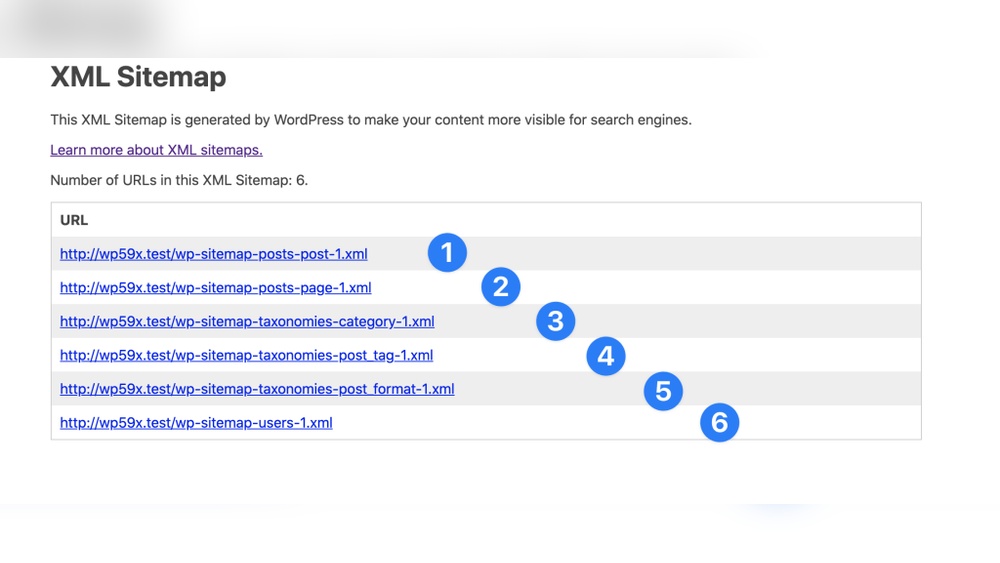
Since WordPress 5.5, sitemaps are part of the core system. WordPress creates a sitemap automatically without extra plugins. It updates the sitemap whenever you add or remove content. The sitemap follows standard formats used by search engines. This ensures your site is indexed quickly and correctly.
You can find the sitemap at yoursite.com/wp-sitemap.xml. It shows links to all your posts, pages, categories, and more. This helps search engines crawl your site faster. It saves time and improves visibility in search results.
Role Of Sitemaps In Seo
Sitemaps help search engines find new and updated pages. They tell search engines which content is most important. This can improve your site’s ranking. Sitemaps also help with large or complex websites. They ensure every page gets noticed.
Without a sitemap, search engines might miss some pages. This can reduce your traffic. Sitemaps provide a clear map of your site’s content. This makes your website easier to explore for both users and search engines.
Creating Sitemaps In WordPress
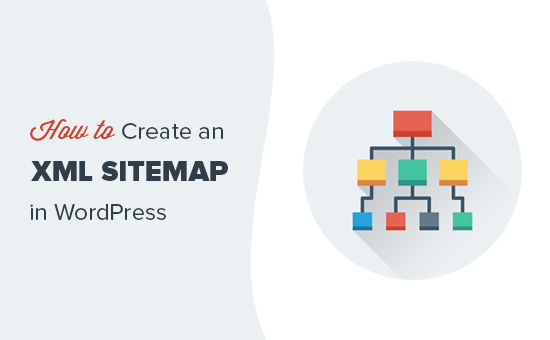
Creating sitemaps in WordPress helps search engines find and index your pages. A sitemap lists all important URLs on your site. It improves your website’s visibility in search results. WordPress offers several ways to create sitemaps. You can use built-in features, plugins, or create one manually. Each method has its own benefits. Choose the one that fits your needs best.
Using Default WordPress Sitemaps
WordPress includes a basic sitemap feature by default. It works automatically on most sites. You do not need to install extra tools. This sitemap updates itself as you add new content. It lists posts, pages, categories, and tags. The sitemap URL usually ends with /wp-sitemap.xml. You can submit this URL to search engines directly. This option suits simple websites or beginners.
Popular Sitemap Plugins
Many plugins add more sitemap options and control. Plugins like Yoast SEO and Google XML Sitemaps are popular. They create detailed sitemaps with images, videos, and custom URLs. These plugins allow you to exclude pages or posts. They also notify search engines when your sitemap changes. Plugins offer easy setup with step-by-step guides. Using plugins benefits larger or complex websites.
Manual Sitemap Creation
Some users prefer making sitemaps by hand. This involves creating an XML file with a list of URLs. It requires basic knowledge of XML format. Manual sitemaps give full control over content and structure. You can upload the file to your website’s root folder. Manual sitemaps do not update automatically. You must edit the file each time you add or remove pages.
Optimizing Sitemaps For Seo
Optimizing sitemaps helps search engines find and understand your website better. A well-organized sitemap improves your site’s SEO and can boost your rankings. It guides search engines to your most important content quickly and clearly.
Including Important Pages
Focus on adding pages that matter most to your visitors. These pages should have useful content and relevant keywords. Include your homepage, main category pages, and top blog posts. Avoid adding duplicate or low-value pages. This makes your sitemap clear and helpful for search engines.
Excluding Unwanted Content
Remove pages that do not add value, like admin pages or private posts. Excluding these pages keeps your sitemap clean and focused. It stops search engines from wasting time on irrelevant content. Use tools or plugins to control what appears in your sitemap.
Updating Sitemaps Regularly
Keep your sitemap current by updating it with new pages and removing old ones. Frequent updates help search engines find fresh content faster. Automate this process if possible, using plugins that regenerate sitemaps automatically. This ensures your sitemap always reflects your website’s structure.
Credit: www.wpbeginner.com
Submitting Sitemaps To Search Engines
Submitting sitemaps to search engines helps them find and index your website pages faster. A sitemap shows search engines the structure of your site. It tells them which pages are important and how often they change. This improves your website’s visibility in search results.
Most search engines have tools to submit your sitemap directly. These tools also provide useful data about your site’s performance. Use these platforms to keep your sitemap updated and monitor indexing status.
Google Search Console
Google Search Console allows you to submit your sitemap easily. First, sign in or create an account. Next, add your website and verify ownership. Then, find the “Sitemaps” section in the menu.
Enter your sitemap URL and click “Submit.” Google will start crawling your pages. The console shows errors and indexing reports to fix issues quickly.
Bing Webmaster Tools
Bing Webmaster Tools works similarly to Google’s platform. Create an account and add your site. Verify your site ownership using the suggested methods.
Go to the “Sitemaps” page and submit your sitemap URL. Bing provides reports on crawl status and page indexing. Use this feedback to keep your sitemap accurate and effective.
Troubleshooting Sitemap Issues
Troubleshooting sitemap issues is important for good website performance. A sitemap helps search engines find and index your pages. Sometimes, sitemaps have errors that stop search engines from crawling your site properly. Fixing these problems improves your site’s visibility and helps bring more visitors.
Common Sitemap Errors
Errors in sitemaps can block search engines. Missing URLs is a common error. Some URLs may be broken or lead to 404 pages. Incorrect formatting also causes problems. XML sitemaps must follow strict rules. Large sitemaps that exceed size limits can fail too. Duplicate URLs create confusion for search engines. Check your sitemap regularly to catch these errors early.
Fixing Crawl Problems
Crawl problems stop search engines from indexing your site. Robots.txt files sometimes block sitemaps. Make sure your robots.txt allows sitemap access. Server errors like 500 or timeout errors can also block crawlers. Use Google Search Console to find crawl issues. Resubmit your sitemap after fixing problems. Keep your sitemap updated with fresh URLs. This helps search engines crawl your site smoothly.
Advanced Sitemap Tips
Advanced sitemap tips help improve your site’s visibility on search engines. They help organize your content better. Using these tips can make your sitemap more effective and easier to manage.
Using Multiple Sitemaps
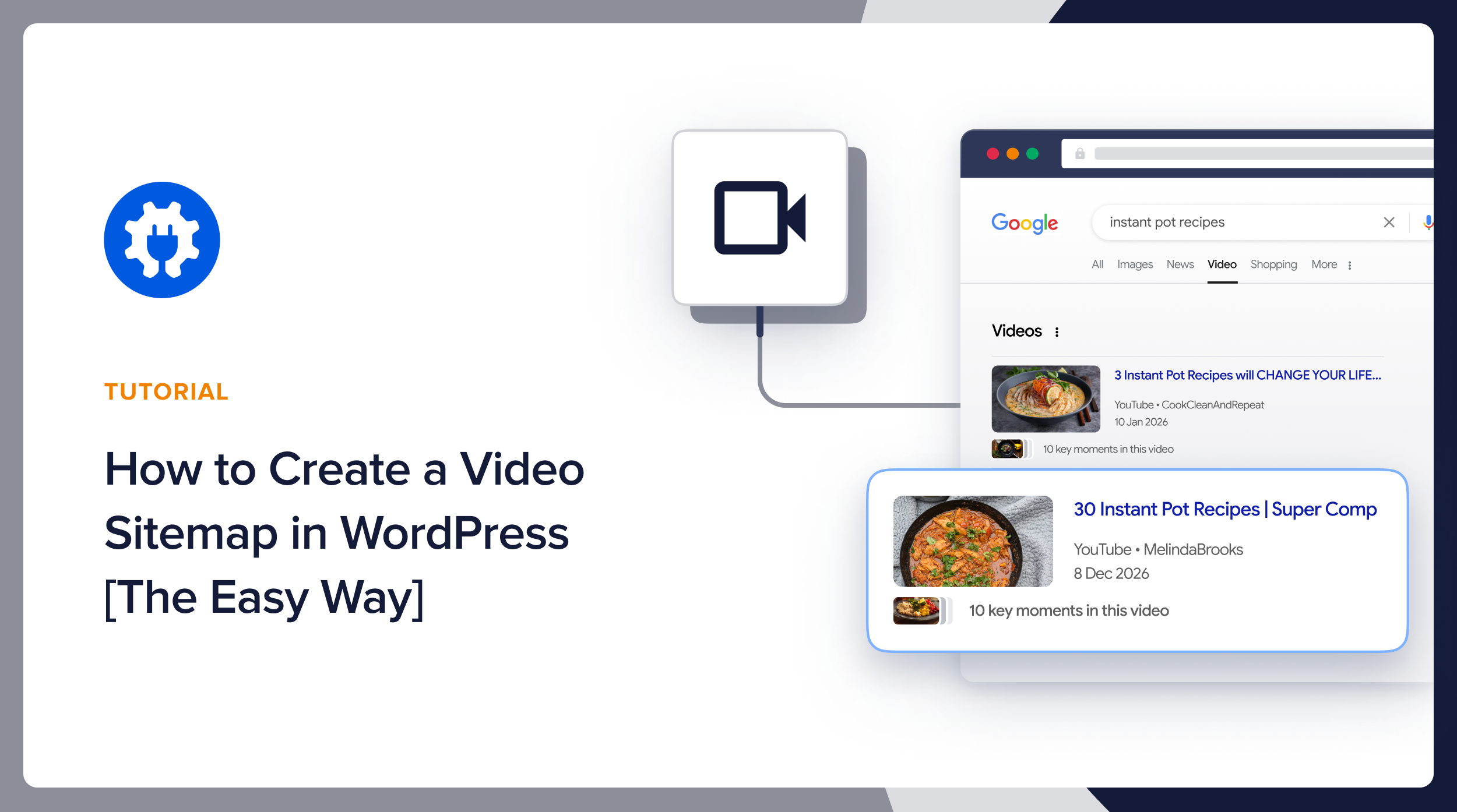
Big websites often need more than one sitemap. Multiple sitemaps keep things clear and neat. You can separate sitemaps by content type, like blog posts, images, or videos. This helps search engines find and index your content faster. It also avoids hitting size limits for sitemaps. Each sitemap should focus on one type of content or a specific section of your site.
Sitemap Index Files
Sitemap index files list several sitemaps in one place. Think of it as a table of contents for your sitemaps. This file points search engines to all your sitemaps quickly. It makes managing large or complex websites easier. Search engines read the index file to discover all sitemaps. This speeds up the crawling and indexing process. Use sitemap index files if your site has many sitemaps.
Credit: aioseo.com
Frequently Asked Questions
Does WordPress Automatically Create A Sitemap?
Yes, WordPress creates a basic sitemap by default since version 5. 5. It helps search engines index your site efficiently.
How Can I Find My WordPress Sitemap Url?
You can find it by adding “/wp-sitemap. xml” to your site’s domain URL. For example, example. com/wp-sitemap. xml.
Should I Use Plugins For Better Sitemaps In WordPress?
Yes, SEO plugins like Yoast or Rank Math enhance sitemap features, offering more control and customization options.
Can I Customize The Default WordPress Sitemap?
The default sitemap has limited customization. Using SEO plugins lets you control which pages and posts appear in your sitemap.
Conclusion
WordPress does create a sitemap automatically for your site. This helps search engines find and index your pages quickly. You can also customize the sitemap with plugins if needed. A sitemap improves your website’s visibility online. It makes your content easier to discover.
Make sure to check your sitemap regularly. Keep it updated to match your latest content. This simple step supports your site’s SEO efforts well.


