
Are you thinking about using WordPress to sell your products or services online? One big question you might have is whether WordPress charges transaction fees when you make a sale.
Knowing this can save you money and help you plan your business better. You’ll get clear answers about WordPress fees and learn what costs to expect. Keep reading to find out how to keep more of your hard-earned money in your pocket.
WordPress Payment Options
WordPress offers various payment options for online stores and services. These options help businesses accept payments easily. Choosing the right payment method depends on your needs and preferences. WordPress supports both built-in payment methods and third-party gateways.
Built-in Payment Methods
WordPress itself does not charge transaction fees for payments. Some WordPress plugins, like WooCommerce, provide built-in payment options. These include basic methods such as direct bank transfer, cash on delivery, and check payments. These methods do not require extra fees from WordPress. They are simple and suitable for local or offline payments.
Third-party Payment Gateways
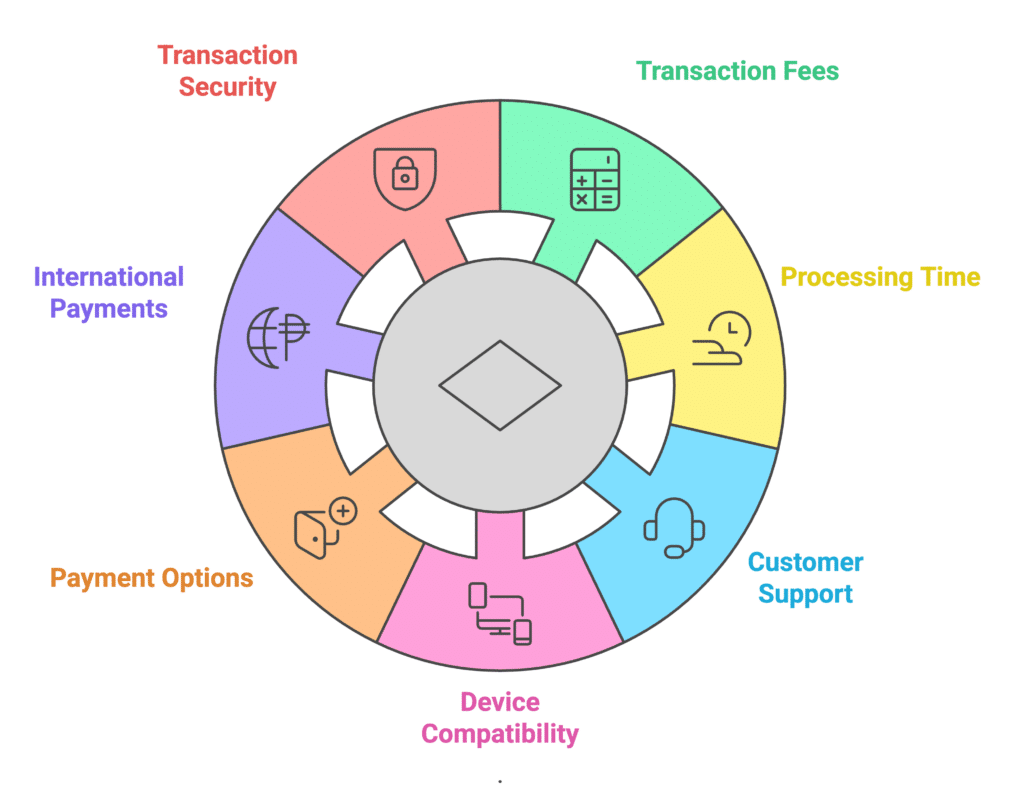
Most online businesses use third-party payment gateways. Popular gateways include PayPal, Stripe, and Square. These services handle the payment process securely. WordPress plugins can integrate these gateways into your site. Each gateway charges its own transaction fee, separate from WordPress. Fees vary by provider and payment type. You pay these fees directly to the gateway, not WordPress.
Credit: wpforms.com
Transaction Fees Explained
Transaction fees are charges applied to payments made through online platforms. These fees cover the cost of processing payments. Many users wonder if WordPress charges these fees and how they work. Understanding these charges helps you manage costs better.
WordPress offers different services, and fees vary depending on the platform and tools used. Below, we explain the fee structure for WordPress.com and WooCommerce, two popular options for website owners.
WordPress.com Fee Structure
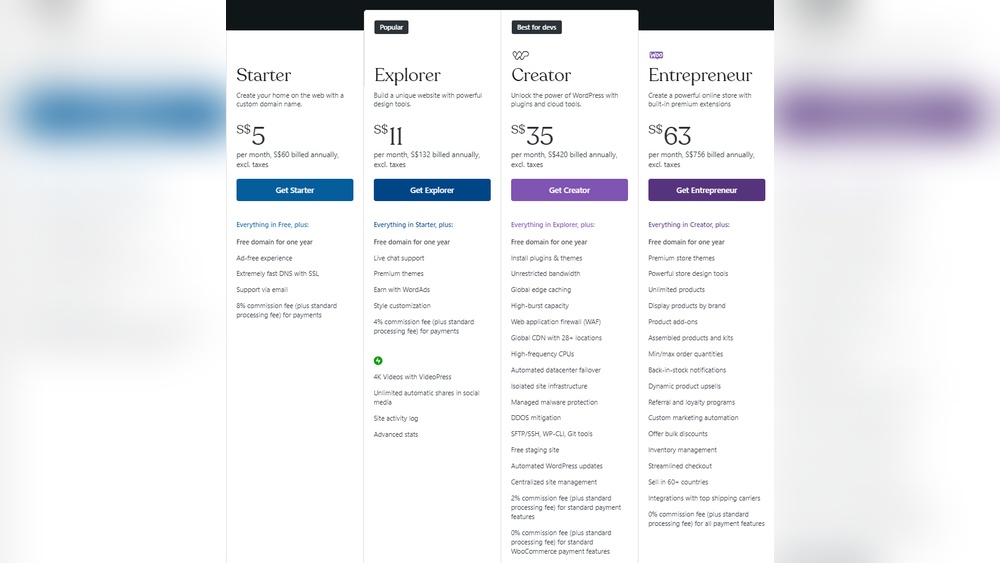
WordPress.com charges transaction fees on certain plans. For example, the Free and Personal plans do not support online payments. The Business and eCommerce plans allow payments but may include fees.
WordPress.com charges a 2% fee on payments for users on the Business plan. This fee applies to payments made through their payment system. The eCommerce plan removes this 2% fee, making it better for online stores.
Payment methods also have fees. For example, Stripe and PayPal charge processing fees around 2.9% plus a small fixed amount. WordPress.com passes these fees to the seller without extra charges on the eCommerce plan.
Woocommerce Transaction Costs
WooCommerce is a free plugin for WordPress that adds eCommerce features. WooCommerce itself does not charge transaction fees. You only pay for payment processors like PayPal or Stripe.
These payment processors take a percentage of each sale, usually around 2.9% plus a small fee per transaction. WooCommerce does not add extra fees on top of this.
Some WooCommerce extensions may cost money, but they do not add transaction fees. You control which payment gateways to use and their associated costs.
Comparing Payment Platforms
Choosing the right payment platform matters for your online store. Fees affect your profits and pricing. Each platform has different rules for transaction fees. Understanding these differences helps you pick the best option for your business.
WordPress Vs Shopify
WordPress itself does not charge transaction fees. You pay fees to the payment gateway you select, like PayPal or Stripe. Shopify charges a fee on every sale unless you use Shopify Payments. This fee ranges from 0.5% to 2% depending on your plan. Shopify Payments also charges credit card processing fees. WordPress offers more flexibility but requires more setup. Shopify is easier for beginners but can cost more over time.
WordPress Vs Etsy
Etsy charges a 6.5% transaction fee on every sale. This fee applies to the product price plus shipping and gift wrap. Etsy also charges payment processing fees depending on the country. WordPress does not have built-in transaction fees, leaving you to manage payment gateways. Etsy is simple for handmade or unique items. WordPress allows full control but needs technical knowledge for payment setup.
How To Minimize Fees
Reducing transaction fees on WordPress can save money for any online store. Small changes make a big difference in fees paid over time. Understanding payment options and fee structures helps control costs effectively.
Choosing The Right Payment Gateway
Select a payment gateway with low fees and good features. Some gateways charge a flat fee per transaction. Others take a percentage of the sale. Compare popular gateways like Stripe, PayPal, and Square. Check their fee rates and available tools. Choose one that fits your business size and sales volume. Avoid gateways with hidden or extra fees. Also, consider how easy the gateway is to use for customers.
Tips For Lowering Costs
Set a minimum purchase amount to avoid fees on small transactions. Bundle products to increase the sale value. Use gateways offering monthly plans with lower per-transaction fees. Negotiate fees with your payment provider if sales grow. Keep your store secure to avoid chargebacks and extra fees. Regularly review your fees to find cheaper options. These steps help keep more money in your pocket.
Hidden Charges To Watch For
WordPress does not charge direct transaction fees for most users. Still, some hidden costs can appear. These fees may affect your budget and overall earnings. Understanding these charges helps you manage your online store better.
Subscription Plans Impact
WordPress offers different subscription plans. Some plans include eCommerce features, while others do not. Basic plans might limit your payment options. Upgrading to higher plans can unlock more tools. These upgrades often come with monthly or yearly fees. Choose a plan that fits your store’s needs and budget.
Additional Service Fees
Extra fees can arise from services like payment gateways and plugins. Payment processors like Stripe or PayPal charge transaction fees. These fees are separate from WordPress costs. Premium plugins for shipping, marketing, or security may also require payments. Always check these costs before adding new features to your site.

Credit: www.websitebuilderexpert.com
User Experiences
User experiences reveal how WordPress handles transaction fees in real situations. These stories help us understand costs better. They show what small businesses and developers face while using WordPress for payments.
Small Business Insights
Many small businesses appreciate WordPress’s ease of use. They find no extra transaction fees from WordPress itself. Instead, fees depend on the payment gateway, like PayPal or Stripe.
Some owners say this setup keeps costs clear and manageable. They only pay standard gateway fees, which are common across platforms. Small shops can predict expenses without surprise charges from WordPress.
Others mention that some WordPress plugins for payments may have their own fees. These fees are for added features, not transactions. Business owners often choose free or low-cost plugins to avoid extra charges.
Developer Perspectives
Developers note WordPress does not add transaction fees directly. They focus on integrating popular payment gateways. This lets clients pick services with fees they understand.
Many developers prefer coding custom solutions using open-source tools. This approach avoids additional costs. Developers say this helps businesses keep total fees low.
Some developers warn that certain plugins or themes might include hidden costs. They advise clients to read terms carefully. Understanding fee structures prevents unexpected expenses.

Credit: www.liquidweb.com
Frequently Asked Questions
Does WordPress Charge Transaction Fees For Online Sales?
WordPress itself does not charge transaction fees. However, payment gateways integrated with WordPress, like PayPal or Stripe, may charge fees. Always check your payment provider’s terms for accurate fee details when selling online via WordPress.
How Do WordPress Plugins Affect Transaction Fees?
Some WordPress e-commerce plugins are free but rely on payment gateways that charge fees. Plugins like WooCommerce do not add fees but the payment processor might. Choose plugins carefully to avoid unexpected transaction costs.
Can I Avoid Transaction Fees On WordPress Sites?
You cannot completely avoid transaction fees if you accept payments online. Fees are charged by payment processors, not WordPress. To minimize fees, compare gateway rates and choose the most cost-effective option for your business.
Are WordPress.com And WordPress.org The Same For Fees?
WordPress. com offers built-in payment options with fees, while WordPress. org is self-hosted and depends on your payment gateway. Transaction fees vary based on platform and payment processor, not WordPress itself.
Conclusion
WordPress itself does not charge transaction fees. Fees come from payment gateways like PayPal or Stripe. These gateways handle the money and charge small fees. Choosing the right payment provider matters for your costs. Keep your fees low by comparing options carefully.
Running an online store on WordPress can be cost-effective. Focus on your products, not extra fees. This way, you keep more profit from your sales. WordPress gives you control without hidden transaction costs.


