

Are you looking to take your WordPress site to the next level? Understanding how to “Do Action in WordPress” can unlock powerful ways to customize and control your website.
Whether you want to add new features, improve performance, or tailor your site’s behavior exactly how you want, mastering actions is the key. You’ll discover simple steps to use WordPress actions effectively, even if you’re not a tech expert. Ready to make your site truly yours?
Keep reading, and let’s dive right in.
What Is Do Action In WordPress
WordPress uses many tools to let developers customize websites. One of these tools is do_action. It helps add extra code at certain points in WordPress. This makes websites more flexible and powerful.
The do_action function triggers actions set by developers. It is a core part of WordPress’s hook system. Hooks allow developers to change or add features without altering core files.
What Does Do Action Do?
do_action calls all functions linked to a specific action hook. It runs these functions in the order they were added. This lets plugins and themes add custom code easily.
Why Use Do Action?
This function helps keep code clean and organized. It separates custom code from WordPress core files. Updates to WordPress won’t erase these changes. It also allows multiple pieces of code to run at one hook.
How Does Do Action Work?
Developers add functions to hooks using add_action. Then, WordPress runs do_action at the right time. This triggers all functions tied to that hook. The process is simple but powerful.
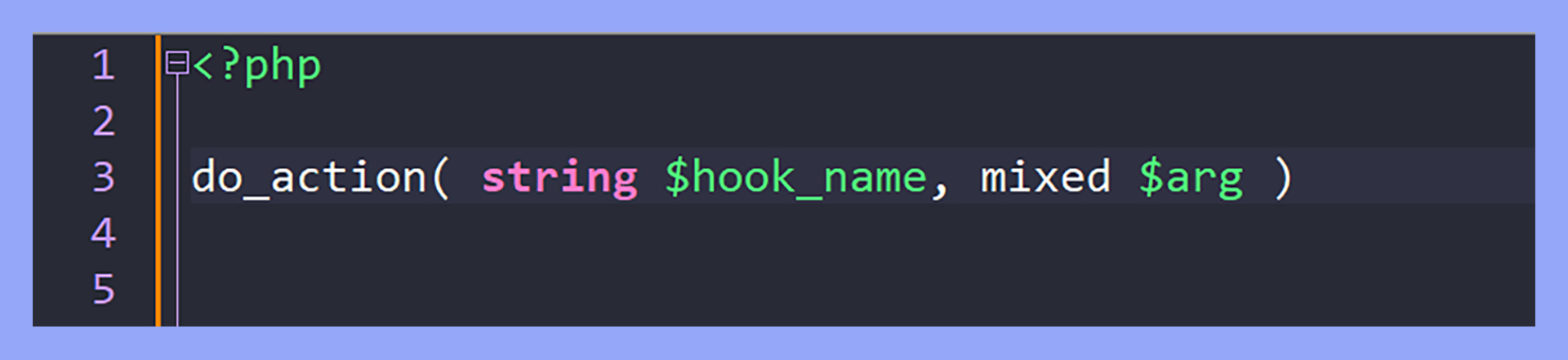
Credit: 10web.io
How Do Action Enhances Site Functionality
Do Action is a key tool in WordPress. It helps add custom functions without changing core files. This keeps your site safe and easy to update.
It lets you run code at specific points. This control improves how your site works and looks. You can add new features or change existing ones.
Add Custom Features Easily
With Do Action, you add new features fast. You write a function and hook it to an action. WordPress runs your code at the right time.
This method keeps your site clean and organized. No need to edit main files or install heavy plugins.
Improve User Experience
Do Action can change site behavior for visitors. You can show messages, change layouts, or track actions. This makes your site more interactive and user-friendly.
Boost Performance
Do Action helps load only needed features. Run code only when required. This reduces extra processes and speeds up your site.
Enhance Security
Using Do Action avoids direct file edits. This lowers risk of errors or hacks. It keeps your WordPress installation safer.
Setting Up Do Action Hooks
Setting up do action hooks in WordPress allows you to run custom code at specific points. These hooks help you change or add features without editing core files. You can add your own actions or use built-in hooks provided by WordPress and themes.
Adding Custom Actions
To add a custom action, use the add_action() function in your theme or plugin. This function connects your custom function to a hook name. WordPress runs your function when it reaches that hook.
Example:
function my_custom_function() { echo 'Hello, this is a custom action!'; } add_action('my_custom_hook', 'my_custom_function');You also need to create the hook with do_action('my_custom_hook') in the code where you want it to run.
Using Built-in Hooks
WordPress and many themes have built-in action hooks. Use add_action() to add your code to these hooks. This lets you add content or change behavior without changing original files.
Common hooks include wp_head for adding code to the page header and wp_footer for the footer. Just attach your function to these hooks.
function add_custom_footer_text() { echo 'Custom footer text here.
'; } add_action('wp_footer', 'add_custom_footer_text');Built-in hooks give you many ways to customize your site safely.

Credit: www.youtube.com
Practical Examples Of Do Action
Understanding how to use do_action in WordPress opens many doors for customizing your site. This function allows you to insert your own code at specific points in themes or plugins. It makes your site flexible and unique. Below are practical examples that show how to use do_action effectively.
Adding Custom Code To Themes
The do_action hook lets you add custom code inside your theme without changing the core files. For example, you can add extra content to your footer or header. Just find a suitable action hook in your theme, then write a function to add your code. Use add_action to connect your function to the hook.
This method keeps your changes safe during theme updates. You can add tracking scripts, custom messages, or extra HTML easily. It helps keep your site clean and organized.
Extending Plugin Features
Many plugins offer action hooks for extra features. Use do_action to run your code at certain points in a plugin’s process. For example, you can add new fields to a form or send notifications after a plugin completes a task. Use add_action to attach your custom function to the plugin’s hook.
This approach allows you to improve plugin functions without editing plugin files. Your custom code stays active even if the plugin updates. It is a smart way to enhance functionality safely.
Best Practices For Do Action Usage
Using the do_action function in WordPress can add powerful flexibility to your site. It allows you to create hooks where other functions can run. This makes your code more modular and easier to manage. Following best practices helps keep your site stable and fast.
Avoiding Conflicts
Always use unique hook names in do_action. This prevents other plugins or themes from using the same name. Conflicts can cause unexpected behavior or errors. Prefix your hook names with your theme or plugin name. It makes your code more reliable and easier to troubleshoot.
Keep the actions simple and focused on one task. Avoid running heavy code or multiple functions inside one hook. This reduces the chance of conflicts and errors.
Performance Considerations
Use do_action wisely to keep your site fast. Avoid adding too many hooks on a single page. Each hook runs additional code, which can slow down your site. Test the performance impact of your actions regularly.
Keep the functions attached to your hooks lightweight. Avoid complex database queries or long loops inside these functions. Use caching to reduce repeated work. This helps your site load quickly and improves user experience.
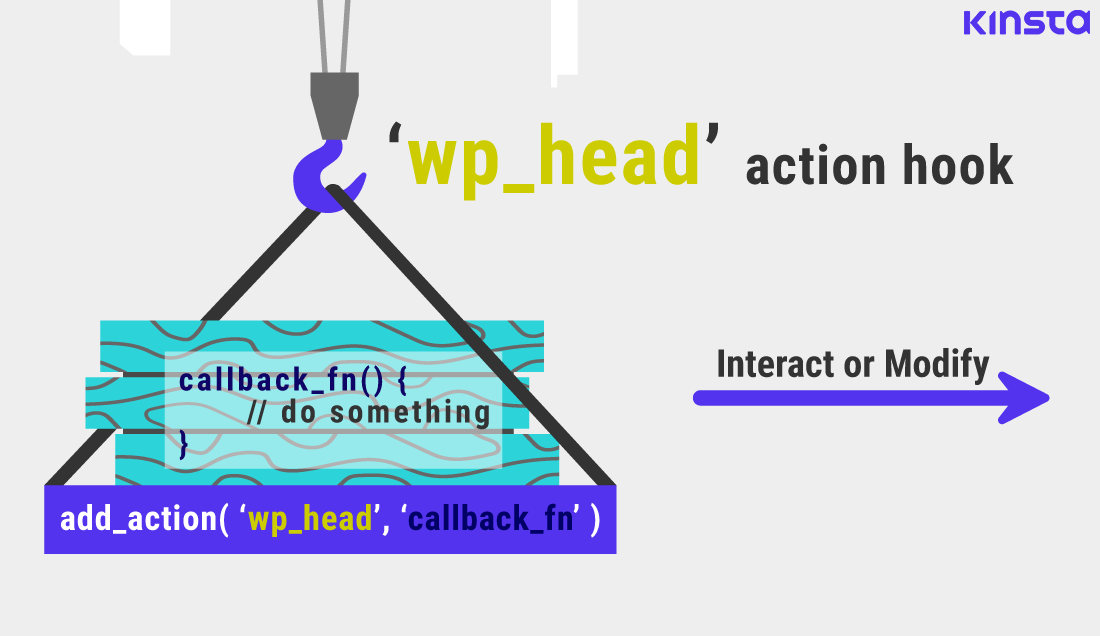
Credit: kinsta.com
Troubleshooting Common Issues
Troubleshooting common issues with the do_action hook in WordPress can save time and stress. Many problems happen because of small mistakes in the code or misunderstanding how hooks work. Fixing these issues requires a clear approach.
Errors with hooks often stop your custom code from running. They can affect your site’s functions or appearance. Knowing how to find and solve these problems helps keep your site working well.
Debugging Hook Problems
Start by checking if the hook name is correct. Misspelled hook names cause your action not to run. Use the exact hook name provided by WordPress or your theme.
Turn on debugging in WordPress to see errors. Add define('WP_DEBUG', true); in your wp-config.php file. Errors and warnings will show on the screen or in the debug log.
Use error_log() to test if your action fires. Place it inside your hooked function to confirm it runs. If the message does not appear, the hook is not working.
Managing Hook Priorities
Hook priority controls the order of function execution. The default priority is 10. Lower numbers run earlier, higher numbers run later.
Set priorities carefully to avoid conflicts. If two functions change the same output, the priority decides which runs first. Adjusting priorities can fix unexpected behavior.
Use different priorities for related actions. This ensures your code runs in the right sequence. Test changes to confirm your site works as expected.
Frequently Asked Questions
What Is The Purpose Of Do_action In WordPress?
Do_action allows developers to execute custom functions at specific points in WordPress. It enables flexible plugin and theme customization by triggering hooks.
How Do I Use Do_action In My WordPress Theme?
Place do_action(‘hook_name’) in your theme files where you want custom functions to run. Then, add functions to that hook using add_action.
Can Do_action Improve WordPress Plugin Development?
Yes, do_action creates hooks that plugins can use to extend functionality. It promotes clean, modular, and maintainable code in plugin development.
What Is The Difference Between Do_action And Add_action?
Do_action triggers the hook at runtime, while add_action attaches a function to that hook. Both work together to run custom code.
Conclusion
Using actions in WordPress helps you add custom features easily. It lets you change how your site works without editing core files. This keeps your site safe and updates smooth. Actions run your code at the right time. They make your site more flexible and powerful.
Try adding simple actions first to see how they work. With practice, you can build better WordPress sites. Small steps lead to big improvements. Keep experimenting and learning as you go.


